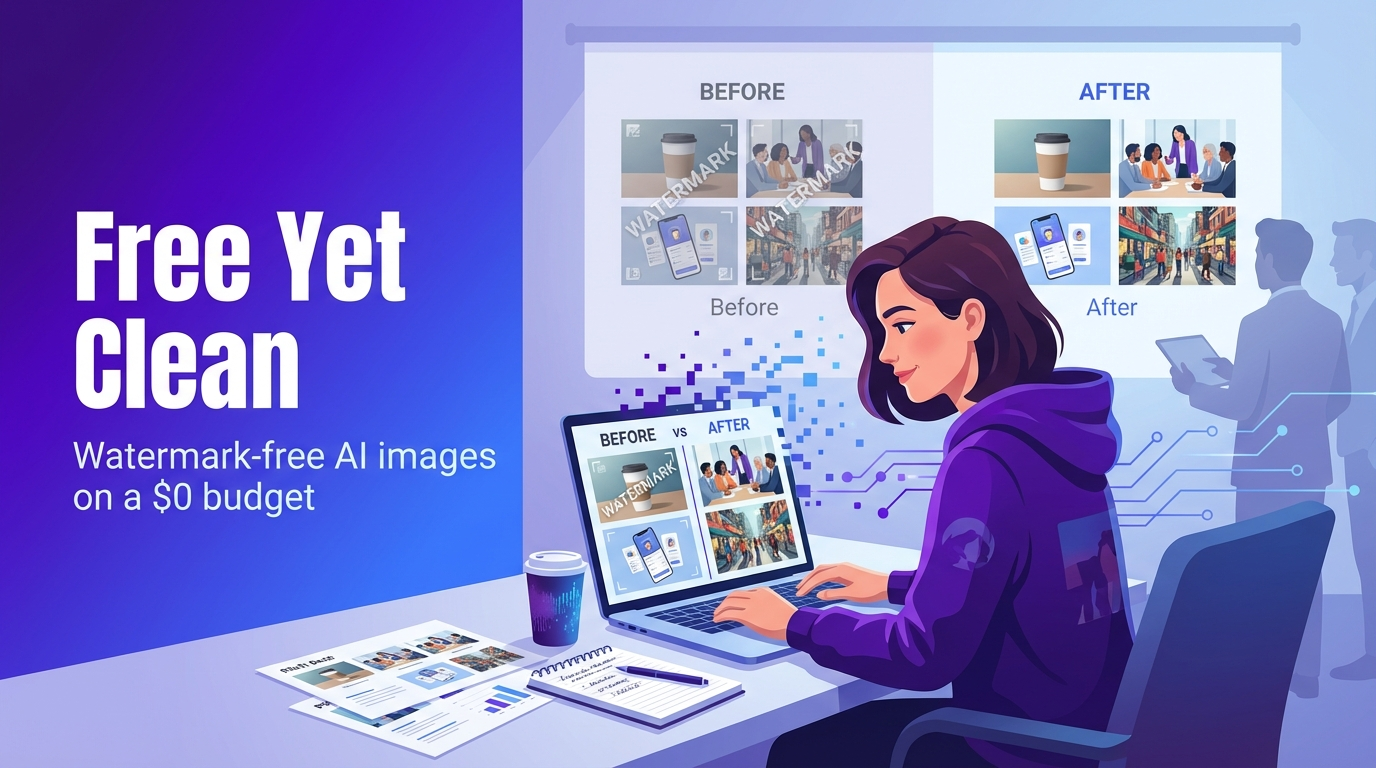
Watermarks scream “demo” and downplay your brand the moment investors zoom in. Search free AI image generator no watermark and you’ll wade through listicles that skip licensing fine print and everyday workflow fit. This guide closes that gap: ranking true watermark-free tools by image quality, daily credit limits, and commercial rights so you can decide fast.
First up: Leonardo.ai image generator. Its free tier serves crisp, high-resolution PNGs, generous daily credits, and zero visible branding, ideal for prototypes, pitch decks, and social posts.
The 6 best watermark-free AI image generators
Looking for a free AI image generator no watermark you can trust for client work? Start with these six platforms. We ranked them by output quality, daily allowance, and licensing clarity.
- Leonardo.ai: polished results, 150 free credits a day
Controls sit on the left, a live gallery on the right. Each of the 150 daily credits delivers a high-res PNG with no corner logo. We tested photoreal portraits, product flat-lays, and illustrated scenes; prompt accuracy stayed tight, and a 4 K upscale is one click away. Licensing is clear: generate, publish, sell. Batch-export PNG or JPG, then drop files into Figma, Canva, or your slide deck.
- Microsoft Designer: DALL-E 3 muscle in your browser
Designer wraps the latest DALL-E 3 model in a blank canvas. Type “rose-gold earbuds on marble,” and a 1024 × 1024 PNG lands in seconds, watermark-free. Free users get 20 speed boosts a day; after that, jobs queue but still complete. Because Designer lives in your Microsoft account, images flow straight into PowerPoint, Word, or Outlook (handy for pitch decks and social banners).
- Perchance.org: test ideas, no login required
Perchance is one text box and a Generate button. Click and a stylized 768-px square appears: zero watermark, zero queue. No stated limit; we fired 50 prompts back-to-back without slowdown. Rights default to you, though prompts are public, so skip confidential copy.
- PixlumAI: unlimited shots plus an in-browser editor
Log in once (or skip it), enter a prompt, and four variants arrive in under ten seconds. No credit meter, no daily cap. The engine favors cinematic lighting and rich textures, and a built-in editor lets you erase halos or tweak contrast before downloading the full-size PNG. Licensing is simple: you own it.
- NanoImage.ai: high-volume output in parallel
NanoImage opens without an account page. Choose an aspect ratio and watch four 1024-px frames appear. A micro-queue lets you launch ten prompts at once, so agencies rely on it for ad-set variants. Toggle “Enhance” to upscale to 4 K, or add negative prompts to clean stray text. Commercial use is green-lit as long as you don’t redistribute the model weights.
- Raphael AI: privacy mode for sensitive briefs
Pick a model (Stable Diffusion XL, an anime fork, or Real-ESRGAN) and generate four 1024-px images. Turn on “local mode,” and both prompt and render stay on your machine, ideal for unreleased products. Cloud generations are unlimited but may queue at peak hours; local mode depends on your GPU. Licensing follows a creator-owns-it rule with the usual “no hateful content” clause.
1. Leonardo.ai: polished results, 150 free credits a day
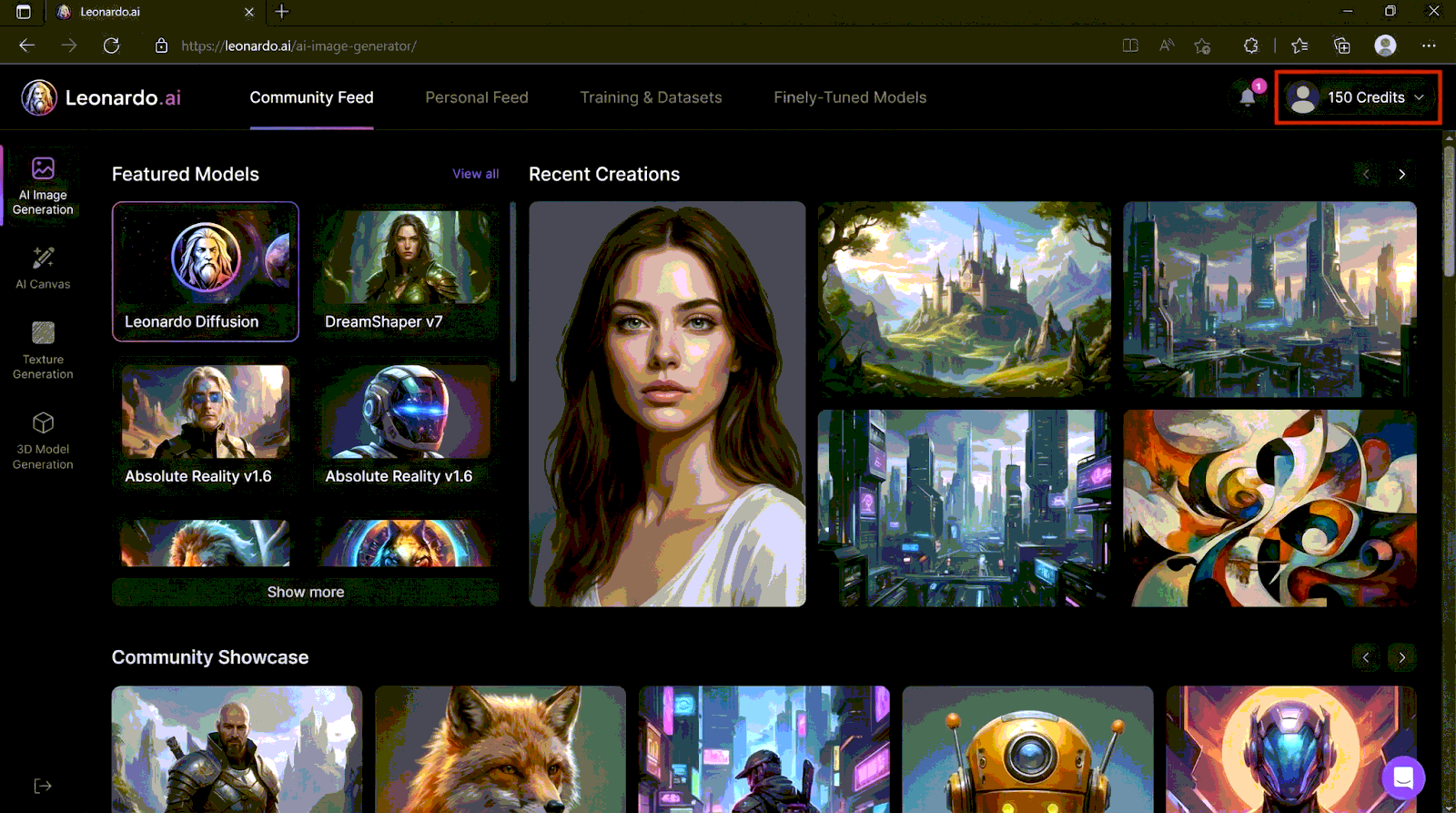
Leonardo’s dashboard is clean: tools on the left and a live gallery on the right. The free plan gives you 150 fast tokens every 24 hours, and each token returns a high-resolution PNG with no visible branding.
Prompt accuracy holds across photoreal portraits, minimalist product shots, and illustrated scenes. You can adjust style strength, switch diffusion models, or upscale to 4 K without paying extra.
Licensing is simple: generate, publish, and sell. For founders crafting decks or ads, that free AI image generator with no watermark promise only counts when the legal text supports it, and Leonardo’s terms do.
Workflow fit seals the deal. Batch-export PNG or JPG, move files into Canva or Figma, or connect the lightweight API for automated social posts. One tab covers quality, quota, and clear rights.
2. Microsoft Designer: DALL-E 3 muscle in your browser
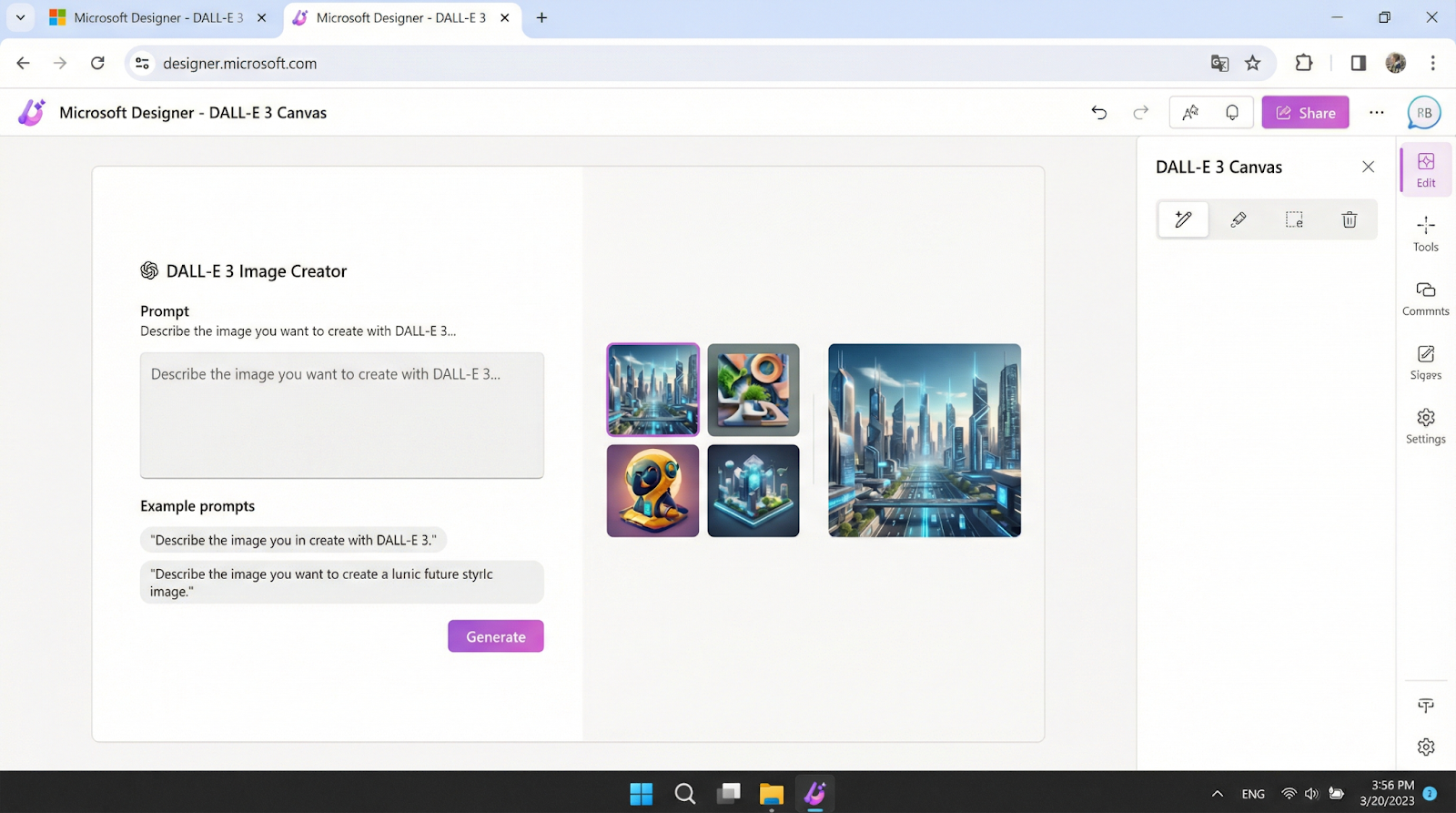
Designer wraps the latest DALL-E 3 model in a blank canvas and chat-style prompt box. Type “rose-gold earbuds on marble,” and a 1024 × 1024 PNG appears in seconds without a watermark. Free users receive 20 speed boosts each day. After you use them, images still generate; they just take longer.
Because Designer connects to your Microsoft account, finished art flows directly into PowerPoint, Word, or Outlook, which is ideal for pitch decks and social banners.
A licensing note: Microsoft tags the free tier for personal, non-commercial use. If you need assets for paid ads or merchandise, upgrade to Copilot Pro or choose another free AI image generator no watermark that grants commercial rights.
For quick brand-adjacent visuals such as internal slides, personal social posts, or concept mocks, Designer combines strong language understanding with a friction-free workflow.
3. Perchance.org: zero-login idea lab
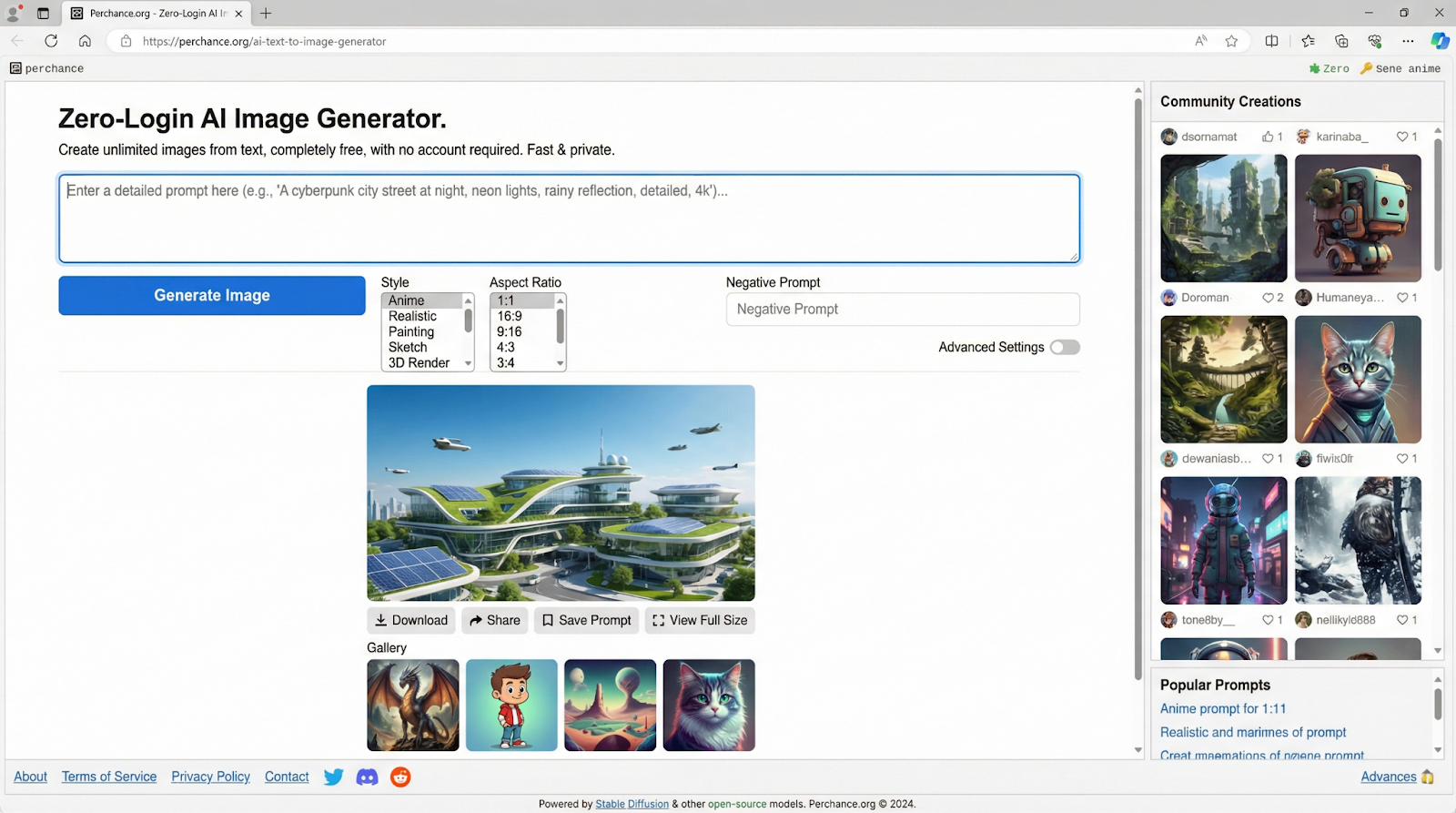
One prompt box, one Generate button. Perchance returns watermark-free images up to 768 × 512 px in a few seconds. No account or credit meter needed.
The engine favors stylized visuals rather than strict photorealism, which suits mood-board frames and TikTok storyboards. We ran 50 prompts back-to-back and never hit a queue.
You own the rights. The site states that creators hold full control, so you can publish or remix without a research clause. If you need a free AI image generator no watermark for quick experiments, keep Perchance open in a background tab for unlimited, low-friction tries.
4. PixlumAI: unlimited images, 1024 × 1024 px
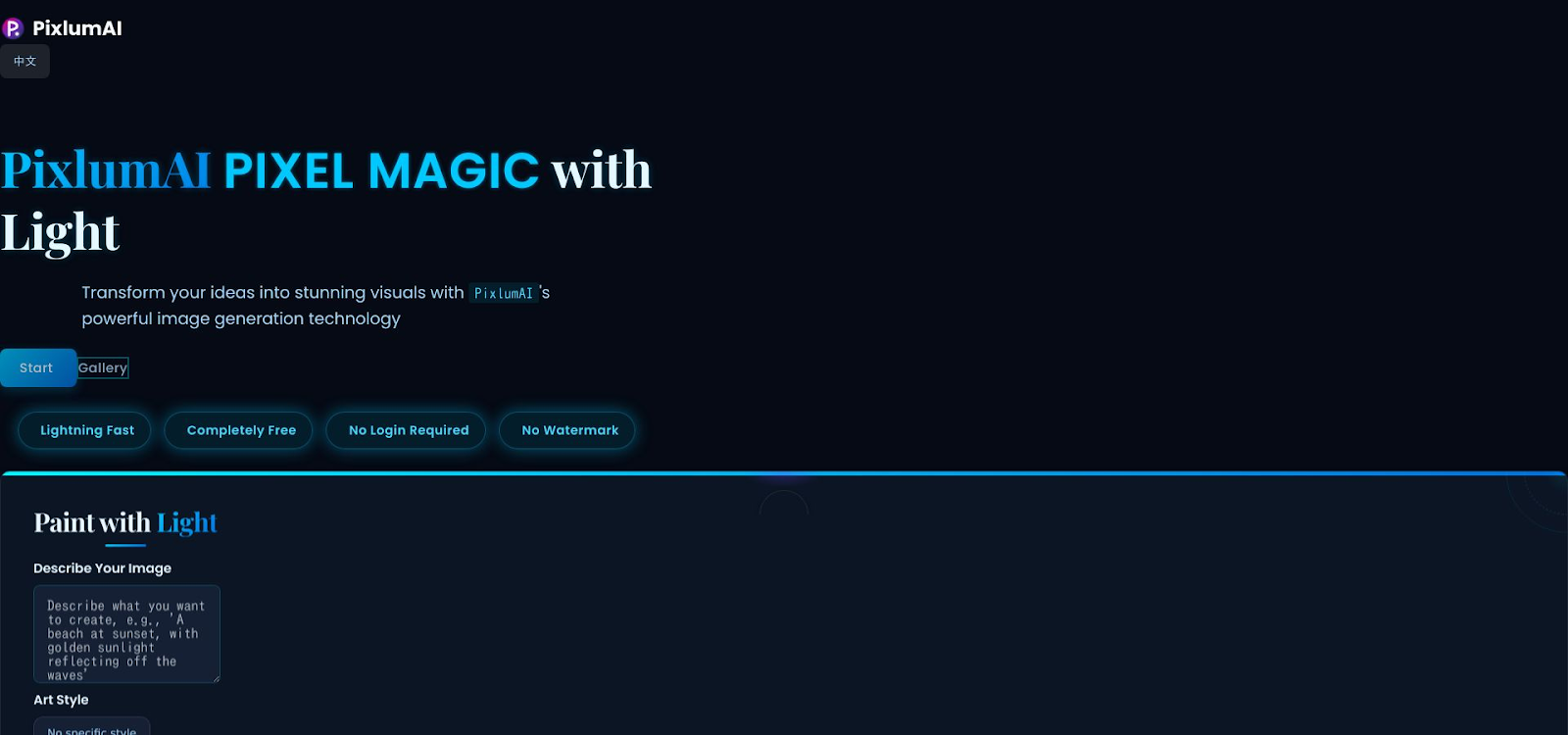
PixlumAI opens without a login screen. Type a prompt, choose up to four variations, and see 1024 × 1024 px images in 10–20 seconds with no watermark and no credit meter.
The engine leans toward cinematic lighting and rich textures, which works well for product flat-lays or avatar headshots. A built-in editor lets you erase halos or adjust contrast before downloading a clean PNG.
Licensing is creator-first. PixlumAI lets you use outputs for personal or commercial work, as long as you do not resell the raw model or unaltered images. If you need a free AI image generator no watermark that can keep pace with a high-volume content calendar, pin this tab; capacity has not throttled yet.
5. NanoImage.ai: high-volume output in parallel
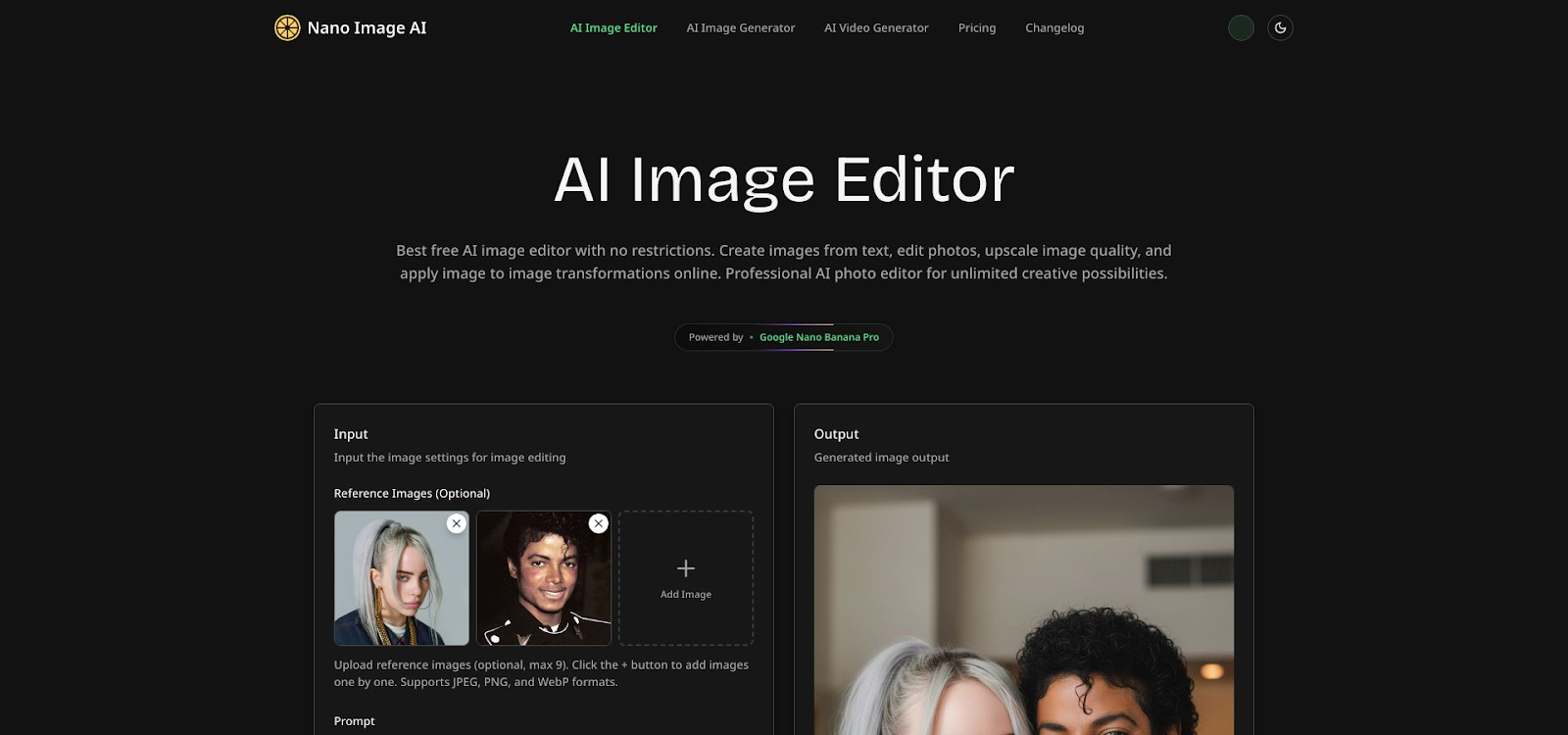
NanoImage opens without an account page. Pick an aspect ratio, and four 1024-px frames appear in about 15 seconds. A micro-queue lets you launch ten prompts at once, which helps agencies create large ad sets quickly.
Turn on Enhance to upscale to 4 K, or add negative prompts to remove stray text. Commercial use is allowed as long as you do not redistribute the model weights. If you need a free AI image generator no watermark that can handle batch work, NanoImage keeps the workflow moving.
6. Raphael AI: privacy mode for sensitive briefs
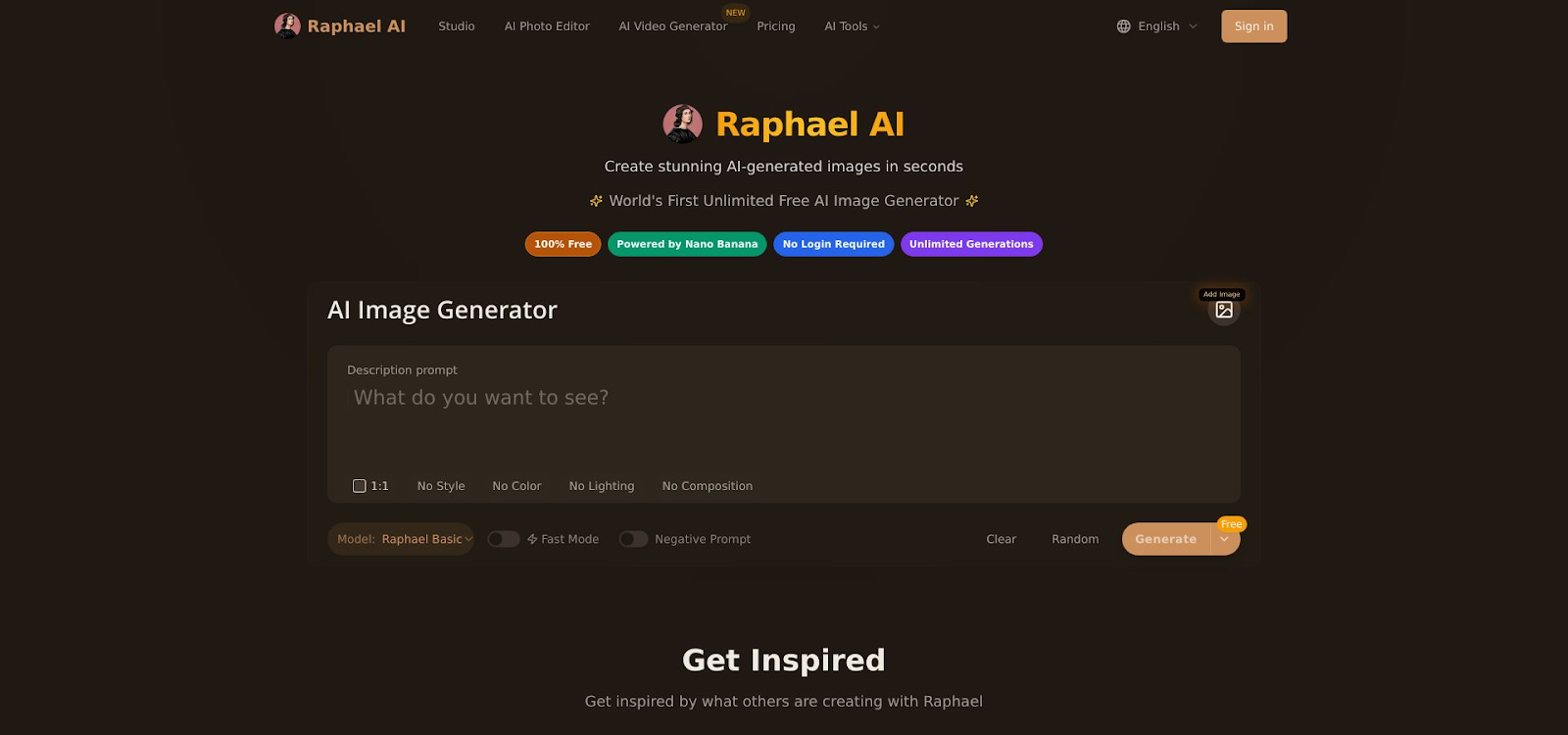
Choose a model—Stable Diffusion XL, an anime fork, or Real-ESRGAN—and generate four 1024-px images. Turn on “local mode,” and both prompt and render stay on your machine, which is ideal for unreleased products.
Cloud generations are unlimited but may queue during peak hours. Local mode relies on your GPU, so performance varies by hardware.
Licensing follows a creator-owns-it rule with the usual ban on hateful or illegal content. If you want a free AI image generator no watermark for concept art or marketing drafts and you value quick edits through the built-in photo editor, Raphael AI deserves a spot in your tab bar.
Key comparison matrix
Use this chart to match the free AI image generator no watermark that best fits your workflow.
Unlimited use can queue during peak hours.
Keep this grid nearby during content sprints. When a teammate asks for ten hero images by lunch, you will know which tab to open first.
How to choose the right generator
The best free AI image generator with no watermark depends on four practical filters: goal, style, rights, and workflow.
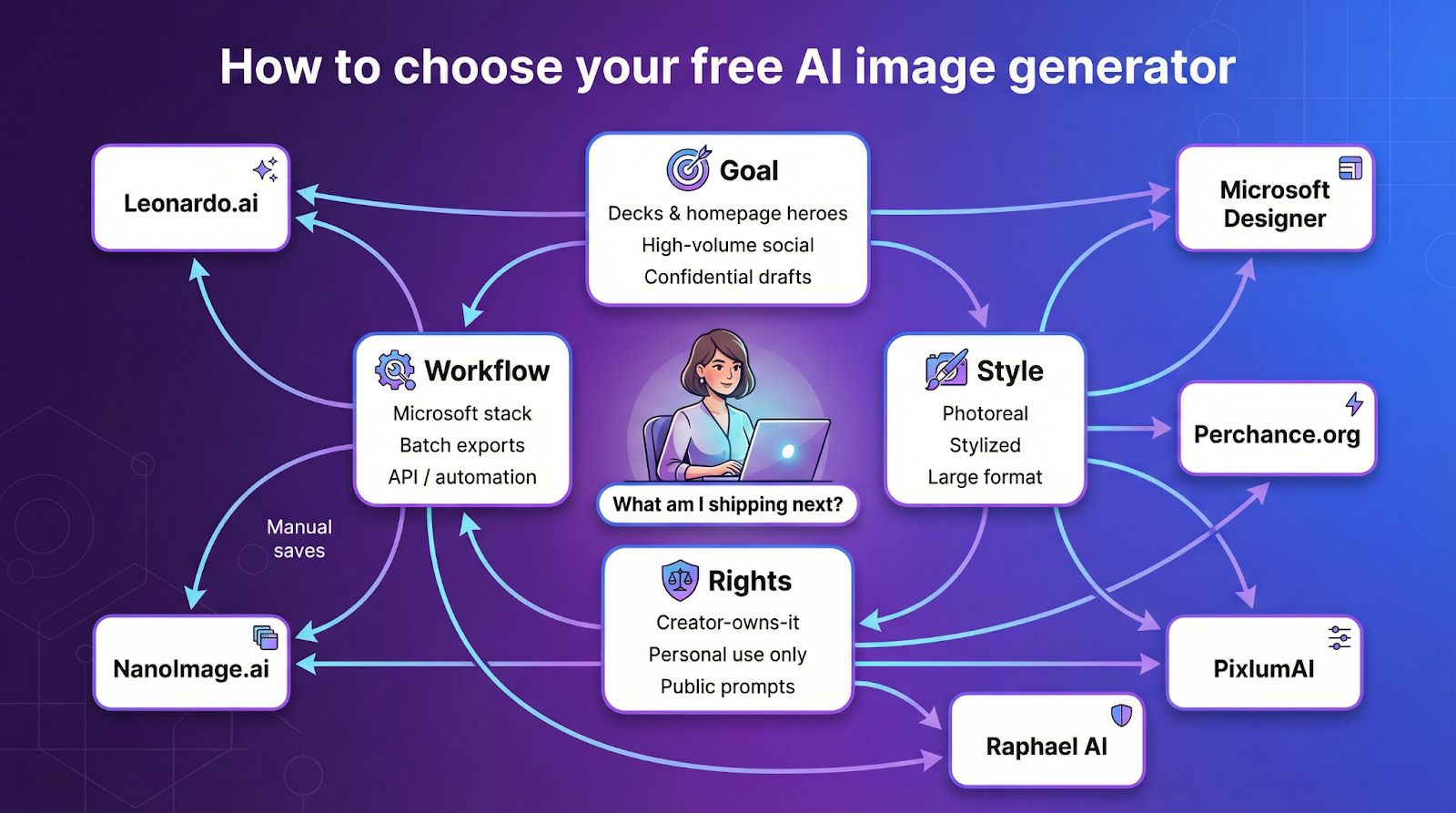
1. Match the tool to the project goal
- Investor decks and hero banners need pixel-sharp realism. Choose Leonardo.ai (150 daily credits) or Microsoft Designer (15 fast boosts).
- Social feeds reward volume. Perchance and NanoImage.ai let you fire prompts in bulk, then pick the winners.
- Pre-launch products demand privacy. Raphael AI keeps prompts out of public galleries.
2. Check style and fidelity
Decide whether you need photoreal metal and skin tones (Leonardo, Designer) or a stylized look for storyboards (Perchance, PixlumAI). For large prints, rely on NanoImage’s 4 K upscale or Raphael’s Real-ERGAN path.
3. Read the license before you commit
A 2024 Kantar survey found 31 percent of marketers had to reshoot or redesign because of unclear image rights, an expensive mistake. Creator-owns-it terms from AI image generation platforms like Leonardo, along with PixlumAI and Raphael, avoid that risk, while Microsoft Designer’s free tier remains “personal use only.
4. Map the workflow
- If your team lives in PowerPoint or Word, Designer’s native pipe is ideal.
- Need batch PNGs for a Webflow CMS? Leonardo and PixlumAI export straight to PNG or JPG.
- Running multivariate ads? NanoImage’s parallel queue reduces clicks.
4.1 Start with the project goal
Ask, “What am I shipping next?”
- Decks or homepage heroes need realism, so lean on Leonardo or Designer.
- Social reels thrive on volume; Perchance and NanoImage.ai let you test dozens of angles quickly.
- Confidential packaging stays safe with Raphael AI’s private mode.
4.2 Nail the output style and fidelity
- Photoreal: Pick Leonardo or Designer for accurate colors and clean reflections.
- Stylized: Perchance and PixlumAI excel at bold lines and neon gradients.
- Large format: Toggle Enhance in NanoImage or choose Real-ESRGAN in Raphael for sharp posters.
4.3 Check licensing like your lawyer is watching
- Creator-owns-it: Leonardo.ai, PixlumAI, and Raphael AI let you publish and sell.
- Personal-use only: Designer’s free level limits commercial work.
- Public prompts: Perchance shows prompts, so skip it for NDA copy.
- Model-weight bans: NanoImage.ai allows commercial use but forbids sharing model files.
4.4 Make workflow integration a deal-breaker
- Slides and docs: Designer sends images straight into Microsoft apps.
- Batch export: Leonardo and PixlumAI download dozens of frames at once.
- Automation: Raphael AI offers an API for scheduled social posts.
- Manual save: NanoImage and Perchance still require individual downloads.
Score each tool against these four filters and the right choice will surface in minutes.
Prompt tweaks that unlock better images
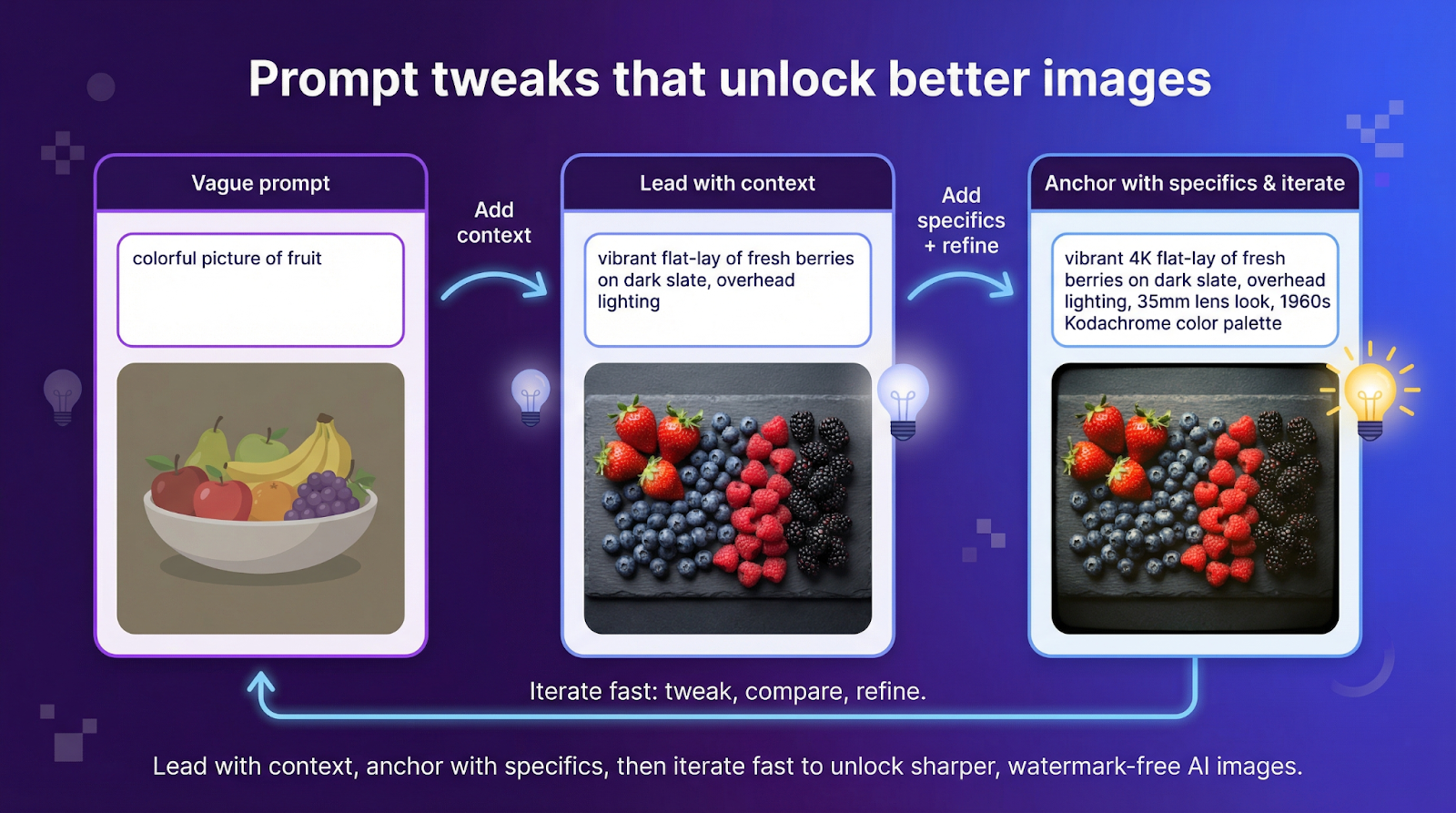
Sharp prompts matter. A 2024 W1KP study on diffusion models found that prompt length and concreteness were the top two predictors of image variability, outperforming nine other linguistic features. Keep that insight in your pocket as you write.
Step 1: Lead with context
Instead of “colorful,” try “vibrant flat-lay of fresh berries on slate, overhead lighting.” Context tells the model where the virtual camera sits and what mood to hit.
Step 2: Anchor with specifics
Dial in resolution (“4 K banner”), lens (“35 mm prime”), or era (“1960s Kodachrome”). Specificity narrows the diffusion path; a “cyberpunk alley” looks different from a “narrow neon alley at night, rainy pavement, Blade Runner vibe.”
Step 3: Iterate fast
Run two or three tweaks, spot what works, then splice the winning fragments into a master prompt. Every free AI image generator with no watermark in this guide lets you retry without spending money, so use that loop to your advantage.
Instead of “colorful,” try “vibrant flat-lay of fresh berries on slate, overhead lighting.” Context tells the model where the virtual camera sits and what mood to hit.
Step 2: Anchor with specifics
Dial in resolution (“4 K banner”), lens (“35 mm prime”), or era (“1960s Kodachrome”). Specificity narrows the diffusion path; a “cyberpunk alley” looks different from a “narrow neon alley at night, rainy pavement, Blade Runner vibe.”
Step 3: Iterate fast
Run two or three tweaks, spot what works, then splice the winning fragments into a master prompt. Every free AI image generator with no watermark in this guide lets you retry without spending money, so use that loop to your advantage.
Great prompts turn models into collaborators, not slot machines.
Conclusion
For now, founders, marketers, and creators can still produce crisp, watermark-free AI images without paying a cent. Tools like Leonardo.ai, PixlumAI, NanoImage.ai, and Raphael AI offer high-grade renders with commercial rights that fit real-world sprint cycles. And while you’re optimizing visuals, don’t forget other creative AI workflows like the FREE AI Article Writer Tool from FemaleSwitch that helps you crank out SEO content in minute
The smartest move is to treat “free AI image generator no watermark” options as rotating utilities, not fixed dependencies. Keep two or more tools bookmarked, check their rights pages monthly, and design workflows that can switch engines without breaking your process. The teams that stay flexible, not loyal, will ship faster when the next paywall drops.
Frequently Asked Questions
1. Are watermark-free AI images really safe for commercial use?
Not always. Some platforms (e.g., Microsoft Designer’s free tier) restrict commercial usage even if the output has no visible watermark. Only rely on tools that explicitly grant commercial rights: Leonardo.ai, PixlumAI, NanoImage.ai, and Raphael AI currently do.
2. Why do some tools remove visible watermarks but still embed invisible metadata?
Invisible metadata (C2PA, etc.) is emerging as the industry standard. It doesn't interfere with design work but enables provenance tracking, which regulators and advertisers may soon require. These tags don’t affect licensing, but they may affect compliance in regulated markets.
3. Which tool creates the most realistic images on a free plan?
For photorealism, Leonardo.ai leads, followed closely by Microsoft Designer (DALL-E 3). Both handle skin textures, metal reflections, and product photography well.
4. Which generator is best for high-volume social content?
Perchance.org, PixlumAI, and NanoImage.ai.
They’re fast, unlimited (or close to it), and ideal for testing dozens of prompt variations.
5. Can I use these free generators for NDA or confidential projects?
Avoid platforms that publicly display prompts or generations.
Use Raphael AI’s local mode or offline diffusion models for sensitive material.
6. Why does watermark-free AI imagery matter for startups?
Watermark-free images convey professionalism and authenticity, which is vital when vying for investor attention or building brand credibility. For startups operating on limited resources, these free AI tools not only save costs but allow creators to focus on impactful storytelling without the distractions of visible branding or licensing complications.
7. How can startups use AI image generators without technical expertise?
Most platforms are user-friendly, requiring only a text prompt to generate images. These accessible designs eliminate complexity, enabling startup teams to quickly create visuals for campaigns, pitch decks, or social media without advanced graphic design skills.
8. What types of visuals can these AI tools produce for startups?
AI image generators can create diverse outputs, photorealistic product shots, stylized illustrations, cinematic environments, or high-resolution marketing banners. Startups can leverage this flexibility to align with their branding needs, such as website hero images, prototype renders, or social media content.
9. Are free AI image generators reliable for unique branding?
By tailoring prompts creatively, startups can produce unique, brand-aligned visuals using these tools. They turn generic outputs into impactful visuals through clear, specific prompts that detail context, styling, and resolution to match branding requirements.
About the Author
Violetta Bonenkamp, also known as MeanCEO, is an experienced startup founder with an impressive educational background including an MBA and four other higher education degrees. She has over 20 years of work experience across multiple countries, including 5 years as a solopreneur and serial entrepreneur. Throughout her startup experience she has applied for multiple startup grants at the EU level, in the Netherlands and Malta, and her startups received quite a few of those. She’s been living, studying and working in many countries around the globe and her extensive multicultural experience has influenced her immensely.
About the Publication
Fe/male Switch is an innovative startup platform designed to empower women entrepreneurs through an immersive, game-like experience. Founded in 2020 during the pandemic "without any funding and without any code," this non-profit initiative has evolved into a comprehensive educational tool for aspiring female entrepreneurs.The platform was co-founded by Violetta Shishkina-Bonenkamp, who serves as CEO and one of the lead authors of the Startup News branch. The Fe/male Switch team is located in several countries, including the Netherlands and Malta.

