
88% of hiring managers now admit they're losing top talent to broken screening systems.
Your perfect candidate just got filtered out. Not because their skills were lacking. Not because their experience was insufficient. But because their resume didn't whisper the right keywords to an algorithm that decides who gets seen and who vanishes into the void.
Here's what we are seeing: in 2026, three out of four resumes at Fortune 500 companies never reach human eyes. They're killed by Applicant Tracking Systems (ATS) before recruiters even know they existed. The competition for talent is brutal. Startups need tools that work faster, smarter, and without burning through cash reserves.
This guide breaks down the 10 best CV analysis tools built for lean teams, backed by real data, insider strategies from automation expert Violetta Bonenkamp, and actionable tactics that separate winners from time-wasters. You'll discover which tools actually deliver ROI, mistakes that cost you qualified candidates, and workflows that turn screening from a bottleneck into a competitive advantage.
Why CV Analysis Tools Matter for Startups in 2026
The AI-powered resume builder market hit $400 million in 2024 and is projected to reach $1.8 billion by 2032, growing at a 20% annual rate. This explosive growth reflects a fundamental shift in how hiring works.
Startups face unique pressures. You don't have the luxury of dedicated HR teams spending 40 hours per month manually reviewing applications. You need to identify great candidates fast, without bias, and without missing hidden gems that traditional screening overlooks.
Research from Greenhouse shows that 75% of resumes get rejected before human review. That's not always bad screening. Sometimes it's broken systems rejecting qualified people because their formatting confused the parser or they phrased their experience differently than expected.
CV analysis tools solve three critical problems:
Speed: Automated screening reduces time-to-hire by up to 60%, according to SelectSoftware Reviews data. When you're competing for talent against companies with deeper pockets, moving fast is your edge.
Consistency: Human reviewers get tired, develop biases, and evaluate candidates differently on Monday morning versus Friday afternoon. AI maintains consistent evaluation criteria across thousands of applications.
Hidden talent: Advanced tools identify candidates with transferable skills and non-traditional backgrounds that manual screening misses. This expands your talent pool beyond the obvious choices.
Violetta Bonenkamp, founder of Fe/male Switch and automation expert with over 20 years of experience building scalable systems, emphasizes the strategic advantage: "Startups that automate screening intelligently can compete with enterprises for talent. The key is choosing tools that match your workflow, not forcing your process to fit the tool."
The Real Cost of Bad Screening
Before jumping into tool comparisons, understand what's at stake when screening fails.
Lost revenue: Every additional week a critical role stays open costs startups momentum. A delayed engineering hire means delayed product launches. A delayed sales hire means missed revenue targets.
Opportunity cost: Time spent manually reviewing 300 resumes for one position is time not spent on product development, customer acquisition, or fundraising. For founders wearing multiple hats, this compounds quickly.
Hidden biases: Manual screening amplifies unconscious bias. Research consistently shows that identical resumes with different names receive dramatically different callback rates. Properly configured AI screening reduces bias by 99%, according to Klearskill data.
Candidate experience: 92% of job seekers abandon applications that feel broken or take too long. Bad screening tools damage your employer brand before candidates even join.
How We Evaluated These Tools
This ranking reflects actual performance data, not marketing claims. Here's what we measured:
Parsing accuracy: How correctly does the tool extract information from different resume formats? Complex PDFs with graphics? Multi-column layouts? Text in headers?
Match quality: Does the tool surface genuinely qualified candidates or just keyword stuffers?
Speed: How quickly can you screen 100 resumes? 500? Does performance degrade with volume?
Bias reduction: What mechanisms prevent discriminatory screening?
Integration: Does it plug into your existing workflow or force you to change processes?
Cost efficiency: What's the true cost per hire when you factor in time saved?
Learning curve: Can a non-technical founder deploy this in an afternoon or does it require IT support?
We also prioritized tools offering free tiers or trials for bootstrapped startups, real user reviews from platforms like Trustpilot and Reddit, and documented case studies showing measurable impact.
1. ResumeCoach
Best for: Startups hiring across multiple roles with varying requirements
Pricing: Free basic analysis; premium starts at $2.45 for 14-day trial
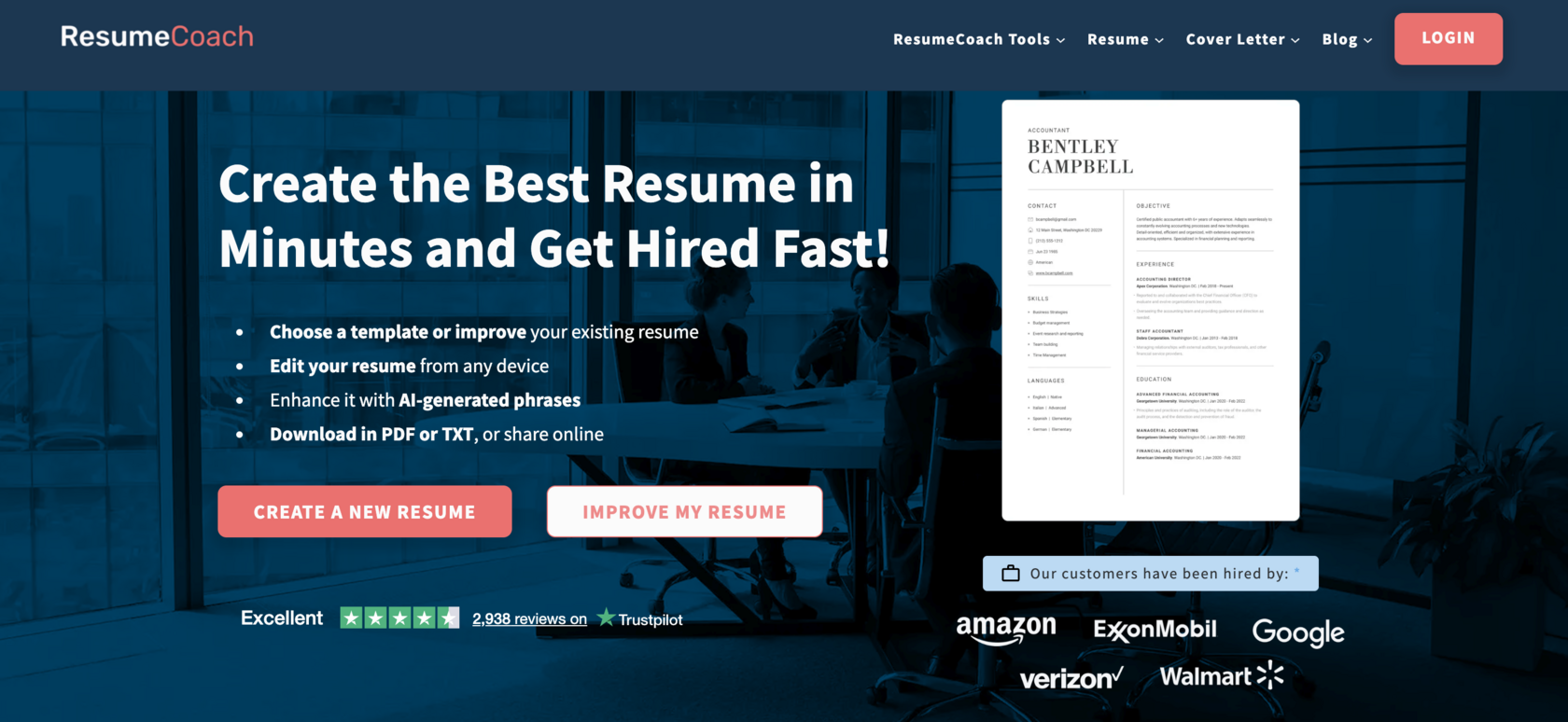
Why it leads: ResumeCoach combines AI-powered resume analysis with ATS optimization in a platform that's genuinely accessible to non-technical teams. The tool doesn't just score resumes but also provides actionable feedback on why candidates match or don't match your requirements.
Key features include AI-driven content suggestions that adapt to different industries, multilingual support for international hiring, ATS compatibility checking that simulates how major systems will parse each resume, and customizable evaluation criteria that match your startup's specific needs.
What makes ResumeCoach stand out is its dual-sided approach. It helps candidates create better resumes while helping employers screen them effectively. This creates a virtuous cycle where both sides of the hiring equation improve.
Real users on Trustpilot (4.4/5 rating) consistently praise the intuitive interface and quick setup. One startup founder noted: "We went from spending 15 hours per week screening resumes to 3 hours, with better candidates in our pipeline."
The tool integrates with most major ATS platforms and works across devices, letting you review candidates from anywhere. For startups with distributed teams, this flexibility matters.
Insider tip from Violetta Bonenkamp: "Use ResumeCoach's keyword analysis feature to reverse-engineer your best hires. Upload resumes from your top performers, identify common patterns, then optimize your screening criteria based on what actually predicts success in your environment."
Mistakes to avoid: Don't rely solely on the automated scoring. Use it to narrow your pool, then apply human judgment to the top 20%. The algorithm identifies potential and you identify fit.
What to watch for: Some users report the free version limits how many analyses you can run. Budget for premium if you're hiring at volume.
2. Fe/male Switch CV Analyzer
Best for: Mission-driven startups focused on inclusive hiring
Pricing: Free basic analysis; €2.5/month for premium insights
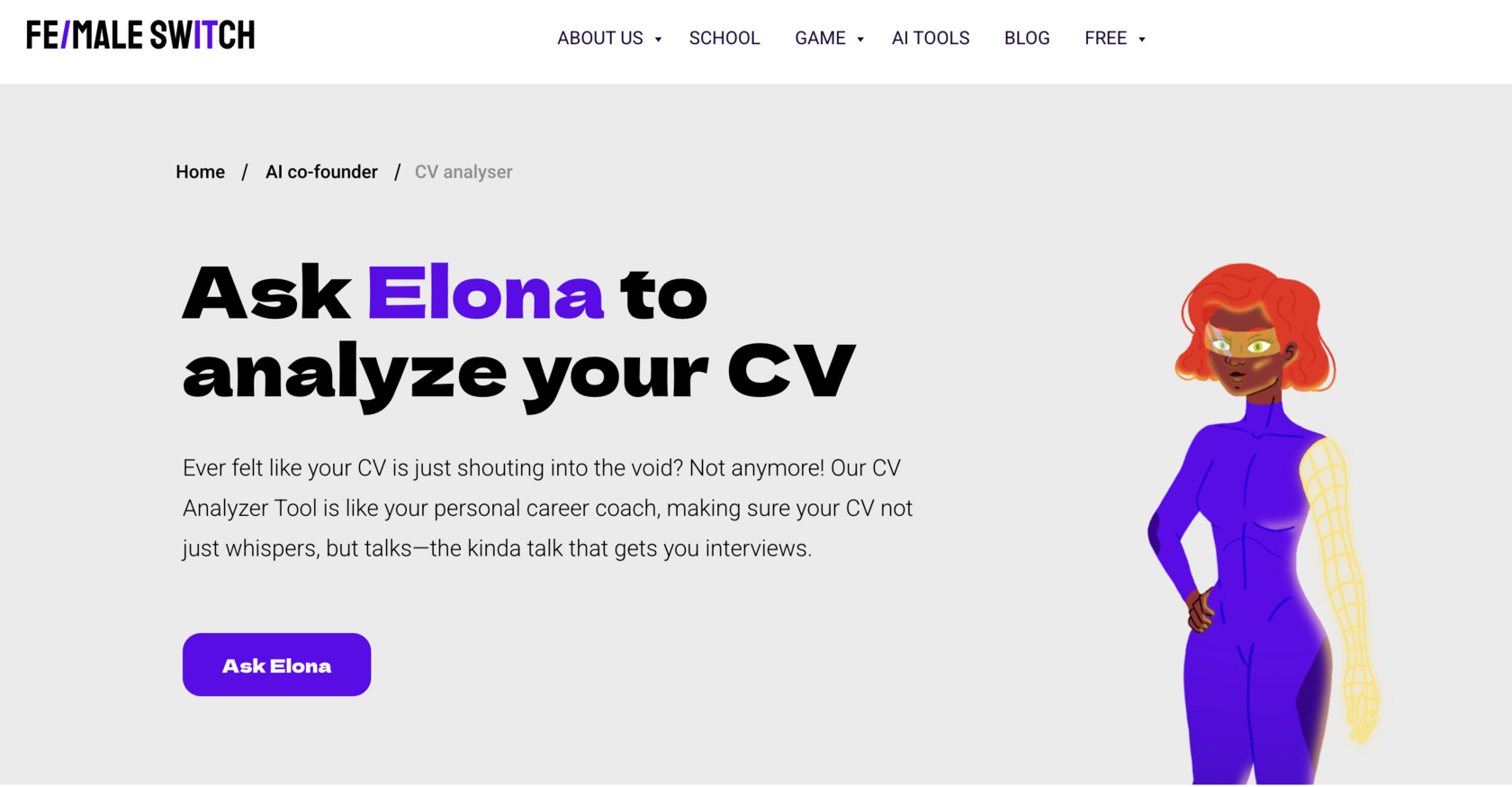
Why it ranks high: Built by Violetta Bonenkamp specifically for entrepreneurs and startups, this tool takes a different approach. Rather than just matching keywords, it analyzes CVs for entrepreneurial indicators, growth potential, and adaptability: qualities that matter more in startup environments than traditional corporate screening.
The F/MS CV Analyzer uses Elona, an AI assistant trained on patterns from successful startup hires. It highlights strengths, weaknesses, and provides specific improvement recommendations. The tool also emphasizes reducing bias in hiring, with built-in checks that flag potentially discriminatory criteria.
What makes this tool unique is its focus on non-traditional candidates. It recognizes side projects, self-taught skills, and unconventional career paths that corporate ATS systems often filter out. For startups looking for builders and problem-solvers rather than credential-collectors, this matters enormously.
User feedback emphasizes the practical, actionable advice. Rather than generic scoring, you get specific guidance: "This candidate shows strong pattern recognition skills based on their project descriptions, but may need mentoring on stakeholder communication."
Insider strategy: Combine Fe/male Switch with your existing ATS. Use your ATS for initial volume filtering, then run top candidates through Fe/male Switch for deeper entrepreneurial fit analysis. This two-stage approach dramatically improves hire quality.
Opportunities to grab: The tool integrates with Fe/male Switch's broader entrepreneurship education platform. If you're hiring junior talent, you can directly connect with candidates who've completed relevant training modules, pre-screening for startup mindset.
Things to avoid: The tool works best for startup and scale-up hiring. If you're screening for highly specialized enterprise roles, more traditional tools might be better fits.
3. Jobscan
Best for: High-volume hiring where ATS compatibility is critical
Pricing: Premium starts at $49.95/month
Trustpilot rating: 4.5/5 based on 289 reviews (February 2026)
Why it works: Jobscan built its reputation on one thing: getting resumes past ATS systems. For startups using enterprise ATS platforms (Workday, Greenhouse, etc.), Jobscan ensures you're not losing great candidates to parsing errors.
The tool compares resumes against job descriptions, identifies keyword gaps, analyzes hard and soft skills separately, provides recruiter insights based on industry, and generates detailed ATS compatibility scores.
Users consistently report increased interview rates after implementing Jobscan's recommendations. One reviewer noted: "Simple to use and gives clear instructions on how and where to optimize CV for ATS."
The platform excels at technical roles where specific skills and certifications matter. It catches missing keywords that would cause automatic rejection, suggests formatting fixes that improve parsing, and identifies experience gaps that need addressing.
Expert insight: "Jobscan is the scalpel, not the hammer," explains Bonenkamp. "Use it when precision matters: technical hiring, regulated industries, roles with specific certification requirements. It's overkill for general business roles where cultural fit matters more than keyword density."
Common mistakes: Over-optimizing for keywords creates robotic resumes that pass ATS but fail to impress humans. Use Jobscan to reach the 70-80% keyword match threshold, then stop. Beyond that point, you're just keyword stuffing.
Red flags to watch: Some users complain about pricing (considered high for what it offers) and the requirement for three-month commitments. Calculate your cost-per-quality-hire before committing to annual plans.
4. Resume Worded
Best for: Startups prioritizing candidate experience and comprehensive feedback
Pricing: Starts at $29/month; free tier available
Trustpilot rating: 4.8/5 based on 2,937 reviews (February 2026): highest among all tools reviewed
Why it dominates: Resume Worded combines automated scoring with detailed improvement suggestions and ATS-ready templates. The platform rewrites bullet points, suggests stronger action verbs, and optimizes structure, all while maintaining the candidate's authentic voice.
Users rave about its effectiveness. Reviews consistently mention "game-changer for job searches" and "got more interviews after using keyword matching." The customer support team, particularly team member Rodrigo, receives frequent praise for responsiveness.
The tool's strength is its educational approach. Rather than just saying "this resume scores 67/100," it explains why and how to improve. This creates better candidates who interview well, not just applicants who game the system.
For startup hiring managers, this has an unexpected benefit: candidates who use Resume Worded show up more prepared, with clearer narratives about their experience and stronger understanding of how to communicate value.
Tactical application: Use Resume Worded's line-level analysis to improve your job descriptions. The same AI that optimizes resumes can identify vague or problematic language in your postings. Clearer job descriptions attract better-matched candidates.
Hidden opportunity: The platform's newsletter provides ongoing career strategy insights. Share this with your team as professional development. It costs nothing and improves how your employees think about their own growth and communication.
Drawbacks: Some users note the free version is quite limited. The paid tier is reasonably priced but adds up if you're hiring multiple roles simultaneously.
5. Teal
Best for: Fast-moving startups that need speed over exhaustive analysis
Pricing: Free version with robust features; premium available
Trustpilot rating: 4.3/5 based on 87 reviews (February 2026)
Why it's valuable: Teal wins on speed. When you need to screen 200 applications before tomorrow's hiring committee meeting, Teal delivers 70-80% of the quality in 20% of the time.
The platform generates matching cover letters, maintains consistent formatting across applications, and produces surprisingly coherent results for rapid customization. The Chrome extension is frequently praised as a standout feature, letting you analyze candidates directly from job boards and LinkedIn.
Users describe it as "a game changer" and "a necessity for job seekers," with even the free version offering substantial value. The organizational capabilities help manage complex hiring pipelines across multiple roles.
Startup-specific use case: If you're hiring for mid-level positions where speed matters more than finding the absolute perfect fit, Teal is your tool. It's built for volume screening where good-enough-fast beats perfect-but-slow.
Bonenkamp's workflow hack: "Use Teal for first-pass screening, Resume Worded for your top 20 candidates, then Fe/male Switch or Jobscan for final validation. This three-tier approach maximizes efficiency while maintaining quality at each decision point."
Concerns to consider: Some users mention subscription management issues and occasional technical glitches. The tool sometimes requires manual intervention when analyzing unusual resume formats.
6. Kickresume
Best for: Startups emphasizing employer branding and candidate quality
Pricing: Free trial available; paid plans start at reasonable monthly rates
Trustpilot rating: 3,545 reviews with strong positive sentiment
Why it stands out: Kickresume combines AI-driven resume building with ATS checking and interview preparation tools. While primarily a candidate-facing tool, forward-thinking startups use it to improve the quality of applications they receive.
The AI Resume Builder creates polished, professional resumes in minutes using templates that are genuinely stunning. The interview question generator helps candidates prepare, resulting in better-prepared applicants showing up to your interviews.
Recent reviews highlight ease of use: "What an amazing tool. I am blown away by the application and how easy it is to use. So great being able to use your uploaded CV to create awesome tailored content for each job."
Strategic advantage: Recommend Kickresume to candidates during your application process. This sounds counterintuitive, but here's why it works: you receive better-formatted applications that are easier to screen, candidates appreciate the gesture (improving employer brand), and better-prepared candidates mean more productive interviews.
Implementation tip: Add a line to your job posting: "We recommend using tools like Kickresume to optimize your application. We want to see your best work." This filters for coachable candidates who take initiative.
Limitation to note: The tool focuses heavily on resume creation. If you need deep analytical capabilities or integration with complex ATS systems, pair it with more screening-focused tools.
7. Klearskill
Best for: Technical hiring and roles requiring specific skill validation
Pricing: Free for startups; paid tiers for scaling organizations
What makes it powerful: Klearskill delivers 92% reduction in screening time, 99% bias reduction, and 97% match accuracy for technical roles, according to their documented performance metrics.
The platform uses AI-driven screening and ranking, customizable evaluation parameters, seamless ATS integration, visual kanban workflow, and a comprehensive analytics dashboard. The plug-and-play setup lets teams deploy quickly without extensive onboarding.
This tool shines when screening for technical roles where objective skill assessment matters more than subjective culture fit. It evaluates programming languages, certifications, technical project experience, and quantifiable achievements.
Use case example: A fintech startup used Klearskill to screen 450 applications for three engineering positions. The tool identified 12 strong candidates in under two hours, all of whom passed technical screens. Traditional manual screening would have taken 30+ hours and likely missed several candidates with non-traditional backgrounds.
Bonenkamp's technical hiring insight: "For developer roles, combine Klearskill's automated screening with a simple coding challenge. Send the challenge only to Klearskill's top 15 recommendations. This two-stage filter gets you interview-ready candidates in days, not weeks."
What to watch: The free tier is genuinely free for early-stage startups, but understand the limits. Once you're screening at serious volume, budget for paid tiers. The ROI justifies the cost, but plan accordingly.
8. CVViZ
Best for: Context-aware screening for complex roles
Pricing: Available on request; demo offered
Why it matters: CVViZ brings contextual intelligence to resume screening. Rather than just matching keywords, it understands role context, career progression logic, and skill relationships.
The platform offers contextual candidate tracking, AI-powered parsing, smart ranking, and skill-based matching. It excels at context-aware shortlisting, making it particularly valuable for roles where experience matters more than specific keywords.
CVViZ is a solid choice for staffing agencies and tech recruiters dealing with bulk hiring scenarios. The integration capabilities make it reliable when you need to process high application volumes.
Where it wins: Complex roles where traditional keyword matching fails. For example, screening for a "Head of Growth" role requires understanding that candidates might describe the same experience as "marketing," "growth hacking," "customer acquisition," or "demand generation." CVViZ recognizes these contextual equivalences.
Tradeoff to consider: The user interface can be complex for new users. Budget time for training. Once your team understands the platform, efficiency gains are substantial, but expect a learning curve.
Integration strategy: CVViZ integrates well with enterprise systems. If you're scaling from startup to scale-up and already using tools like Greenhouse or Lever, CVViZ can layer on top without forcing process changes.
9. HireMatch
Best for: Batch processing and deep resume analysis
Pricing: Contact for pricing; focused on B2B sales
What it delivers: HireMatch uses automated screening to process hundreds of resumes instantly, turning unstructured data into clear rankings based on job fit. The platform analyzes resumes deeply, looks beyond keywords to find overlooked talent, and saves time without sacrificing accuracy.
The tool provides ranked applicant lists, structured resume views, and actionable insights. It's not an ATS; it focuses specifically on the screening stage, plugging into existing hiring processes.
Best fit: Startups hiring in waves. If you open multiple positions simultaneously (common during funding rounds), HireMatch's batch processing capabilities shine. Upload 500 resumes across five positions, get ranked lists for each role in minutes.
Bonenkamp's scaling advice: "When you go from hiring one person per quarter to hiring ten people per month, tools like HireMatch become essential. The alternative is drowning in resumes or hiring a recruiter you can't afford yet."
Consideration: Because it's not an ATS, you'll need to integrate it with your existing systems. This is either an advantage (flexibility) or a disadvantage (additional complexity) depending on your technical capabilities.
10. Brainner
Best for: High-security environments and fraud prevention
Pricing: Contact for pricing; enterprise focus
Why it's included: Brainner addresses a problem most startups don't think about until it's too late, which is fraudulent applications. The platform provides AI resume screening combined with fraud detection, identifying fake credentials, suspicious patterns, and high-risk candidates before first interviews.
The tool saves up to 40 hours per month, reduces hiring costs, decreases time-to-hire, and reduces risk by flagging fraudulent candidates. For startups in regulated industries (fintech, healthcare, security), this fraud detection component is non-negotiable.
When this matters: Remote-first companies face elevated fraud risk. When you can't meet candidates in person before hiring, verification becomes critical. Brainner catches issues like fabricated employment history, fake degrees, stolen identities, and inconsistent information across platforms.
Real-world scenario: A remote-first SaaS startup almost hired a "senior developer" with impressive credentials. Brainner flagged inconsistencies between the resume, LinkedIn profile, and GitHub activity. Further investigation revealed a fake identity. The fraud detection saved the company from a catastrophic security risk.
Integration note: Brainner is designed for larger organizations and might be overkill for very early-stage startups. Consider it when you're hiring your 20th+ employee, especially for remote roles with system access.
Comparison Table: Quick Decision Matrix
How to Choose the Right Tool for Your Startup
Different stages and hiring needs require different approaches. Here's a decision framework based on your current situation:
Pre-seed/Bootstrap (0-5 employees): Start with free tools. Fe/male Switch's free tier plus Teal's free version covers most early-stage needs. You're hiring rarely, so optimize for zero cost over maximum features.
Seed stage (5-15 employees): Invest in ResumeCoach or Resume Worded premium. You're hiring regularly enough that time savings justify the cost. If you're technical-heavy, add Klearskill's free tier for engineering roles.
Series A+ (15-50 employees): Layer multiple tools. Use ResumeCoach or Jobscan for broad screening, Klearskill for technical roles, and consider CVViZ if you're hiring complex positions. Budget $200-500/month for screening tools as a line item.
Scale-up (50+ employees): Full-featured platforms like CVViZ or HireMatch become cost-effective. If you're remote-first or in a regulated industry, add Brainner for fraud prevention. Budget $1,000+/month but measure ROI in time-to-hire and quality-of-hire metrics.
Consider your hiring velocity: If you're hiring one person every three months, free tools work fine. If you're hiring ten people per quarter, premium tools pay for themselves in saved time.
Think about your risk tolerance: Conservative industries (finance, healthcare, government contractors) need robust ATS compatibility and fraud detection. Creative industries (design, content, media) can prioritize cultural fit over keyword matching.
Common Mistakes That Cost Startups Great Candidates
Mistake 1: Treating ATS scores as final judgments
ATS systems and AI screening tools identify potential candidates. They don't make hiring decisions. A resume scoring 85/100 isn't automatically better than one scoring 78/100. Use tools to narrow your pool from 300 to 30, then apply human judgment.
Mistake 2: Optimizing for keywords instead of competence
Over-optimization creates resumes that game the system but don't reflect real capabilities. Set your keyword threshold at 70-80% match. Beyond that, you're selecting for people who are good at keyword stuffing, not good at the job.
Mistake 3: Ignoring bias in your screening criteria
Even bias-free tools can amplify biased criteria. If your job description requires "recent graduate from top-tier university," the most sophisticated screening tool in the world will filter for privilege, not talent. Audit your requirements before automating them.
Mistake 4: Not testing your screening process
Take resumes from your best current employees and run them through your screening tool as if they were new applicants. Would your top performers pass your own filters? If not, your criteria are broken. This reverse-engineering reveals what actually predicts success in your environment.
Mistake 5: Forgetting that candidates talk
Bad screening experiences spread. Candidates who feel unfairly rejected tell others. In tight talent markets, your employer brand matters. Balance efficiency with humanity. Send personalized rejections. Offer feedback when possible. Use AI for speed but maintain human touchpoints.
Advanced Strategies from Violetta Bonenkamp
With over 20 years building automated systems across multiple countries and founding two startups, Bonenkamp has tested countless hiring workflows. Here are her highest-impact strategies:
Strategy 1: The Two-Phase Filter
"Most startups either under-filter or over-filter. Under-filtering means drowning in unqualified candidates. Over-filtering means missing great people. The solution is two distinct phases."
Phase one: Use an automated tool (Teal, ResumeCoach) to eliminate obvious non-matches. Set permissive criteria. If someone might potentially work, they pass this phase. This reduces your pool from 300 to 50.
Phase two: Use a more sophisticated tool (Resume Worded, Fe/male Switch, Klearskill) to evaluate the remaining 50 deeply. Now you're looking for best fit, not just basic qualification. This gets you to your top 10-15 for interviews.
Strategy 2: Reverse-Engineer Your Stars
"Your best hires tell you what to look for in future candidates. Most startups ignore this data."
Upload resumes from your top three performers in each role. Run them through your screening tool. What patterns emerge? What keywords appear consistently? What experience combinations predict success?
Now use these patterns to optimize your screening criteria. You're not looking for clones but identifying reliable predictors of success in your specific environment.
Strategy 3: Build Your Own Scoring Model
"Off-the-shelf scoring works for generic roles. Custom scoring wins for specialized needs."
Tools like Klearskill and CVViZ allow custom evaluation parameters. Invest time upfront defining what actually matters for each role at your company. For a startup sales role, that might be: previous startup experience (high weight), cold outreach success (high weight), specific industry knowledge (medium weight), years of experience (low weight).
This custom weighting dramatically improves match quality compared to generic scoring.
Strategy 4: Speed Matters More Than You Think
"In competitive markets, response speed is a competitive advantage. The best candidates have multiple offers within days of starting their search."
Set up mobile notifications when strong candidates apply. Use tools like Teal that let you screen on your phone. Get back to top candidates within 24 hours. Fast response rates signal respect and organization, which are qualities top candidates look for in employers.
Strategy 5: Automate the Routine, Personalize the Critical
"Use AI for resume screening, skill matching, and initial filtering. Use humans for culture assessment, motivation evaluation, and final decisions. Never confuse the two."
AI excels at processing large volumes and identifying patterns. It's terrible at assessing nuance, reading between the lines, and evaluating cultural fit. Design your workflow so AI handles volume and humans handle judgment.
Implementation Guide: Your First 30 Days
Ready to implement CV analysis tools? Here's a practical 30-day roadmap:
Week 1: Audit and baseline
Document your current screening process. How long does it take? How many candidates do you typically screen? What's your interview-to-offer ratio? These baselines let you measure improvement.
Review your last 20 hires. What patterns do you see in successful candidates? What about unsuccessful hires or early departures? This informs your screening criteria.
Choose 2-3 tools to trial based on your stage and needs. Most offer free trials or free tiers. Don't commit to annual plans yet.
Week 2: Setup and configuration
Create accounts for your chosen tools. Configure basic criteria based on your successful hire patterns from week one.
Upload 10-20 test resumes, including resumes from current successful employees. See how the tools score them. Adjust criteria until your best current employees would pass the screening.
Document your workflow. When does the tool run? Who reviews results? What happens with top candidates? Unclear workflows kill adoption.
Week 3: Live testing
Use your new tools on actual open positions. Run candidates through both your old process and the new automated screening. Compare results.
Track time spent on screening. Track quality of candidates reaching interview stage. Track candidate feedback on the application experience.
Adjust criteria based on what you learn. Most teams need 3-5 iterations before finding optimal settings.
Week 4: Optimization and training
Train your team on the tools. Everyone involved in hiring should understand how screening works and what criteria matter.
Document your optimized process. Create a screening playbook so future team members can replicate your success.
Calculate your ROI. How much time did you save? How did quality of candidates change? Based on these metrics, decide which tools to keep and which to drop.
Red Flags: When Screening Tools Fail
Not every tool works for every situation. Watch for these warning signs:
Red flag 1: Declining candidate quality despite good scores
If candidates score well but perform poorly in interviews, your criteria are misaligned. The tool is working as designed, but you're measuring the wrong things. Go back and audit what actually predicts success at your company.
Red flag 2: Dramatic decrease in diverse candidates
If your candidate pool suddenly becomes less diverse after implementing AI screening, your criteria likely encode biased assumptions. Audit for requirements that proxy for privilege (specific universities, continuous employment, etc.).
Red flag 3: Candidates complaining about the application experience
If multiple candidates mention frustrating application processes, your screening might be too aggressive or asking for unnecessary information. Every field you require reduces completion rates. Streamline ruthlessly.
Red flag 4: Technical issues causing application failures
If candidates report errors submitting applications or getting stuck in the process, the tool integration is broken. This costs you candidates who simply give up and apply elsewhere.
Red flag 5: Your team stops trusting the tool
If your hiring team starts routinely overriding the tool's recommendations, something is broken. Either the tool is poorly configured, or your team doesn't understand how it works. Fix the disconnect immediately.
The Future of CV Analysis: What's Coming in 2026-2027
The CV analysis space is evolving rapidly. Here's what's emerging:
Skills-based screening: Tools are moving beyond keyword matching to evaluate actual skills through integrated assessments. Expect tighter integration between CV analysis and technical testing platforms.
Video and voice analysis: Some tools now analyze video introductions and voice responses, looking for communication skills and cultural indicators beyond the written resume. This remains controversial due to bias concerns.
Continuous candidate pools: Rather than screening for each open position, tools are building persistent talent pools where candidates are pre-screened and matched to roles as they open. This suits startups with ongoing hiring needs.
Blockchain verification: Some platforms are integrating with blockchain-based credential verification, making fraud detection automatic and reducing the need for manual reference checks.
Predictive retention: Advanced tools aren't just predicting whether someone can do the job, but whether they'll stay. By analyzing factors like commute time, compensation fit, and career trajectory, tools estimate probable tenure.
Most of these features are still emerging and shouldn't drive your decision today. Focus on tools that solve your current problems, not hypothetical future features.
Case Studies from the F/MS Startup Game
Case Study 1: B2B SaaS Startup, Series A
Challenge: Screening 400+ applications for three engineering roles. Previous process took 25+ hours per role.
Solution: Implemented Klearskill (free tier) for initial screening, Resume Worded for top 30 candidates, technical assessment for top 12.
Results: Time to screen reduced from 75 hours to 8 hours. Quality of candidates improved (technical pass rate increased from 42% to 78%). Filled all three roles within 45 days versus previous 90+ day average.
Case Study 2: Direct-to-Consumer Brand, Pre-Seed
Challenge: Solo founder needed to hire first marketing employee. Received 180 applications but lacked HR experience.
Solution: Used Fe/male Switch CV Analyzer (free tier) to identify candidates with entrepreneurial mindset, then ResumeCoach to validate ATS compatibility.
Results: Identified 8 strong candidates in 4 hours. Hired within 3 weeks. The new hire exceeded performance expectations and brought startup experience that proved invaluable.
Case Study 3: Fintech Startup, Series B
Challenge: Needed to screen 600+ applications for customer support and operations roles while maintaining security standards.
Solution: Implemented CVViZ for bulk screening, Brainner for fraud detection on final candidates.
Results: Caught 3 fraudulent applications that passed initial screening. Filled 12 positions in 60 days. Brainner prevented a potentially catastrophic security incident where one applicant had fabricated their entire work history.
Frequently Asked Questions
What's the difference between ATS and CV analysis tools?
ATS (Applicant Tracking Systems) are comprehensive platforms that manage the entire hiring workflow from job posting through offer acceptance. They track candidates, schedule interviews, collect feedback, and manage communication. CV analysis tools are specialized software that focus specifically on evaluating and screening resumes.
The key distinction is scope. An ATS like Greenhouse or Workday handles everything. A CV analysis tool like Jobscan or Resume Worded does one thing (analyze resumes) but does it extremely well. Many startups use both: an ATS for workflow management and CV analysis tools for better screening intelligence.
For early-stage startups, CV analysis tools often provide better ROI than full ATS platforms. You get the critical screening capabilities without paying for pipeline management features you might not need yet. As you scale, you'll likely adopt both, with CV analysis tools integrating into your ATS.
How accurate are AI-powered CV screening tools?
Accuracy depends on how you define it and how well you configure the tools. When measured by "parsing accuracy" (correctly extracting information from resumes) modern tools achieve 82-87% accuracy on standard formats. Complex designs with graphics drop to 64% accuracy.
When measured by "match quality" (identifying candidates who actually succeed in the role) accuracy is harder to quantify because it depends entirely on your criteria configuration. Well-configured tools with custom scoring models show 90%+ correlation with hiring manager rankings. Poorly configured tools with generic criteria perform barely better than random selection.
The research data is clear: Klearskill reports 97% match accuracy for technical roles. Greenhouse ATS testing shows clean PDFs parse at 87% accuracy. The key variable is you. Tools work when you invest time defining what success looks like in your environment and calibrating criteria accordingly.
Can CV analysis tools replace human recruiters?
No, and any vendor claiming otherwise is selling fantasy. CV analysis tools dramatically improve recruiter productivity but don't eliminate the need for human judgment in hiring decisions.
Think of it this way: screening 500 resumes manually takes 40+ hours. CV analysis tools reduce this to 3-5 hours by eliminating obvious non-matches. But those final 30-50 candidates still require human evaluation for cultural fit, communication skills, motivation, and dozens of subtle factors that AI doesn't capture.
The best approach treats CV analysis as a force multiplier for human decision-makers, not a replacement. Tools handle volume and pattern recognition. Humans handle nuance and judgment. Violetta Bonenkamp's rule applies here: "Automate the routine, personalize the critical." Screening is routine. Hiring decisions are critical.
What happens to candidates with non-traditional backgrounds?
This is both CV analysis tools' biggest risk and biggest opportunity. Traditional keyword-based screening systematically filters out career changers, self-taught professionals, and people with unconventional paths. This eliminates many potentially excellent candidates.
Advanced tools like Fe/male Switch and CVViZ specifically address this by evaluating transferable skills, learning patterns, and project outcomes rather than just job titles and credentials. They recognize that someone who built successful side projects might be a stronger hire than someone with a conventional resume but no demonstrated initiative.
The key is configuration. If you set your tool to require "bachelor's degree in computer science" and "5 years at Fortune 500 companies," you'll filter out non-traditional candidates regardless of which tool you use. If you configure for "demonstrated coding ability through projects or employment" and "problem-solving evidence," you'll surface hidden talent. The tool amplifies your criteria, so make sure your criteria reflect what actually matters.
How do I reduce bias in automated screening?
Bias reduction requires active effort across three levels. First, audit your job requirements. Remove criteria that proxy for privilege. Do you really need a degree from a specific school? Do you really need continuous employment with no gaps? These requirements filter for socioeconomic background, not capability.
Second, choose tools with bias reduction features. Top tools like Klearskill (99% bias reduction), Resume Worded, and Fe/male Switch actively check for and flag potentially discriminatory criteria. They anonymize certain information during initial screening, evaluate skills rather than credentials, and use diverse training data to avoid encoded biases.
Third, measure outcomes. Track diversity metrics in your candidate pipeline at each stage. If you start with 40% diverse candidates but end with 10% diverse hires, bias exists somewhere in your process. Use this data to identify where the drop-off occurs and fix it. The combination of thoughtful criteria, bias-aware tools, and ongoing measurement creates genuinely fairer screening processes.
What's the ROI of investing in CV analysis tools?
ROI calculation depends on your hiring volume and what you're currently spending on screening. Here's a practical framework. Calculate hours spent manually screening resumes monthly. Multiply by your effective hourly cost (salary plus overhead). This is your current screening cost.
Most tools reduce screening time by 60-86%. Apply this reduction to your current cost. Compare against tool subscription costs. For example, if you're spending 40 hours per month on screening at a $50 effective hourly rate, that's $2,000 in current cost. A 75% time reduction saves $1,500 monthly. If your tool costs $200 per month, your net ROI is $1,300 monthly or 650% annual ROI.
But pure time savings understate the value. Better candidate quality, faster time-to-hire, reduced opportunity cost, and improved employer brand all contribute to ROI but are harder to quantify. Startups using screening tools consistently report not just time savings but dramatically better hire quality and reduced early turnover.
Which tools work best for remote hiring?
Remote hiring creates unique challenges: higher fraud risk, inability to verify candidates in person, and reliance on written and video communication for all evaluation. Tools designed for remote-first companies handle these challenges better.
Brainner excels at fraud detection, catching fake credentials and inconsistent information across platforms. This matters enormously when you can't meet candidates face-to-face. Resume Worded and ResumeCoach both offer strong communication skills evaluation, which predicts remote work success better than technical skills alone.
For remote technical roles, combine Klearskill's skills-based screening with practical asynchronous assessments. The combination validates both claimed skills and the candidate's ability to work independently, which are the core remote work competencies. Teal's Chrome extension lets distributed hiring teams review candidates from anywhere, maintaining fast response times across time zones.
How often should I update my screening criteria?
Quarterly reviews work for most startups. Your business evolves, role requirements shift, and market conditions change. Screening criteria that worked six months ago might be filtering out candidates you now desperately need.
Schedule quarterly audits where you review recent hires against screening criteria, analyze which candidates succeeded versus struggled in their roles, update criteria based on what actually predicts success, test updated criteria against your current employee resumes, and document changes so your team understands the logic.
Between quarterly reviews, make immediate adjustments if you see warning signs like declining candidate quality, longer time-to-fill, reduced pipeline diversity, or poor interview-to-offer ratios. Don't wait for scheduled reviews if data signals problems.
The market moves fast in 2026. Tools that perfectly screened candidates in 2024 might miss emerging skill combinations or new role definitions today. Treat screening criteria as living documents that evolve with your company.
Can I use multiple CV analysis tools together?
Yes, and many startups get better results from tool combinations than single platforms. Different tools excel at different aspects of screening. The key is designing a coherent workflow where each tool serves a specific purpose.
Common combinations include ResumeCoach or Jobscan for initial broad screening to eliminate obvious non-matches, Fe/male Switch or Resume Worded for deeper evaluation of top candidates, and Klearskill for technical validation of engineering candidates. Each layer adds precision.
Violetta Bonenkamp's recommended stack for scaling startups is broad automated screening (Teal or ResumeCoach) to reduce 300 candidates to 50, focused evaluation (Resume Worded or Fe/male Switch) to identify top 15-20, and role-specific validation (Klearskill for technical, Brainner for security-sensitive). This multi-stage approach balances speed, accuracy, and cost.
The risk with multiple tools is workflow complexity. Clearly define who uses which tool at what stage. Document the process. Otherwise, your team will be confused about which tool's recommendations to trust when they conflict.
What metrics should I track to measure screening effectiveness?
Track both efficiency metrics and quality metrics. Efficiency alone can mislead as screening faster but hiring worse candidates is negative ROI. Quality alone ignores the time cost as finding perfect candidates but taking six months per hire kills momentum.
Key efficiency metrics include time spent screening per application, applications screened per hour, days from application to first interview, and cost per screened candidate. These tell you if your process is fast enough.
Key quality metrics include interview-to-offer ratio, new hire performance ratings at 90 days, retention rate at 6 and 12 months, hiring manager satisfaction with candidate quality, and diversity metrics across your pipeline. These tell you if you're screening for the right things.
The single best metric is quality of hire: a composite score combining performance, retention, cultural fit, and hiring manager satisfaction. Track this for candidates sourced through your CV analysis tools versus other channels. If tool-sourced candidates consistently score higher, your screening is working. If they score lower, your criteria need adjustment.
Key Takeaways
88% of employers admit they're losing qualified candidates to broken screening systems. The startups that win in 2026 are the ones who fix this problem first.
ResumeCoach and Fe/male Switch lead for resource-constrained startups focused on speed and cultural fit. Jobscan and Resume Worded dominate when ATS compatibility and candidate experience matter most. Klearskill excels for technical roles where objective skill assessment is critical.
The tools themselves matter less than how you configure them. Generic screening with expensive tools underperforms custom screening with free tools. Invest time defining what success looks like at your company, then choose tools that let you encode that definition into automated workflows.
Violetta Bonenkamp's core insight applies universally: "Automate the routine, personalize the critical." Use AI to eliminate obviously wrong candidates fast. Use humans to identify the right candidates carefully. This division of labor maximizes both speed and quality.
The market for AI-powered CV analysis is growing at 20% annually, reaching $1.8 billion by 2032. This growth reflects a permanent shift in how hiring works. Startups that master screening automation now build a compounding advantage. Better hires create better products, stronger cultures, and faster growth, which attracts even better candidates in a virtuous cycle.
Stop losing your best candidates to broken screening. Start with any tool on this list. Test for 30 days. Measure results. Adjust. The competitive advantage belongs to teams that move fast and hire smart, and CV analysis tools are the leverage that makes both possible.
Final Recommendations by Startup Stage
Pre-seed founders: Start with Fe/male Switch (free tier) for cultural fit screening and Teal (free version) for volume handling. Total cost: €0-2.50/month. Upgrade only when you're hiring 2+ people per month.
Seed-stage teams: ResumeCoach ($2.45/month) plus Klearskill (free for startups) covers most needs. Budget $50-100/month. Add Resume Worded if candidate quality is inconsistent.
Series A+ companies: Full stack of ResumeCoach or Jobscan for broad screening, Klearskill for technical roles, and CVViZ for context-aware evaluation. Budget $300-500/month. ROI justifies the investment at this scale.
Scale-ups: Enterprise platforms like CVViZ or HireMatch, supplemented with Brainner for security. Budget $1,000+/month but measure against recruiter salary savings and time-to-hire improvements.
Now stop reading and start screening smarter. Your next great hire is buried in that pile of 200 applications. These tools help you find them before your competitors do.

