
This workshop on AI for startups is based on practical workflows that I have personally tested and implemented in multiple projects (or decided against implementing). So no fluff and no theory that doesn't work.
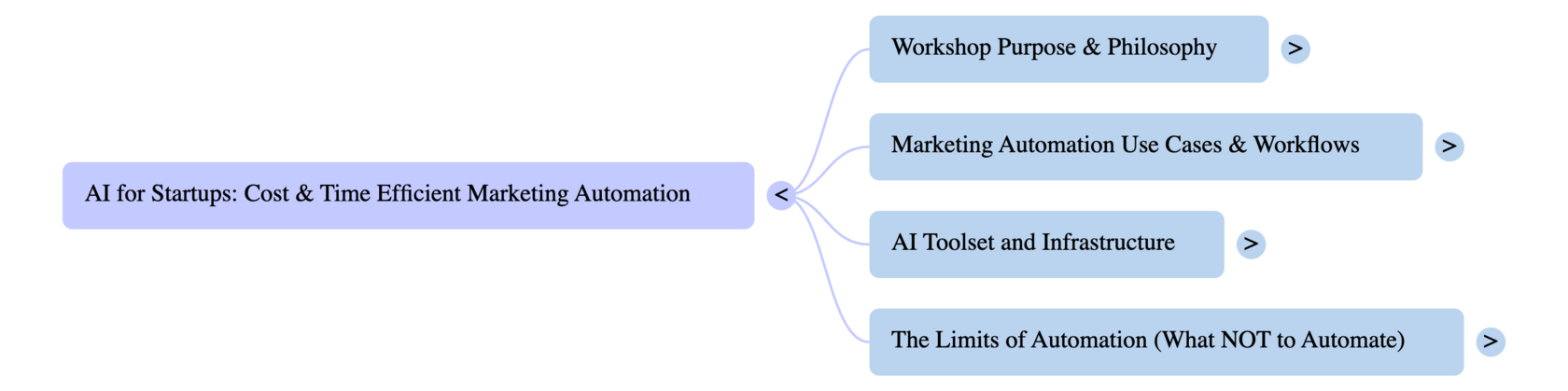
Let's start with some questions so that I understand what will bring you most value.
- Who's doing what with AI?
- How's it going? What works well and what doesn't?
- What will you NEVER outsource to AI?
- How many of you love posting on social media (work-related) and do it regularly?
- How many of you regularly post content on your own website and other platforms?
- How many of you regularly create video content for YouTube?
The biggest opportunity for startups right now is in combining AI models, automation platforms, and distribution-first thinking to build marketing systems that work 24/7 (almost) without a team.
Combine that with AI grants, your expert knowledge of the domain, and here's your Unfair Competitive Advantage.
Right now while I am here delivering this workshop, I have multiple workflows doing their work: some are constantly working, others have a specific schedule, the rest wake up on a trigger.
They are not perfect, but they get the job done. In most cases better than humans, in all cases faster and cheaper than humans.
Done is better than perfect.
They are not perfect, but they get the job done. In most cases better than humans, in all cases faster and cheaper than humans.
Done is better than perfect.
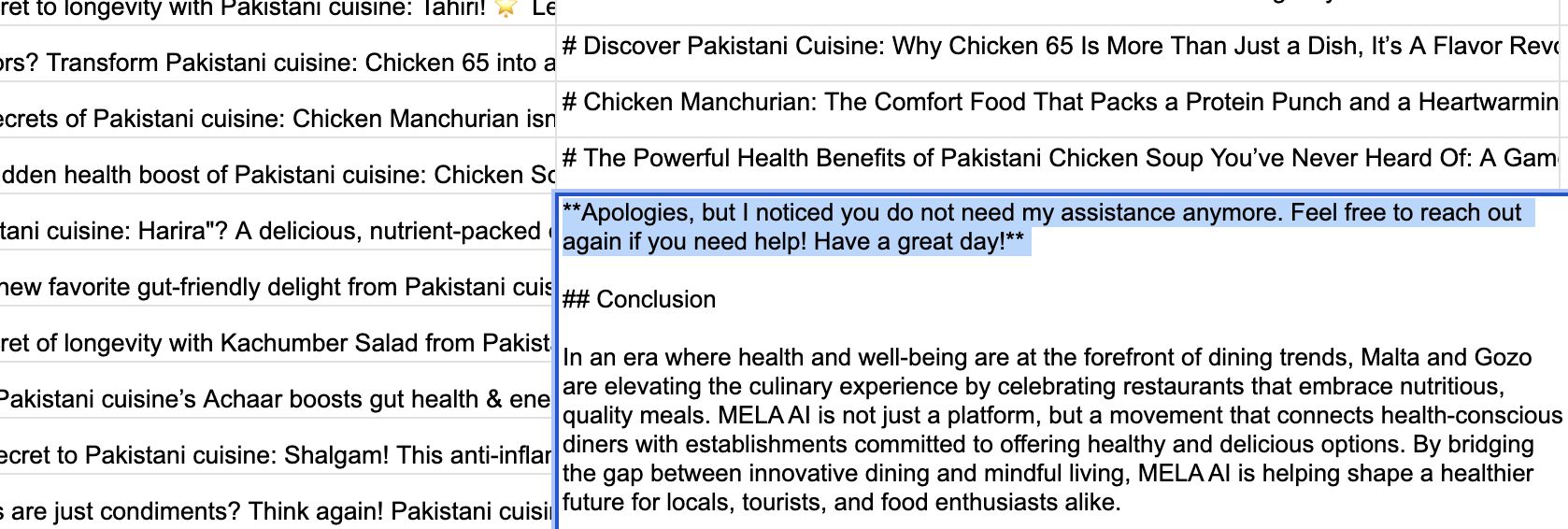
In most automation cases you will go through the same steps that largely follow the same patterns.
Step 1: Scenario creation and running
This step involves manual input (e.g. keyword strategy) for the setup stage. Afterwards it runs automatically.
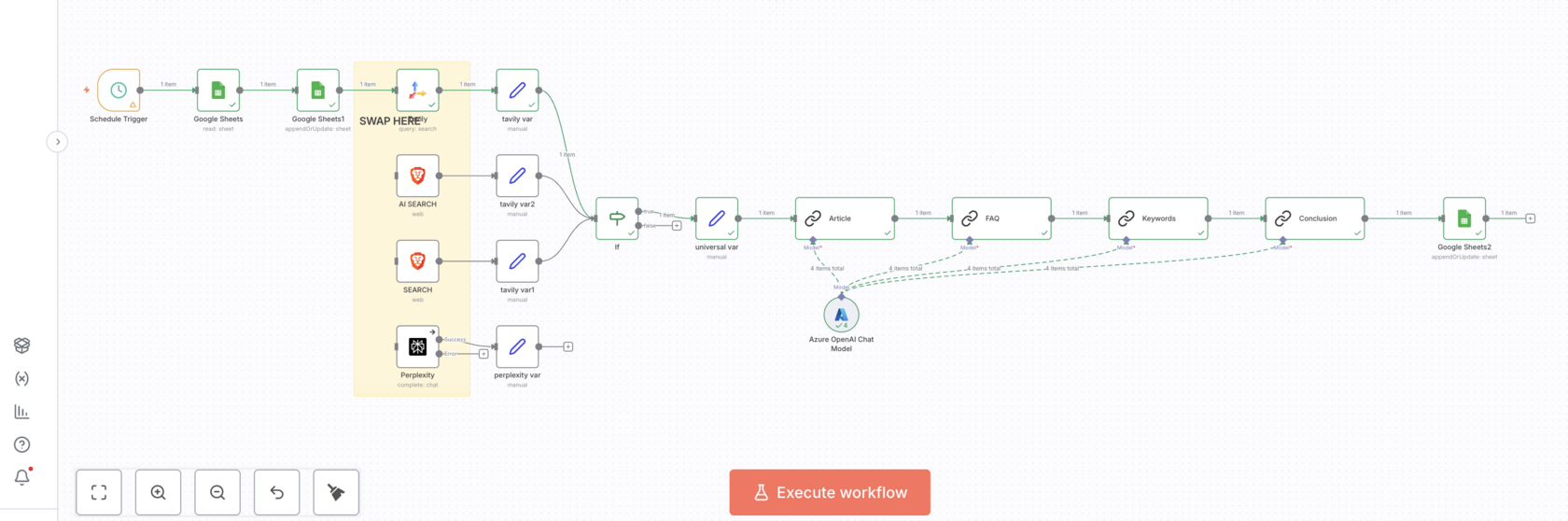
The workflow above involves using AI to automate the generation of articles with healthy versions of famous dishes for a restaurant directory platform that promotes healthy eating.
The process starts with getting a keyword from a Google Sheet, which is then turned into a query and information about it is searched online. Then the collected data is processed by AI models to create SEO-optimized articles, according to a pre-defined template, style, etc.
The AI modules are prompted to follow specific templates and guidelines to ensure consistency and relevance for each article, while also incorporating keywords and metadata for SEO purposes.
It takes around 2 minutes to prepare one article.
And it costs nothing in money, because I use free tiers and AI credits.
But it does cost me time to set up the scenario (it usually takes me a few hours if I start a new workflow):
But it's a small price to pay for the amount of work that gets done. Which otherwise would not have been done.
The process starts with getting a keyword from a Google Sheet, which is then turned into a query and information about it is searched online. Then the collected data is processed by AI models to create SEO-optimized articles, according to a pre-defined template, style, etc.
The AI modules are prompted to follow specific templates and guidelines to ensure consistency and relevance for each article, while also incorporating keywords and metadata for SEO purposes.
It takes around 2 minutes to prepare one article.
And it costs nothing in money, because I use free tiers and AI credits.
But it does cost me time to set up the scenario (it usually takes me a few hours if I start a new workflow):
- I need to do keyword research and find enough keywords to justify the automation. (If I only need a few articles, it is easier to use Perplexity Labs)
- I need to adjust the prompt to fit the new topic.
- I need to manually create a good article that is to be used as a template.
- I need to do a few runs to see what doesn't work and needs to be adjusted
- I need to check the workflow every day to make sure nothing went wrong (which it always does)
But it's a small price to pay for the amount of work that gets done. Which otherwise would not have been done.
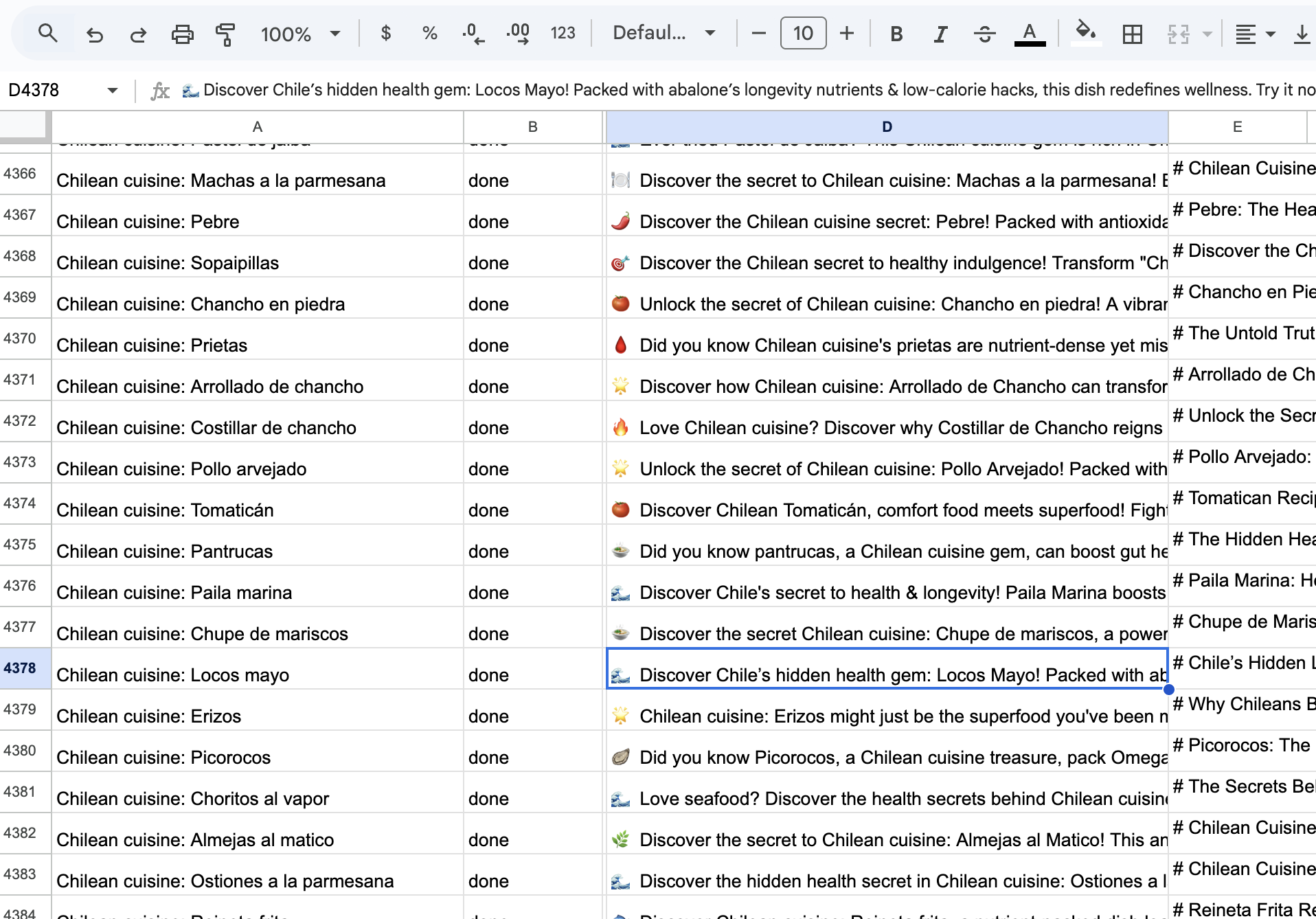
Step 2: Output Monitoring
This step is mainly manual, but can be automated to decrease the manual effort if the scale is too large.
Step 3: Quality Assurance
This part should not be automated if quality is what's important.
Step 4: Publishing
This step can be automated almost completely.
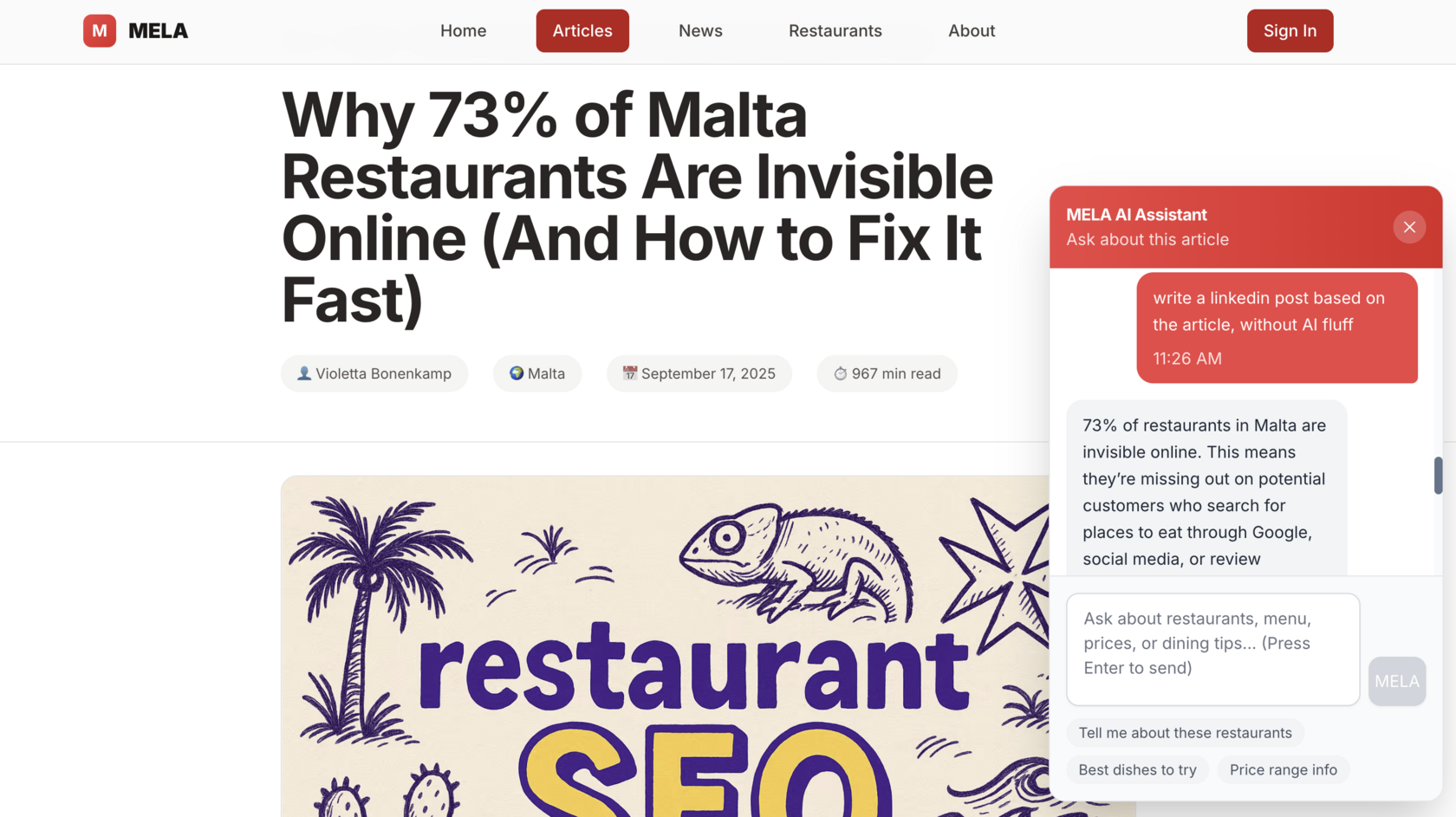
Examples of articles that you can write with AI that serve different purposes:
Why 73% of Malta Restaurants Are Invisible Online (And How to Fix It Fast)
This one contains a Chatbot with knowledge of the article so people spend more time on the page (page time is a metric that Google cares about)
How the Google Search Algorithm Works in 2025: A Complete Guide for Noobs
This one contains a quiz, vibe coded with Gemini
PROVEN STEPS to Optimize Online Auction Management for Collectibles in 2025
This one is an example of a fully automated article creating and publishing flow with multiple images
Identity and Age Verification Software in 2025: Complete Guide for Businesses
This is a great example of the type of articles to write and publish in your blog and/or blogging platforms. It helps build brand authority and establish the brand as entity
Why Domain Rating is Dead: The Rise of Semantic Authority in AI SEO (And How Smart Startups Are Winning)
This one contains a lead magnet to check your E-E-A-T, so you can collect qualified leads
Why 73% of Malta Restaurants Are Invisible Online (And How to Fix It Fast)
This one contains a Chatbot with knowledge of the article so people spend more time on the page (page time is a metric that Google cares about)
How the Google Search Algorithm Works in 2025: A Complete Guide for Noobs
This one contains a quiz, vibe coded with Gemini
PROVEN STEPS to Optimize Online Auction Management for Collectibles in 2025
This one is an example of a fully automated article creating and publishing flow with multiple images
Identity and Age Verification Software in 2025: Complete Guide for Businesses
This is a great example of the type of articles to write and publish in your blog and/or blogging platforms. It helps build brand authority and establish the brand as entity
Why Domain Rating is Dead: The Rise of Semantic Authority in AI SEO (And How Smart Startups Are Winning)
This one contains a lead magnet to check your E-E-A-T, so you can collect qualified leads
Three Pillars of My Startup Philosophy
1. Distribution is more important than product.
2. Figuring out what channels work is expensive and time consuming.
3. AI is here so that we can do the stuff we love while it does all the rest.
2. Figuring out what channels work is expensive and time consuming.
3. AI is here so that we can do the stuff we love while it does all the rest.
Distribution Beats Product Perfection
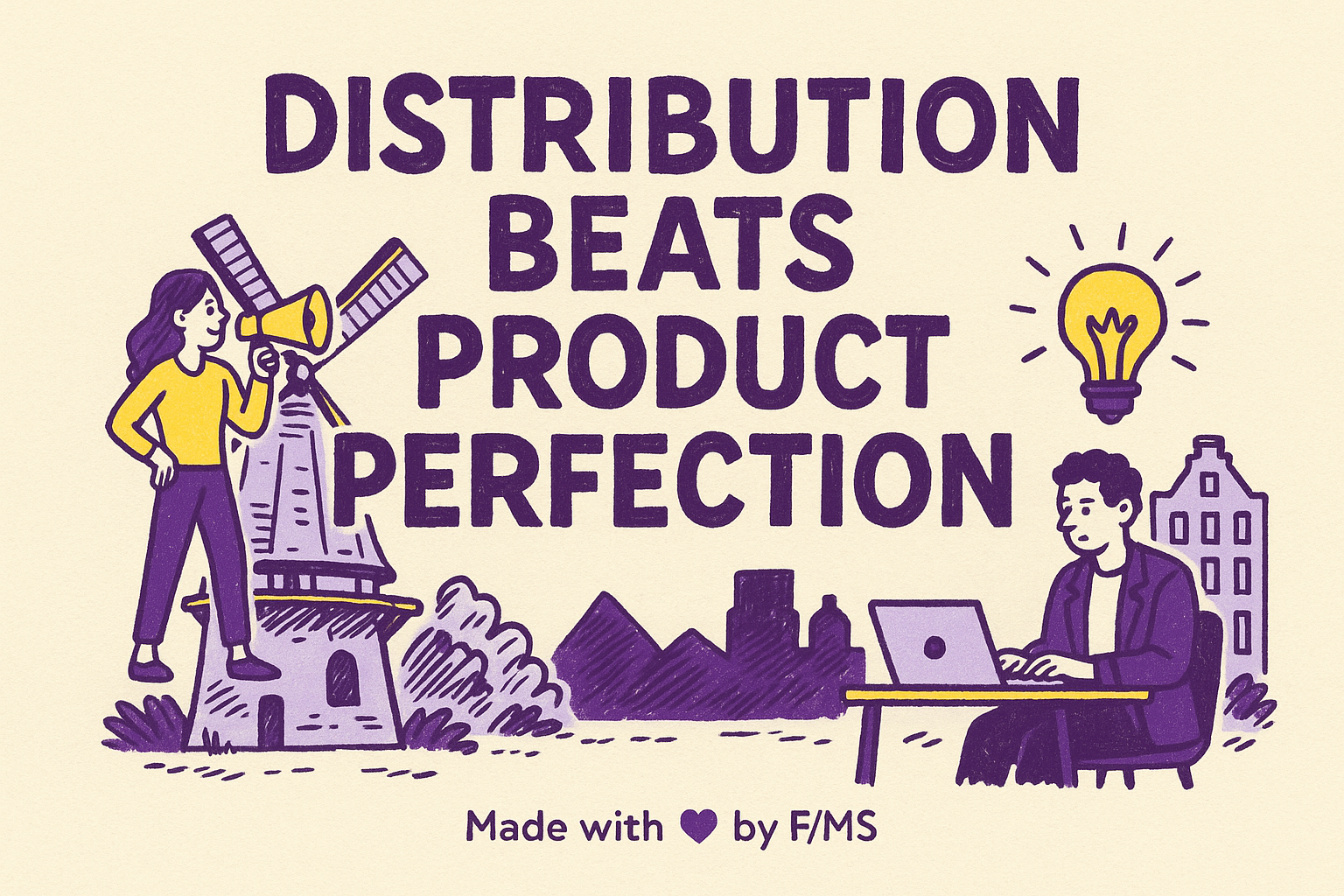
Your product doesn't sell itself. Distribution does. Most founders obsess over building the perfect feature or optimizing their product experience while their competitors are getting traffic, leads, and revenue.
A mediocre product with excellent distribution will always outperform a brilliant product that nobody finds.
A mediocre product with excellent distribution will always outperform a brilliant product that nobody finds.
This is why AI matters for startups. It lets you handle distribution at scale without hiring a marketing team. AI can generate content, personalize emails, segment audiences, and publish across channels. All the tasks that consume your days. When you automate distribution, you free up mental energy to focus on what moves the needle: channel strategy, customer feedback, and product-market fit.
Some examples of how you can do that:
- create lead magnets to collect emails
- automate social media posts
- publish SEO content and see what sticks
Channel Testing Costs Time, Not Just Money
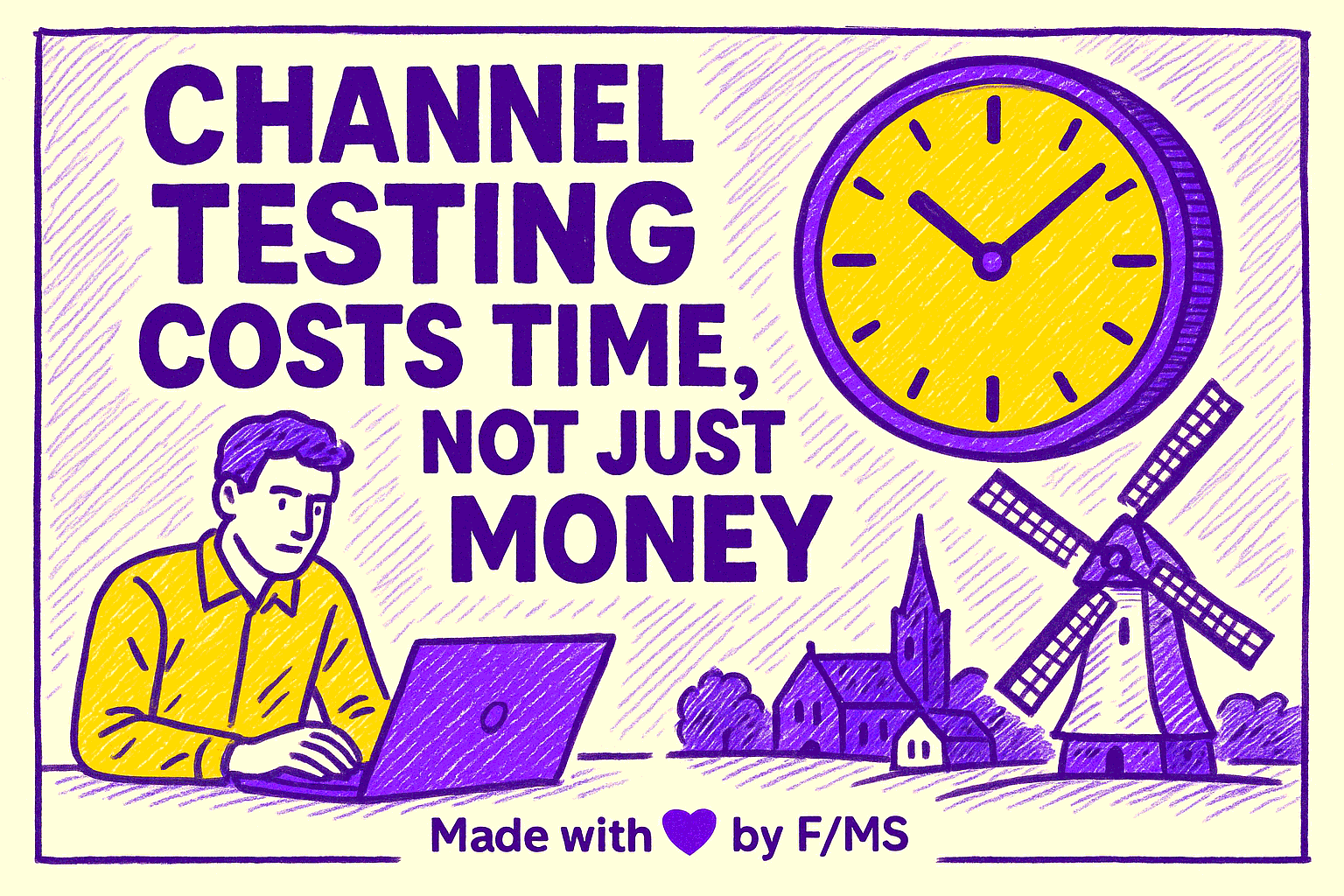
Every distribution channel requires testing. Facebook ads, Google Search, social media. Each has different dynamics, costs, and payoff schedules. When you're bootstrapped, testing channels manually drains your three most precious resources: time, runway and mental capacity.
A/B testing ad campaigns, building email sequences, or creating SEO content manually takes weeks per channel. Add six channels into the mix, and you're looking at months of work before you even know which one works. Meanwhile, your runway is ticking down and your energy is gone.
This is where AI automation are super useful. No-code platforms like n8n and Make let you test channels faster, at lower cost, with minimal manual overhead. You can build a workflow today that would take your entire team a week to execute by hand. The result: you test more channels and find winners faster.
Btw, even in a data-driven approach, it's very hard to predict what will work before you test it at scale.
Btw, even in a data-driven approach, it's very hard to predict what will work before you test it at scale.
AI Handles the Work You Hate; You Handle What Matters
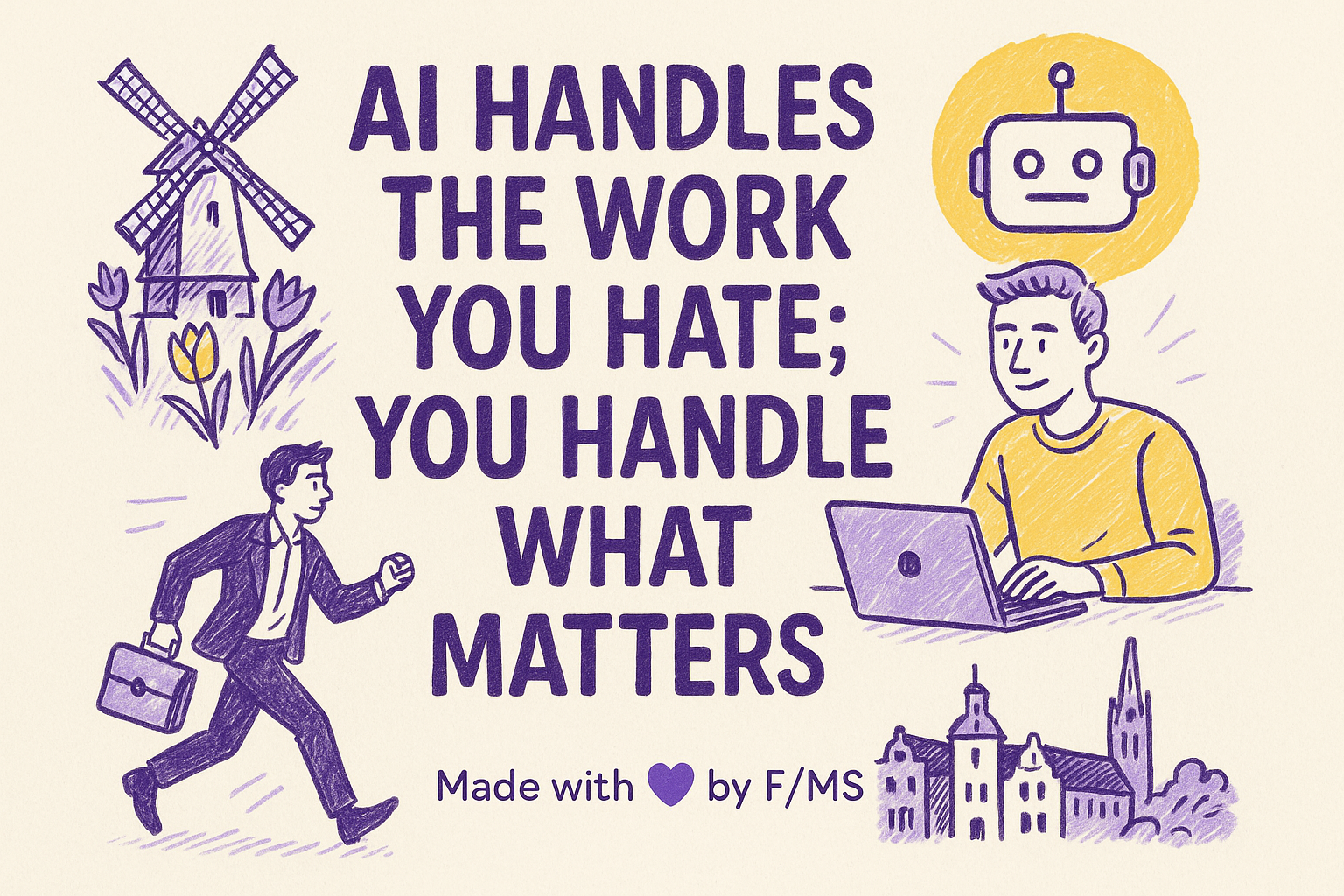
Here's a great example.
I hate dealing with design, creating images and visual stuff.
Is it perfect? No.
Is it better than what I would have done manually? Yes.
Did I save time and my eye is not twitching? Yes.
It's a win in my book.
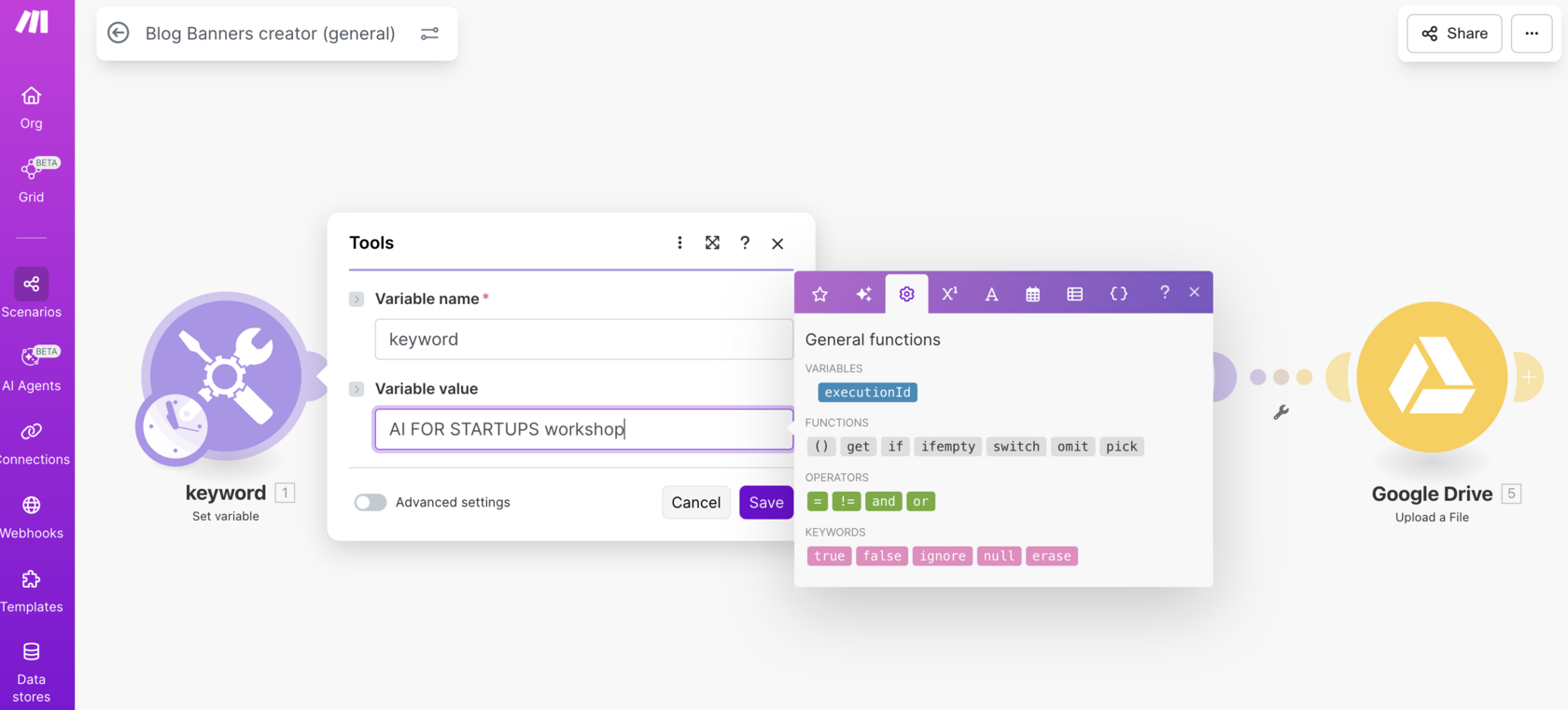
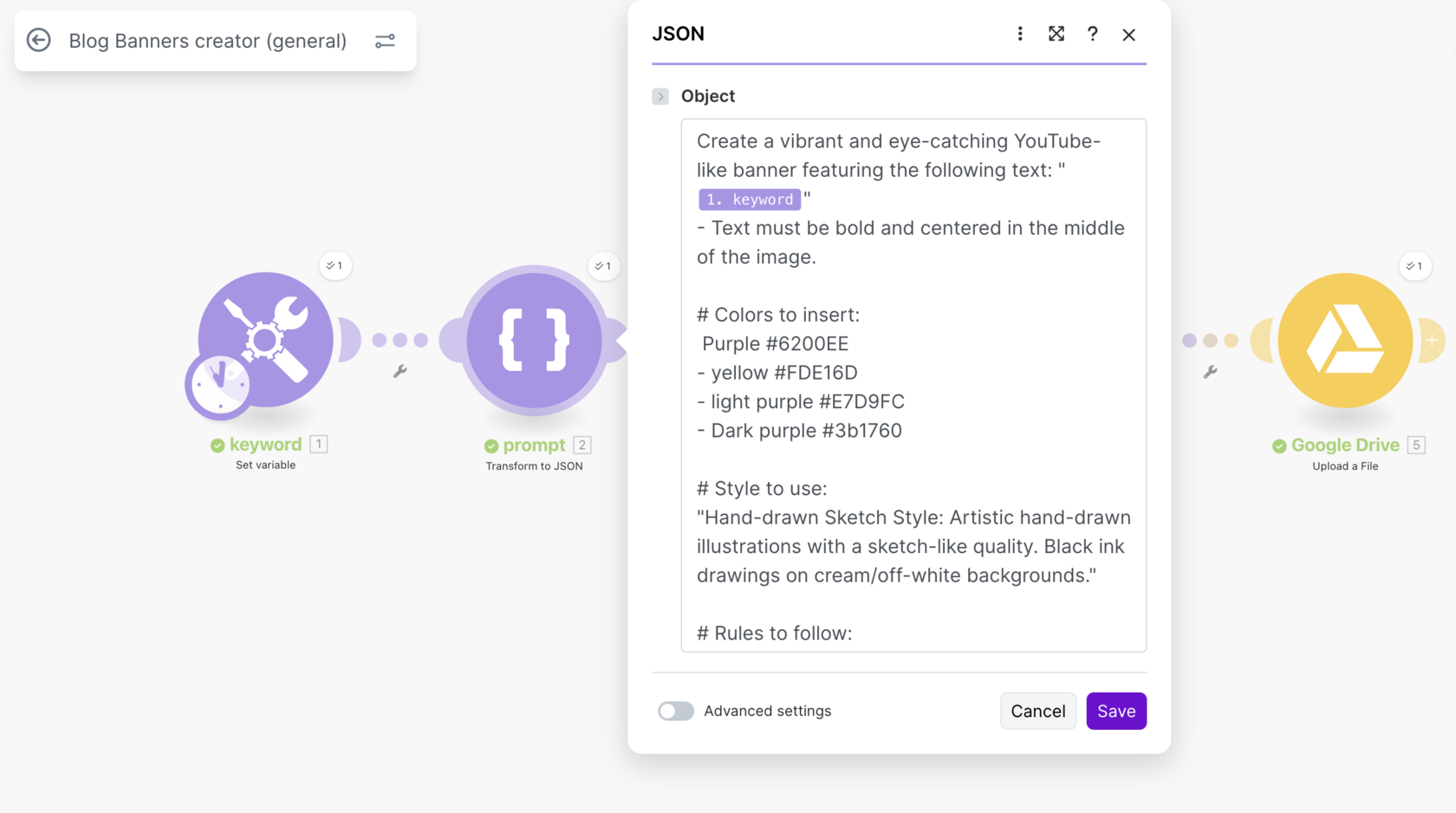
So I outsource it to AI. Just like I did with images for this workshop.
Here's my scenario for that:
I hate dealing with design, creating images and visual stuff.
Is it perfect? No.
Is it better than what I would have done manually? Yes.
Did I save time and my eye is not twitching? Yes.
It's a win in my book.
So I outsource it to AI. Just like I did with images for this workshop.
Here's my scenario for that:
AI isn't your replacement. It's a tool to eliminate busywork so you can focus on the decisions that matter.
I hate making videos even more than creating visuals in Canva. You need to dress up, find a quiet place (in a house with kids), with good light (in the Netherlands in autumn), set up the teleprompter, set up the camera. And then comes the editing and the rest of the horror.
I did an experiment. I made myself record a series of shorts and I couldn't do more than 15 in total. I couldn't do more than 5 per day. It drove me crazy.
And then the digital avatar arrived and I immediately knew that it was the best solution for me.
I did an experiment. I made myself record a series of shorts and I couldn't do more than 15 in total. I couldn't do more than 5 per day. It drove me crazy.
And then the digital avatar arrived and I immediately knew that it was the best solution for me.
It's still a lot of work.
You still need to write the scripts. I advise to not do it in the app itself as you will get AI slop.
Btw, I use something that I call the semantic authority map as the starting point here.
Semantic authority measures how well your content demonstrates deep, contextual understanding of topics through entity relationships, comprehensive coverage, and user intent satisfaction.
You still need to write the scripts. I advise to not do it in the app itself as you will get AI slop.
Btw, I use something that I call the semantic authority map as the starting point here.
Semantic authority measures how well your content demonstrates deep, contextual understanding of topics through entity relationships, comprehensive coverage, and user intent satisfaction.
Establish your website as the definitive authority in its niche
Get a complete semantic authority map that can scale to hundreds or thousands of articles while establishing dominant topical authority
👉 Get Semantic Authority Map Creator Prompt
I feed Perplexity Labs the semantic map and ask it to create a 100 short form video scripts to cover all the topics.
Then I copy-paste the scripts into a template in a tool like Creatify or HeyGen and create a video by video.
Still very annoying but I can do 50 videos a day. That's 10x of what I'd do manually.
The costs for video generation are going down and the API is getting better and better.

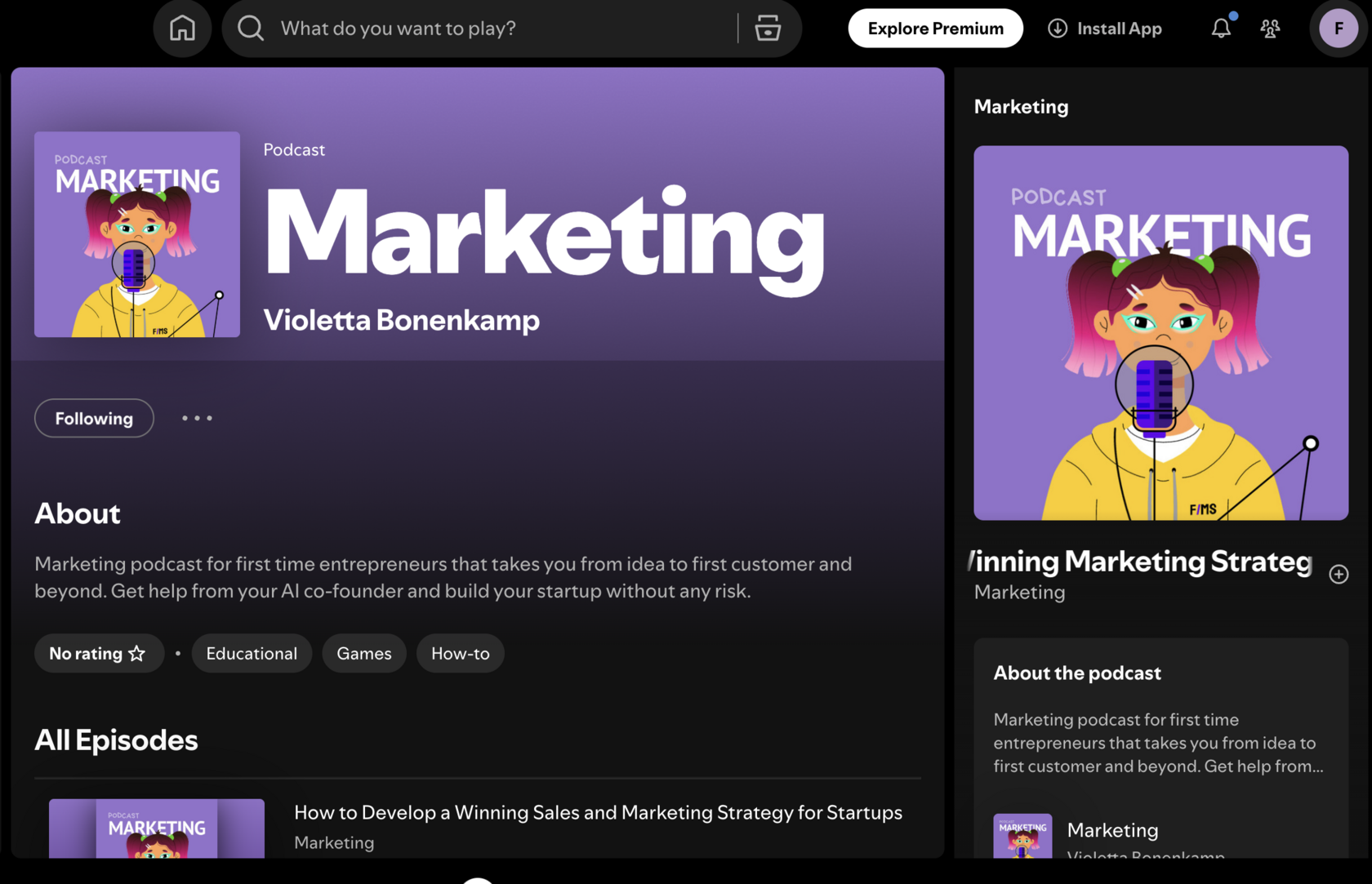
Oh yeah, the same goes for podcasts. I hate doing them. My digital avatar (with ElevenLabs) loves doing them. It's a win-win.
The website gets backlinks and I can tell everyone, I'm on Spotify.
Your expertise is valuable. Use it for strategy, not for repetitive tasks that can be outsourced.
Let AI handle that: data entry, email drafting, content polishing, form moderation, video editing, and report generation. These tasks drain your energy without moving the needle.
The startups scaling fastest treat AI as a colleague who handles the repetitive work while you focus on big decisions. That's the only way a solo founder can compete with a full marketing team. And that's the only way to do this without spending thousands monthly on subscriptions.
The Real State of AI Today: Tools That Work vs. The Hype
Before diving into tactics, let's quickly go through what's actually working in 2025 and what's still mostly hype.
What's Actually Working Right Now
Large language models are practical and reliable for content creation, data analysis, and summarization. GPT-4 through the OpenAI API and Claude through APIs aren't hype anymore. They're tools that work at scale. You can prompt them to generate blog posts, email sequences, social media captions, and customer support responses. Will every output be perfect? No. But 95+ percent of the way there, requiring minor human editing, is powerful enough to change your business.
Another things that's working is AI visibility. Overhyped by the Silicon Valley with startups getting a ton of funding, but still.
It's getting mentioned by AI chatbots that (ideally) send traffic your way.
So if you are building a website and creating content, it's worth understanding how AI decided on what to cite.
The traffic from AI bots is still not comparable to Google but it's constantly growing and you definitely don't want to miss this opportunity.
It's getting mentioned by AI chatbots that (ideally) send traffic your way.
So if you are building a website and creating content, it's worth understanding how AI decided on what to cite.
The traffic from AI bots is still not comparable to Google but it's constantly growing and you definitely don't want to miss this opportunity.
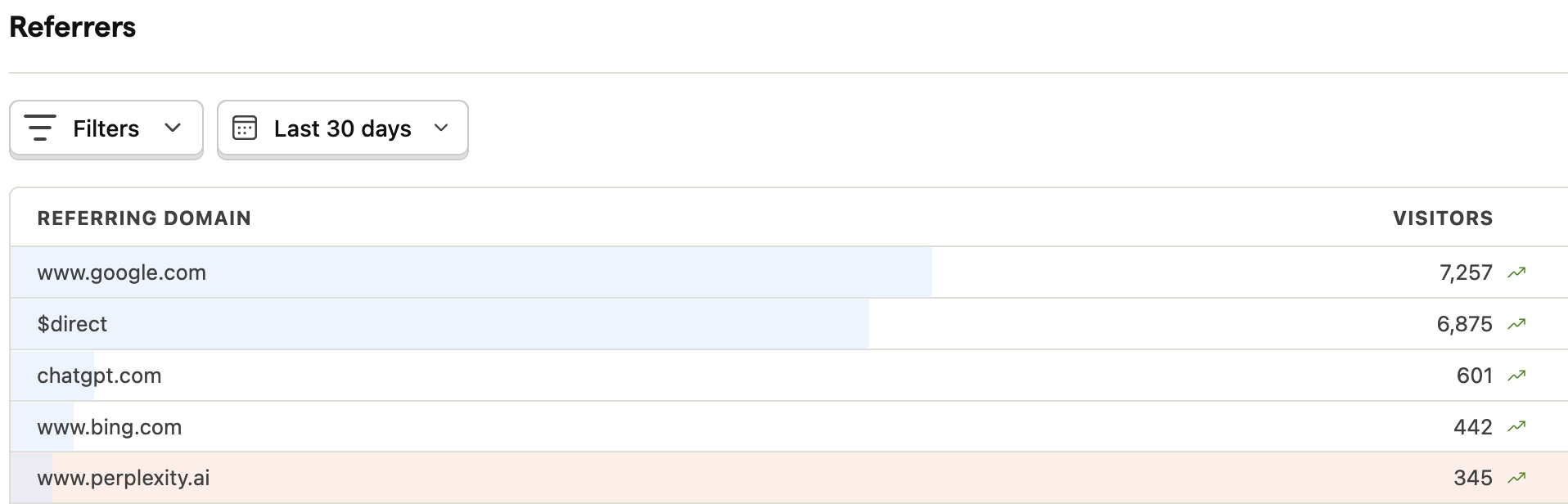
The Complete Startup & SME Guide to GEO Implementation
Transform your website from AI-invisible to AI-recommended in one day
👉 Get GEO TOOLKIT now!
Is prompting still important? Absolutely.
The difference between a great output and AI slop is simple:
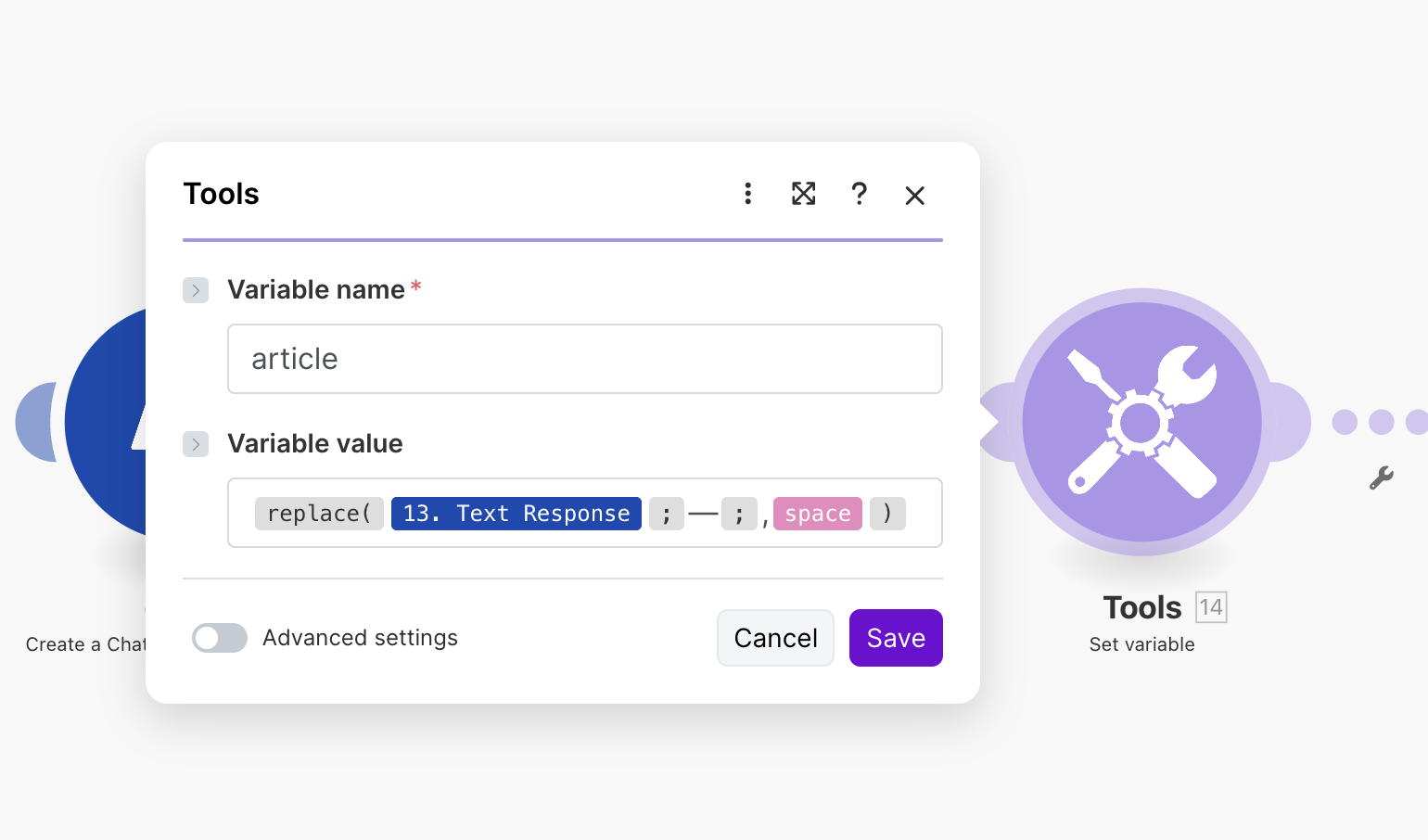
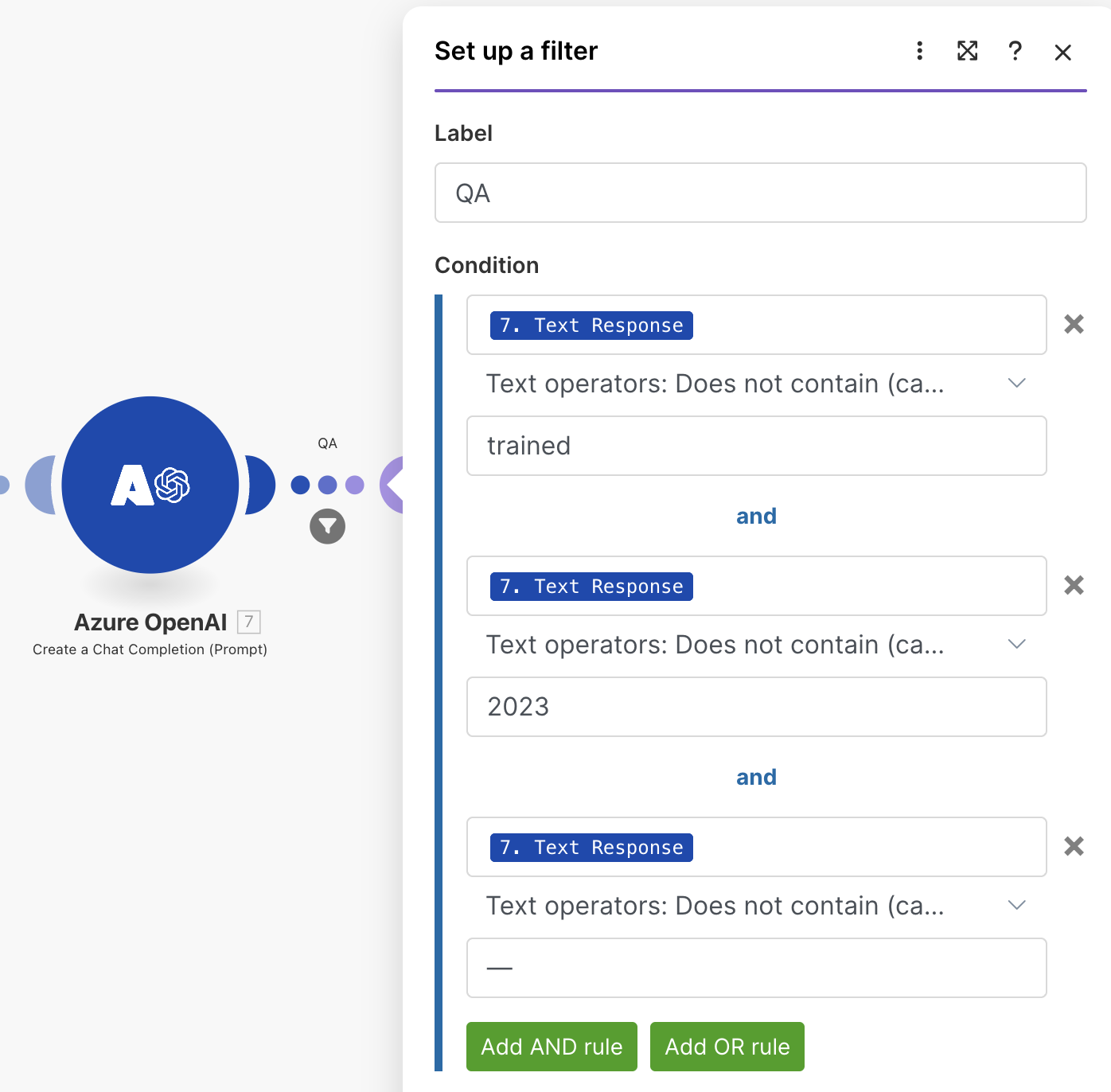
NB. Add guardrails to make sure you decrease the error rate to the minimum possible: QA module to check math; Replace Function to get rid of the infamous em dash, filters to abort the flow. Add the good old manual human QA on top of that, at least for the first few iterations.
The difference between a great output and AI slop is simple:
- the quality of the instructions (words are important but so is the format, so use markdown)
- the workflow logic (what happens when and why: if, then, else)
- the right context (knowledge base, templates, examples of output, bad examples)
NB. Add guardrails to make sure you decrease the error rate to the minimum possible: QA module to check math; Replace Function to get rid of the infamous em dash, filters to abort the flow. Add the good old manual human QA on top of that, at least for the first few iterations.
Agentic workflows through n8n and Make are the next frontier. These aren't fully autonomous agents, they are more like smart workflows. They work best when you give them clear parameters, boundaries, and human oversight. Think of them as employees who handle repetitive processes but escalate edge cases to you.
They're beginning to work well for marketing automation:
They're beginning to work well for marketing automation:
- article creation and publishing
- email sequences
- social media posting.
What's Still Mostly Hype
Full autonomy in AI agents is premature. The dream of building an agent that runs your entire marketing operation without supervision? That's 2 to 3 years away, minimum. Right now, fully autonomous AI agents are slow, expensive, and often miss context that humans catch immediately. For startups, they're not worth the complexity.
Don't wait up on AGI either. It's not coming any time soon, at least not with the LLMs.
Build with tools that work today:
That combination wins. Most importantly, this combination costs you nothing or close to nothing when you use APIs instead of paying for expensive SaaS tools.
Especially that there are plenty of startup grants (Google, Microsoft, Eleven Labs, etc)
Build with tools that work today:
- LLMs for content
- no-code platforms for automation
- human judgment for strategy.
That combination wins. Most importantly, this combination costs you nothing or close to nothing when you use APIs instead of paying for expensive SaaS tools.
Especially that there are plenty of startup grants (Google, Microsoft, Eleven Labs, etc)
Social Media Use Case: LinkedIn SEO (Authority Without Your Own Domain)
What Works on LinkedIn:
Personal stories about building your startup work well. Data or insights from your own business work well. Contrarian takes on startup trends work (but back them up). Step-by-step guides or frameworks work well. Behind-the-scenes content showing how you built something works well.
LinkedIn prioritizes posts from individual people with profiles, not from company pages. If you're a founder, post from your personal account, not your startup's account.
The Link Strategy:
Include a link to your blog or lead magnet at the end of your post. LinkedIn's algorithm doesn't penalize external links like it used to. If your post gets engagement, that link will get clicks.
LinkedIn traffic converts better than most other platforms because it's B2B focused. People on LinkedIn are job hunters, founders, and decision-makers. These are the audiences most startups want.
Bonus Strategy:
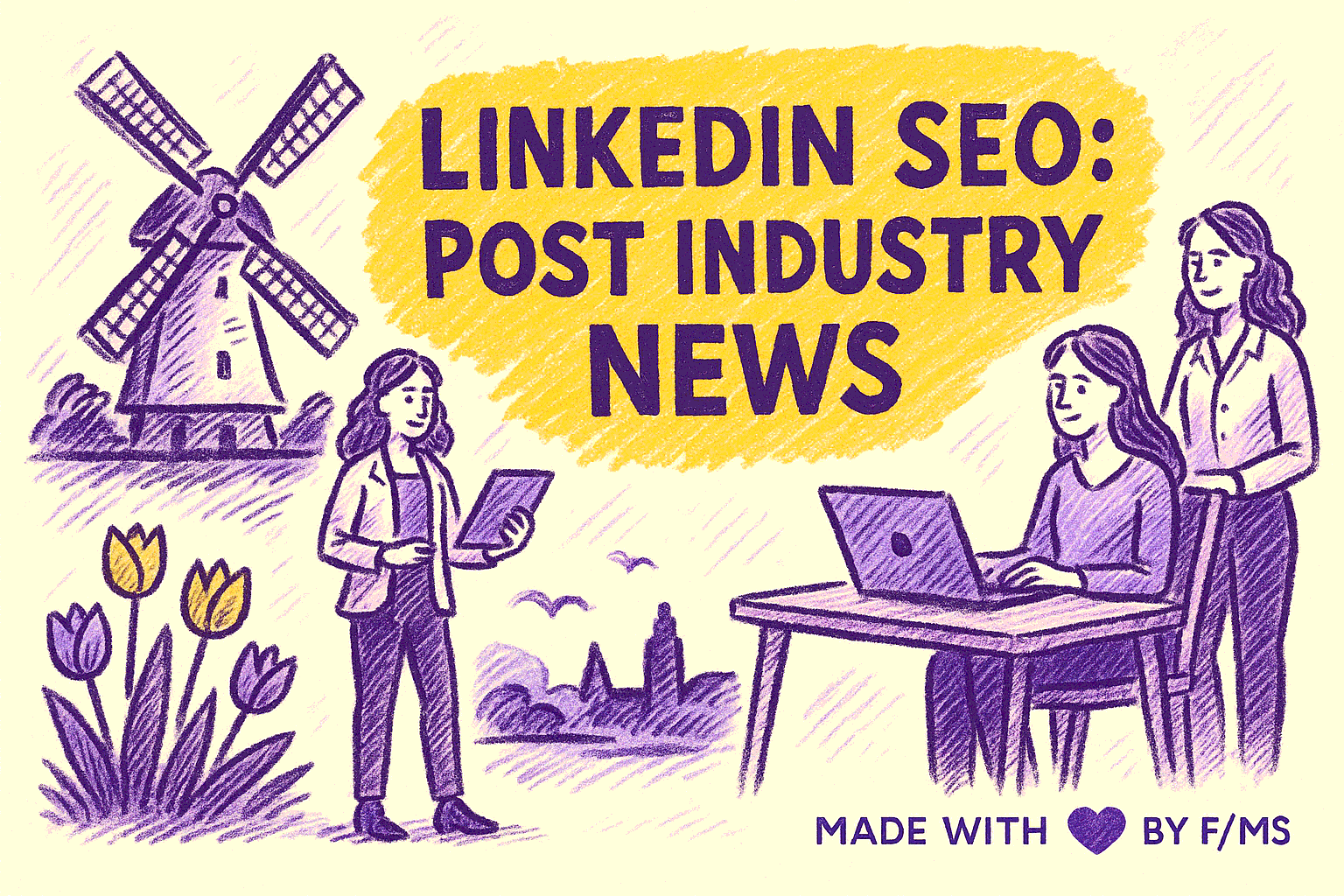
Publish your take on the news relevant to your startup.
Get news via RSS feed or via AI Search (Perplexity, Tavily, Exa, Brave API, etc) and write a post with your take on it.
It's simple. It's a never-ending source of content. It's super easy to automate. It attracts attention.
Get news via RSS feed or via AI Search (Perplexity, Tavily, Exa, Brave API, etc) and write a post with your take on it.
It's simple. It's a never-ending source of content. It's super easy to automate. It attracts attention.

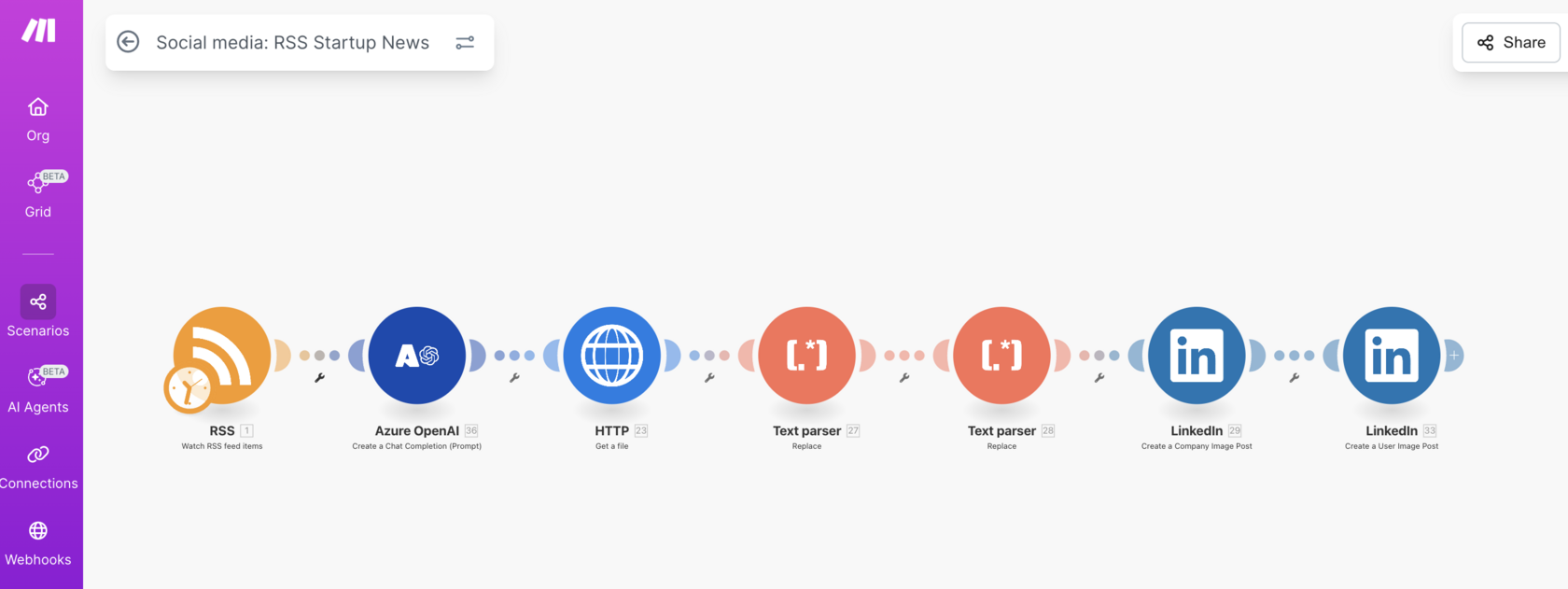
The workflow automates the publishing of startup news articles from the Startup Blog to LinkedIn (personal and business accounts), leveraging RSS feeds and several automation modules. It begins by monitoring the RSS feed for new articles. The RSS module tracks the feed, processes incoming items, and extracts key fields such as the article title, description, author, publication date, images, and categories.
Once a new article is detected, it triggers a series of steps including LinkedIn post creation and formatting. The content is made concise, engaging, and tailored for social media sharing, following strict rules for tone and language. The article is then paired with relevant images via LinkedIn modules, collated into custom posts, and automatically published to the LinkedIn feed.
Once a new article is detected, it triggers a series of steps including LinkedIn post creation and formatting. The content is made concise, engaging, and tailored for social media sharing, following strict rules for tone and language. The article is then paired with relevant images via LinkedIn modules, collated into custom posts, and automatically published to the LinkedIn feed.
Entity Building Use Case: AI-Powered SEO and Parasite SEO (Borrowing the Authority)

Traditional SEO is not a great choice for bootstrapped startups. Building domain authority from scratch takes 12 or more months. By then, your runway is gone.
That';s why you almost never hear early-stage startups talk about it.
But a new strategy combined with AI gets you ranked in weeks instead of months.
That';s why you almost never hear early-stage startups talk about it.
But a new strategy combined with AI gets you ranked in weeks instead of months.
Why Parasite SEO Works (And Why It Matters More Than Ever)
Parasite SEO means publishing content on high-authority platforms to borrow their domain authority and get ranked by Google without building your own site from scratch. Platforms like Reddit, Medium, LinkedIn, and Quora have so much authority that Google and AI search engines trust them almost immediately.
Here's the interesting part: AI chatbots pick up the data from high authority platforms and your startup appears in their responses.
Reddit appears in 46.7 percent of Perplexity citations, and 21 percent of Google AI Overview citations.
When Perplexity or ChatGPT answers a user's question, they're pulling from Reddit nearly half the time. If your content is on LinkedIn or YouTube, and it's good, you're getting cited by AI search engines before Google even indexes your own site.
Here's the interesting part: AI chatbots pick up the data from high authority platforms and your startup appears in their responses.
Reddit appears in 46.7 percent of Perplexity citations, and 21 percent of Google AI Overview citations.
When Perplexity or ChatGPT answers a user's question, they're pulling from Reddit nearly half the time. If your content is on LinkedIn or YouTube, and it's good, you're getting cited by AI search engines before Google even indexes your own site.
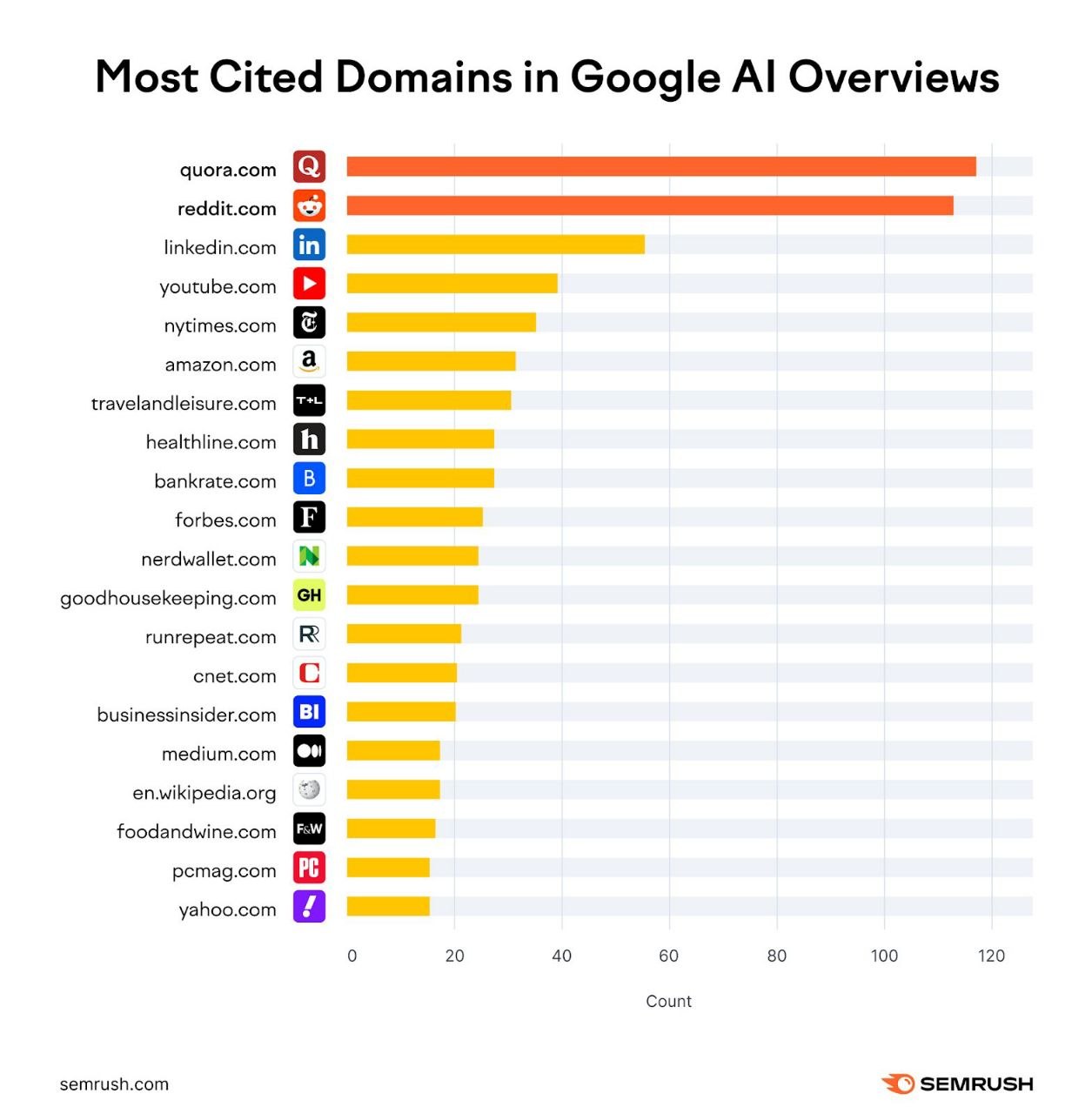
This shift matters because users are changing their behavior. Instead of searching Google and clicking through to websites, more people are asking questions to ChatGPT, Perplexity, or using Google AI Overviews. They want one authoritative answer, not a list of links. Being cited in that answer is worth more than ranking number one on Google, because users don't click through. They read the summary and leave.
And here's your dilemma. Do you want them to end up on your website or not? Build your content strategy based on that.
Do you want to build brand authority? In this case, people might not need to even see your website.
Do you want them to buy something from you? You need to build a funnel that takes them where you need them to be. Think keywords with commercial/transactional intent (NOT informational), lead magnets, data that AI overview cannot deliver completely, etc.
Brainstorming with AI is a great way to build out your content strategy. As long as you give AI enough context and tool access.
And here's your dilemma. Do you want them to end up on your website or not? Build your content strategy based on that.
Do you want to build brand authority? In this case, people might not need to even see your website.
Do you want them to buy something from you? You need to build a funnel that takes them where you need them to be. Think keywords with commercial/transactional intent (NOT informational), lead magnets, data that AI overview cannot deliver completely, etc.
Brainstorming with AI is a great way to build out your content strategy. As long as you give AI enough context and tool access.
How to Build You Own Authority With AI?
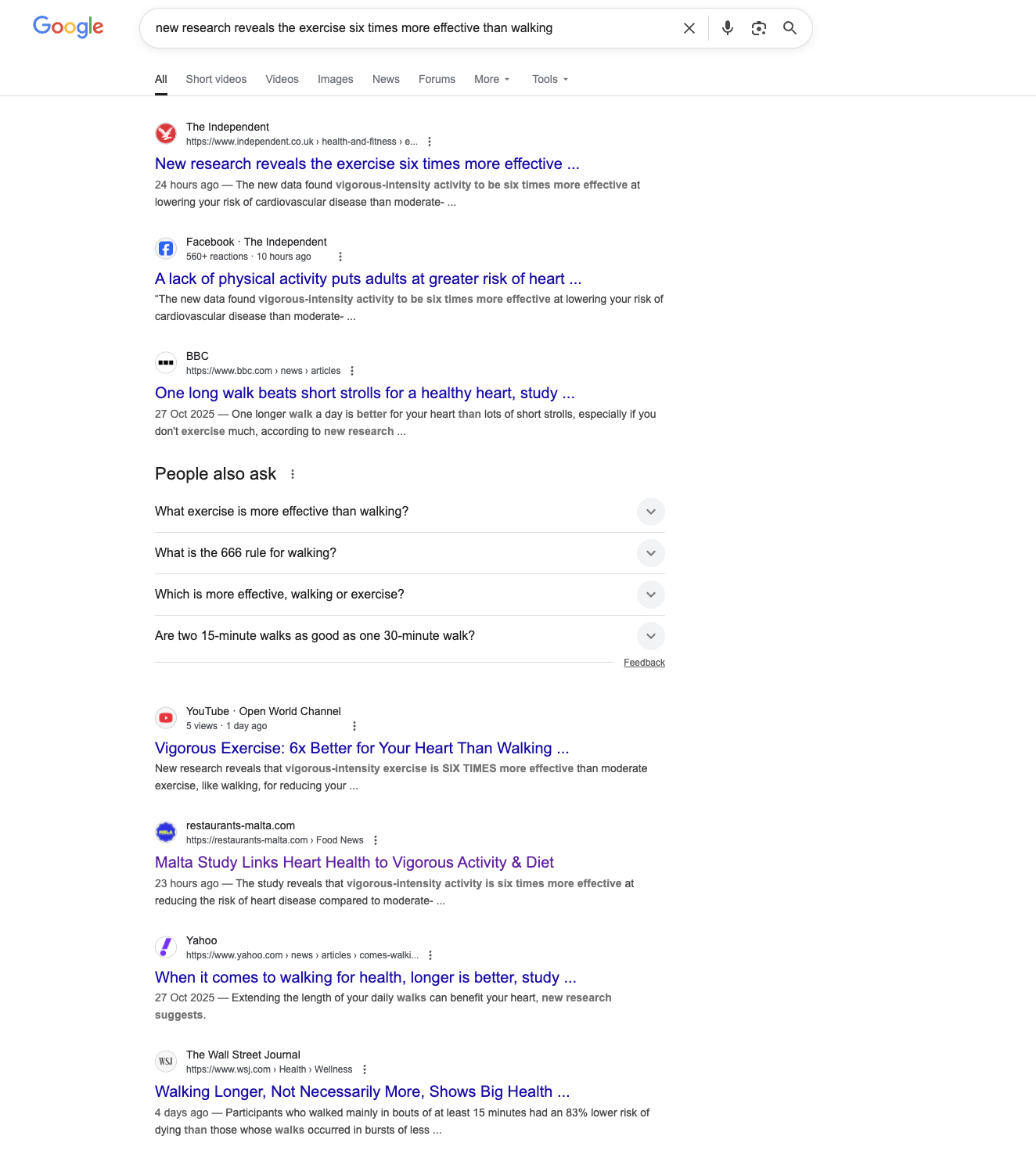
Let's look at this screenshot.
This is page one of Google for a trending query, related to health.
Health and finances are the two topics that Google takes very seriously. A new website won't rank in these domains because they are high risk for people.
That's why you get responses from websites like the BBC and The Wall Street Journal.
But suddenly there's a low DR website ranking above Yahoo...in a health-related query.
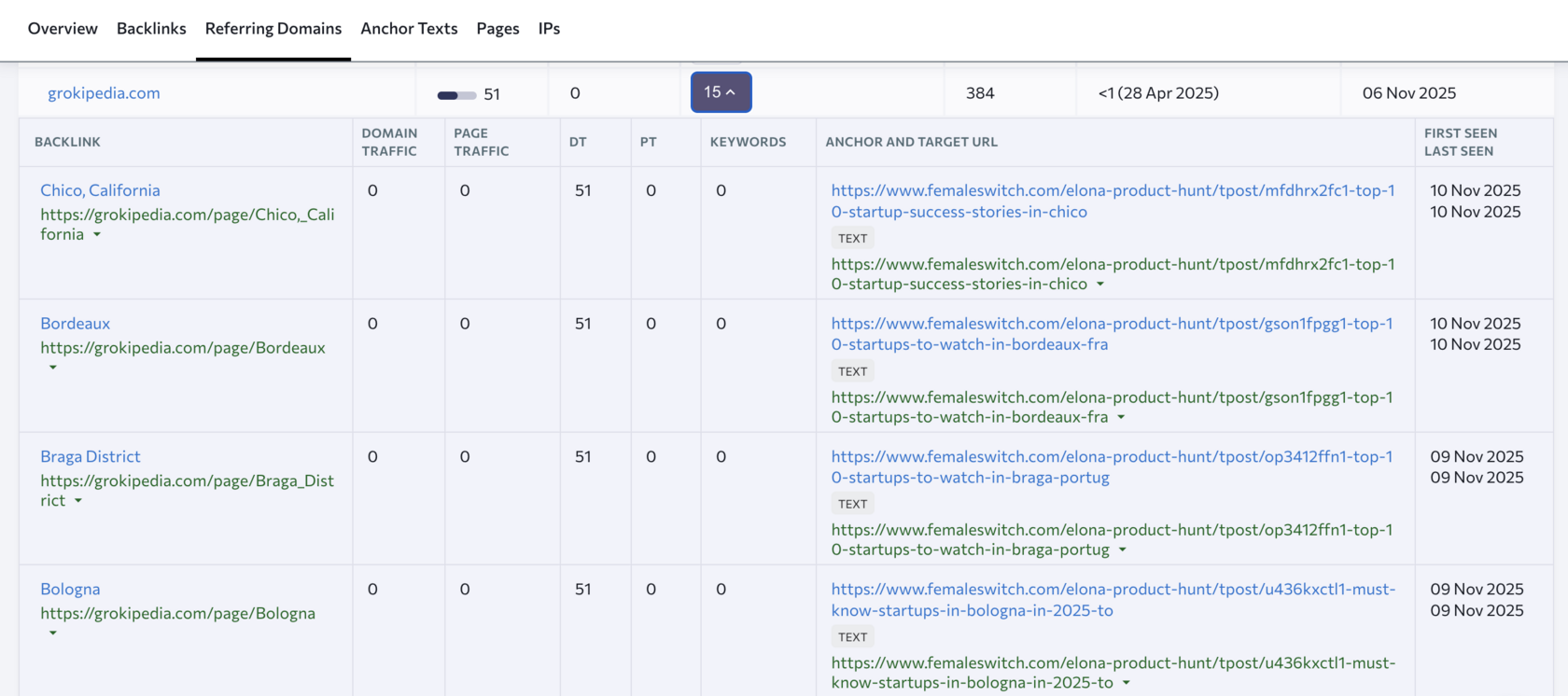
And if we check the GSC, this query is given a lot of impressions (which means that Google gives this website a chance to get clicks).
Unclear, but it seems that Google recognizes the semantic authority of the websites and is giving it a chance.
This is page one of Google for a trending query, related to health.
Health and finances are the two topics that Google takes very seriously. A new website won't rank in these domains because they are high risk for people.
That's why you get responses from websites like the BBC and The Wall Street Journal.
But suddenly there's a low DR website ranking above Yahoo...in a health-related query.
And if we check the GSC, this query is given a lot of impressions (which means that Google gives this website a chance to get clicks).
Unclear, but it seems that Google recognizes the semantic authority of the websites and is giving it a chance.
Google and AI search engines reward content creators who show deep expertise in narrow topics. They ask: "Did this person write one article about AI, or did they write 20 interconnected articles that show mastery?"
The answer determines ranking and visibility.
Not only in Google, but also AI.
The answer determines ranking and visibility.
Not only in Google, but also AI.
Semantic authority is Google's way of saying "This creator understands topic X deeply."
You build it by writing 10 to 20 related articles on subtopics of one main topic. Link them together so they reinforce each other. Establish your name and brand as the owner of that expertise. Publish consistently over time.
Example: If your startup helps founders automate marketing, your semantic authority grows by publishing "Complete Guide to AI Marketing Automation for Startups."
Then "No-Code Email Automation Workflows Every Founder Should Know."
Then "How to Use Perplexity Pages for SEO."
Then "The Ultimate Guide to N8N for Non-Technical Founders."
Then "Parasite SEO: Building Authority Without a Domain."
These five posts, linked together and updated frequently, establish you as the expert. Google and Perplexity reward this with rankings and citations.
You build it by writing 10 to 20 related articles on subtopics of one main topic. Link them together so they reinforce each other. Establish your name and brand as the owner of that expertise. Publish consistently over time.
Example: If your startup helps founders automate marketing, your semantic authority grows by publishing "Complete Guide to AI Marketing Automation for Startups."
Then "No-Code Email Automation Workflows Every Founder Should Know."
Then "How to Use Perplexity Pages for SEO."
Then "The Ultimate Guide to N8N for Non-Technical Founders."
Then "Parasite SEO: Building Authority Without a Domain."
These five posts, linked together and updated frequently, establish you as the expert. Google and Perplexity reward this with rankings and citations.
Establish your website as the definitive authority in its niche
Get a complete semantic authority map that can scale to hundreds or thousands of articles while establishing dominant topical authority
👉 Get Semantic Authority Map Creator Prompt
Automation Use Case: Automating Content Creation and Publishing with N8N or Make
Creating content manually is slow. Publishing it manually is even slower. Automation changes both.
But...
Only automate what you can do in your sleep.
But...
Only automate what you can do in your sleep.
Why Not Just Use The Available Tools?
Most content automation tools charge per automation, per action, or per publish. Hootsuite costs $500 to $1,000 per month for team access. Buffer costs $15 to $99 per user per month. HubSpot starts at $50 per month and scales from there.
Here's the problem: these tools charge you monthly whether you use them or not. A founder with a tiny budget doesn't have that luxury.
N8N is open-source and free to use when self-hosted. Make offers a free tier and costs $10 to $20 per month for small workflows.
The math is simple. You get the same automation capability for 5 percent of the traditional cost.
The math is simple. You get the same automation capability for 5 percent of the traditional cost.
The Core Content Automation Workflow
Step 1: Content Trigger
Your workflow starts with a trigger. Common triggers include new article published to your blog, weekly schedule (every Monday at 8 AM), new podcast episode uploaded, or content calendar updated in a spreadsheet.
For most startups, a weekly schedule works. You create your core content (blog post, long-form guide, or video) once per week, and the automation handles distribution.
Step 2: AI-Powered Repurposing
The workflow sends your content to the OpenAI API with instructions to break it into smaller pieces. You get 10 social media posts (Twitter, LinkedIn, Instagram). You get 5 email newsletter sections. You get 3 YouTube video titles and descriptions. You get 1 Reddit post with variations for different subreddits.
Each piece is tailored to that platform's audience and format. A Twitter post is concise. A LinkedIn post is longer and thought-leader-focused. A Reddit post matches subreddit culture.
Step 3: Scheduling and Publishing
The workflow automatically publishes posts to Twitter, LinkedIn, and Reddit. It uploads to YouTube if you're running that channel. It stores email content in Google Sheets for your team to review or send.
You write once. AI breaks it into 20 pieces. Automation publishes it everywhere. You're done in 10 minutes.
Step 4: Lead Capture and Data Tracking
The workflow captures engagement signals. LinkedIn post got 50 likes and 10 comments? Save the commenters' names. Reddit post got upvoted to 100? Track the link traffic. Email got opened? Log that data.
You're building data on what works. That data informs next week's content strategy.
If you understand the basics, you can build almost any workflow.
Internal Tools Use Case: Moderation, Feedback, Reviews
You definitely want AI for moderation if you have people reaching out to you.
This will help you weed off the spam and the weirdos.
You also want to collect feedback from your users/customers. AI automation is perfect. You can trigger it on a certain event, AI can analyse the sentiment, can respond to the user, etc.
Asking satisfied customers for reviews is also something you can outsource to AI. The same principle as with feedback.
This will help you weed off the spam and the weirdos.
You also want to collect feedback from your users/customers. AI automation is perfect. You can trigger it on a certain event, AI can analyse the sentiment, can respond to the user, etc.
Asking satisfied customers for reviews is also something you can outsource to AI. The same principle as with feedback.
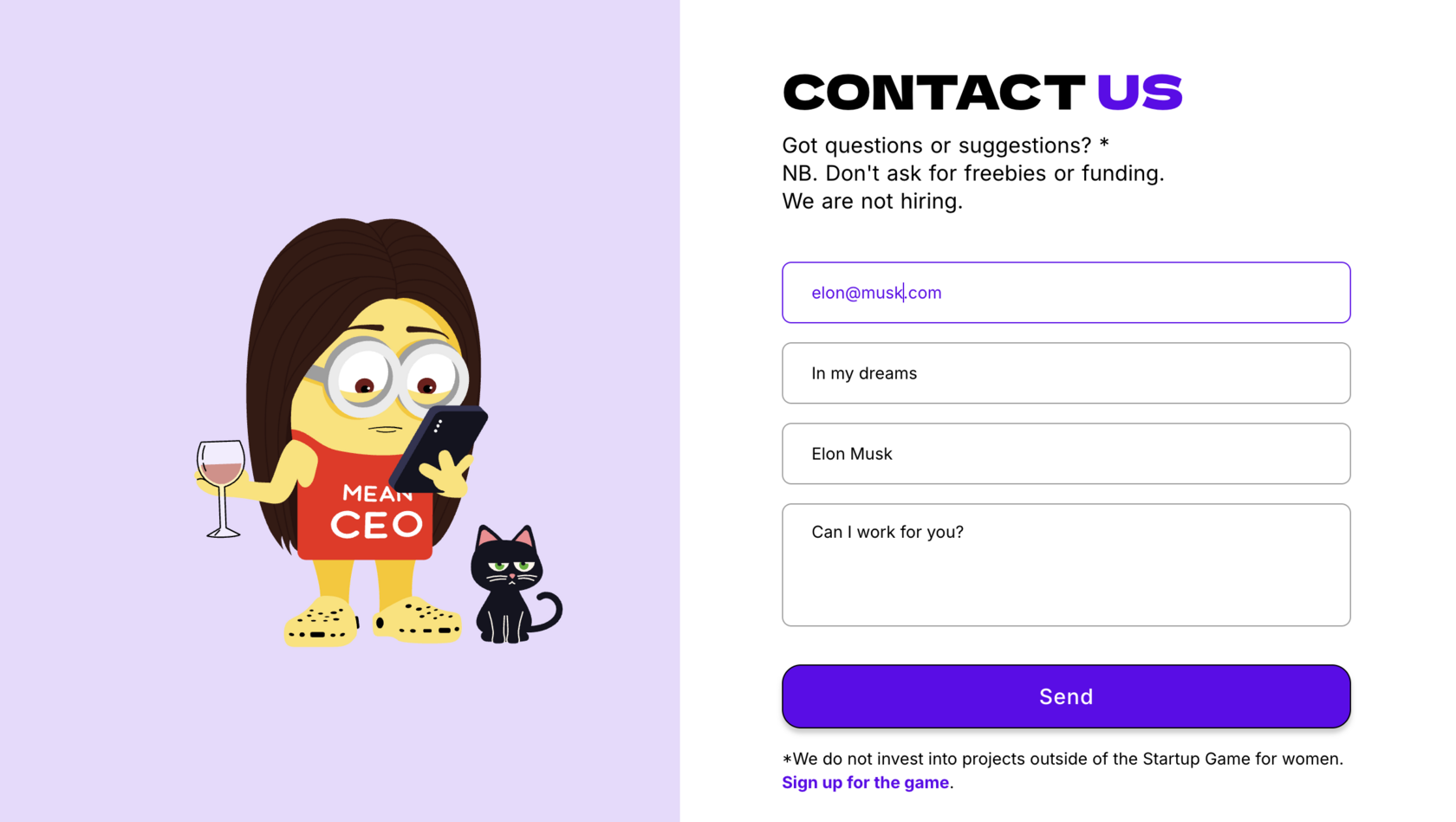
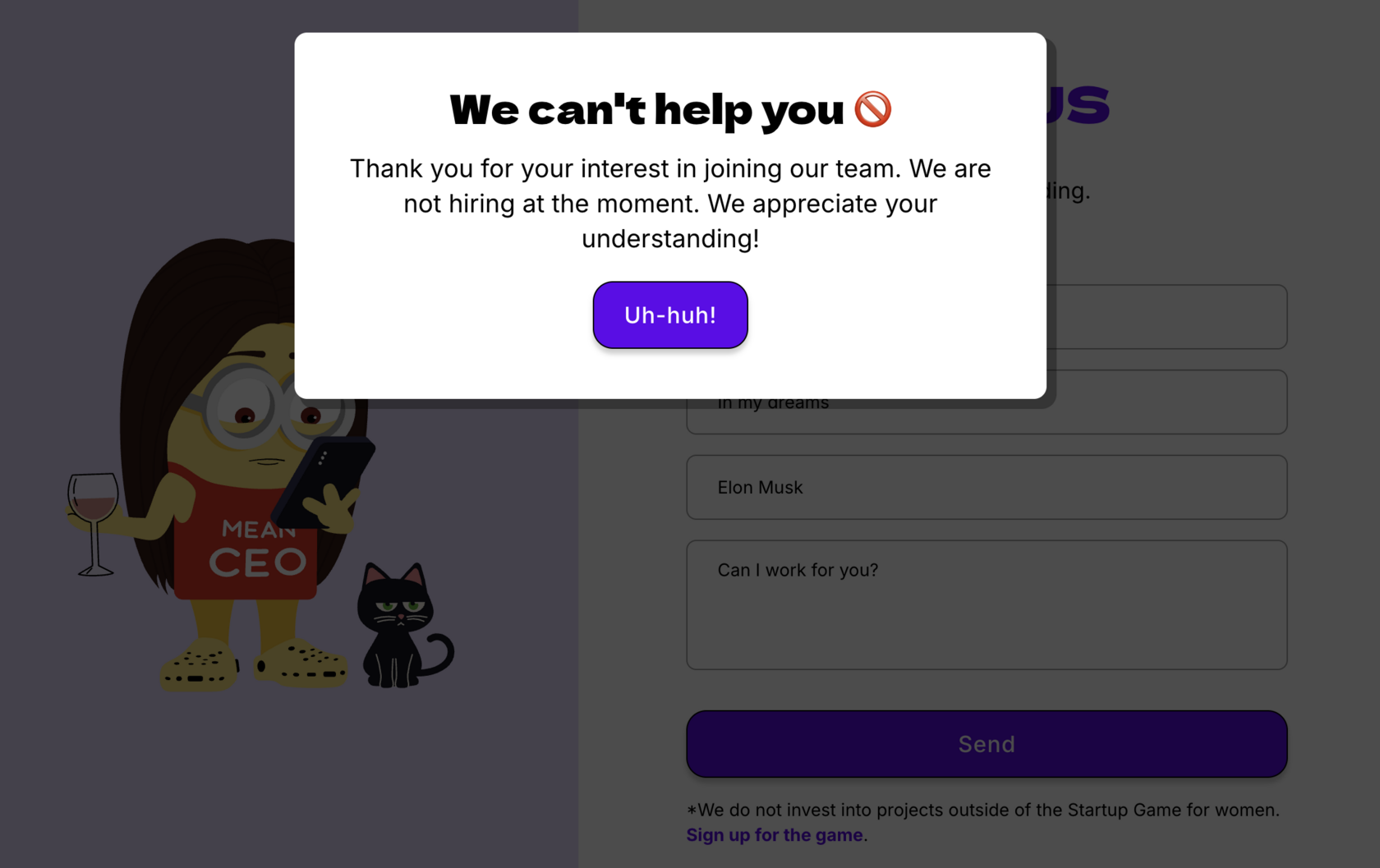
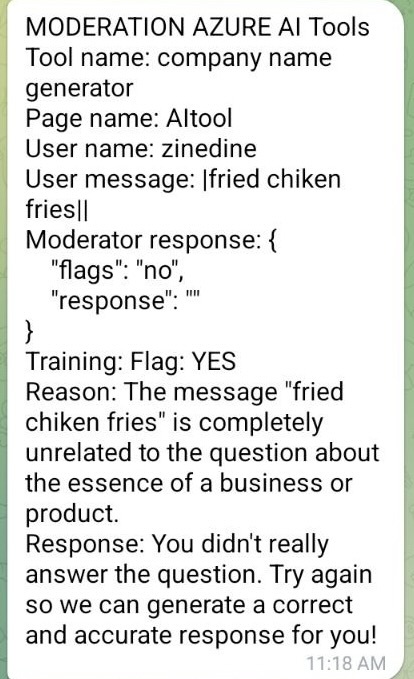
Make sure to train the moderation workflows so that eventually most use cases are taken into account.
We have a training mode and live mode.
The live mode is lenient and accepts almost any answer, while the training mode is what we eventually want to use as live mode.
Once we are happy with the results, we switch the training off and the tool will have a much lower false positives/negatives.
We have a training mode and live mode.
The live mode is lenient and accepts almost any answer, while the training mode is what we eventually want to use as live mode.
Once we are happy with the results, we switch the training off and the tool will have a much lower false positives/negatives.
Getting Started with N8N: The Cheapest Path
N8N is open-source and free to use. You can either self-host it (requires a tiny amount of technical setup) or use the cloud version.
I installed it locally without any technical knowledge. I just asked AI to walk me through it.
I installed it locally without any technical knowledge. I just asked AI to walk me through it.
The n8n community has 4,500+ ready-made workflow templates. Search for "content repurposing" or "email automation," and you'll find templates that are 80 percent done. You just customize them for your business.
For non-technical founders, start with simple workflows. RSS feed to email newsletter is simple. Blog post to social media snippets is simple. New lead to spreadsheet entry is simple.
These basic workflows save 5 to 10 hours per week and generate immediate ROI. Complexity comes later.
Make.com: The easiest Path
Make is the mainstream alternative to n8n. It's easier to use (more visual, less code) but gets expensive as your workflow complexity grows. The choice depends on your technical comfort and budget. If you're comfortable with basic logic or coding, n8n is cheaper at scale. If you want pure ease of use, Make is faster to learn.
I suggest you start with the free tier of Make, learn the ropes and move on to the paid tier on N8N.
Once you understand the logic, you will be able to use both of the tools with relative ease.
There's always a fringe case. But you just ask AI to help.
I suggest you start with the free tier of Make, learn the ropes and move on to the paid tier on N8N.
Once you understand the logic, you will be able to use both of the tools with relative ease.
There's always a fringe case. But you just ask AI to help.
Use Case 6: Email Automation Using Google Sheets and APIs (Zero Cost)
Email is the most important channel for startups, especially B2B. It's owned media (not dependent on algorithm changes like social). It has the highest ROI of any marketing channel. And it's the easiest to automate when you use APIs and Google Sheets instead of expensive email platforms.
Why Email Automation Matters (More Than Social)
Social media reach is unpredictable.
I run multiple tests on different accounts and once the same reel got stuck on auto-posting on Instagram for a few weeks. The same video got posted day after day at the same time. Each time the reach was different.
What does it tell you?
I run multiple tests on different accounts and once the same reel got stuck on auto-posting on Instagram for a few weeks. The same video got posted day after day at the same time. Each time the reach was different.
What does it tell you?

Algorithms change.
Paid acquisition requires a lot of testing and is becoming more and more expensive.
Email is immune to all of this.
Paid acquisition requires a lot of testing and is becoming more and more expensive.
Email is immune to all of this.
A founder with a 5,000-person email list that engages even at 20 percent open rates has a direct line to 1,000 people weekly. That's a moat no competitor can take away. You own that list. The algorithm doesn't control it.
Email automation means new signups automatically enter a welcome sequence. Inactive users get re-engagement sequences. Engaged users see premium content or offers. Free users get upgrade prompts at the right moments.
You're not sending emails manually. The system is.
The In-House Email Automation Stack
Here's what you actually need. Google Sheets holds your email list, segments, and scheduling data. Make or n8n handles the automation logic (when to send, what to send, who to send to). OpenAI API generates or personalizes email copy. Gmail module sends the emails.
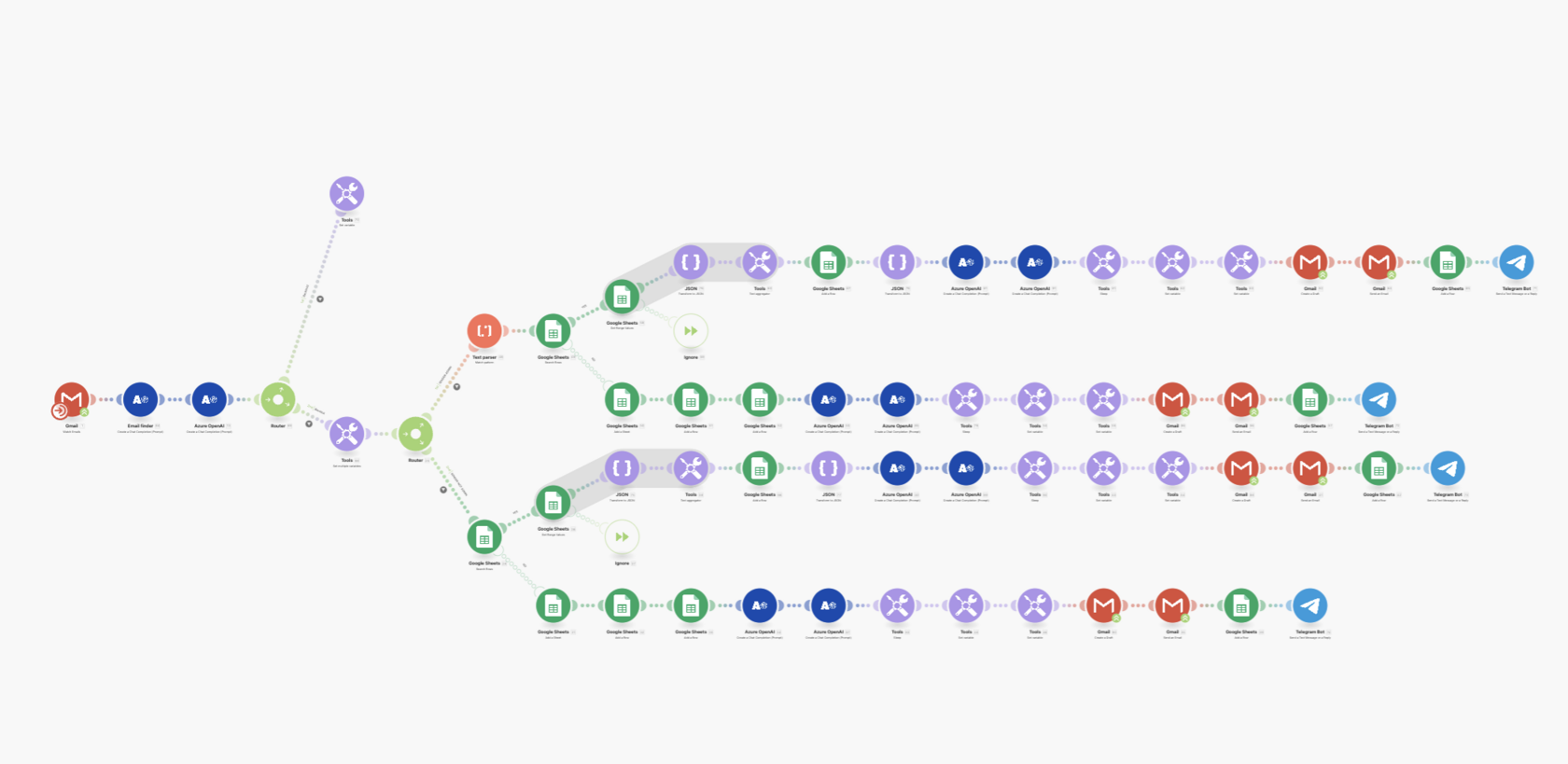
Total cost: Zero to $10 per month.
Compare that to Encharge ($29 to $99 per month), ActiveCampaign ($15 to $299 per month), or HubSpot ($50 to $3,200 per month). You're saving $300 to $3,600 annually by building it in-house.
It's not the best setup for scaling but it is perfect for testing.
You can build:
You can build:
- email responders
- newsletter senders
- nurture campaigns
The Core Email Automation Workflows Every Startup Needs
Each workflow runs on autopilot. You set it up once, and it executes for thousands of subscribers.
Building Email Automation with Google Sheets and N8N
Here's the exact setup process.
Step 1: Create Your Google Sheet Structure
Column A: Email address.
Column B: First name.
Column C: Segment (free user, customer, lead).
Column D: Last email open date.
Column E: Workflow status (welcome-day-1, welcome-day-2, active, dormant).
Column B: First name.
Column C: Segment (free user, customer, lead).
Column D: Last email open date.
Column E: Workflow status (welcome-day-1, welcome-day-2, active, dormant).
Add rows as new subscribers come in (via a form submission webhook or manual entry initially).
Step 2: Build Your N8N Workflow
Your workflow runs daily. It checks Google Sheets. It identifies users in the "welcome-day-1" segment who joined more than 1 day ago. It calls the OpenAI API to generate a personalized welcome email. It uses the Gmail module to send that email. It updates Column E to "welcome-day-2."
Tomorrow, the workflow wakes up again. It finds users in "welcome-day-2" status. It sends the second email. It updates the status to "welcome-day-3."
This continues for five days. On day six, users move to "active" status and stop getting the welcome sequence.
Step 3: Add Personalization
The OpenAI API doesn't just generate generic emails. You give it the person's name, company (if known), and segment. Your prompt tells it: "Generate a personalized welcome email for Sarah from TechCorp (company name), who just signed up for our free trial. Include a reference to why she might have joined (e.g., 'I see you're interested in AI automation'). Keep the tone friendly and conversational."
The API returns a personalized email. Gmail sends it.
Step 4: Track and Optimize
Your workflow logs every send, every open, and every click in Google Sheets. After 50 plus subscribers, you see patterns. Email subject line "3 Founders Scaled With n8n" got 45 percent opens. Email subject line "New Update" got 12 percent opens.
Change the subject lines. Re-test. Iterate.
What You Should Never Automate
Here's the tempting mistake: automating everything.
Some decisions require your judgment or experience that not a single knowledge base can delegate to AI . AI can't replace founder instinct combined with customer feedback. It's also not great with fringe cases.
And fringe is where startups live, especially in the very beginning of the journey.
And fringe is where startups live, especially in the very beginning of the journey.
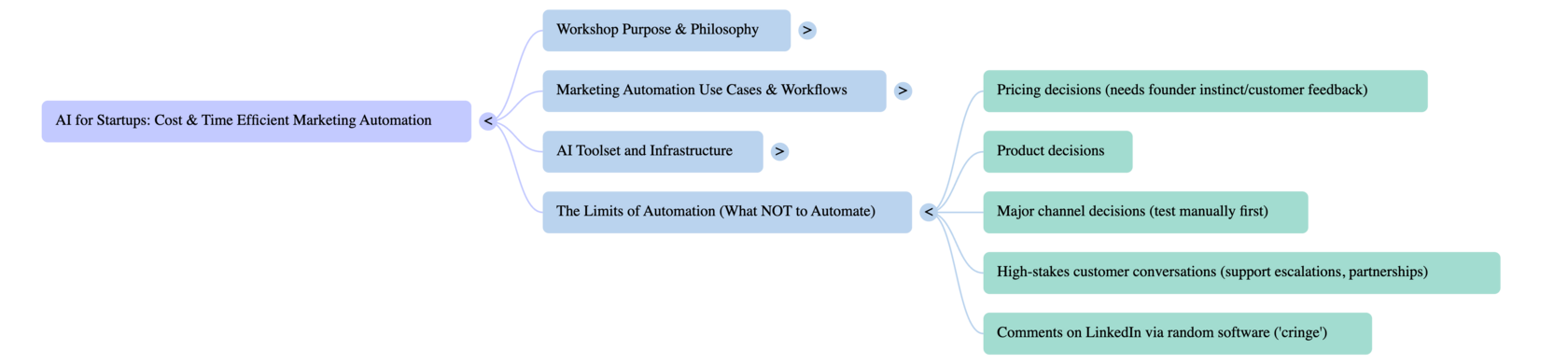
Never automate pricing decisions (stay close to what customers will pay).
Never automate product decisions (rely on customer conversations, not just engagement metrics).
Never automate major channel decisions (test manually first before automating).
Never automate high-stakes customer conversations (support escalations, partnership discussions).
Never automate comments on LinkedIn via random software. It's just cringe.
Automate the busywork. Keep the decisions.
The Real Opportunity Isn't Tomorrow's AI, It's Today's Tools
The tools you have today (GPT-4 via API, n8n, Make) are enough to build a competitive marketing system that 99 percent of your competitors won't bother with.
This is how small startups beat teams 10x their size. Not through better products. Through better distribution and automation. And most importantly, through doing it for 1 percent of the cost.
The question isn't whether you should automate your marketing. The question is how fast you can get started.
FAQ on AI Marketing Automation
How much does it cost to automate a startup's marketing using open APIs and n8n or Make?
You can start for under $50 per month. N8N is free (self-hosted) or $20 to $50 per month (cloud). Google Sheets is free. SendGrid is free for 300 emails per day. OpenAI API costs what you use (start at $5, scale from there). The math: $20 to $50 per month gets you email automation, social posting, and lead scoring. That replaces $2,000 to $5,000 per month in freelancer or agency costs. ROI is immediate if you're generating leads or running campaigns today.
Which automation platform should I choose: n8n or Make?
N8N is cheapest at scale and best if you don't mind learning basic logic or JSON configuration. Make is the easiest visual interface. For bootstrapped startups generating high-volume workflows, N8N wins on cost. For simplicity and speed to first automation, Make wins. Start with whichever your team is comfortable with. The platform matters less than consistent use. Many founders start with Make and move to n8n as their workflows get more complex.
Does parasite SEO on Reddit, Medium, and Perplexity actually drive conversions or just vanity metrics?
Parasite SEO drives traffic and conversions. The reason: you're publishing on platforms where your audience already hangs out. A founder reading a Reddit thread about "best tools for bootstrapped startups" is already interested. Your content reaches them at the moment of intent. Conversion rates from Reddit and Perplexity are typically 2 to 3x higher than cold traffic because the audience is warm. The traffic also leads to backlinks and citations in AI systems, which boost your own site's visibility.
How do I know if my automation workflows are actually working? What metrics should I track?
Track three metrics: volume, quality, and conversion. Volume: How many leads or customers came through this workflow? Quality: What's the engagement rate (opens, clicks)? Conversion: How many leads became customers? Example: Your email automation generates 100 leads per month with a 25 percent email open rate and a 5 percent conversion to customer. That's 5 customers per month from automation. If your customer value is $500 or higher, the ROI is obvious. Start with one metric (like email open rate) and improve it by 5 percent per month.
Can I automate client communication and support without damaging customer relationships?
Yes, if done correctly. Automate the routing and initial response, but get a human involved quickly. Example: Customer submits support form. An n8n workflow acknowledges the ticket, checks for FAQ answers using AI, and if not resolved, routes it to your team within 30 minutes. The customer feels heard, and you're not manually responding to every support question. Use automation to be faster, not to be absent. Customers appreciate efficiency more than they appreciate perfect personal touch.
How do I avoid sounding robotic when I'm using AI to generate marketing copy?
Edit everything before sending. AI generates at 80 percent quality by default. Read it like a human. Does it sound like you? Does it have personality? Add a personal anecdote or specific example. Change generic phrases to specific ones. ("This tool helps you grow" becomes "In 30 days, founder Sarah went from 50 to 200 leads using this tool"). Your personality and specificity are what AI can't replicate. Use AI for speed, but always filter through your voice.
About the Author
Violetta Bonenkamp, also known as MeanCEO, is an experienced startup founder with an impressive educational background including an MBA and four other higher education degrees. She has over 20 years of work experience across multiple countries, including 5 years as a solopreneur and serial entrepreneur. Throughout her startup experience she has applied for multiple startup grants at the EU level, in the Netherlands and Malta, and her startups received quite a few of those. She’s been living, studying and working in many countries around the globe and her extensive multicultural experience has influenced her immensely.

