
The UK Online Safety Act now requires age verification for adult content platforms. But the requirement goes far beyond that. Fintech companies, gaming platforms, dating apps, and e-commerce stores selling age-restricted products face the same mandate. Without proper identity verification, fines hit £18 million or 10% of global revenue. In 2025, identity verification isn't optional: it's a compliance requirement with teeth.
This guide covers everything you need to know about identity and age verification, why your business needs it, how it works, and which solutions deliver results. We'll walk through implementation step-by-step; we'll walk through real costs, explain the technical side, and show you which vendors deserve your attention.
This guide covers everything you need to know about identity and age verification, why your business needs it, how it works, and which solutions deliver results. We'll walk through implementation step-by-step; we'll walk through real costs, explain the technical side, and show you which vendors deserve your attention.
What Is Identity & Age Verification? Definitions That Matter
Let's define the core concepts first because the terminology matters for compliance conversations with legal teams and regulators.
Identity Verification (IDV) confirms that a person is who they claim to be. The system checks government-issued documents, compares biometric data (photos), and validates information against official records. When an identity verification system confirms someone, regulators accept it as proof. This is what fintech companies need before opening accounts.
Age Verification (AV) specifically confirms that someone meets a minimum age requirement. Most commonly, this means verifying people are 18+ before they access adult content, purchase alcohol online, or enter gaming platforms. Age verification is a subset of identity verification but focuses on a single data point: date of birth.
Know Your Customer (KYC) is the broader compliance process where businesses verify customer identity, assess risk, and maintain records of that verification. Banks do KYC during account opening. Crypto exchanges do KYC before allowing withdrawals. KYC includes identity verification plus background checks and ongoing monitoring.
Anti-Money Laundering (AML) checks involve screening customers against sanctions lists, watchlists, and databases of known bad actors. When someone tries to open a fintech account, AML screening happens in parallel with identity verification. The system looks for people engaged in money laundering, terrorism financing, or other financial crimes.
Document Verification is the process of confirming that the document itself is legitimate. The system checks security features, examines the machine-readable zone (MRZ), and validates that the document hasn't been forged or altered. This happens before any biometric matching.
Biometric Verification compares a person's face in a selfie to their face on a government ID. Facial recognition technology maps facial features and determines if they match. High-quality systems achieve 99.9% accuracy at this step.
Liveness Detection confirms that the person providing the biometric data is actually present and alive, not a photo, video, or deepfake. There are three types: passive (the system analyzes without user action), active (the user follows instructions like "smile" or "blink"), and adaptive (the system adjusts based on risk level).
3D Liveness is advanced biometric technology that captures depth information to prevent presentation attacks (where someone holds a printed photo or plays a video). It's more secure than 2D liveness but requires better device hardware.
Why Identity Verification Matters in 2025?

Regulators are tightening standards everywhere, because fraud has become epidemic in scale.
Criminals use stolen identities, synthetic IDs (mixing real and fake information), and deepfake technology to bypass outdated verification systems. Regulators are cracking down aggressively. Enforcement actions increased 40% year over year with no sign of slowing.
Your customers expect security and privacy. They want confidence that their data is handled professionally and their personal information won't be sold to third parties.
Non-compliance no longer means warnings. It means fines, platform removal, and business shutdown.
As a business, you definitely need to comply.
Criminals use stolen identities, synthetic IDs (mixing real and fake information), and deepfake technology to bypass outdated verification systems. Regulators are cracking down aggressively. Enforcement actions increased 40% year over year with no sign of slowing.
Your customers expect security and privacy. They want confidence that their data is handled professionally and their personal information won't be sold to third parties.
Non-compliance no longer means warnings. It means fines, platform removal, and business shutdown.
As a business, you definitely need to comply.
Why Does Your Business Needs Identity & Age Verification?
Regulatory Compliance: The Non-Negotiable Requirement
The regulatory landscape shifted dramatically. The UK Online Safety Act requires age verification for pornography platforms. GDPR enforcement is aggressive and companies face enormous fines for data mishandling. Country-specific laws pile on.
EU Regulations include strict KYC requirements for fintech, crypto, and payment services. The Travel Rule requires cryptocurrency exchanges to verify customer identity and share that information when moving funds. GDPR applies regardless of where your company sits: if you serve EU customers, you comply.
US Regulations vary by state and industry. New York's BitLicense requires strict KYC for crypto companies. Age verification is mandatory for alcohol delivery in most states. Gaming and gambling sites operating in multiple states follow different rules per state.
Canada requires KYC verification for financial services and gambling. Provinces set their own age verification standards. PIPEDA (Personal Information Protection and Electronic Documents Act) governs data privacy.
Australia has been aggressive with online safety regulations. Age verification for adult content is increasingly common despite technical challenges.
Let's look at compliance needs by industry to make this concrete:
Fraud Prevention: Stopping Real Criminals
Fraud costs businesses trillions annually. Synthetic identity fraud (creating entirely fake identities using real and fabricated data) is rampant. Bad actors use stolen IDs, forge documents, perform age spoofing, and create deepfakes to bypass verification.
One verified identity fraud attempt costs a business $100-500 in investigation and recovery. Multiply that across thousands of attempts and it adds up. Some businesses face thousands of fraud attempts monthly.
Risk Mitigation: Protecting Your Business
Non-compliance carries legal liability. If you knowingly fail to verify age for a minor accessing adult content, you share responsibility for harm. Lawsuits follow. Your business reputation gets destroyed. Payment processors and app stores remove you.
Stripe, PayPal, and other payment giants have policies: failure to comply with identity verification gets your account terminated. App Store and Google Play remove apps that fail compliance.
Business Growth: The Often-Overlooked Benefit
When customers trust your verification system, they trust you. They're more willing to share data, make purchases, and return. Faster onboarding means higher conversion rates. Some platforms see 10-15% conversion improvements just from streamlined identity verification.
Reduced chargebacks matter too. When you verify identity upfront, fraud chargebacks drop 70-80%. This keeps your payment processor happy and your margins intact.
How Identity & Age Verification Works: The Complete Process
Step 1: User Submits Documents and Biometrics
The user starts in your app or website. The verification flow begins. They're asked to provide a government-issued ID photo (passport, driver's license, national ID, etc.) and a live selfie.
Modern systems handle this on mobile beautifully. The phone camera snaps the ID photo. It auto-captures using computer vision to detect when the ID is in frame properly. The user takes a selfie. The entire process takes 2-3 minutes.
Why this data? The ID creates a baseline. The selfie provides biometric data that gets compared against the ID. Together, they're enough to determine if the person is who they claim to be.
Step 2: Document Verification Happens Instantly
The system analyzes the ID document automatically. It reads the machine-readable zone (MRZ), the text at the bottom of most government documents that contains encoded information. The system extracts the name, date of birth, document number, and expiration date.
Automated checks verify:
- Document type is legitimate (not a fake or altered document type)
- Document hasn't expired
- Document security features check out (holograms, watermarks, microtext)
- Document isn't a forged version of a legitimate template
This step catches 95% of forged or altered documents instantly.
Step 3: Facial Recognition Matches Biometrics
The system compares the selfie to the ID photo. Advanced facial recognition maps 100+ facial features and calculates a match score. If the match exceeds 99%+, the faces belong to the same person. If they're below 90%, it's likely fraud.
This prevents document reuse. Someone can't use a stolen ID and pass this step because their face won't match the document photo.
Step 4: Liveness Detection Prevents Spoofing
The system runs liveness checks to ensure the selfie was taken by a real person, not a printed photo or video replay.
Passive liveness analyzes behavior patterns. Does the selfie show normal lighting? Are there reflections suggesting a real environment? Passive liveness doesn't require user action, the system just analyzes what it sees.
Active liveness asks the user to perform actions. "Smile." "Blink." "Turn your head left." The system verifies the user follows instructions with a real face. This is more secure than passive but creates friction.
Adaptive liveness adjusts based on risk assessment. Low-risk customers might see passive liveness. High-risk customers see active liveness. This balances security and user experience.
3D liveness technology captures depth information. Printed photos are flat, they have no depth. Videos are 2D. Only real faces have depth, so 3D liveness catches sophisticated attacks.
Step 5: Database Cross-Verification
The system validates the extracted information against official government databases. The name, date of birth, and document number get checked against official records. Most countries now have digital databases that verification systems can query.
This step confirms the document is real and the information on it matches official records. It catches cases where someone uses a legitimate but outdated or cancelled document.
Step 6: Decision and Result
The verification system returns approved or denied within seconds to minutes. Most verifications complete in under 10 seconds. The most complex cases (where manual review is needed) take a few minutes.
If approved, the user gains access. If denied, they typically get a reason (document expired, face didn't match, document not supported) and an option to retry with a different document.
Some systems offer manual review for edge cases. An expert human reviews the submission and makes a final decision. This adds 1-24 hours but catches cases where automation made mistakes.
Verification Methods Compared
What are Key Features to Look For in Identity Verification Software?
When you're evaluating platforms, these features separate the leaders from the also-rans.
Document Coverage: Global Reach Matters
How many countries does the platform support? How many document types can it process?
Leading solutions like iDenfy support 190+ countries and 8,800+ document types. This matters because your customer base is global. A UK customer might have a German passport. A US customer might have a Mexican driver's license. Your verification system needs to handle all of them.
Ask about document types specifically: passports, national IDs, driver's licenses, visas, residency permits. What about emerging markets? Can the system handle documents from developing countries?
Accuracy & Automation Rate: What Actually Passes Verification?
Accuracy means the system correctly identifies legitimate customers and rejects fraudsters. Measure this as:
- True approval rate (legitimate customers who pass)
- False positive rate (legitimate customers incorrectly rejected)
- False negative rate (fraudsters incorrectly approved)
The best systems achieve 99.9% accuracy on overall approval/denial decisions. This means out of 1,000 submissions, 999 make the correct decision and only 1 is wrong.
What accounts for the difference between 99% and 99.9%? Better facial recognition algorithms, more sophisticated fraud detection, and human review layers.
iDenfy achieves 99.9% accuracy through a combination of AI automation and a 24/7 human review layer. When the AI is uncertain, a human expert reviews the submission. This catches edge cases the algorithm misses.
Why this matters: A false positive rejected a legitimate customer. They might give up and buy from a competitor. A false negative approved a fraudster who charges back purchases. Balancing these two errors is critical.
Liveness Detection: Deepfake Prevention
Ask about the liveness detection technology. Is it iBeta Level 2 PAD (Presentation Attack Detection) certified? This certification matters because it proves the system can catch spoofing attempts.
Can the system detect deepfakes? As deepfake technology improves, older liveness systems fail. Ask specifically about deepfake detection capabilities and how frequently the system updates its algorithms.
API and SDK Integration: Flexibility Matters
Can you integrate via API, iFrame embed, or mobile SDK? Different businesses have different tech stacks. API integration works for custom systems. iFrame embeds work for no-code platforms. Mobile SDK works for apps.
The best platforms offer all three options. This flexibility means you're not forced into a specific technical approach.
AML and KYC Capabilities: One Platform, Complete Compliance
Beyond identity verification, can the platform screen for money laundering risk?
Available add-ons typically include:
- AML screening (checking against sanctions lists like OFAC, EU sanctions, UN lists)
- PEP screening (Politically Exposed Person checks)
- Adverse media screening (identifying negative news about customers)
- Ongoing monitoring (continuous screening for new sanctions)
Having everything in one platform is more convenient and reduces integration errors than bolting together multiple vendors.
Transparent Pricing: No Surprise Fees
Can you find pricing on the website without a sales call? Are per-check costs listed? Do they charge transaction fees, setup fees, or monthly minimums?
The best vendors publish pricing clearly. If pricing is hidden behind a "contact sales" link, that's a red flag.
Implementation Guide: Launch Identity Verification in 7 Steps
Step 1: Choose Your Solution Based on Requirements
Evaluate what you actually need. Do you require KYC and AML screening, or just age verification? Are you global or serving a single country? What budget makes sense?
Step 2: Set Up Your Account
Account creation takes 15 minutes. Expect these steps:
- Create your account
- Verify your business identity
- Configure API keys or OAuth credentials
Step 3: Configure Verification Rules
Different businesses need different settings. You set:
- Minimum age threshold
- Acceptable document types by region
- Verification strictness (lenient vs. strict matching)
- Escalation rules (when does something go to manual review?)
Step 4: Integrate into Your Platform
How you integrate depends on your tech setup.
API Integration (custom systems, 1-3 days):
- Your developer implements REST API calls
- Verification flow happens in your app
- Full customization available
Mobile SDK (mobile apps, 2-5 days):
- Install the SDK into your iOS or Android codebase
- Call the verification function
- Native mobile experience
No-Code Plugins (Shopify, WooCommerce, etc., minutes):
- Install the plugin
- Enable in your settings
- Verification appears automatically
Step 5: Test with Real Workflows
Don't go live without testing.
Test checklist:
- Web and mobile experience
- Multiple document types (passport, driver's license, national ID)
- Edge cases (expired documents, low-quality photos, people with unusual facial features)
- Complete user flow from start to finish
- Error handling when things go wrong
Step 6: Configure Integrations
Connect identity verification to your other systems:
- Payment processing (deny payment if verification fails)
- Email marketing (segment users by verification status)
- CRM (log verification status with customer records)
- Accounting software (match verified users to transactions)
Step 7: Launch and Monitor
Start with soft launch to a limited audience. Monitor:
- Verification success rate (what percentage pass?)
- Average verification time
- User friction points (where do people abandon?)
- False positive/negative rates
- Support ticket volume
If success rate drops below 95%, investigate. Your verification rules might be too strict. If false positives spike, ease requirements slightly.
After 1-2 weeks of soft launch, go full rollout. You're live.
What are the Best Identity and Age Verification Tools in the Market?
iDenfy: Best for High-Accuracy Compliance
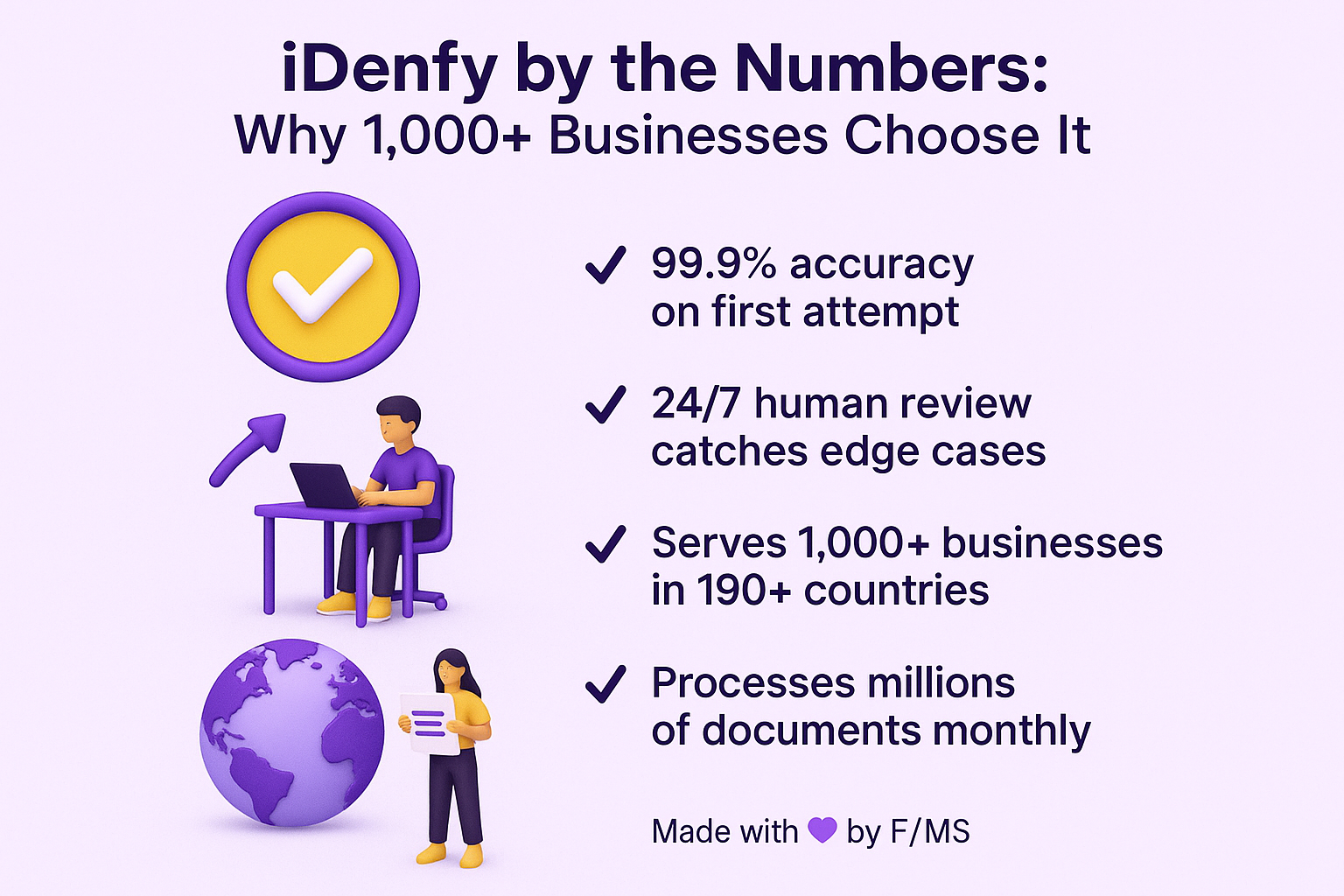
iDenfy serves 1,000+ businesses globally. The platform completes 99.9% of verifications successfully on first attempt. They employ 24/7 human review for edge cases, ensuring accuracy.
Strengths:
- 99.9% verification success rate.
- 3,500+ supported ID documents.
- iBeta Level 2 certified liveness detection.
- 24/7 human review layer catches edge cases.
- Cost-effective pay-per-approved model.
- Strong customer support and compliance consulting.
Best for: Fintech, iGaming, dating platforms, age-restricted e-commerce.
Integration: Easy. Supports Shopify, WooCommerce, Bubble, API, and iFrame.
Integration: Easy. API, iFrame, mobile SDKs, Shopify plugin, WooCommerce plugin, Bubble integration. Whatever your tech stack, iDenfy fits.
Key stat: "Trusted by 1,000+ businesses in 190+ countries."
"I like that this tool comes with amazing identity verification and risk management features. In addition, it houses some great identity management features." — Capterra reviewer, February 2024
"We have used iDenfy for fraud prevention, identity verification, and as a long term tool to increase our business methods and practices. Using iDenfy has been important for our company's security and strengthening our workforce with compliance measures." — Capterra reviewer, June 2025
"The sales/support team is extremely client-friendly, as is the product portfolio. Unlike many other vendors, there is huge flexibility to get the plan that fits our needs, all at a highly competitive price. It was a pleasure to switch to this product from our previous supplier." — InfoTech reviewer
"We have used iDenfy for fraud prevention, identity verification, and as a long term tool to increase our business methods and practices. Using iDenfy has been important for our company's security and strengthening our workforce with compliance measures." — Capterra reviewer, June 2025
"The sales/support team is extremely client-friendly, as is the product portfolio. Unlike many other vendors, there is huge flexibility to get the plan that fits our needs, all at a highly competitive price. It was a pleasure to switch to this product from our previous supplier." — InfoTech reviewer
Tool 2: Microblink IDVerify
Microblink focuses on document scanning technology. The platform excels at extracting data from ID documents. It works well for use cases that don't need strong liveness detection.
Strengths:
- Excellent document extraction accuracy.
- Fast processing.
- Works well for document-only verification.
Best for: Data extraction, retail KYC, basic identity checks.
Key stat: "Processes millions of documents monthly with 98% accuracy."
Tool 3: Jumio Netverify
Jumio serves enterprise clients with large volumes. The platform handles hundreds of thousands of verifications monthly. Integration is more complex than iDenfy.
Strengths:
- Enterprise-grade infrastructure.
- Handles massive volume.
- Strong AML and KYC capabilities.
- Works well with existing customer data systems.
Best for: Large enterprises, financial institutions, high-volume scenarios.
Key stat: "Processes 100+ million verifications annually."
Pricing Models Explained: Pay-Per-Approved vs. Pay-Per-Check vs. Subscription
Pricing varies dramatically between providers. Let's break down the models so you understand the tradeoffs.
Pay-Per-Approved Model: Cost Certainty
You pay only for successful verifications. If someone attempts verification and fails, you don't pay.
How it works: Each approved verification costs $1-3 depending on the provider and region. Failed verifications are free.
Pros:
- Cost feels predictable. More verifications approved = higher costs. Failed ones don't cost extra.
- Incentivizes the platform to approve legitimate customers (their revenue depends on approvals).
- No waste on verification attempts that won't convert anyway.
Cons:
- Per-verification cost is higher than some alternatives.
- You need to forecast approval rates to budget accurately.
Best for: Businesses concerned about cost certainty. E-commerce stores, dating platforms, general subscription services.
iDenfy uses this model: $1.50-2.50 per approved verification depending on region and verification type.
Pay-Per-Check Model: High-Volume Discounts
You pay for every verification attempt, whether it succeeds or fails.
How it works: Each check costs $0.50-1.50 depending on the provider. Approved or denied, you pay.
Pros:
- Lower per-check cost at high volume. If you do 10,000 checks monthly, volume pricing kicks in.
- No penalty for retries. If a customer fails verification and tries again, you don't pay twice.
Cons:
- Total costs are unpredictable if your failure rate is high.
- You pay for fraudsters (this can be acceptable if fraud is rare).
Best for: High-volume operations with low failure rates. Fintech companies processing thousands of verifications daily.
Subscription Model: Monthly Commitment
Monthly or annual fee covers a certain number of verifications, with overage charges beyond that.
How it works: Pay $500-5,000 monthly (depending on tier) and get 1,000-10,000 included verifications. Beyond that, you pay per-check.
Pros:
- Volume discounts make per-check cost lowest at high volumes.
- Predictable baseline cost each month.
- Often includes dedicated support.
Cons:
- Minimum commitment even if you use fewer verifications.
- Setup overhead to get enterprise accounts configured.
- Overkill for small businesses.
Best for: Enterprise, multi-location businesses, high-volume operations.
Calculate your expected volume, multiply by your approval rate, and compare actual costs for your scenario.
Compliance Checklist by Industry: What You Actually Need
Different industries have different requirements. Here's what you need to check off for each.
E-Commerce (Age-Restricted Products: Alcohol, Cannabis, etc.)
Required:
- Document verification (government-issued ID)
- Age extraction from document (confirm customer is 18+)
- Biometric matching in some jurisdictions (verify face matches ID)
- Compliance audit trail (prove you checked)
- Data retention policy (keep records for X years)
- GDPR compliance (if serving EU customers)
Not required but recommended:
- Liveness detection (prevents ID reuse)
- AML screening (reduces fraud risk)
Online Gambling and iGaming
Required:
- Document verification
- Age verification (18+ or 21+ depending on jurisdiction)
- AML screening (mandatory in most jurisdictions)
- Sanctions list checking (OFAC, EU sanctions, etc.)
- Ongoing monitoring (continuous screening for new sanctions)
- PEP (Politically Exposed Person) screening
- Compliance reporting to regulators
Not required but recommended:
- Liveness detection (prevents synthetic fraud)
- Adverse media screening (identifies problematic customers)
Dating Platforms
Required:
- Age verification (18+)
- Liveness detection (prevents catfishing with old photos)
- Age-appropriate matching enforcement (prevent matching with significantly younger users)
- Parental controls if minors can use the platform
Not required but recommended:
- Facial recognition (prevent profile takeovers)
- Ongoing monitoring for banned users
Fintech and Financial Services
Required:
- Full KYC (Know Your Customer) verification
- Document verification
- Biometric verification
- AML screening
- Sanctions screening
- PEP checks
- Ongoing monitoring
- Regulatory reporting (depends on your license)
Not required but recommended:
- Source of funds verification (where money comes from)
- Beneficial ownership verification (for business accounts)
- Adverse media screening
Common Mistakes to Avoid When Implementing Identity Verification
Mistake 1: Choosing Based on Price Alone
The temptation is strong. You see a competitor offering age verification for 50 cents per check and want to jump on it. But ultra-cheap solutions often cut corners on accuracy or coverage.
The consequence: False positives rejected legitimate customers who abandoned your site and bought elsewhere. False negatives approved fraudsters who charged back purchases or created legal liability.
The solution: Evaluate based on accuracy first, price second. A 1-2% improvement in accuracy might cost 30% more, but it prevents fraud losses that exceed that cost difference.
Mistake 2: Setting Verification Rules Too Strict
You want zero fraud, so you make verification rules extremely strict. Biometric matching threshold set to 99.9%+. Document requirements so strict that even perfect documents sometimes fail. Multiple redundant checks.
The consequence: Your legitimate customers can't pass verification. They give up. Your conversion rate plummets. You reject 15% of good customers to catch 2% of fraudsters.
The solution: Aim for 95-98% approval rate of legitimate customers. That's strict enough to catch fraud while not rejecting too many good customers.
Mistake 3: Ignoring Mobile User Experience
You test verification on desktop and it's smooth. But 70% of your customers access on phones, and the mobile experience is clunky.
The consequence: Mobile users abandon at higher rates. Conversion drops. Fraud (ironically) increases because rushing leads to bad verification data.
The solution: Test extensively on phones. Make sure the camera experience works on various phone models. Ensure instructions are clear on small screens. Aim for verification to complete in under 3 minutes on mobile.
Case Studies based on Customer Reviews
iDenfy serves over 1,000 businesses globally across fintech, e-commerce, gambling, and compliance-heavy industries. The platform maintains impressive ratings: 4.9/5 on G2 from 91 verified users, 4.8/5 on Capterra, and 4.8/5 on Software Advice. Most customers report transformative results. Here's what they're actually achieving.
Case Study 1: Fintech Platform Cuts Onboarding Time by 82%
Payset, a UK-regulated EMI providing multi-currency payment services, faced a critical scaling problem. Their manual KYC process was becoming a bottleneck. Compliance staff spent excessive time reviewing documents, and new customer onboarding was slow and error-prone. Manual data entry introduced mistakes that frustrated users and slowed approvals.
CEO Perry Asforis explained the challenge: "Having manual verification processes is a laborious task and not scalable for a business like ours, where time is critical, and customer service is our top priority."
Payset implemented iDenfy with full white-labeling and custom workflows. The results were dramatic. Payset reduced average user verification time from multiple days to less than 2 minutes. This represented an 82% reduction in total onboarding time.
"We've noticed a steady increase in the number of customers joining us each month, thanks to the improvements in automation and customization we've made by incorporating iDenfy into our KYC process," Perry noted. The faster verification directly drove customer growth because the streamlined experience encouraged sign-ups instead of abandonment.
Case Study 2: E-Commerce Platform Reduces Chargebacks and Improves Conversions
An e-commerce platform struggled with increasing chargeback requests and fraud incidents. Customers disputed transactions, claiming they never authorized them. Manual identity verification was costly and slow. The company needed automated verification that caught fraud while maintaining conversion rates.
After implementing iDenfy's AI-powered verification with human oversight, the company eliminated most chargeback fraud. The platform's hybrid approach (AI detection plus 24/7 human review) caught sophisticated fraud attempts while approving legitimate customers faster.
According to iDenfy's customer testimonials, this implementation "resolved the chargeback issue, reduced fraud, and improved conversions while allowing operations to continue smoothly." The company measured success in fraud reduction percentages, but the bigger win was conversion improvement. Customers appreciated the fast, frictionless verification process.
Case Study 3: Monneo Accelerates KYC During Market Expansion
Monneo, an e-commerce payment solution provider, faced a critical challenge during rapid growth. The company needed to onboard merchants globally while maintaining compliance with varying regulations across countries. In-person verification that worked in home markets didn't scale internationally.
Managing director Lili Metodieva explained: "When you're an online merchant, you need to receive settlement funds quickly, pay your suppliers or affiliate marketing companies, and all the participants in your eCommerce ecosystem. Once in-person meetings were no longer an option, we were challenged by the delayed application process."
Monneo chose iDenfy for remote identity verification. The result: verification time dropped to less than 3 minutes per merchant. Merchants could upload their ID and selfie from anywhere, and approval happened automatically or with minimal manual review.
"With iDenfy's AI-powered remote identity verification, we've managed to simplify the process for our clients. Even though the global pandemic is over, many of our customers prefer to use iDenfy because it's more convenient and efficient," Lili noted.
What's Coming in 2026 and Beyond: The Verification Landscape Evolving
Regulations tighten annually. Technology improves constantly. Here's what's shifting.
Regulatory Tightening
The UK Online Safety Act set a precedent. Other countries are following with stricter age verification and identity verification requirements. Expect Australia, Canada, and EU member states to implement similar rules in 2026.
The cost of non-compliance keeps rising. Fines that were theoretical are now real. Companies are paying them. This will push more businesses toward compliance.
AI Advancement
Fraud detection using AI keeps improving. Systems detect spoofing attempts, deepfakes, and synthetic identities with increasing accuracy.
Conversely, fraud techniques improve too. Deepfakes get more realistic. Criminals get more sophisticated. It's an arms race.
The best platforms invest heavily in AI research. They update their models quarterly. Platforms that don't keep up get exploited.
Biometric Technology Improvements
3D facial recognition becomes standard. It's more expensive than 2D, but as adoption scales, costs drop.
Behavioral biometrics (how you move, type, click) augment facial recognition. These provide additional fraud prevention layers.
Privacy-Preserving Verification
Zero-knowledge proofs and other cryptographic techniques enable verification without collecting personal data. This is still emerging but likely mainstream in 5 years.
The future of verification is verification that proves you meet requirements without exposing personal details.
Conclusion
Identity and age verification are now compliance requirements, not options. Regulations enforce it. Fraudsters exploit systems without it. Your business faces real penalties for non-compliance.
Your choice should depend on your specific industry, accuracy requirements, and budget. Fintech needs maximum accuracy and full AML capabilities. E-commerce for age-restricted products needs reliable age verification. Gambling needs both.
iDenfy stands out for most businesses because of 99.9% accuracy, fast integration, and transparent pay-per-approved pricing. The platform handles 1,000+ businesses across multiple industries globally. It integrates with Shopify, WooCommerce, Bubble, and custom platforms.
iDenfy stands out for most businesses because of 99.9% accuracy, fast integration, and transparent pay-per-approved pricing. The platform handles 1,000+ businesses across multiple industries globally. It integrates with Shopify, WooCommerce, Bubble, and custom platforms.
Frequently Asked Questions on Identity and Age Verification
How long does identity verification actually take?
Most verifications complete in 5-30 seconds with fully automated systems. Passive liveness verification is fastest. Active liveness or more complex scenarios take longer.
Manual review (if needed) adds 1-24 hours. Most automated systems complete within 10 seconds, so expect your users to wait under a minute in the interface.
Throughput matters too. Can the system handle your peak volume without slowing down? Ask providers about their throughput guarantees.
What documents are accepted worldwide?
The best systems accept 190+ countries and 8,800+ document types. This includes:
- Passports
- National ID cards
- Driver's licenses
- Visas and travel permits
- Residency permits
- Military IDs
Coverage varies by provider. Ask specifically about your customer base's primary countries. If most customers are from 5 countries, verify those are supported.
Is there a way to verify age without photos?
Yes, but it's weaker. Some methods use:
- Birth date + SSN cross-checking (US only)
- Mobile carrier age verification
- Database queries against government records
These work but lack the fraud prevention of photo-based verification. Consider them supplementary, not primary verification.
How do I handle verification failures?
When customers fail verification, give them options:
- Retry with a clearer photo
- Try a different document type
- Manual review (escalate to human)
For critical transactions (fintech, gambling), failed verification means declined access. For e-commerce, you might allow cart checkout but withhold shipment pending successful verification.
What happens to the data after verification?
Data handling varies by provider and regulation. Generally:
- Photos are encrypted and stored securely
- Data is retained for compliance purposes (typically 3-10 years)
- Users can request deletion (GDPR right to deletion)
- Data is never sold to third parties (with rare exceptions)
Verify your provider's data retention policy and encryption standards before signing on.
Can I use this for B2B verification?
Yes, but the process differs. Business verification typically includes:
- Beneficial ownership verification (who owns the company?)
- Company registration document checks
- Director identification
- UBO (Ultimate Beneficial Owner) screening
It's more complex than personal verification. Some providers specialize in personal identity, others in both.
What happens if I don't verify customers?
For age-restricted content or services, non-compliance can result in:
- Platform removal (App Store, Google Play, payment processors)
- Fines (£18 million or 10% revenue for UK Online Safety Act violations)
- License revocation (for fintech, gambling)
- Civil liability (if a minor accesses adult content)
For fintech and regulated industries, non-compliance is criminal. Don't skip this.
How accurate is age extraction from documents?
Modern systems extract age with 99%+ accuracy. The machine-readable zone (MRZ) on documents contains encoded date of birth. This is read perfectly by optical character recognition. Age errors are rare.
Visual date of birth reading (pulling date of birth from document text) is slightly less accurate but still 98%+.
Can customers dispute a denied verification?
Yes, good platforms allow disputes. The process typically involves:
- Manual review by a human expert
- Request for additional documents
- Appeals process if the first review fails
This protects customers from false positives while maintaining fraud prevention.
Is this GDPR compliant?
Yes, when implemented properly. Key requirements:
- Legitimate legal basis for collection (compliance, fraud prevention)
- Clear privacy policy explaining what happens to data
- Secure encryption and storage
- Data retention limits
- User rights to access, correction, deletion
Your provider should be GDPR compliant. Verify their privacy policy and data processing agreement before implementation.
About the Author
Violetta Bonenkamp, also known as MeanCEO, is an experienced startup founder, technology and compliance consultant with an impressive educational background including an MBA and four other higher education degrees. She has over 20 years of work experience across multiple countries, including 5 years as a solopreneur and serial entrepreneur, helping businesses navigate their marketing, legal and technical requirements, especially in e-commerce. Her expertise ensures organizations meet regulatory standards while optimizing operational processes.

