
Open-Source Notion AI Alternatives: Note and Knowledge Workspaces With Built-In AI, Local Models or Your Own API Key
Notion AI can draft pages, answer questions about your workspace and take meeting notes, but its full version now comes only with Notion's Business plan, and your notes travel to Notion's AI providers. If you want AI on top of notes and docs you control, an open-source workspace is the alternative: some ship their own AI, some run a local model through Ollama so nothing leaves your computer, and some let you plug in your own OpenAI, Anthropic or Gemini key. We checked every tool below in October 2026 on its official website, documentation and GitHub: the exact licence (open source or only source-available), the latest release and which AI features really exist today. Tools that were dropped, changed or are not open source are listed at the end.
Quick answer: for the closest Notion look with built-in AI and a free local model, use AppFlowy; for docs, whiteboards and AI that a small team can self-host with its own API key, use AFFiNE; for private notes with an AI chat, semantic search and local models, use Joplin or Trilium Notes; and for a team wiki with AI answers, use Docmost (open source, AI on its paid plan) or Outline (source-available).
Boost Your SEO by Getting Featured in Our Blogs and get a backlink.
We publish content about startups, education, tech, funding, etc. that ranks well not only in Google but also in Perplexity, ChatGPT, Grok and other AI tools.
👉 Get featured now!
What Notion AI Includes and Costs in 2027
To know what you are replacing: on the Notion pricing page (checked October 2026) the Free and Plus plans only include a limited trial of Notion AI. The full set, which is Notion Agent for multi-step tasks across Notion, connected apps and the web, AI Meeting Notes and Enterprise Search, starts with the Business plan at $20 per member per month billed yearly ($24 monthly). Plus costs $10 per member per month billed yearly ($12 monthly). Enterprise adds zero data retention with Notion's AI providers, and Custom Agents cost $10 per 1,000 Notion credits after a trial. Every tool below has a free version; the trade-off is that you host it yourself or bring your own AI model.
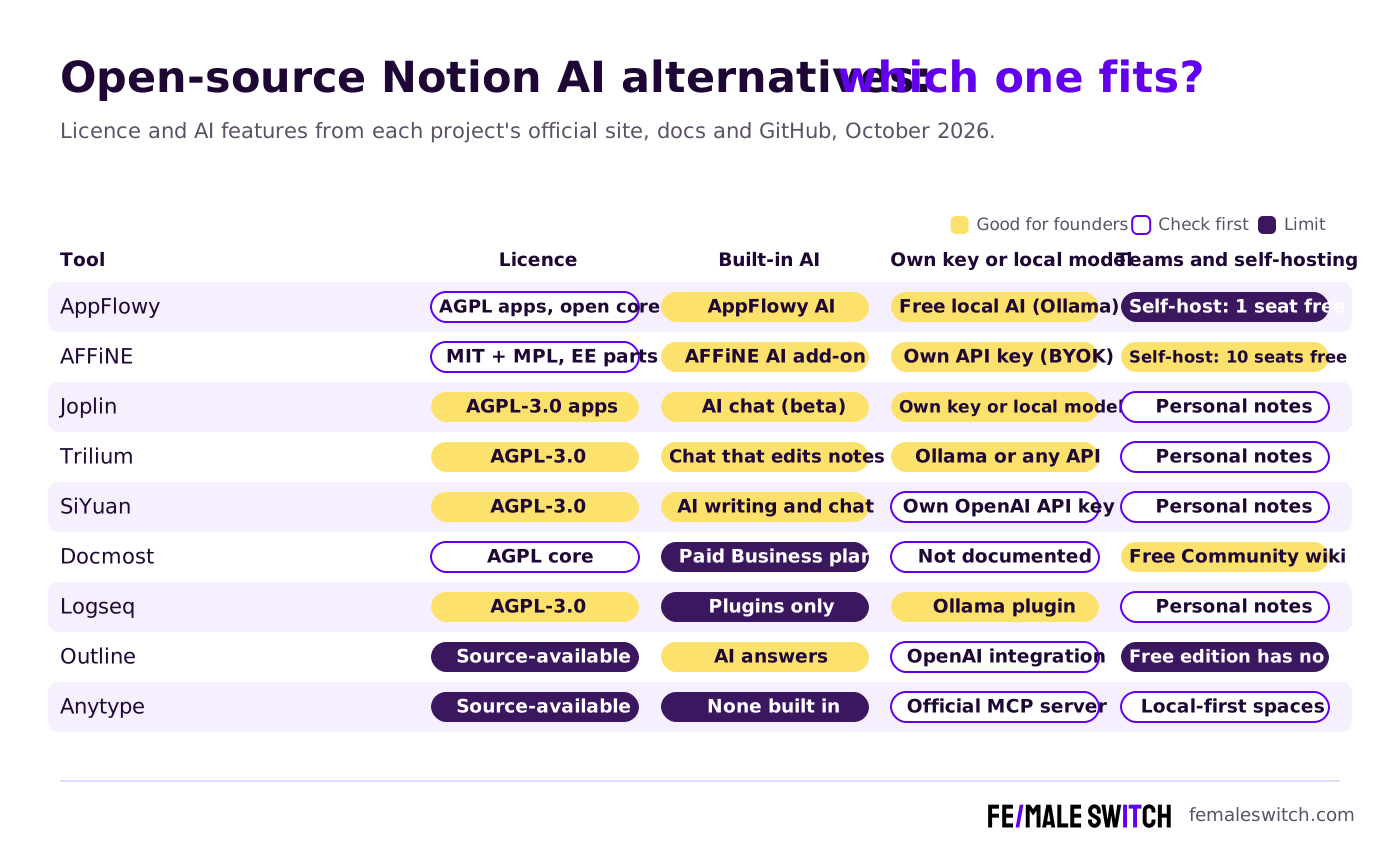
Open-Source Notion AI Alternatives Compared
Sources: each project's official website, pricing page, documentation and GitHub repository, checked 27 October 2026. Self-hosting is free, but you pay for the server, your time and any AI API you use.
The Best Open-Source Notion AI Alternatives in 2027
1. AppFlowy: the closest Notion look, with free local AI
AppFlowy looks and works most like Notion: pages, databases, kanban boards, calendars and templates, with AI built in. AppFlowy AI drafts and brainstorms, takes AI meeting notes, auto-fills database columns and answers questions with sources through AI search; on the free plan these are a limited trial, and Pro costs $12 per member per month billed yearly ($16 monthly). The privacy-friendly option is Local AI: since April 2025 AppFlowy lets everyone run AI chat and the AI writer (summarise, continue, improve, fix grammar) on a model installed on their own computer through Ollama, on macOS, Windows and Linux. The desktop and mobile apps are AGPL-3.0 on GitHub, and version 0.14.11 came out in October 2026. One change to know: AppFlowy's server is now open core. The old open-source server repository is no longer maintained, and the self-hosted server is a closed-source build whose free tier covers one user seat plus three guest editors.
2. AFFiNE: docs, whiteboards and AI with your own key
AFFiNE merges docs, whiteboards and databases, so the same content can be a page or a canvas. In AFFiNE's cloud, AFFiNE AI is an add-on at $8.9 a month billed yearly that turns notes into drafts, visual boards and next steps. If you self-host, its AI documentation describes bring-your-own-key: a workspace adds its own OpenAI, Anthropic or Gemini key for writing and chat, and an administrator can allow OpenAI-compatible endpoints. Self-hosted workspaces get up to 10 seats for free, which covers most founding teams. The licence is mixed: the apps are MIT, the server's Community Edition parts are MPL-2.0 and some server code needs an enterprise subscription. Version 0.27.4 is the latest stable release (August 2026), with canary builds almost daily.
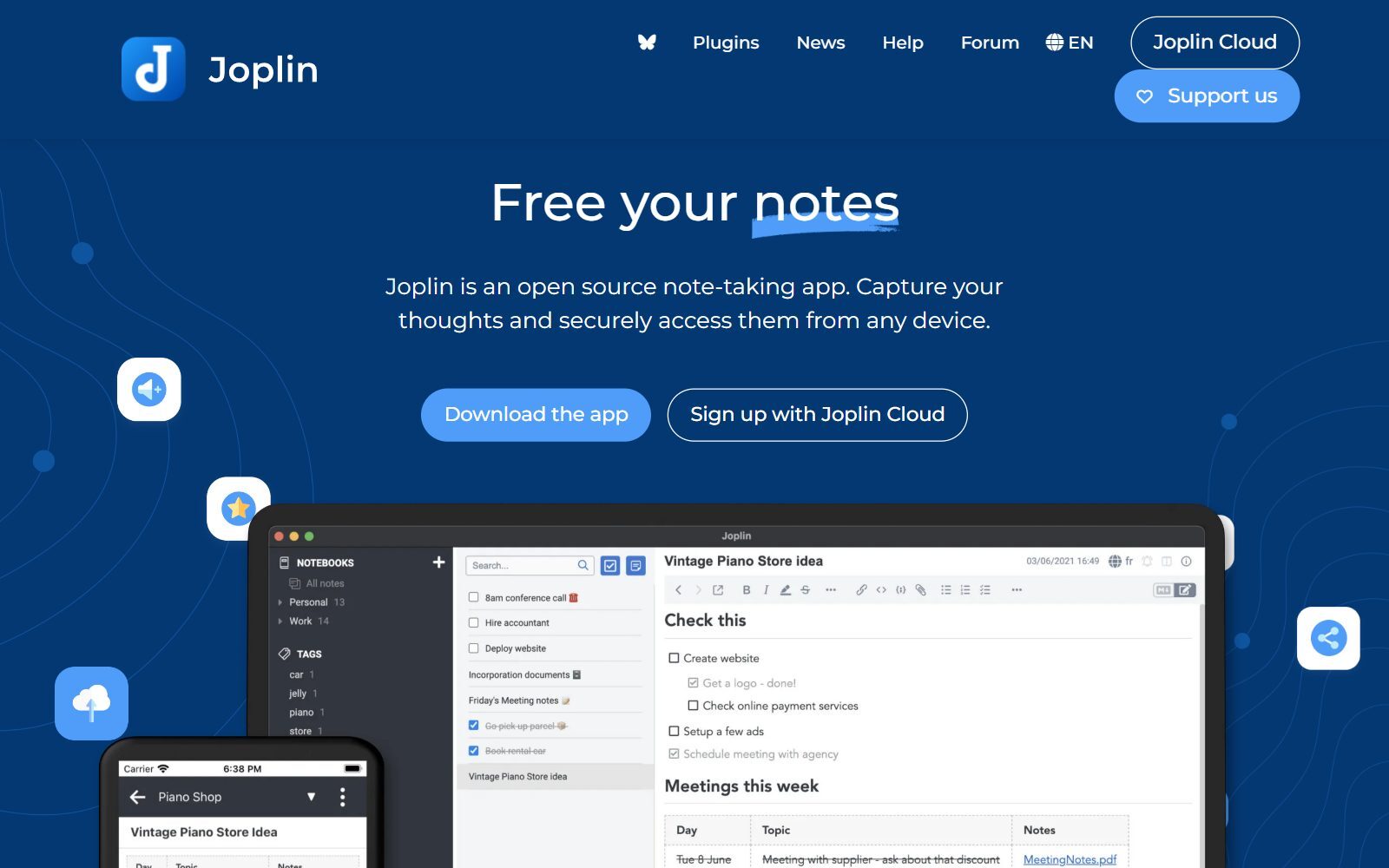
3. Joplin: private notes with an AI chat and semantic search
Joplin is a long-running open-source note app (AGPL-3.0) for Windows, macOS, Linux, Android and iOS that syncs through Joplin Cloud, Dropbox or OneDrive. According to Joplin's 3.7 release notes (August 2026), the desktop app now has three AI features, all marked beta: a chat panel that answers questions about a note, summarises it, edits it and reads its images; semantic search that finds notes by meaning; and an MCP server so outside AI assistants can read and write your notes. You can use your own OpenAI or Anthropic key, a model running on your own computer, or Joplin Cloud AI if you sync with Joplin Cloud (plans from €2.99 a month); Joplin says that service uses Mistral models processed in the EU and does not train on your notes. Note that Joplin Server, the self-hosted sync server, has a personal-use licence rather than the AGPL.
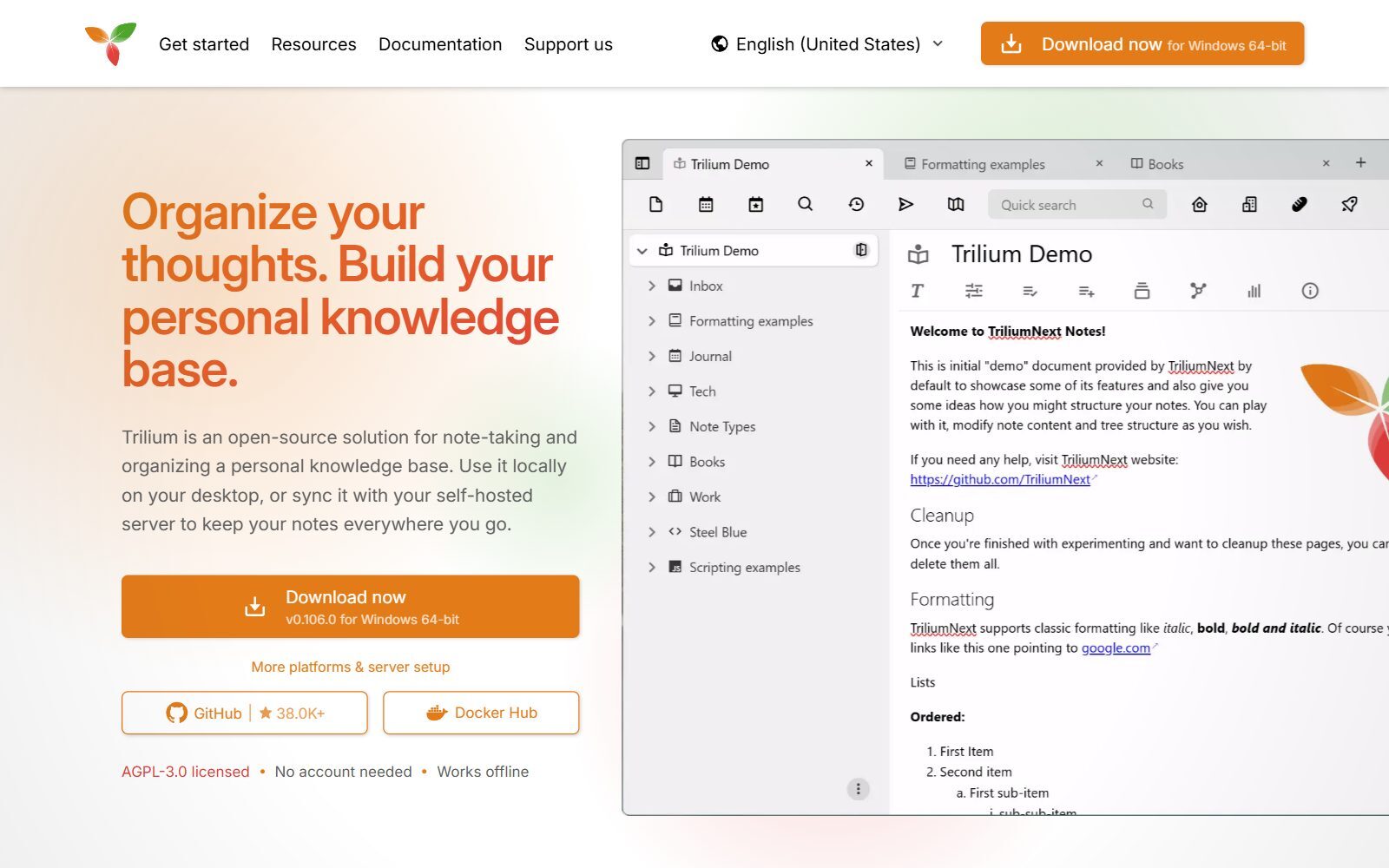
4. Trilium Notes: a knowledge base whose AI can edit your notes
Trilium Notes (the community-run TriliumNext project) is an AGPL-3.0 app for a large personal knowledge base, used offline on your desktop or synced through your own server. Its AI / LLM guide explains that AI was removed in version 0.102.0 and came back in 0.103.0 as a new chat system: a sidebar chat and a chat note type that can search, read, create, edit and move notes, plus a built-in MCP server for outside agents. It works with Anthropic, OpenAI, Google Gemini and DeepSeek keys, local models through Ollama or LM Studio, and any OpenAI-compatible endpoint. It is off until you switch it on, and the guide warns that there is no permission management for the note tools, so start with a backup. Version 0.106.1 came out in October 2026.
5. SiYuan: block-based notes with AI through your own API key
SiYuan is a privacy-first, local-first note app (AGPL-3.0) with block-level references and Markdown editing, and its README lists AI writing and Q&A chat through the OpenAI API, so you add your own key. Most features are free, including for commercial use. You pay only for sync: a PRO licence for third-party sync and backup was listed at $64 one-time, and the subscription with SiYuan's own cloud at $148, when we checked. Version 3.8.8 was released in October 2026.
Validate your startup idea with the unique borrowed authority approach: we publish articles about your product in our blog and you get traffic and testers for your MVP
- Prove Market Demand: See real organic traffic and waitlist conversions
- Unlock High-Potential Keywords: Receive a curated list of top-performing keywords directly from Google Search Console data.
- Estimate Customer Acquisition Cost (CAC): Gain financial foresight with an estimated CAC based on real keyword performance data.
🔗 Start validating your startup now
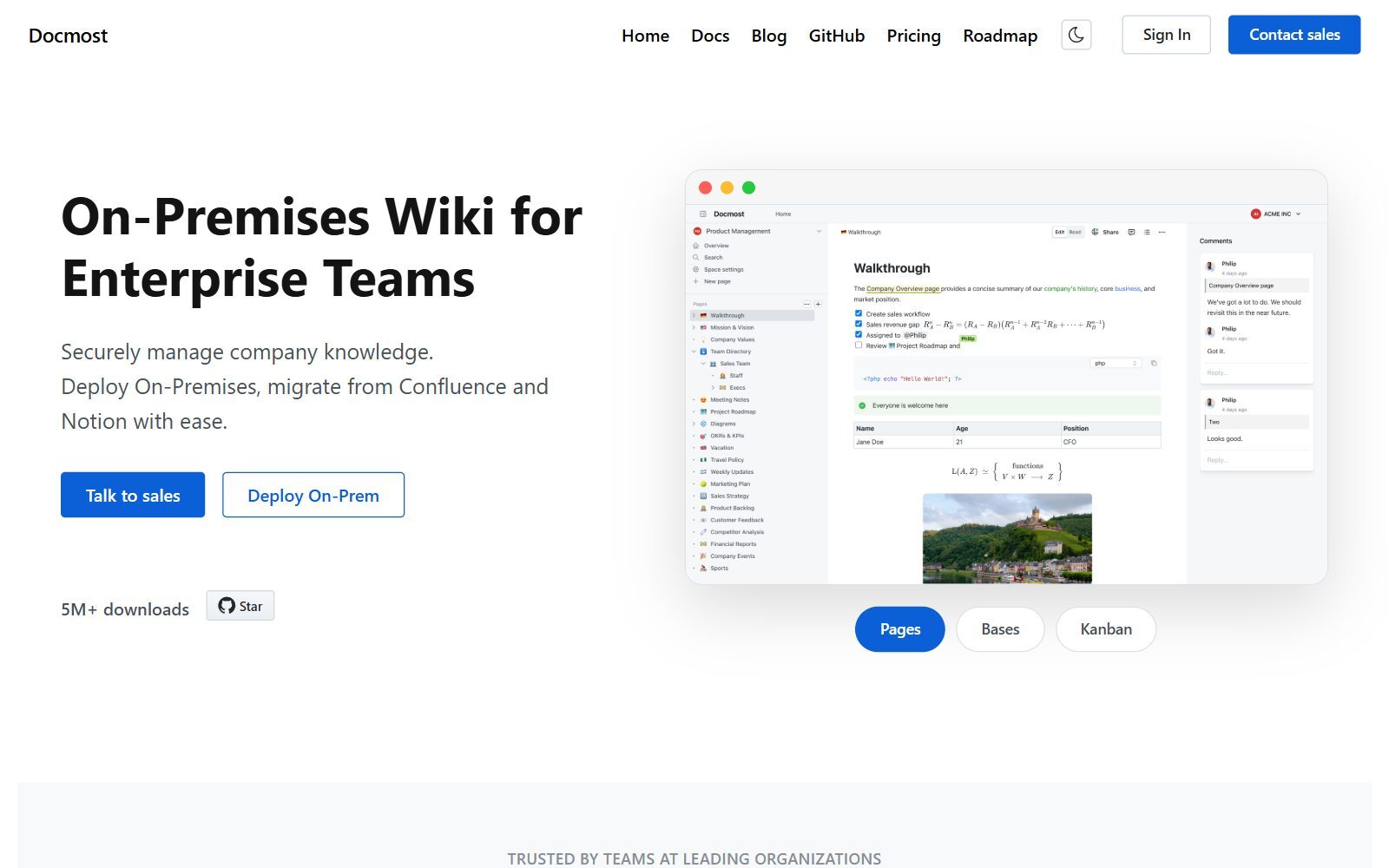
6. Docmost: an open-source team wiki with AI on its paid plan
Docmost is a collaborative wiki for teams moving off Notion or Confluence, with spaces, permissions, comments, page history and Draw.io, Excalidraw and Mermaid diagrams. Its core is AGPL-3.0 and the free Community edition includes real-time editing, spaces and full-text search. AI is not free: the Business plan, at $6 per seat per month billed yearly with a 10-seat minimum, adds AI answers from your pages, an AI assistant that translates, edits and generates content, and MCP support. Version 0.97.0 came out in October 2026.
7. Logseq: an outliner with AI through plugins
Logseq is an AGPL-3.0 outliner for daily journals and linked notes, stored on your device. Its AI comes from community plugins in the Logseq marketplace, such as ollama-logseq for a local model through Ollama and the GPT-3 OpenAI plugin, which summarises and generates text with your OpenAI key. These plugins are made by volunteers, not by Logseq. The new database version is still in beta: 2.0.2 Beta came out in October 2026.
8. Outline: a team wiki with AI answers (source-available)
Outline is a fast, polished team knowledge base whose AI answers questions directly from your workspace. It is source-available, not open source: its Business Source License says it is not an open-source licence, forbids offering Outline as a commercial document service, and turns each version into Apache 2.0 four years later. AI answers are included in every cloud plan, from $10 a month for up to 10 members. Self-hosted, the free Community Edition has no AI; the Business edition ($4 per user per month billed yearly, 10-user minimum) adds the OpenAI integration. Version 1.12.0 came out in October 2026.
9. Anytype: private and local-first, with AI through MCP (source-available)
Anytype is a private, local-first workspace built on objects, types and relations. It is often called open source, but its code is under the Any Source Available License, not an open-source licence. We found no built-in AI assistant. Instead, Anytype publishes an official MCP server that lets AI tools such as Cursor or LM Studio search and edit your spaces through Anytype's local API, so you can pair it with a local model. The desktop app's latest release is 0.57.4 (October 2026).
Notion AI Alternatives That Were Dropped or Changed
The 2025 version of this article listed tools that no longer belong on an open-source Notion AI shortlist:
- Obsidian: a popular note app with AI through community plugins, but it is free proprietary software, not open source. Logseq, Joplin or Trilium are the open-source picks. See our open-source Obsidian alternatives.
- Plexo: the AI project management tool's main repository has had no code changes since February 2024.
- Redmine, Taiga and ProjectLibre: solid open-source project management tools, but they are not note workspaces and have no Notion-style AI. We compare AI task boards in our open-source Trello AI alternatives.
- AppFlowy: still on the list, but its self-hosted server moved to an open-core model, so free self-hosting now covers one user seat.
- Anytype: also still listed, now marked as source-available because of its licence.
Which Open-Source Notion AI Alternative Should You Choose?
- You want Notion's look and AI without the Notion bill: AppFlowy, with free local AI through Ollama.
- Your small team wants to self-host with its own AI key: AFFiNE (up to 10 seats free).
- Your notes must never leave your computer: Joplin, Trilium or AppFlowy with a local model, or Logseq with the Ollama plugin.
- You want an AI that reorganises notes for you: Trilium, whose chat can create, edit and move notes.
- You need a company wiki with AI answers: Docmost Business, or Outline if source-available terms are fine.
- You live in Claude, Cursor or another AI tool already: connect your notes through MCP with Joplin, Trilium or Anytype.
Comparing hosted tools too? See our lists of free Notion AI alternatives and paid Notion AI alternatives, and for a shorter overview from our startup tools section, this list of open-source Notion AI alternatives. If you do not need AI, start with the open-source Notion alternatives. We also cover open-source Evernote AI alternatives and open-source Coda AI alternatives.
Join ElonaHunt (like ProductHunt but for women) and explore the coolest women-focused startups out there!
Discover your next big inspiration and connect with like-minded female entrepreneurs!
👉 Join the Hunt Here
How Founders Use an Open-Source AI Workspace
For an early-stage startup, a shared workspace is where the plan, customer interviews and decisions live, so the AI is only as good as the notes you feed it. Start with one workspace for the team, one page per customer conversation and a weekly review where the AI summarises what you learned. Our guides to productivity apps for busy founders and AI tools for female founders show how to build the rest of the stack, and our ChatGPT alternatives help you pick the model behind your notes. Plan visually with open-source Miro alternatives or free Miro alternatives, draw your architecture with open-source draw.io alternatives, and code with open-source GitHub Copilot alternatives.
Before you build anything, validate your startup idea with real customers, and turn what you write in your workspace into articles with the F/MS AI SEO Tool so customers find you in Google and AI assistants.
FAQ About Open-Source Notion AI Alternatives
What is the best open-source alternative to Notion AI?
AppFlowy is the closest match: Notion-style pages and databases with AppFlowy AI built in, and a free local AI option through Ollama. For a small team that wants to self-host with its own AI key, AFFiNE is the stronger choice.
Is there a Notion AI alternative that runs AI locally?
Yes. AppFlowy runs AI chat and the AI writer on a local model through Ollama, Trilium supports Ollama and LM Studio, Joplin's chat panel can use a model on your own computer, and Logseq has an Ollama plugin.
How much does Notion AI cost in 2027?
When we checked in October 2026, the full Notion AI (Notion Agent, AI Meeting Notes and Enterprise Search) came with the Business plan at $20 per member per month billed yearly, or $24 monthly. Free and Plus only include a limited AI trial.
Can I use my own OpenAI or Claude key with an open-source Notion alternative?
Yes. Self-hosted AFFiNE accepts OpenAI, Anthropic and Gemini keys, Trilium and Joplin accept OpenAI and Anthropic keys, and SiYuan works with your OpenAI API key.
Is AppFlowy still open source?
The desktop and mobile apps are AGPL-3.0, but AppFlowy's server is now open core: the old open-source server is no longer maintained, and the free self-hosted tier covers one user seat.
Is Anytype open source?
Not by the usual definition. Anytype's code is published under the Any Source Available License, which is not an open-source licence. It has no built-in AI, but an official MCP server connects it to AI tools.
Is Outline open source?
No. Outline uses the Business Source License 1.1, which its own licence file says is not an open-source licence. Each version becomes Apache 2.0 after four years.
Which open-source tool is best for a team wiki with AI?
Docmost, whose core is AGPL-3.0; its AI answers, AI assistant and MCP support come with the Business plan at $6 per seat per month billed yearly. AFFiNE is the free option if your team can use its own AI key.
Why is Obsidian not on this list?
Obsidian is free to use but it is not open source, and its AI features come from community plugins. Logseq, Joplin and Trilium are open-source alternatives.
Where can I get a backlink by writing about my startup?
You can publish a guest post in one of the Fe/male Switch startup blogs, which rank in Google and in AI tools. Get a quality backlink.
About the Author
Violetta Bonenkamp, also known as MeanCEO, is an experienced startup founder with an impressive educational background including an MBA and four other higher education degrees. She has over 20 years of work experience across multiple countries, including 5 years as a solopreneur and serial entrepreneur. Throughout her startup experience she has applied for multiple startup grants at the EU level, in the Netherlands and Malta, and her startups received quite a few of those. She’s been living, studying and working in many countries around the globe and her extensive multicultural experience has influenced her immensely.

