

Adobe Illustrator Alternatives for Designers and Startups Leaving Creative Cloud
Adobe Illustrator is still the vector editor most agencies and printers expect files from, but it only comes as a Creative Cloud subscription, and more designers and founders are asking whether they still need it. The market has changed a lot since the last version of this article: Affinity is now free on Windows, Mac and iPad, Vectornator has become Linearity Curve, Gravit Designer has disappeared into CorelDRAW, and a few serious vector apps still sell a licence you pay for once.
This guide is for people who do professional vector work, such as logos, brand systems, packaging, illustration and marketing graphics, and want to stop renting their main tool. We checked every price and platform on the official websites in November 2026 and compared what each app costs, where it runs, and whether it can open the .ai files you already have. Prices are the ones each official page showed us, mostly in euros; they vary by country and change with promotions.
Quick answer: the best overall Adobe Illustrator alternative is Affinity, now a free vector, photo and layout app for Windows, Mac and iPad that imports .ai files; for a complete paid suite with a one-time licence, choose CorelDRAW Graphics Suite; if you never want a subscription, VectorStyler (Windows and Mac) and Amadine (Mac) sell lifetime licences; on iPad, use Affinity or Linearity Curve; for team UI work, Figma; and for a free open-source editor, Inkscape.
Boost Your SEO by Getting Featured in Our Blogs and get a backlink.
We publish content about startups, education, tech, funding, etc. that ranks well not only in Google but also in Perplexity, ChatGPT, Grok and other AI tools.
👉 Get featured now!
What Adobe Illustrator Costs in 2027, and What You Give Up
Before you switch, it helps to know exactly what you are leaving. On Adobe's Illustrator plans page in November 2026 (Dutch store), the options for individuals were:
- Illustrator single app: €26.43 a month including VAT on an annual plan billed monthly, which is about €317 a year. It includes Illustrator for desktop, iPad and the web, 100 GB of cloud storage, 25 generative credits a month and the Adobe Express Premium plan.
- Creative Cloud Pro: Illustrator plus more than 20 other Adobe apps for €79.30 a month, with new subscribers paying €39.64 a month for the first 3 months. It comes with 4,000 generative credits a month.
- Free trial: 7 days. There is no free version of Illustrator and no one-time licence.
What you give up by leaving is mostly the ecosystem: native .ai files that clients and printers send, Adobe's generative AI tools, Illustrator on iPad with the same files, and easy hand-off to Photoshop and InDesign users. What you gain is a lower or zero bill, and with several tools below, software you own outright. If price is the main reason you are leaving, compare twelve months of each entry plan:
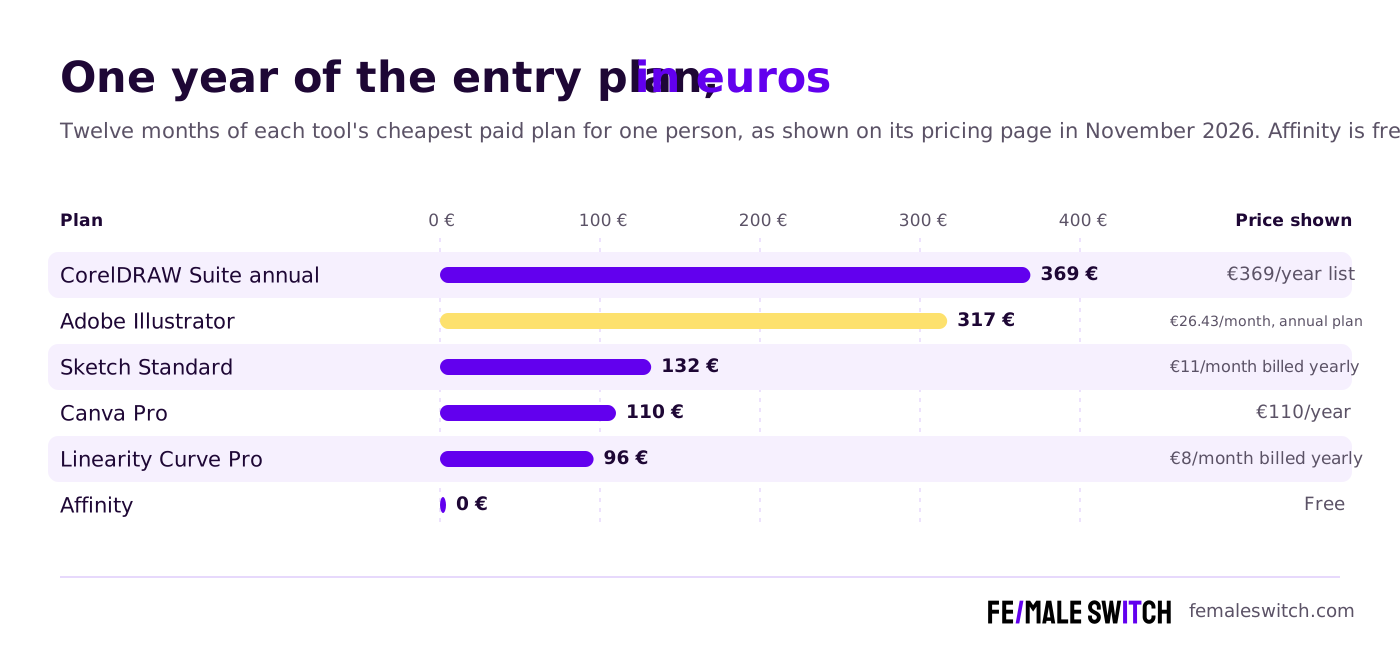
One-time licences change the maths further: VectorStyler costs USD 95 once, Amadine for Mac USD 29.99 once, and Sketch's Mac-only licence €108, which includes one year of updates.
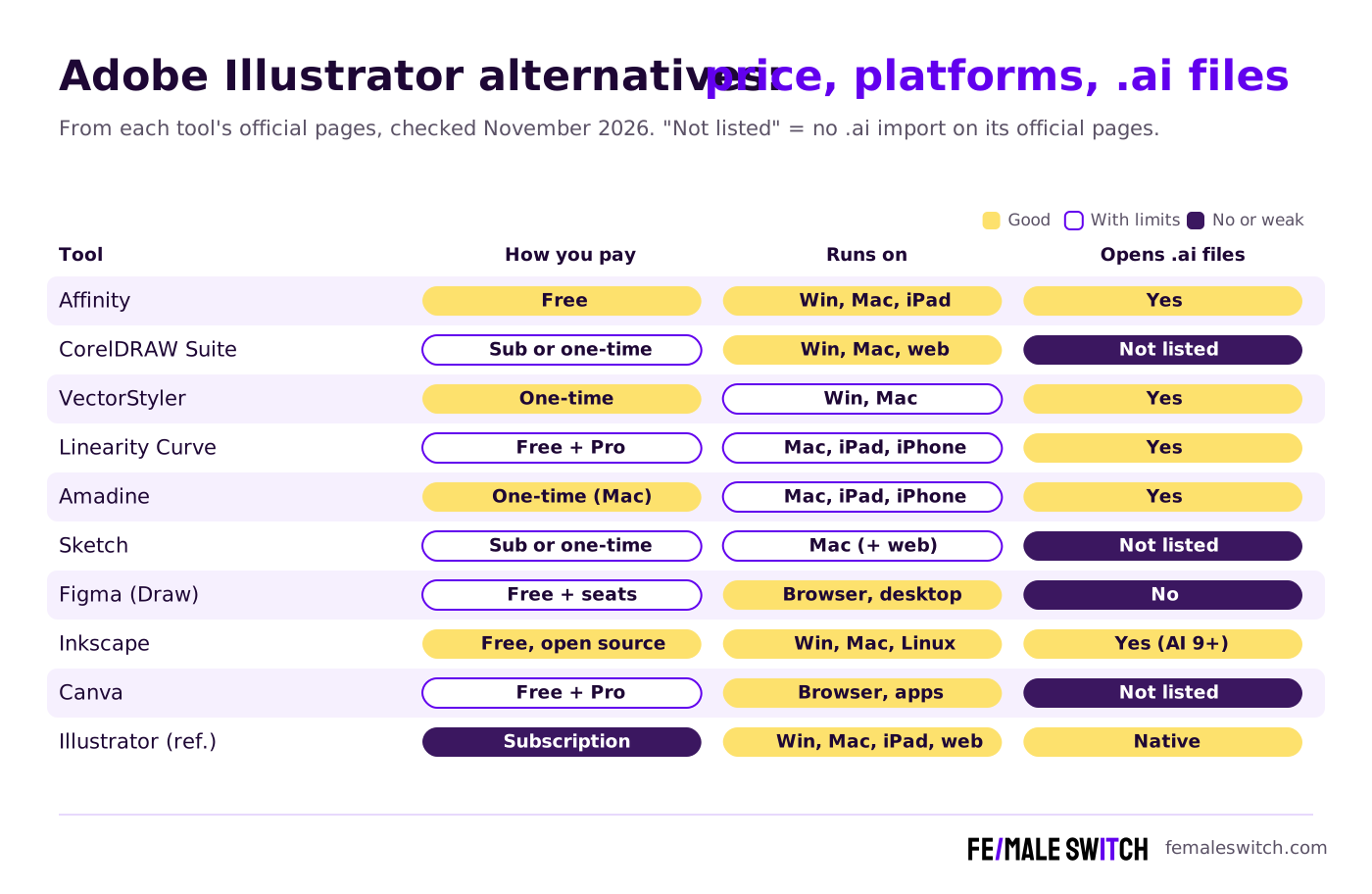
Adobe Illustrator Alternatives Compared
Sources: each product's official pricing or product page, checked 6 November 2026. Prices as shown to us, in euros unless marked USD; they change by country and with promotions.
The 10 Best Adobe Illustrator Alternatives in 2027
1. Affinity by Canva: the best overall Illustrator alternative
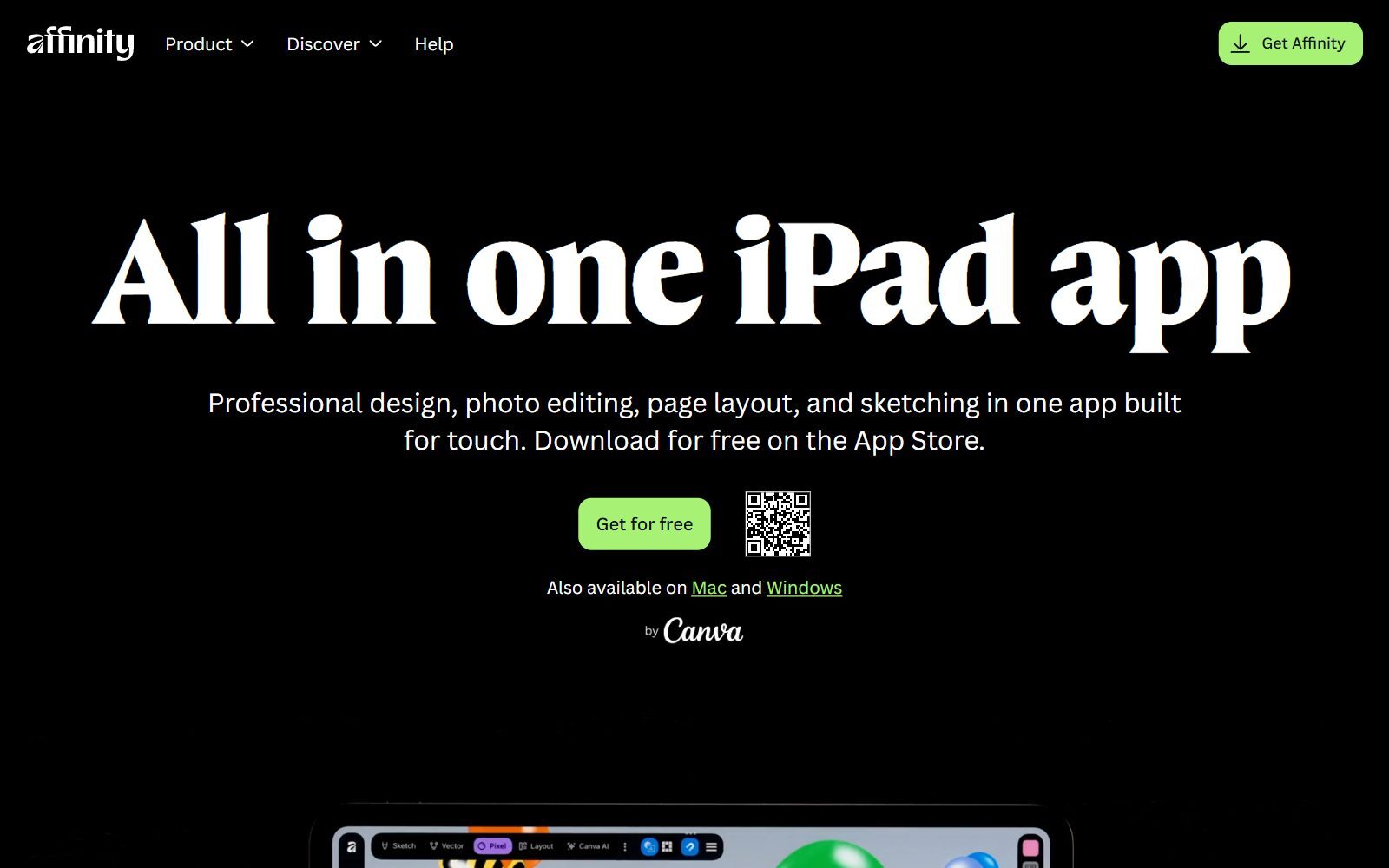
Affinity is the biggest change in this market. Canva turned the old paid Affinity Designer, Photo and Publisher into one app with Vector, Pixel and Layout studios, and made it free: you sign in with a Canva account (a free one is enough), and every tool, customisation and export feature is included with no limits, according to Affinity's FAQ. Only Canva's AI tools inside Affinity, such as Generative Fill, Generative Expand and Generate Image or Vector, need a Canva premium plan.
For people leaving Illustrator, three things matter. First, it imports Adobe files: Affinity lists PSD, AI, IDML and DWG files. Second, it runs on Windows, macOS and now iPadOS, and the iPad app opens the same .af files as the desktop version, so it replaces Illustrator on iPad too; a few desktop features, such as Data Merge, Batch and macros, are not on iPad yet. Third, you can install it on as many devices as you like. One caution: files saved in the new app cannot be opened by the older Affinity V2 apps. Companies that want single sign-on get Affinity through Canva Enterprise.
2. CorelDRAW Graphics Suite: a full paid suite you can still buy once
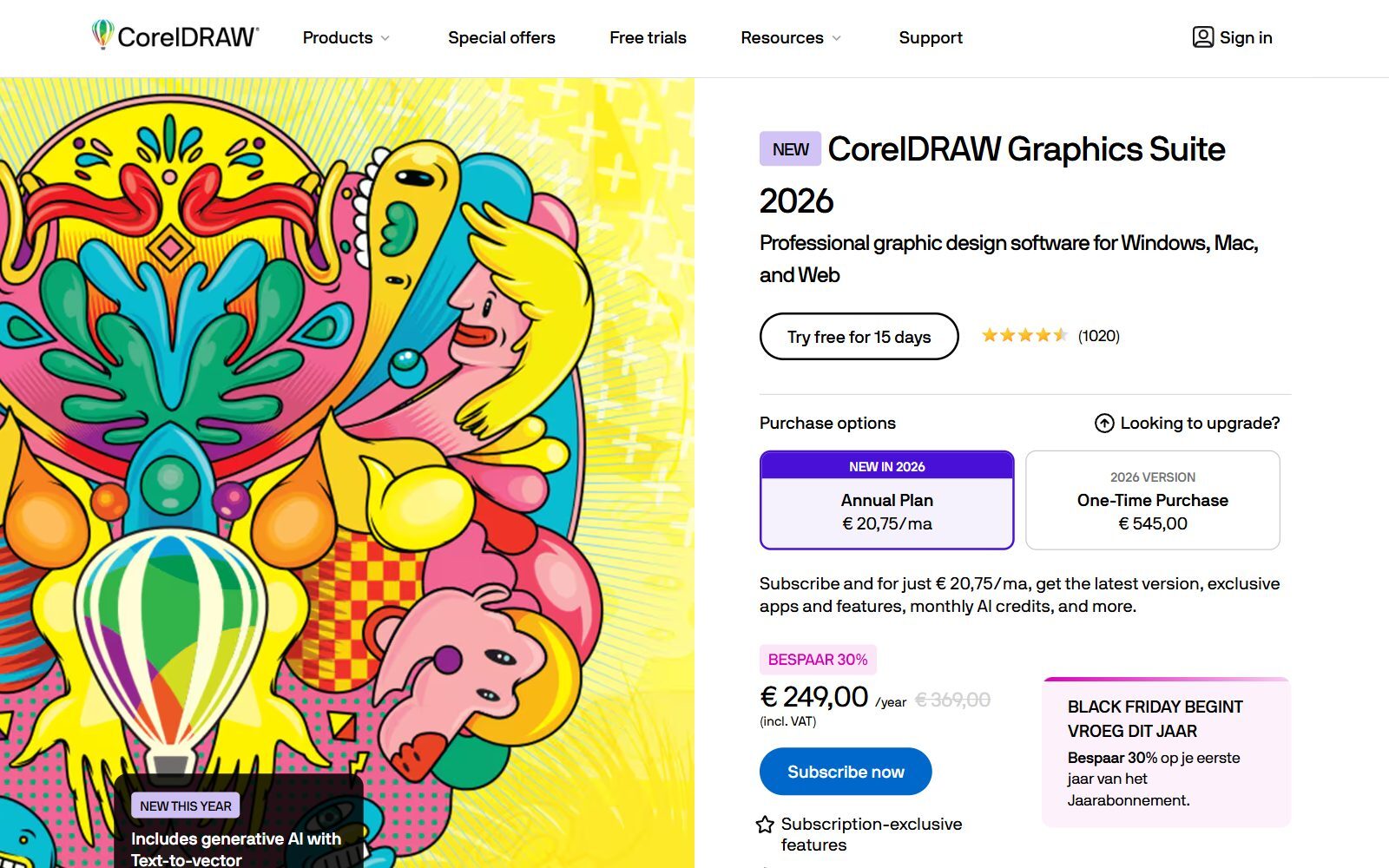
CorelDRAW Graphics Suite 2026 is the closest thing to Creative Cloud's design tools in one box: CorelDRAW for vector illustration and page layout, Corel PHOTO-PAINT for images, Corel Font Manager, and the browser-based CorelDRAW Web for subscribers. It runs on Windows 10 or 11 (64-bit) and macOS 14 or newer. Unlike Adobe, Corel still sells a one-time licence: when we checked, the 2026 version was shown at €545 as a one-time purchase, next to an annual plan of €369 a year, discounted to €249 for the first year in an early Black Friday sale. Subscribers get 2,000 AI credits a month for features such as Text-to-vector; the one-time licence includes 2,000 credits once. There is a 15-day free trial.
It is the strongest choice for sign makers, print shops and teams who want a complete suite without Adobe. CorelDRAW's page does not list .ai import, so test your Illustrator files during the trial. For a closer look at Corel's prices and rivals, see our guide to CorelDRAW alternatives.
3. VectorStyler: professional illustration with no subscription
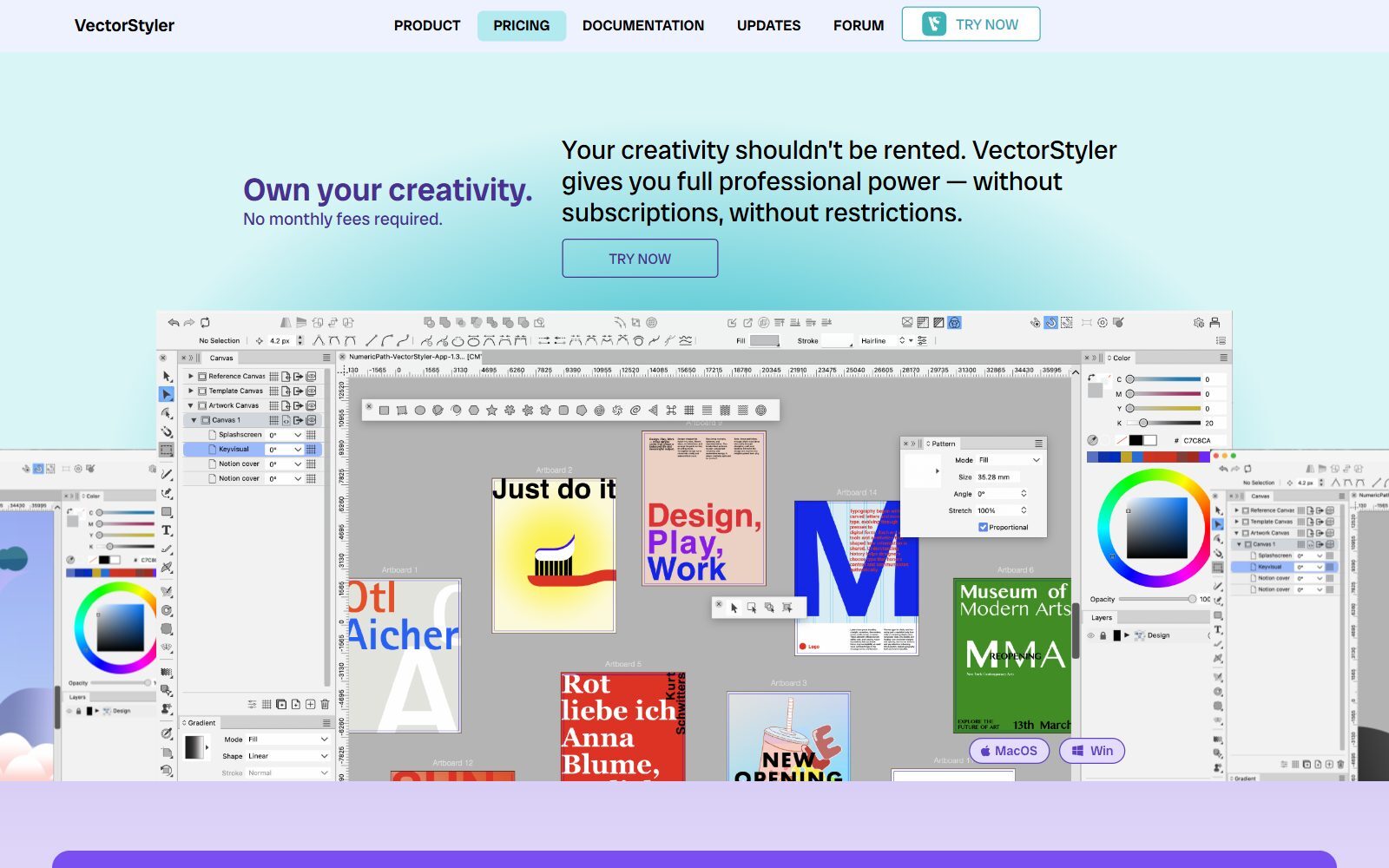
VectorStyler is an advanced vector illustration app from the small developer NumericPath, built for exactly the people this article is for. A single commercial licence costs USD 95 as a one-time payment, covers both macOS and Windows, and includes free upgrades; the full-featured trial runs for 42 days, there is a 14-day money-back guarantee, and educational licences are free. It has native Illustrator import that keeps editable attributes, and it imports and exports AI, PDF, SVG, DWG, DXF, PSD, PNG and TIFF. Development is active: version 1.3.032 came out on 27 October 2026. Choose it if you illustrate for a living and want serious tools you own.
Validate your startup idea with the unique borrowed authority approach: we publish articles about your product in our blog and you get traffic and testers for your MVP
- Prove Market Demand: See real organic traffic and waitlist conversions
- Unlock High-Potential Keywords: Receive a curated list of top-performing keywords directly from Google Search Console data.
- Estimate Customer Acquisition Cost (CAC): Gain financial foresight with an estimated CAC based on real keyword performance data.
🔗 Start validating your startup now
4. Linearity Curve (formerly Vectornator): vector design on iPad, Mac and iPhone
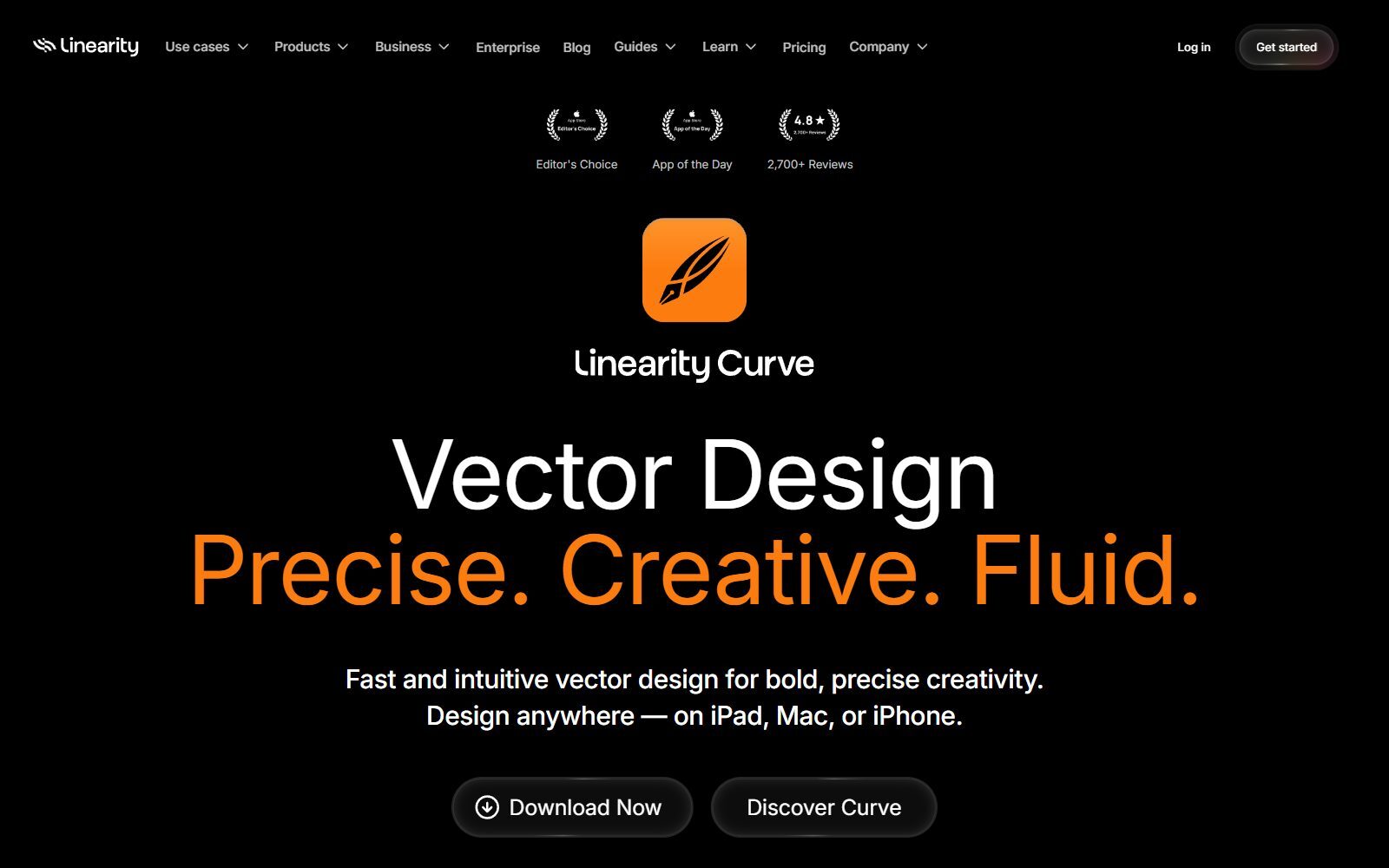
Linearity Curve is the app that used to be called Vectornator. It is a vector design tool for iPad, Mac and iPhone with CMYK support, export to PDF, SVG and EPS, and import and export for Figma, Illustrator and Sketch files. Linearity has since grown into an AI design platform that runs on credits: the free plan includes essential design features and 2,000 welcome credits valid for 7 days, and Pro costs €10 a month, or €8 a month billed yearly, including VAT, with 600 credits a month. It is a good pick if you draw on an iPad with Apple Pencil and finish on a Mac; there is no Windows version.
5. Amadine: the cheapest lifetime licence for Mac and iPad
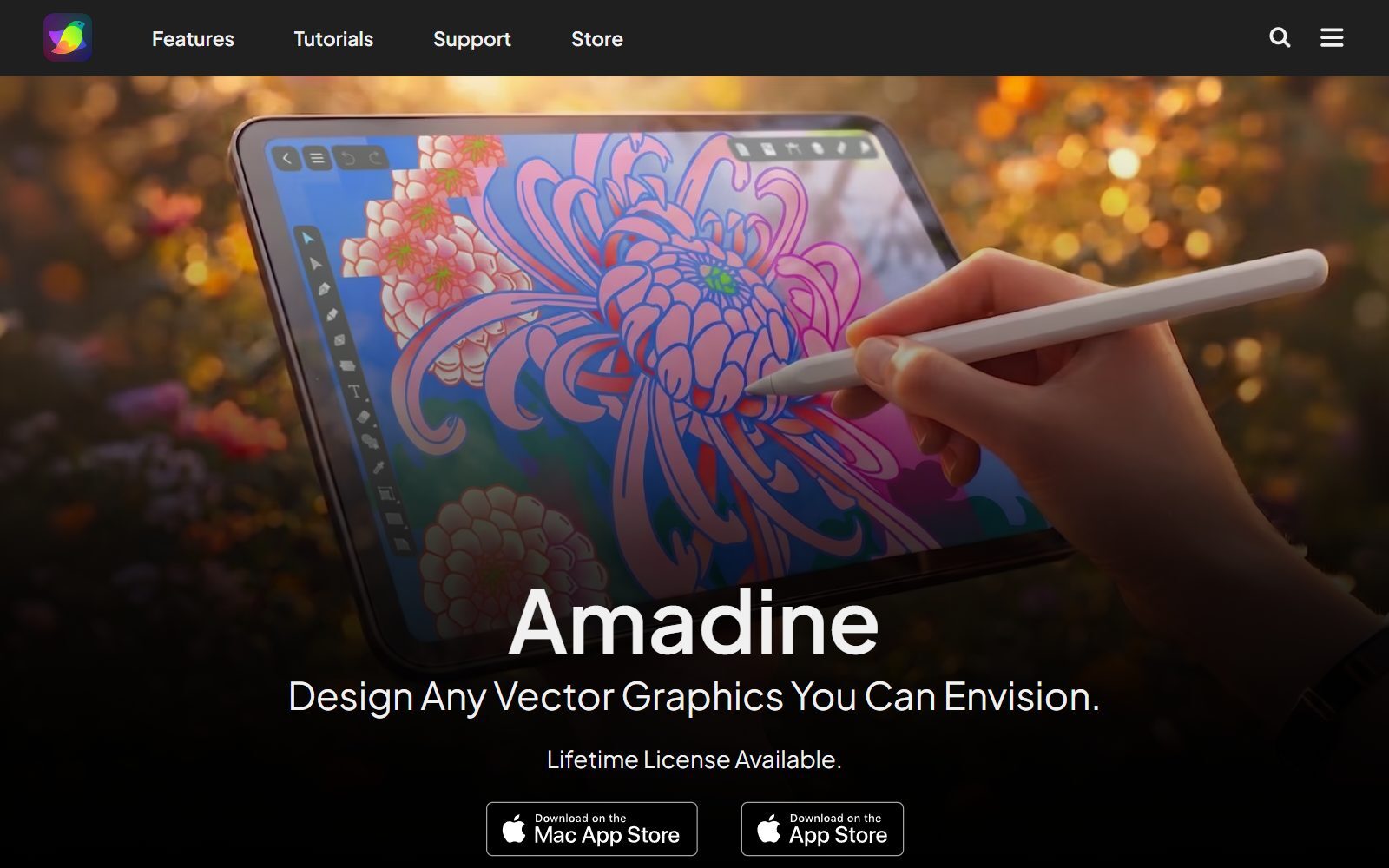
Amadine is a vector graphics app for Mac, iPad and iPhone, and the cheapest way on this list to own a licence: a single-user lifetime licence for Mac costs USD 29.99, and a five-seat family licence USD 49.99. On iPad and iPhone it is sold through in-app purchases (monthly, yearly or lifetime), from USD 2.99 a month. It imports SVG, PDF and AI files, works in CMYK for print, and exports SVG, PDF, EPS, TIFF, PNG and JPEG. It needs macOS 11 or iPadOS 15 or newer, and comes with a 30-day money-back guarantee. It suits logos, icons and illustration rather than large multi-page layouts.
6. Sketch: Mac-native UI and icon design
Sketch is a native Mac app for interface design, icons and vector graphics. You can choose how to pay: the Standard subscription costs €11 per editor a month billed yearly and adds real-time collaboration, a web app and an iPhone and iPad viewer, or a Mac-only licence costs €108 per seat, yours to keep, with one year of updates and no collaboration features. Every option starts with a 30-day free trial without a credit card. Sketch replaces Illustrator for app and web graphics, not for print production.
7. Figma with Figma Draw: vector work for product teams
Figma is where most startup product teams already design screens, and Figma Draw adds illustration tools to it, so icons, spot illustrations and brand assets can live next to the product designs. The free Starter plan includes unlimited drafts and a small daily AI allowance; on Figma's pricing page, a Full seat on the Professional plan, which includes Figma Draw, was €16 a month with 3,000 AI credits. It runs in the browser and as a desktop app, but it does not open .ai files, so bring Illustrator artwork in as SVG. For self-hosted options, see our open-source Figma alternatives, and if you are also replacing Adobe's old prototyping tool, our free Adobe XD alternatives.
8. Inkscape: the free, open-source Illustrator replacement
Inkscape is a free, open-source (GPL) vector editor for Windows, macOS and Linux, and the most complete free tool for Illustrator-style work: pen and node tools, text on paths, boolean operations, gradients and precise alignment. SVG is its native format, and its PDF import opens files saved in Illustrator 9.0 and newer. Version 1.4.4 was tagged in its official code repository on 5 May 2026. If budget is the main reason you are leaving Adobe, read our full guides to free Illustrator alternatives and open-source Illustrator alternatives; Inkscape users comparing options can also see our open-source Inkscape alternatives.
9. Canva: marketing graphics for people who are not designers
Canva is not a precision vector editor, but in many startups Illustrator is mostly used for social posts, flyers, pitch-deck graphics and simple print, and Canva does those faster with templates and brand kits. On Canva's pricing page, the free plan cost €0, Canva Pro €110 a year for one person and Canva Business €170 a year per person. A Canva account is also what unlocks the free Affinity app, and a Canva premium plan unlocks the AI tools inside it, so the two make a sensible pair: Canva for the team, Affinity for the designer. If you want Canva without paying, see our free Canva Pro alternatives.
10. Vector Magic: a replacement for Illustrator's Image Trace
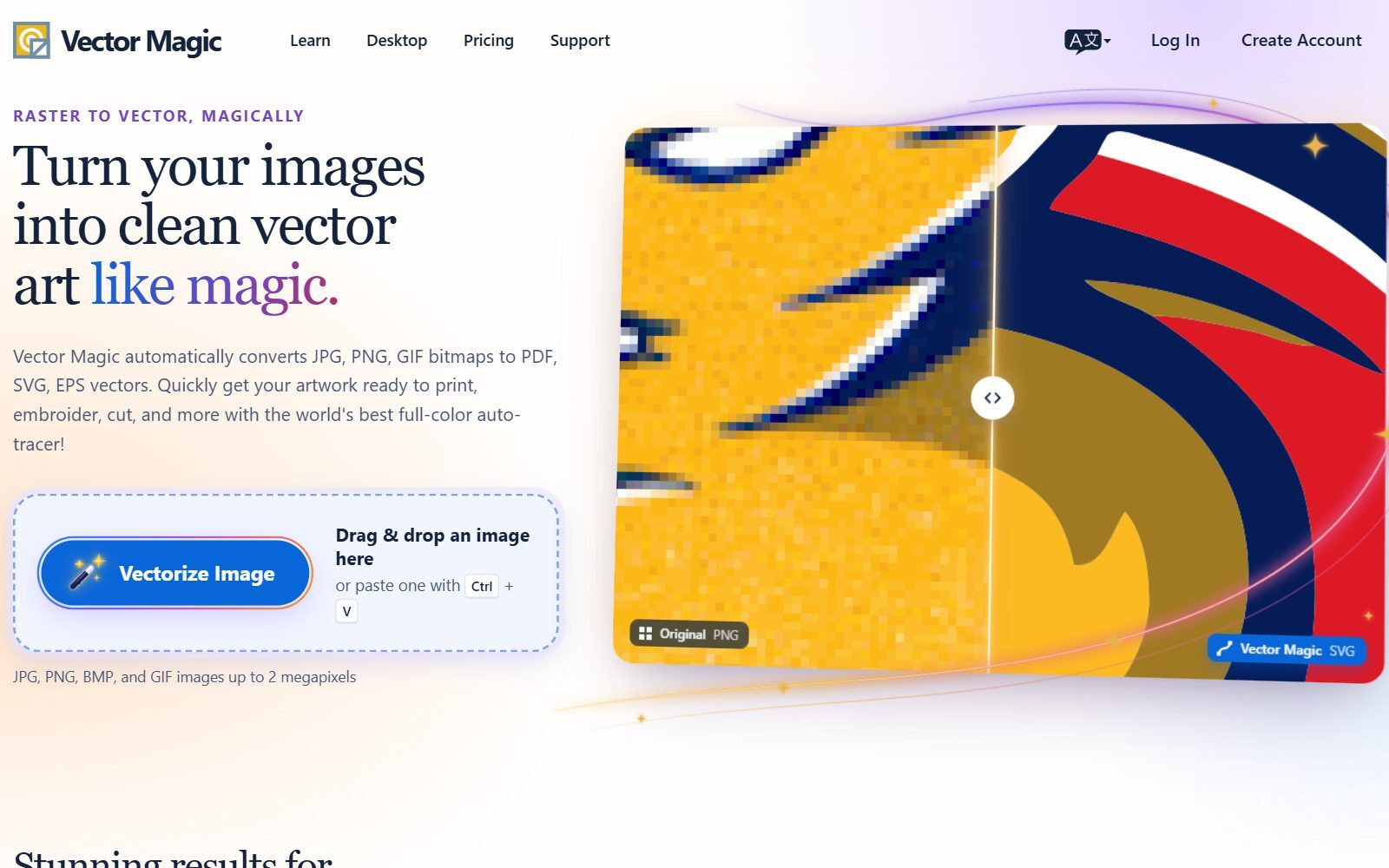
Vector Magic does one job that many Illustrator users rely on: turning a JPG, PNG or GIF logo into clean vector art in PDF, SVG or EPS, ready for print, embroidery or cutting. You can upload and preview as many images as you like for free, but downloading results needs a plan: the Online Edition costs €8.99 a month, billed monthly, and the Desktop Edition for Windows and Mac costs €274 as a one-time charge. It pairs well with a free editor such as Affinity or Inkscape when you need to rescue an old low-resolution logo.
Join ElonaHunt (like ProductHunt but for women) and explore the coolest women-focused startups out there!
Discover your next big inspiration and connect with like-minded female entrepreneurs!
👉 Join the Hunt Here
Illustrator Alternatives That Are Gone or Have Changed
The 2025 version of this article recommended several tools that no longer fit:
- Gravit Designer: discontinued. Its old website now redirects to CorelDRAW Go, Corel's paid browser app (€9.99 a month or €115 a year at list price).
- Vectornator: renamed Linearity Curve, and no longer simply free. Linearity's plans are now built around AI credits, with a limited free plan.
- Affinity Designer as a one-time purchase: replaced by the free all-in-one Affinity app. Older V1 and V2 apps no longer receive updates.
- GIMP: a good free editor, but for pixels, not vectors. It belongs in our free Photoshop alternatives.
- Old prices and feature lists: every price above has been replaced with the figure on the official page in November 2026.
How to Move Your Work Out of Illustrator
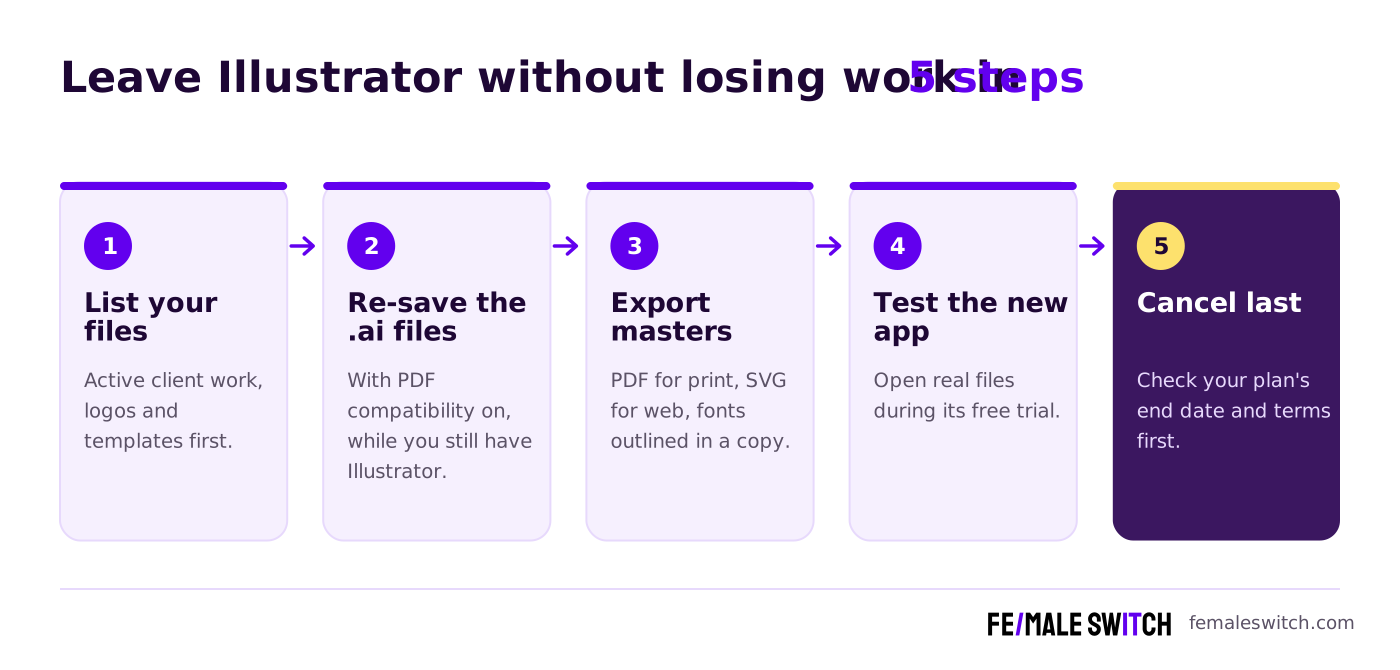
- List your files. Start with active client work, logos and templates you reuse; archive the rest.
- Re-save the .ai files with PDF compatibility on while you still have Illustrator. That is the version Affinity, Inkscape and most other editors read best.
- Export masters. Save a PDF for print and an SVG for the web of every logo, and keep a copy with fonts converted to outlines so the type survives on any computer.
- Test the new app with real files during its free trial: CorelDRAW gives 15 days, Sketch 30 days and VectorStyler 42 days, and Affinity is free anyway.
- Cancel last. Check your Adobe plan's end date and cancellation terms in your account before you switch it off.
After the move, send clients PDF or SVG instead of .ai; Illustrator users can open both. If you design brochures and books as well, our list of free Affinity Publisher alternatives covers layout tools.
Which Illustrator Alternative Should You Choose?
- You want the most for nothing on Windows, Mac or iPad: Affinity.
- You want a complete paid suite and the option to own it: CorelDRAW Graphics Suite.
- You refuse subscriptions: VectorStyler on Windows or Mac, Amadine on Mac, or Sketch's Mac-only licence.
- You draw on an iPad: Affinity for iPad, Linearity Curve or Amadine.
- You design product screens and icons with a team: Figma with Figma Draw, or Sketch on Mac.
- You want free and open source, or use Linux: Inkscape.
- Your team mostly makes social posts and flyers: Canva, with one designer on Affinity.
- You often vectorise logos from photos and scans: Vector Magic.
- Your clients and printers insist on native .ai files and Adobe's AI tools: stay on Illustrator, at least for those clients.
How Founders Use Illustrator Alternatives
Most early-stage founders cannot justify a Creative Cloud bill for a logo, a few icons and some launch graphics. A free or one-time tool covers that work, and the money goes into testing the business instead; our 30-day validation sprint shows how to spend those weeks. For the rest of the stack, see our top design tools for startups, and for quick first drafts, our list of AI logo creation tools, whose results you can then refine in Affinity or Inkscape. Before you design, read about startup logo design trends.
Vector skills can also become the business itself: see our guides to freelance illustration services and print-on-demand designs. Drawing on an iPad more than a desktop? Compare our free Procreate alternatives, and if you want to animate your logo, our list of Rive alternatives. Once your brand is ready, the F/MS AI SEO Tool writes search-optimised blog articles about your product for free, so customers can find you on Google and in AI assistants.
FAQ About Adobe Illustrator Alternatives
What is the best alternative to Adobe Illustrator in 2027?
For most people, Affinity by Canva: it is free, runs on Windows, Mac and iPad, combines vector, photo and layout tools, and imports .ai files. For a full paid suite with a one-time option, choose CorelDRAW Graphics Suite; for a lifetime licence, VectorStyler or Amadine.
How much does Adobe Illustrator cost now?
On Adobe's Dutch plans page in November 2026, Illustrator cost €26.43 a month including VAT on an annual plan billed monthly, about €317 a year. Creative Cloud Pro, with more than 20 apps, cost €79.30 a month. Prices vary by country.
Can I buy Illustrator without a subscription?
No. Illustrator is only sold as a subscription, with a 7-day free trial. If you want to pay once, look at CorelDRAW's one-time licence, VectorStyler, Amadine or Sketch's Mac-only licence.
Which Illustrator alternatives can open .ai files?
Affinity, VectorStyler, Linearity Curve, Amadine and Inkscape all list Illustrator import. Files open best when they were saved with PDF compatibility switched on. Figma does not open .ai files.
Is Affinity really free, even for professional work?
Yes. Affinity's FAQ says individuals can use every tool and export feature with no restrictions or payment. Only Canva's AI tools inside Affinity need a Canva premium plan, and organisations that want single sign-on use Canva Enterprise.
What is the best Illustrator alternative for iPad?
Affinity for iPad is free and opens the same files as the desktop app. Linearity Curve and Amadine are good alternatives built for Apple Pencil. Illustrator's own iPad app is included in its subscription.
Is Vectornator still available?
Vectornator was renamed Linearity Curve. It still runs on iPad, Mac and iPhone, with a free plan and a Pro plan at €10 a month or €8 a month billed yearly.
What happened to Gravit Designer?
It is gone. Its old website now redirects to CorelDRAW Go, Corel's paid browser-based design app.
What can replace Illustrator's Image Trace?
Vector Magic converts JPG, PNG and GIF images into PDF, SVG or EPS vectors, online for €8.99 a month or as a €274 desktop app for Windows and Mac. You can preview results for free before you pay.
Where can I get a backlink to my design portfolio or startup?
You can publish a guest post in one of the Fe/male Switch startup blogs, which rank in Google and in AI tools like ChatGPT and Perplexity. Get a quality backlink.
About the Author
Violetta Bonenkamp, also known as MeanCEO, is an experienced startup founder with an impressive educational background including an MBA and four other higher education degrees. She has over 20 years of work experience across multiple countries, including 5 years as a solopreneur and serial entrepreneur. Throughout her startup experience she has applied for multiple startup grants at the EU level, in the Netherlands and Malta, and her startups received quite a few of those. She’s been living, studying and working in many countries around the globe and her extensive multicultural experience has influenced her immensely.

