

Free Lucidchart Alternatives for Flowcharts and Diagrams
Lucidchart is one of the best-known tools for flowcharts, org charts, process maps and technical diagrams, but its free plan is small: after three editable documents you have to delete, archive or pay. If you want to draw diagrams in 2027 without a subscription, there are free tools that do the same job, from open-source editors with no sign-up to diagram-as-code tools and free whiteboards. We checked every free plan below on the official pricing or product page (default view) on 1 November 2026, removed the tools from the 2025 version of this list that have closed or changed, and added the free diagram tools developers and analysts use.
Quick answer: the best free Lucidchart alternative is draw.io: free forever, no sign-up, open source and with real-time collaboration. For quick hand-drawn sketches, use Excalidraw; for diagrams written as text (in docs, wikis and GitHub), Mermaid or PlantUML; for large org charts and networks on your own computer, yEd, which lays diagrams out automatically. If your team wants a shared online workspace, Creately, Cacoo and Miro have free plans with live collaboration, and teams on Confluence can use Gliffy free for up to 10 users.
Boost Your SEO by Getting Featured in Our Blogs and get a backlink.
We publish content about startups, education, tech, funding, etc. that ranks well not only in Google but also in Perplexity, ChatGPT, Grok and other AI tools.
👉 Get featured now!
What Does Lucidchart's Free Plan Include?
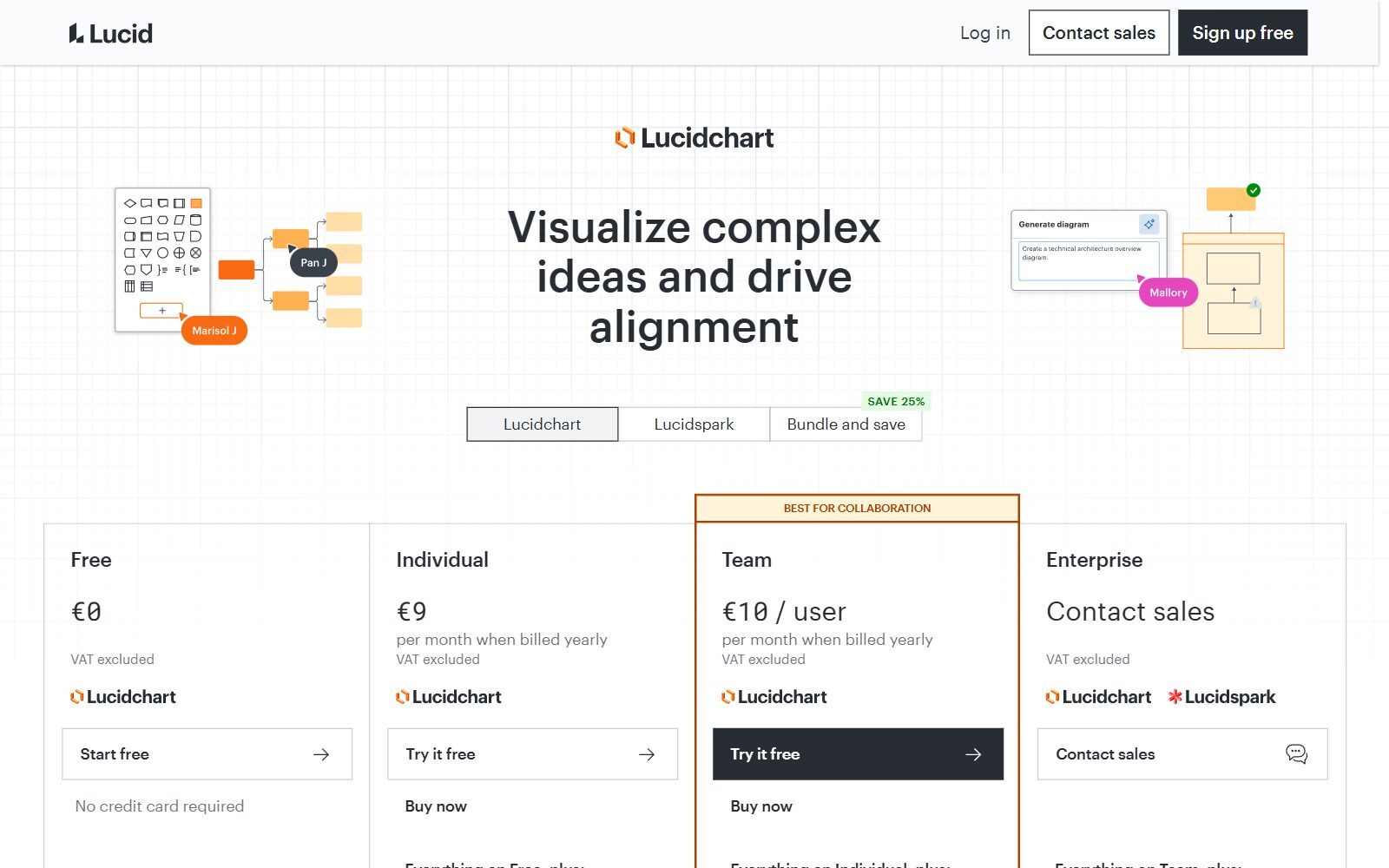
The Lucidchart pricing page (shown to us in euros, excluding VAT) lists the Free plan at €0 with no credit card. It includes 3 editable Lucidchart documents, 75 shapes per document, 100 templates, basic Visual Activities, basic data linking, presentation mode, commenting and Lucid AI. The Individual plan, at €9 a month billed yearly, adds unlimited editable documents, 1 GB of storage, Visio import and export, and premium shapes and templates; Team costs €10 per user a month billed yearly. The 75-shape limit is the one most people hit first: a real process map or network diagram quickly needs more. The tools below let you keep working for free.
Free Lucidchart Alternatives Compared
Sources: each tool's official pricing, product and GitHub pages, default view, checked 1 November 2026. US dollars unless the page showed euros from our location; prices can differ by region and billing cycle.
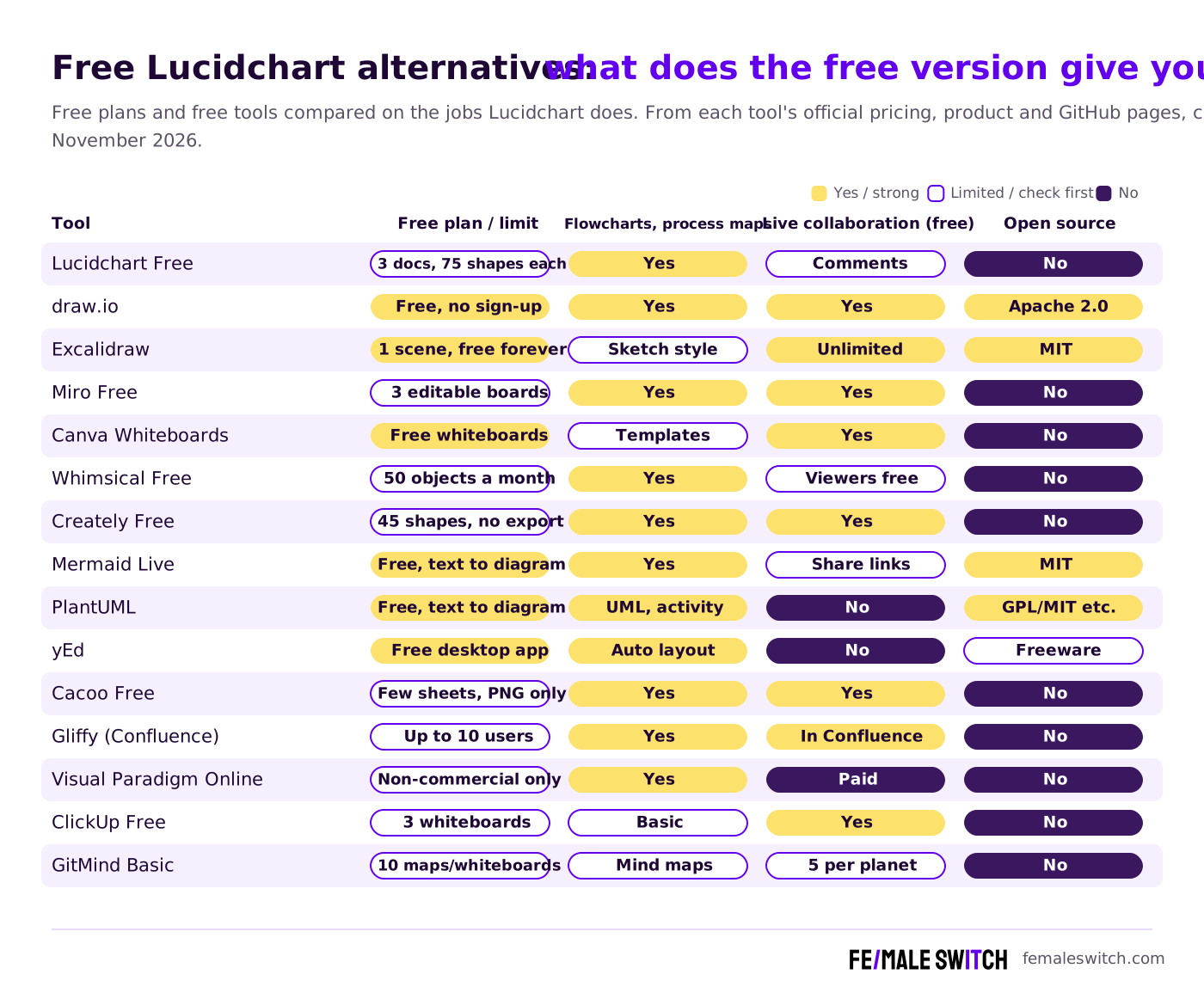
The Best Free Lucidchart Alternatives in 2027
1. draw.io: free forever, no sign-up, open source
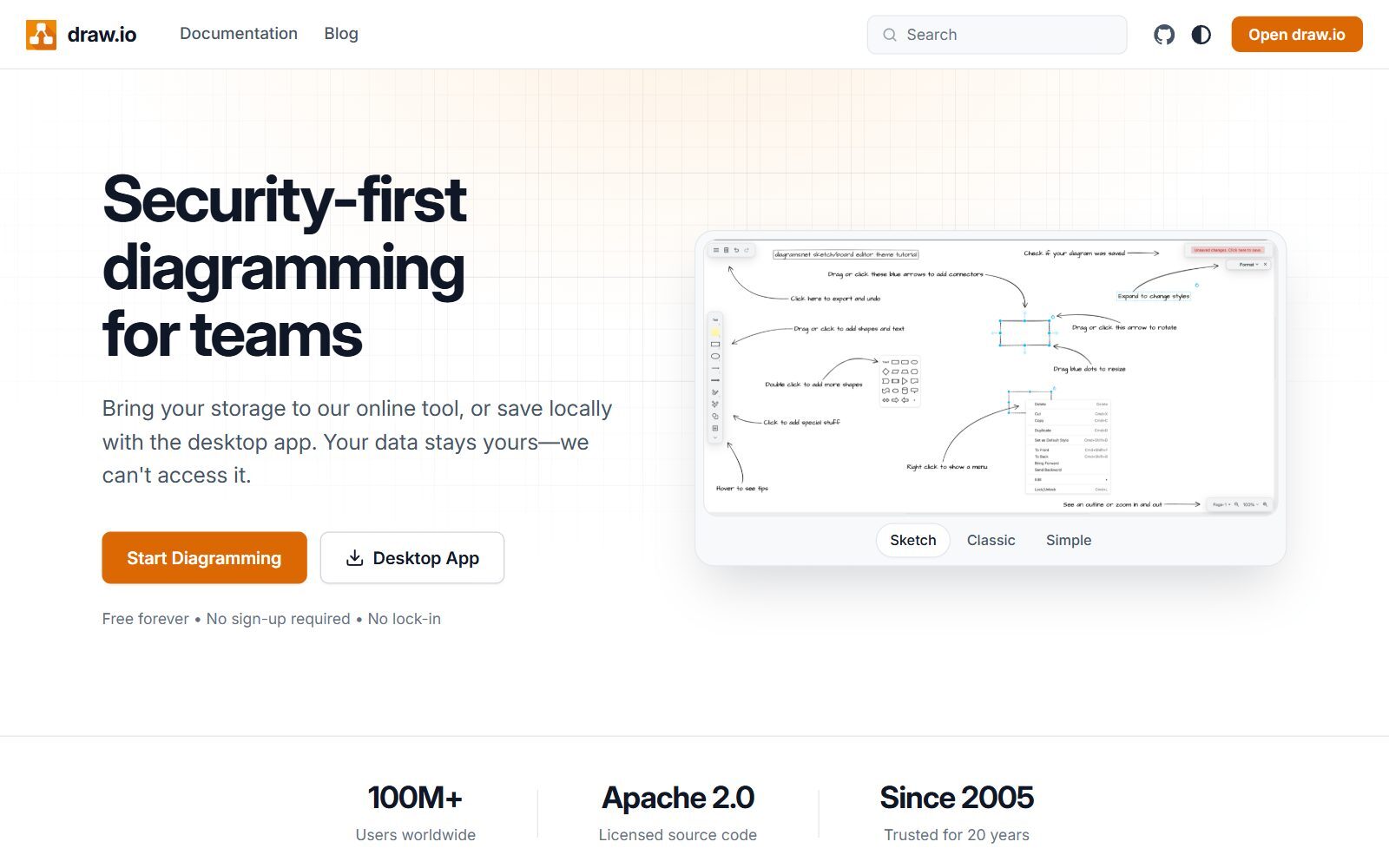
draw.io is the closest free replacement for Lucidchart and the one we recommend first. Its website says it is free forever with no sign-up and no lock-in, and the source code is licensed under Apache 2.0. You draw flowcharts, UML, ER, network, org and cloud architecture diagrams in the browser or the desktop app, work together with shared cursors, and keep the files wherever you want, because draw.io says it cannot access your data. It works inside Google Drive, Microsoft SharePoint, OneDrive and Teams, Confluence and Jira, GitHub, VS Code and Notion, and exports SVG, PNG and PDF. We compare it with other tools in our free draw.io alternatives and draw.io alternatives guides.
2. Excalidraw: free hand-drawn diagrams
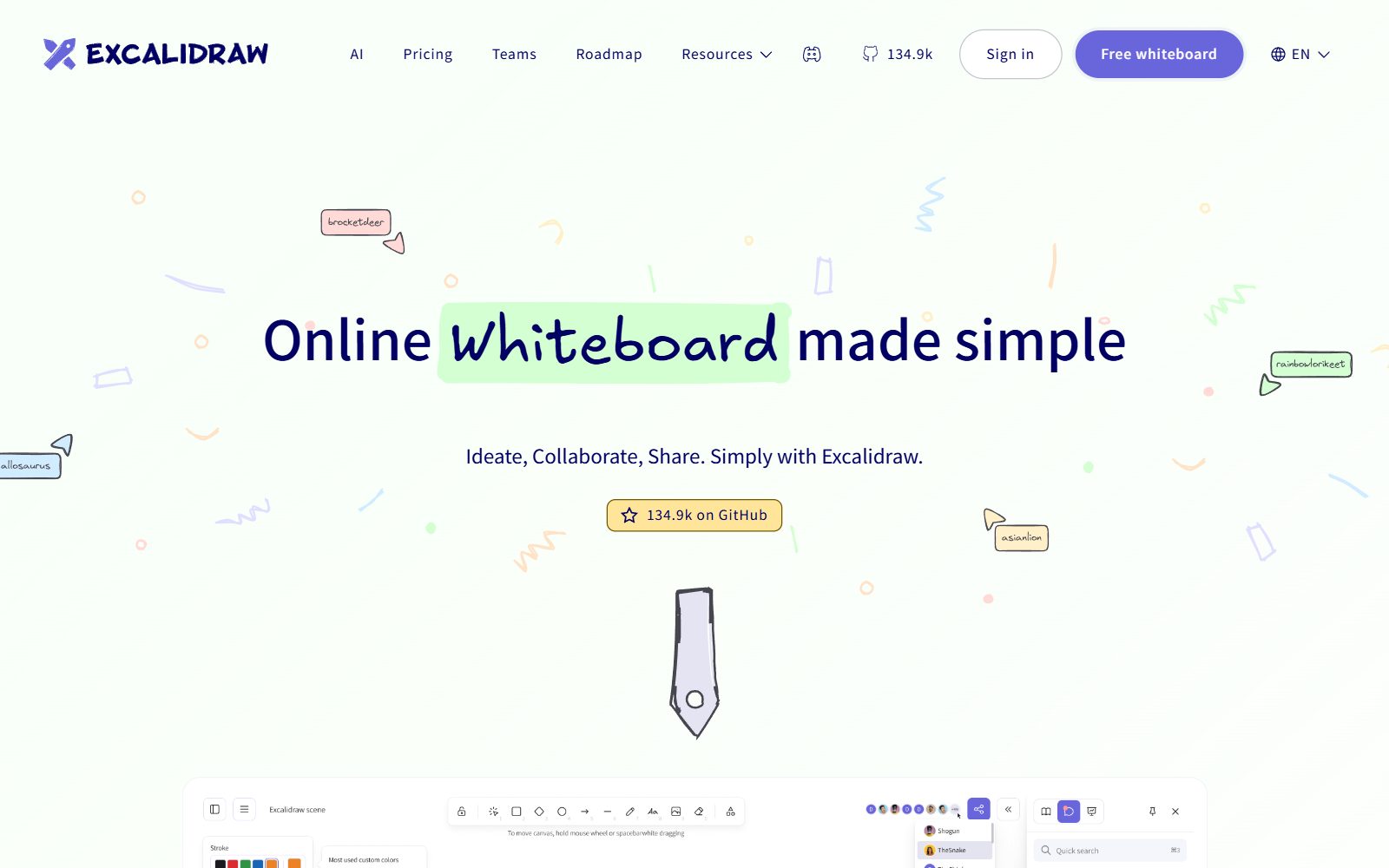
Excalidraw gives you a whiteboard with a hand-drawn look that is perfect for quick flowcharts, architecture sketches and explaining an idea on a call. The Excalidraw pricing page lists the free version as free forever with the full editor, one infinite scene, unlimited collaborators, 10 generative AI requests a day, export to PNG and SVG, and end-to-end encryption locally in your browser. The editor is open source under the MIT licence. Excalidraw+ costs $6 per user a month and adds unlimited scenes, cloud saving, comments and presentations.
3. Miro Free: whiteboard with flowchart tools
Miro is a collaborative whiteboard that also handles flowcharts, user journeys and process maps. On the Miro pricing page the Free plan costs $0 and lets you create and share unlimited boards, of which the 3 most recent stay editable, with more than 7,000 templates, docs, tables, slides and Kanban on the canvas, AI tools and 250+ integrations. Private board sharing starts with Starter at $8 per member a month billed yearly. For more whiteboards with a free plan, see our free Miro alternatives and free Miro AI alternatives.
4. Canva Whiteboards: simple flowcharts in a tool you already use
Canva Whiteboards is Canva's free online whiteboard: infinite whiteboards for brainstorming, strategy sessions and project plans, with ready templates including a flowchart and a business model canvas, on desktop, web and mobile. It is not a technical diagram tool (no UML or network shape libraries), but for a simple process or customer journey that should also look good in a pitch deck, it does the job for free.
5. Whimsical Free: clean flowcharts and mind maps
Whimsical is known for fast, tidy flowcharts, mind maps and wireframes. The Whimsical pricing page describes the Free plan as "for evaluating Whimsical": up to 50 board objects and 50 doc blocks a month, a watermark on exports and 7 days of version history; viewers are always free. Pro costs $10 per editor a month billed annually. Good for a few diagrams a month, not for daily diagramming.
6. Creately Free: process maps and org charts with your team
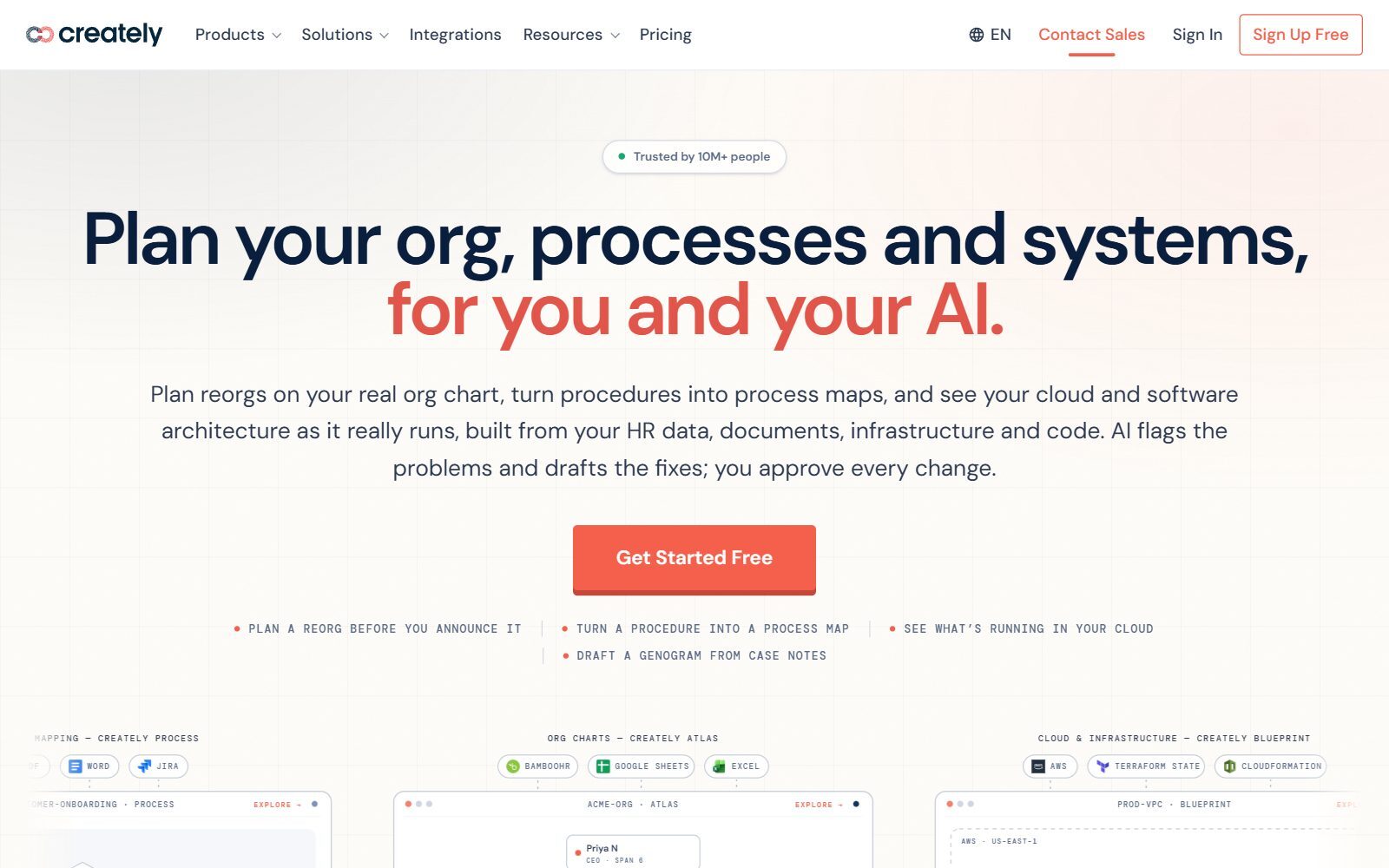
Creately is a visual workspace for org charts, process maps and system diagrams. The Creately plans page lists a Free plan, free forever, with an infinite canvas, all diagram types, up to 45 shapes per diagram and real-time collaboration on its whiteboard. Exports to PNG, JPEG, PDF and SVG start with the Pro plan, so on the free plan you share diagrams by link.
Validate your startup idea with the unique borrowed authority approach: we publish articles about your product in our blog and you get traffic and testers for your MVP
- Prove Market Demand: See real organic traffic and waitlist conversions
- Unlock High-Potential Keywords: Receive a curated list of top-performing keywords directly from Google Search Console data.
- Estimate Customer Acquisition Cost (CAC): Gain financial foresight with an estimated CAC based on real keyword performance data.
🔗 Start validating your startup now
7. Mermaid Live Editor: diagrams from text
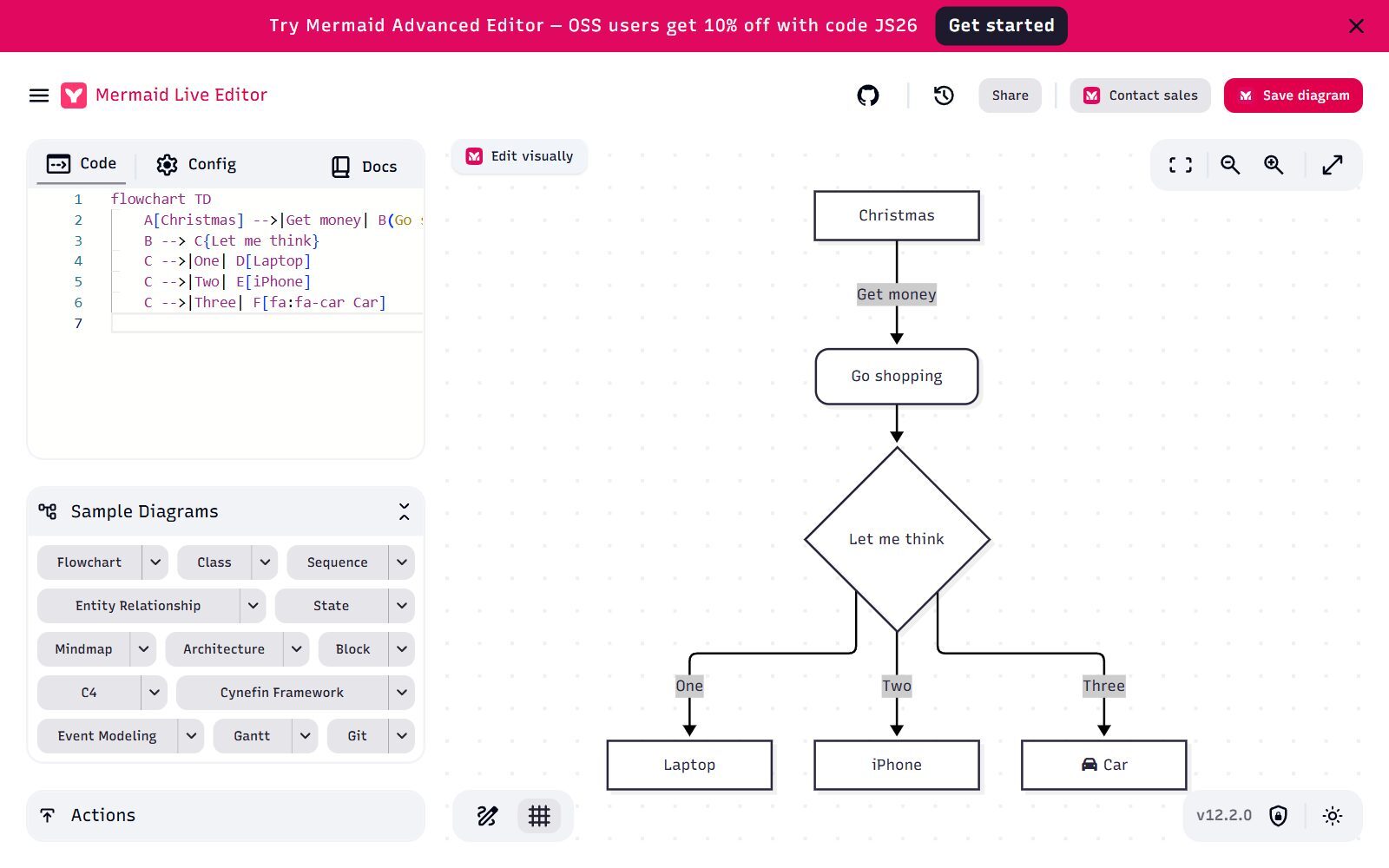
Mermaid turns short text descriptions into flowcharts, sequence, class, ER and state diagrams, mind maps, Gantt charts and more. The free Mermaid Live Editor shows the code on the left and the diagram on the right, with sample diagrams to start from and share links. Mermaid is open source under the MIT licence (version 12.2.0 was released on 13 October 2026), The project's website says Mermaid.js now lives at mermaid.ai, one home for the open-source library and the platform built around it, and it keeps a list of integrations with other apps, so your diagrams can live next to your documentation and change with it.
8. PlantUML: free UML and technical diagrams as code
PlantUML describes itself as an open-source tool that draws UML diagrams from simple text descriptions: sequence, use case, class, activity, component, state and timing diagrams, plus Gantt charts, network diagrams, Archimate, JSON and YAML views, and Salt wireframes. Its source code is offered under several licences (GPL, LGPL, Apache, Eclipse Public or MIT, your choice), and version 1.2026.9 was released on 17 October 2026. It suits developers who write specifications in Markdown, AsciiDoc or a wiki.
9. yEd: free desktop editor with automatic layout
yEd is a free desktop application from yWorks for Windows, macOS and Linux. yWorks says the use of yEd is free of charge, also in a commercial environment, under the yEd Software License Agreement (it is freeware, not open source). Its strength is automatic layout: import an Excel (.xls) or XML file and yEd arranges large org charts, networks or flowcharts for you. The current version on the download page is 3.25.1, and yEd Live is the browser version.
10. Cacoo Free: team diagrams with live editing
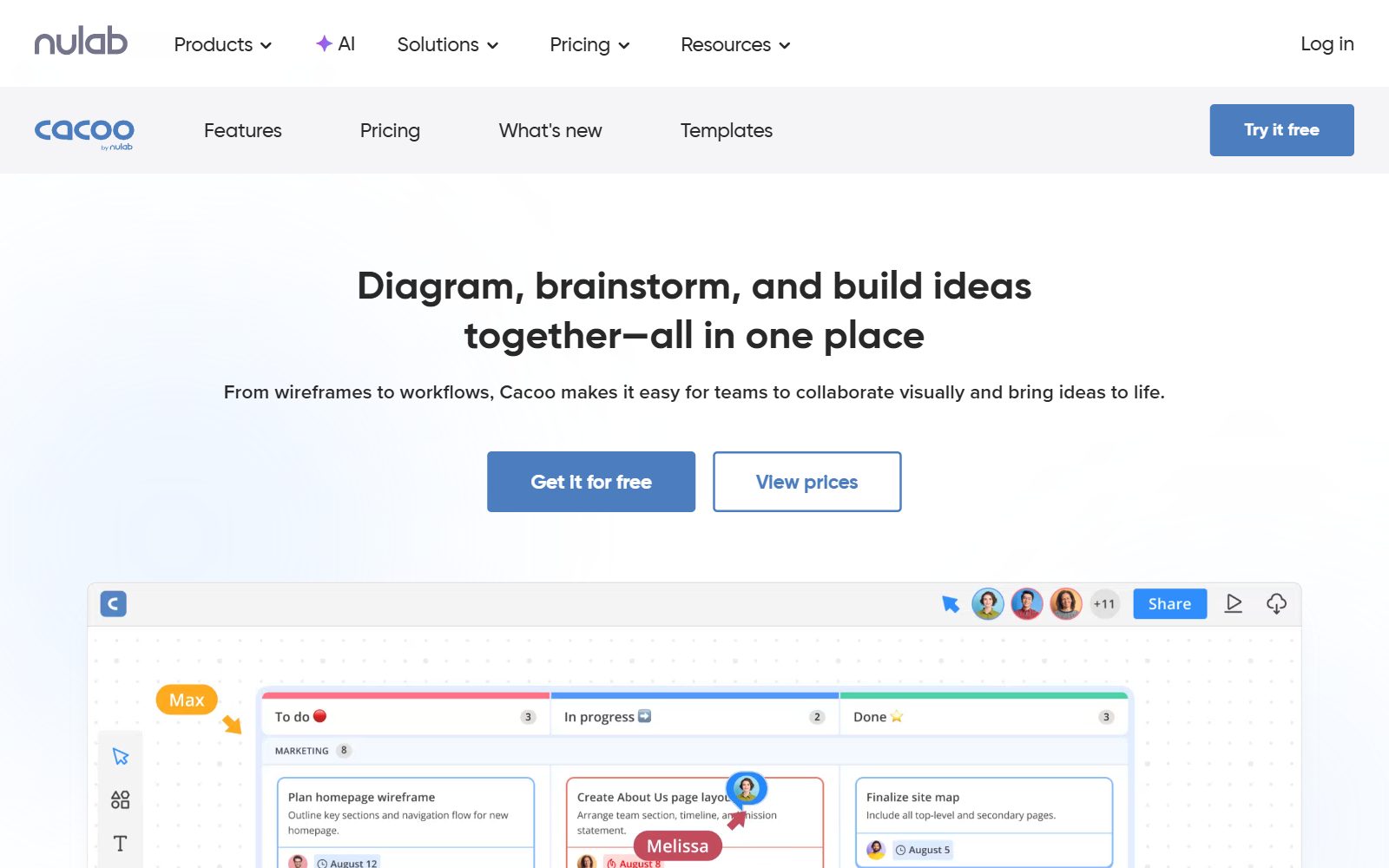
Cacoo is Nulab's online diagram tool for flowcharts, wireframes and workflows. The Cacoo pricing page lists a Free plan, always free, with unlimited users, templates and shapes, real-time editing, in-app video chat, comments and PNG export. The free plan card lists 6 sheets, while the comparison table further down shows a smaller number of editable sheets, so check the limit when you sign up. Pro costs $6 per user a month billed monthly and adds unlimited sheets and more export formats.
11. Gliffy: free in Confluence for small teams
Gliffy is a diagram app for Atlassian Confluence. According to the Gliffy pricing page, Gliffy Diagrams for Confluence is free for up to 10 users with no time limit, then $3.80 per user a month billed annually for 11 to 100 users. It covers flowcharts, UML, BPMN, network and Mermaid diagrams, imports Microsoft Visio and draw.io files, and exports JPEG, PNG and SVG. It is free only for teams that already use Confluence.
12. Visual Paradigm Online Free: UML and ER diagrams for study
Visual Paradigm Online has a free plan on its pricing page, but it is for strictly non-commercial use: students, hobbyists and personal projects. It includes basic diagramming and design tools. Commercial use rights and watermark-free exports start with the Starter plan at $4 per user a month billed annually, so a startup should treat the free plan as a learning tool.
13. ClickUp Free: whiteboards next to your tasks
ClickUp is a project management tool with whiteboards. The ClickUp pricing page lists the Free Forever plan with unlimited tasks, unlimited free members, 60 MB of storage and up to 3 whiteboards. That is enough to map one process and turn its steps into tasks, not to replace a diagram library. For self-hosted project tools, see our open-source ClickUp alternatives.
14. GitMind Basic: free mind maps
GitMind is mainly a mind map tool. The GitMind pricing page lists the free Basic plan with up to 10 mind maps or whiteboards and up to 5 members per shared space; the paid plan costs $9 a month. Use it for brainstorming, and draw.io or Creately for flowcharts.
Removed or Changed Since the 2025 Version
- Zen Flowchart: removed. Its domain now redirects to Google's homepage, so the product is no longer available.
- Visily: removed. It is an AI tool for app and website mockups rather than a diagram tool, and its website now redirects straight to the app, so we could not check its free plan. For mockups, see our sibling guide to open-source wireframe tools.
- GitMind: the 2025 version said it had "no limitations" on free use. The free Basic plan is now limited to 10 mind maps or whiteboards.
- Microsoft Visio: not added as a free option. Microsoft's Visio plans page shows no free version: Visio in Microsoft 365 is included in Microsoft 365 commercial plans, and Visio Plan 1 costs $5 and Plan 2 $15 per user a month, paid yearly.
- Added: Excalidraw, Canva Whiteboards, Whimsical, Mermaid, PlantUML and Cacoo.
- Old claims removed: feature claims from the 2025 version that no official page supports were dropped; every free-plan limit above comes from the current official page.
Which Free Lucidchart Alternative Should You Choose?
- You want a full free replacement for Lucidchart: draw.io.
- You sketch ideas on calls and in workshops: Excalidraw, or Miro Free if you also need sticky notes and templates.
- Your diagrams belong in code, docs or GitHub: Mermaid, or PlantUML for detailed UML.
- You need large org charts or network maps on your own computer: yEd, with automatic layout.
- Your team wants to edit diagrams together online: Creately or Cacoo; on Confluence, Gliffy (free for up to 10 users).
- You want a nice-looking flowchart for a pitch or a post: Canva Whiteboards or Whimsical.
- You are a student learning UML or ER modelling: Visual Paradigm Online Free (non-commercial only).
How Founders Use Free Diagram Tools
Founders do not need a paid diagram tool to explain their startup. The first diagrams are usually a customer journey, the onboarding flow of the product, a simple architecture sketch for the developers, an org chart for the first hires and a business model on one page. Start with the business model: our guides to business model diagrams for startups and the business model canvas diagram show what to draw. Then put the cleanest diagram in your pitch deck; our guide on how to write a pitch deck shows where it fits.
If you want to host everything yourself, see our open-source draw.io alternatives and open-source Miro alternatives; for interface design, the open-source Figma alternatives and free Adobe XD alternatives. And once your product is live, turn your best explainer diagrams into articles with the F/MS AI SEO Tool so people find you in Google and AI assistants.
Join ElonaHunt (like ProductHunt but for women) and explore the coolest women-focused startups out there!
Discover your next big inspiration and connect with like-minded female entrepreneurs!
👉 Join the Hunt Here
FAQ About Free Lucidchart Alternatives
Is Lucidchart free?
Lucidchart has a free plan with 3 editable documents, 75 shapes per document and 100 templates, with no credit card. Unlimited documents start with the Individual plan, listed to us at €9 a month billed yearly.
What is the best free alternative to Lucidchart?
draw.io. It is free forever with no sign-up, open source under Apache 2.0, supports real-time collaboration and covers flowcharts, UML, ER, network and org charts.
Is draw.io really free?
Yes. draw.io's website says it is free forever, needs no sign-up and has no paywalled enterprise tier, and its source code is licensed under Apache 2.0. You choose where your files are stored.
Which free Lucidchart alternative works offline?
The draw.io desktop app and yEd both run on your own computer. yEd is free also for commercial use and lays out large diagrams automatically.
Can I make flowcharts from text for free?
Yes. Mermaid (MIT licence) and PlantUML are free, open-source tools that draw diagrams from text. The free Mermaid Live Editor shows the code and the diagram side by side.
Is there a free Lucidchart alternative for team collaboration?
draw.io and Excalidraw support live collaboration for free. Creately Free and Cacoo Free also include real-time editing, and Miro Free keeps your 3 most recent boards editable.
Is Microsoft Visio free?
No free version is listed on Microsoft's Visio plans page. Visio in Microsoft 365 is included in Microsoft 365 commercial plans, and Visio Plan 1 costs $5 per user a month paid yearly.
Is Gliffy free?
Gliffy Diagrams for Confluence is free for up to 10 users with no time limit. Larger teams pay $3.80 per user a month billed annually, up to 100 users.
What happened to Zen Flowchart?
Its domain now redirects to Google's homepage, so the tool is no longer available. Use draw.io, Whimsical or Creately for simple flowcharts instead.
Where can I get a backlink by writing about my startup?
You can publish a guest post in one of the Fe/male Switch startup blogs, which rank in Google and in AI tools. Get a quality backlink.
About the Author
Violetta Bonenkamp, also known as MeanCEO, is an experienced startup founder with an impressive educational background including an MBA and four other higher education degrees. She has over 20 years of work experience across multiple countries, including 5 years as a solopreneur and serial entrepreneur. Throughout her startup experience she has applied for multiple startup grants at the EU level, in the Netherlands and Malta, and her startups received quite a few of those. She’s been living, studying and working in many countries around the globe and her extensive multicultural experience has influenced her immensely.

