

Free Stable Diffusion Alternatives: Browser Image Generators and Local Open Models, With Their Commercial-Use Terms
Stable Diffusion made free AI image generation possible: you could download the model and run it on your own computer. In 2027 founders have two kinds of free alternatives. Free browser generators such as Bing Image Creator, Google Gemini, Adobe Firefly, Canva, Ideogram, Leonardo.Ai, Krea, Playground and Craiyon need no graphics card, but each free tier comes with limits and its own rules on commercial use. Free local models and apps such as FLUX.1 [schnell], ComfyUI and InvokeAI keep everything on your machine, like Stable Diffusion itself. This guide compares both, with each free tier and licence checked on the official page on 11 November 2026.
Quick answer: without a GPU, start with Bing Image Creator (free with a Microsoft account) or Leonardo.Ai Free (150 fast tokens a day), and check the terms before you use the images in your business. For images you will put on a product, an ad or a pitch deck, Adobe Firefly Free, Canva and Playground say their free outputs can be used commercially. With a capable graphics card, FLUX.1 [schnell] (Apache 2.0) in ComfyUI or InvokeAI is the closest free, private replacement for running Stable Diffusion yourself.
Boost Your SEO by Getting Featured in Our Blogs and get a backlink.
We publish content about startups, education, tech, funding, etc. that ranks well not only in Google but also in Perplexity, ChatGPT, Grok and other AI tools.
👉 Get featured now!
Stable Diffusion in 2027: Still Free, With a Revenue Limit
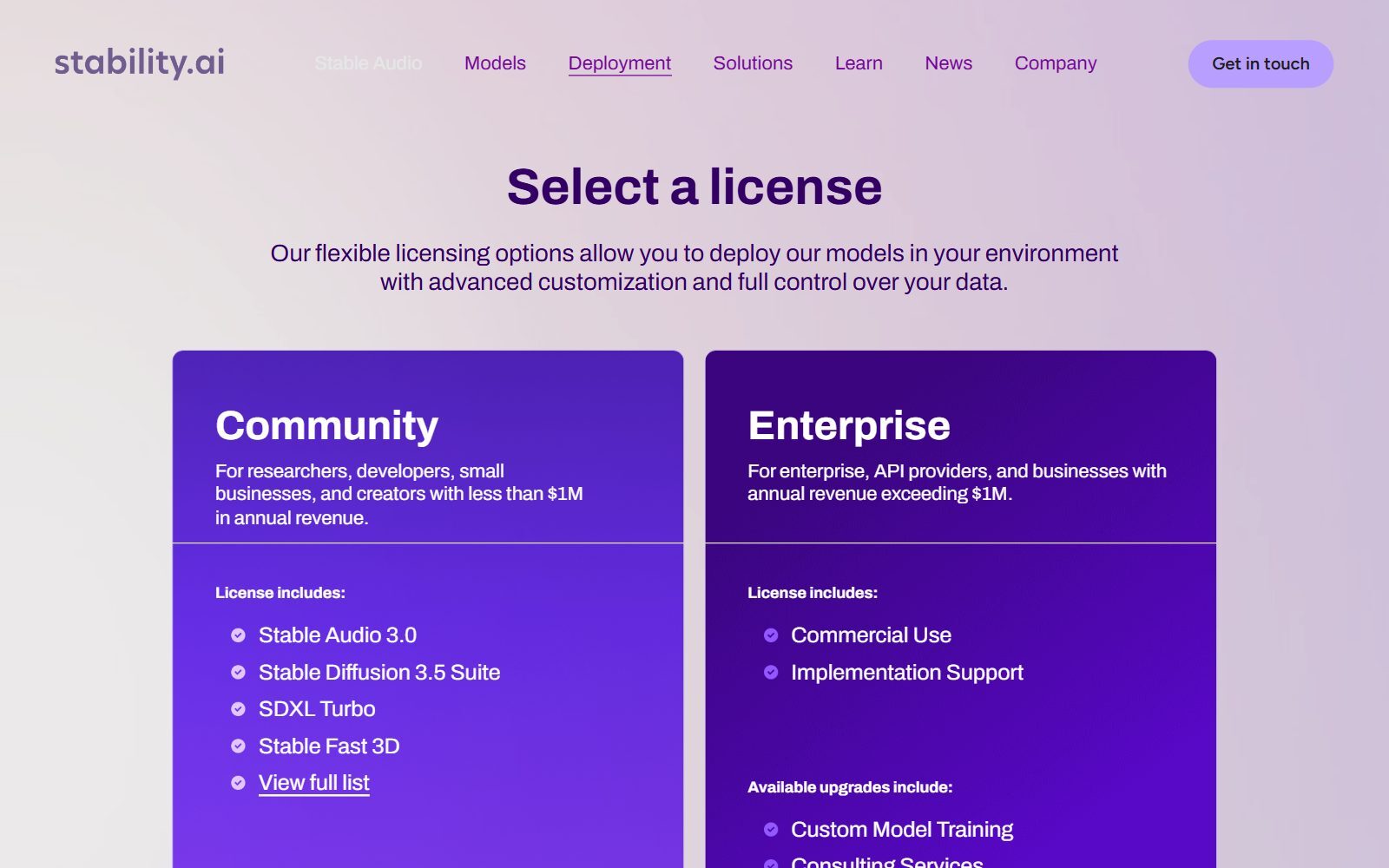
Stability AI still publishes Stable Diffusion models you can run yourself. Its licence page offers a free Community License for "researchers, developers, small businesses, and creators with less than $1M in annual revenue", covering the Stable Diffusion 3.5 suite and SDXL Turbo among other models. The FAQ says the core models are free for everyone unless you use them commercially and your organisation makes more than USD 1 million a year; above that you need an Enterprise licence.
The Stable Image page lists Stable Diffusion 3.5 Large, Turbo (images in four steps) and Medium, which is "designed to run on consumer hardware", plus the older SDXL. What changed is the easy website: the old DreamStudio address now redirects to Brand Studio, which Stability describes as its fully managed creative production platform for enterprise teams. So if you want Stable Diffusion without installing anything, you now need a third-party service, or one of the free alternatives below.
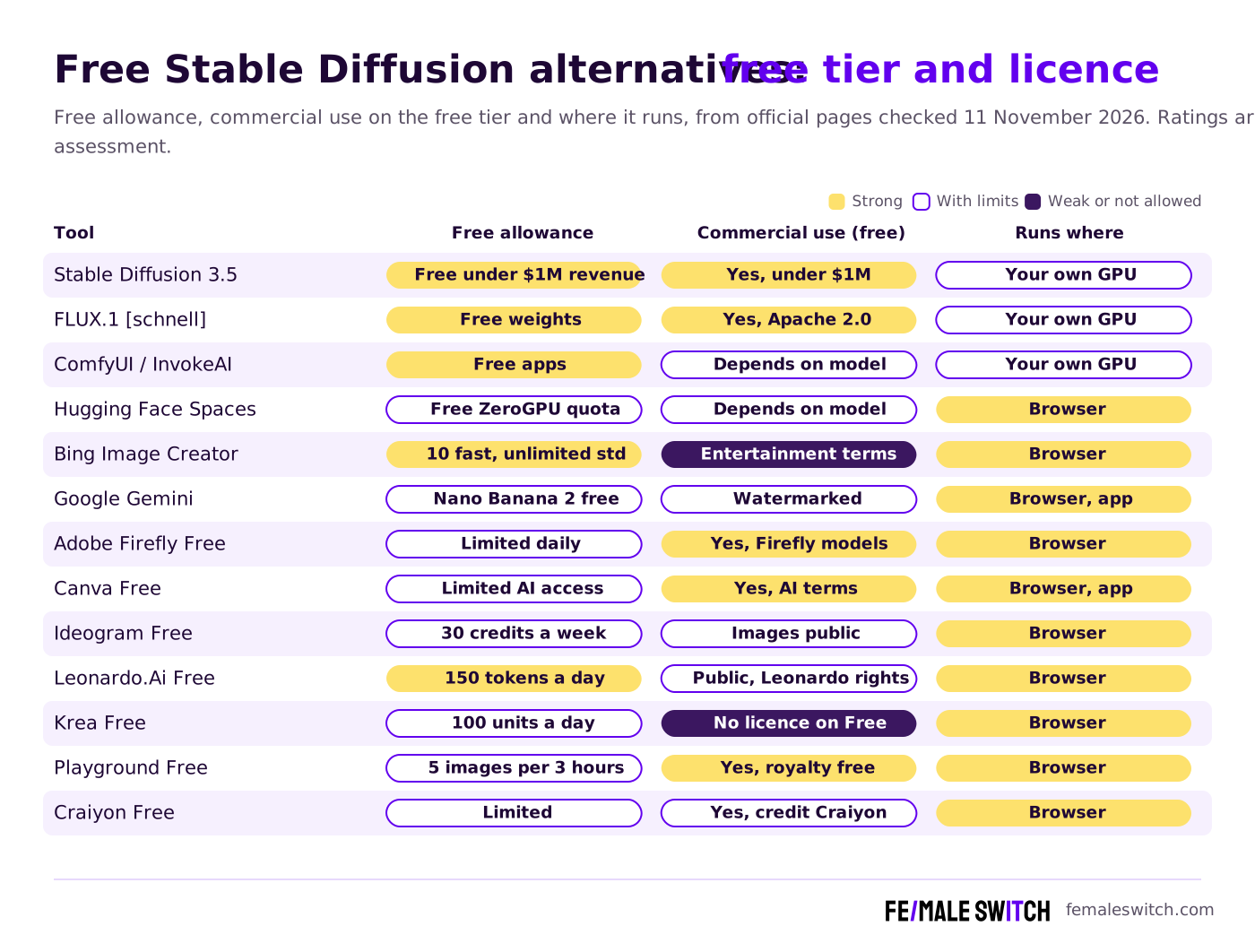
Free Stable Diffusion Alternatives at a Glance
Sources: each tool's official pricing, licence or terms page, checked 11 November 2026. Free allowances change often; check the page before you rely on them.
Free Browser Image Generators (No GPU Needed)
1. Bing Image Creator
Bing Image Creator is Microsoft's free generator; its terms say it was formerly called Image Creator from Designer. Signed-in users get 10 free creations in Fast mode and unlimited creations in Standard mode, and the default model on the page is MAI-Image-2.6-Flash. Guests have a small daily limit, and the Image Creator terms (last updated March 2026) say unauthenticated users cannot generate. Microsoft does not claim ownership of your images but gets a licence to use them, and the terms call the service "for entertainment purposes", so use it for ideas and mood boards rather than for logos or product images.
2. Google Gemini (Nano Banana)
The Gemini app creates and edits images with Nano Banana 2 for free; Nano Banana 2.1, Google's best image model, needs a Google AI plan, and paid plans get higher limits. Gemini adds a visible watermark and an invisible SynthID watermark to its images. Google's separate ImageFX tool now redirects to Google Flow.
3. Adobe Firefly Free
Adobe's Firefly plans page lists a Firefly Free plan with "limited free daily generations for images and video"; above that you need a paid plan (Firefly Standard was 11,35 EUR a month including VAT when viewed from Europe). Adobe states that outputs generated with Adobe Firefly AI models can be used for commercial purposes, while for partner models inside Firefly you decide whether the output suits your project.
4. Canva AI Image Generator
Canva's AI image generator turns a prompt or a reference photo into an image right inside your design. The Canva Free plan includes "limited access to Standard and Premium AI tools", and Canva's FAQ says generated images can be used for personal or commercial projects if you follow its AI Product Terms and Terms of Use. It is the easiest choice when the image ends up in a Canva social post or slide anyway.
5. Ideogram
Ideogram is known for readable text inside images, which suits posters, logos and social graphics. Its plans page (last verified 15 October 2026) gives Free accounts 30 credits a week if you sign in with Google, Apple or Microsoft; accounts created with an email and password get none. Everything generated on the free plan is public. Plus costs $20 a month, or $15 a month billed yearly, and keeps new images private.
6. Leonardo.Ai
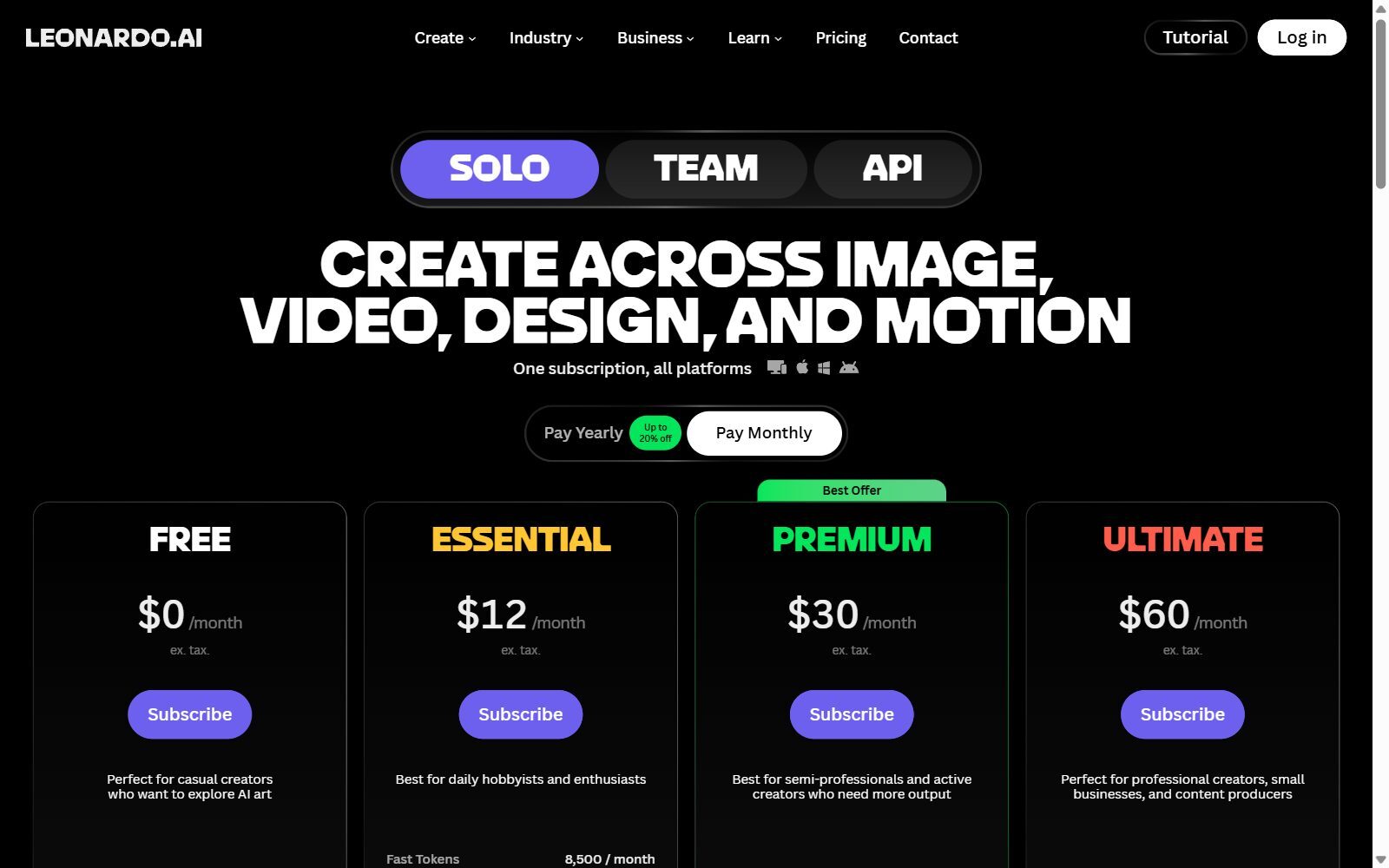
The Leonardo.Ai pricing page shows a Free plan at $0 with 150 fast tokens a day, the Auto model only and public creations; Essential costs $12 a month (ex. tax) in the default monthly view. Leonardo's commercial usage article explains that free users' images are visible to other users to copy and remix, and that Leonardo keeps worldwide perpetual rights to public images; only private generations on a paid plan stay fully yours.
7. Krea
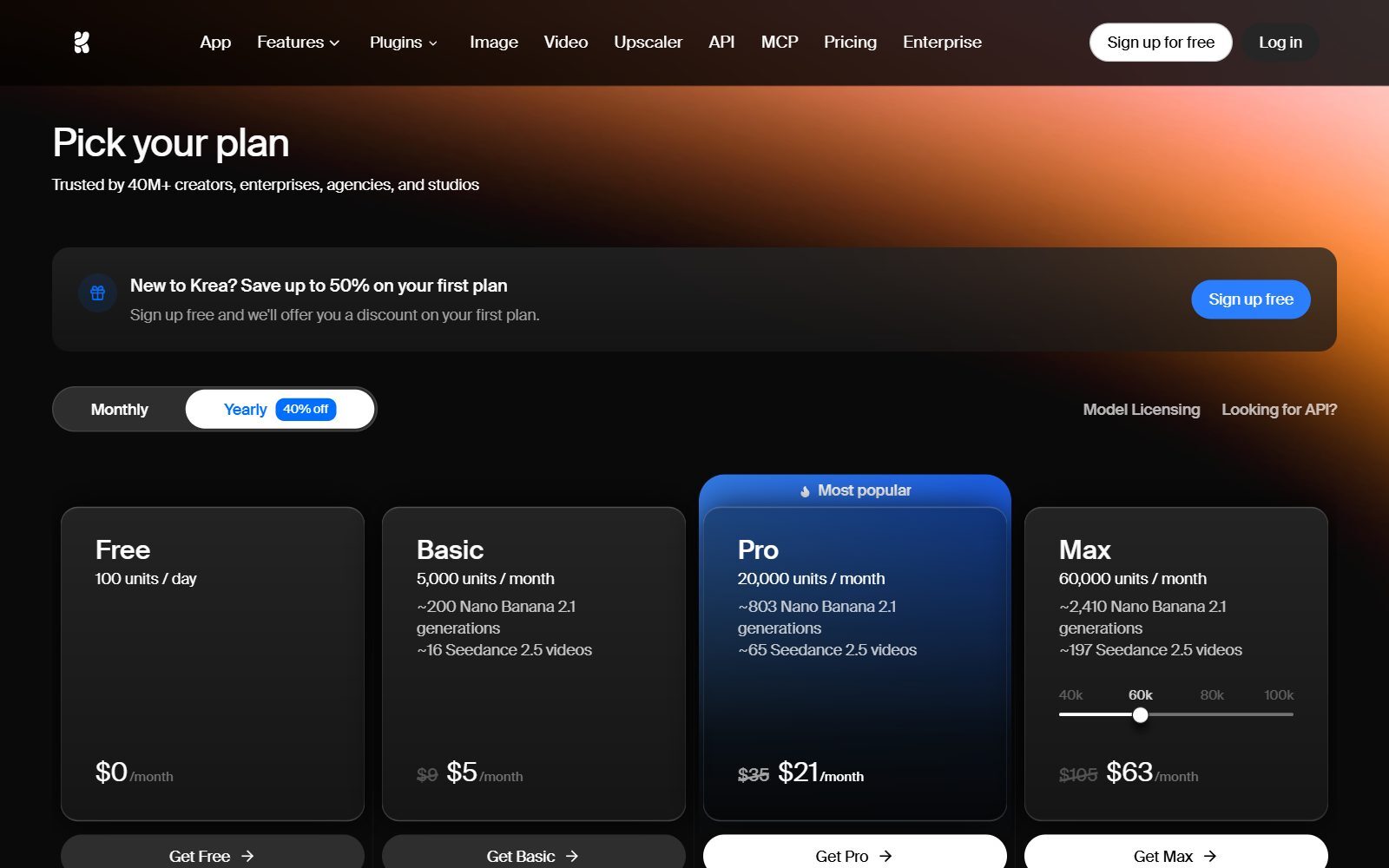
Krea gives 100 units a day for free with no credit card, with its own Krea 3 model, Krea Agent, the real-time models and limited upscaling; the full set of image and video models is on paid plans. The catch is the licence: on the pricing page the Free card marks the commercial licence as not included, while Basic ($5 a month billed yearly, $9 monthly) and higher plans include it.
8. Playground
Playground has turned from an image generator into an AI design studio for logos, T-shirts, stickers and posters, built on GPT Image 2, Nano Banana Pro and Seedream. Its pricing page gives the Free plan up to 5 images every 3 hours, 6 monthly credits and 2 downloads a day, with commercial use under a worldwide, royalty-free licence. Pro is $12 a month billed annually ($144 a year).
9. Craiyon
Craiyon, formerly DALL-E mini, is still free with limited images, daily edit credits and a watermark; paid plans remove the watermark and keep images private. Its FAQ says you can use Craiyon images commercially with any account type, but free users must credit Craiyon.
10. Hugging Face Spaces
Hugging Face Spaces are free web demos of open models, including many FLUX and Stable Diffusion apps. Its pricing page lists CPU Basic and ZeroGPU hardware as free; a PRO account at $9 a month gives eight times the ZeroGPU quota and the highest queue priority. Spaces are a quick way to try an open model before you install it; commercial use depends on the licence of the model each Space runs.
Validate your startup idea with the unique borrowed authority approach: we publish articles about your product in our blog and you get traffic and testers for your MVP
- Prove Market Demand: See real organic traffic and waitlist conversions
- Unlock High-Potential Keywords: Receive a curated list of top-performing keywords directly from Google Search Console data.
- Estimate Customer Acquisition Cost (CAC): Gain financial foresight with an estimated CAC based on real keyword performance data.
🔗 Start validating your startup now
Free Local Models and Apps (Runs on Your Own Computer)
11. FLUX.1 [schnell] by Black Forest Labs
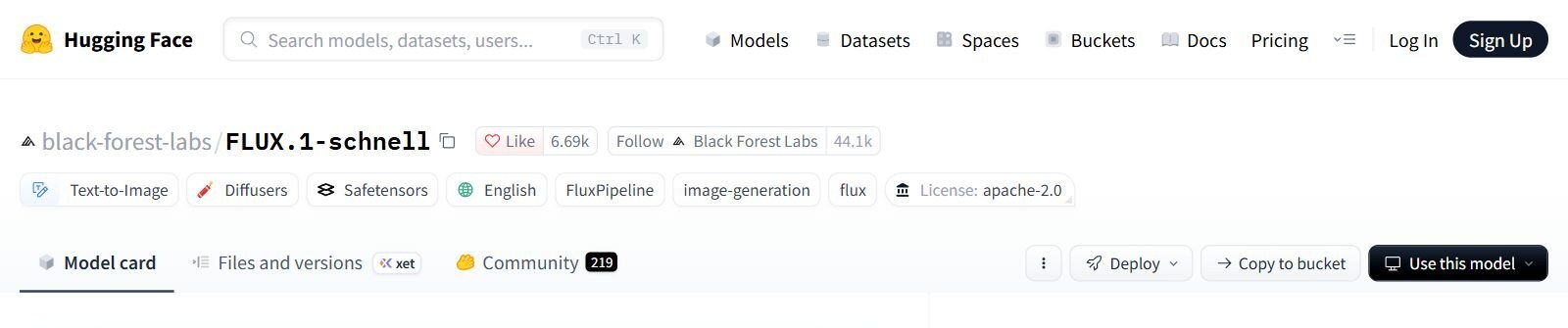
The FLUX.1 [schnell] model card describes a 12 billion parameter model that makes images in 1 to 4 steps and, under the Apache 2.0 licence, "can be used for personal, scientific, and commercial purposes". You need a free Hugging Face account and must accept the conditions to download the files. It is the most permissive free model here, but it needs a capable graphics card.
12. ComfyUI
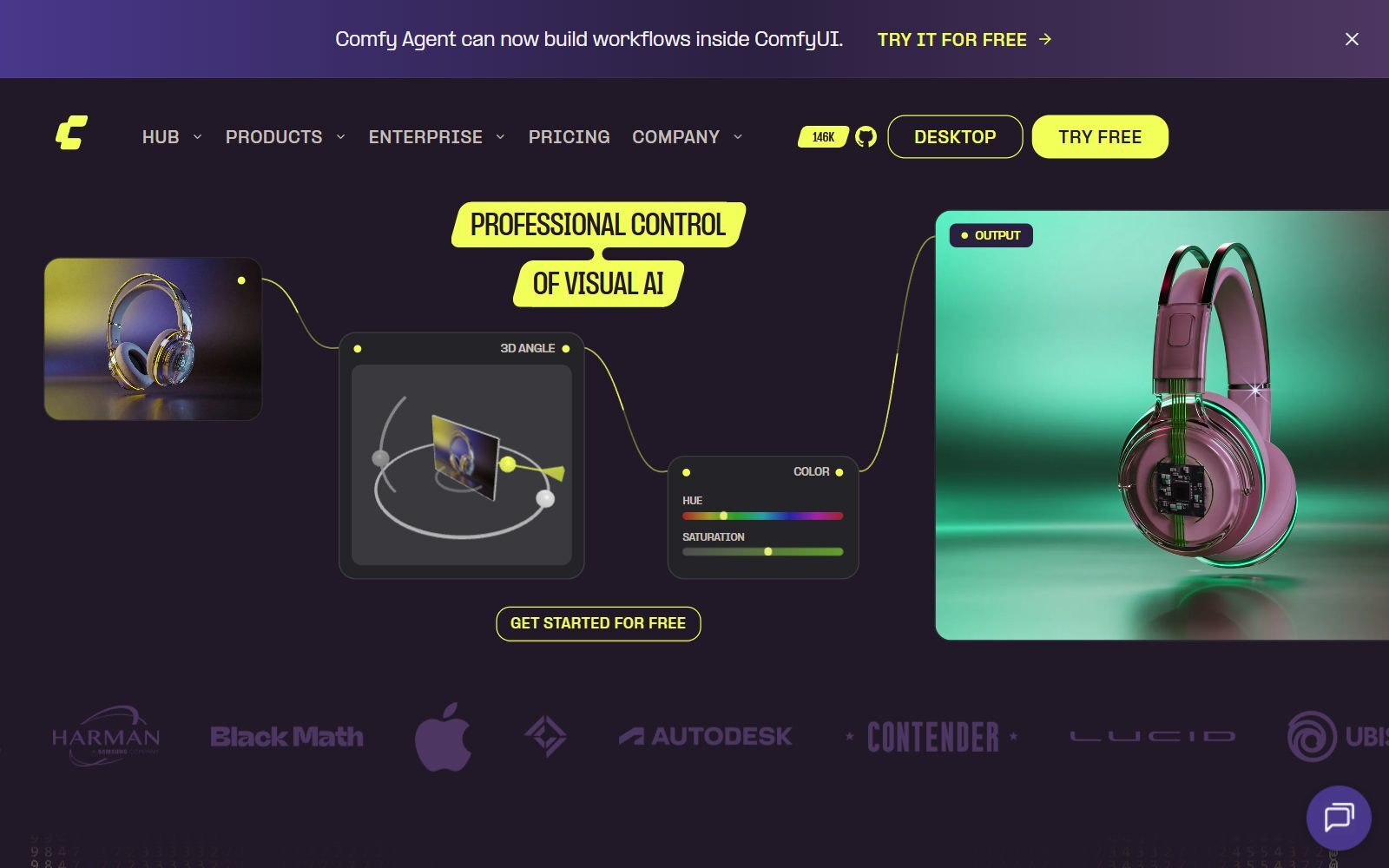
ComfyUI is the node-based app most people now use to run Stable Diffusion, FLUX and other open models locally. The ComfyUI repository is GPL-3.0 and released version 0.45.0 on 10 November 2026; there is a desktop app, and a cloud version you can try for free. Nodes take time to learn, but you can save and share whole workflows.
13. InvokeAI
InvokeAI is a free, open-source, self-hosted image studio under the Apache 2.0 licence, with a layer-based canvas, node workflows and support for FLUX, SDXL and SD 1.5. A launcher installs it on Windows, macOS and Linux. The InvokeAI repository is busy: version 7.0.0 beta 1 came out on 9 November 2026. Choose it over ComfyUI if you prefer painting and editing on a canvas to wiring nodes.
Discontinued or Changed Since the Old List
- DreamStudio: Stability AI's old web app address now redirects to Brand Studio, an enterprise platform.
- ImageFX: Google's ImageFX address now opens Google Flow; for free images, use the Gemini app.
- Playground: now an AI design studio for logos and merchandise that uses third-party models.
- Fooocus: the Fooocus repository says it is in limited long-term support with bug fixes only and is built on SDXL; its last release, 2.5.5, came out in August 2024. Use ComfyUI or InvokeAI for newer models.
- Left out from the old list: AI Ease, PicLumen and NightCafe (still online, but we could not confirm their free-tier terms on the official pages), YouCam AI Pro (a mobile photo app), Invideo AI (video first) and ClickUp (project management with image generation in whiteboards). The old feature lists without sources were removed.
Which Free Alternative Should You Choose?
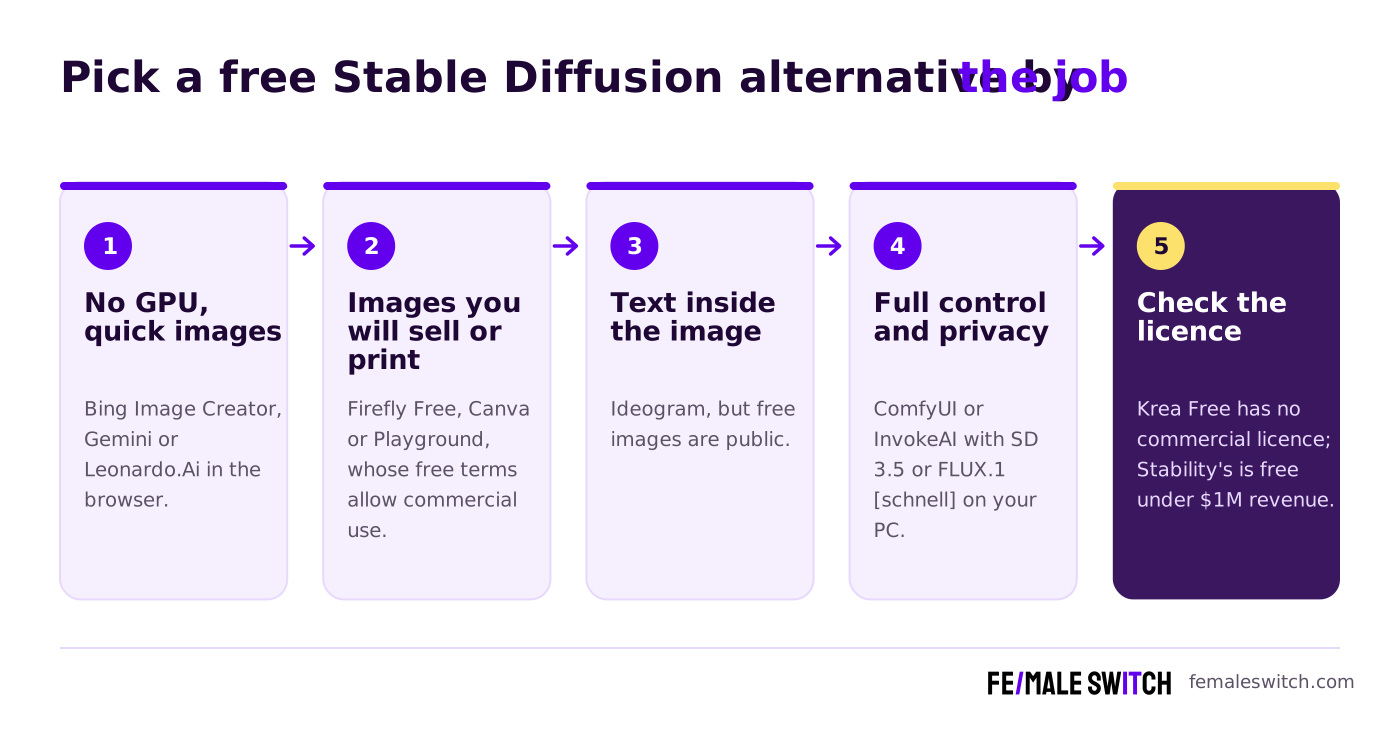
- No GPU, quick ideas and mood boards: Bing Image Creator, Gemini or Leonardo.Ai Free.
- Images for your website, ads or product: Adobe Firefly Free, Canva or Playground, whose free terms allow commercial use. Krea Free does not include a commercial licence.
- Logos and posters with text: Ideogram, keeping in mind that free images are public.
- Privacy, no limits and full control: FLUX.1 [schnell] or Stable Diffusion 3.5 Medium in ComfyUI or InvokeAI on your own computer.
- Your company makes over USD 1 million a year: Stability's free Community License no longer covers commercial use; FLUX.1 [schnell] under Apache 2.0 has no revenue limit.
How Founders Use Free AI Images Without Getting Into Trouble
Treat a free image tool as a sketchbook first. Read the terms of the free tier you use, keep the prompt and date for anything you publish, and avoid images of real people or brands. If your images feed into a design, our free Canva AI alternatives, open-source Canva AI alternatives and free Canva Pro alternatives cover the design side, and open-source DALL-E alternatives goes deeper into open-weight models and their licences.
For editing what you generate, see our free Photoshop alternatives, open-source Photoshop alternatives, free GIMP alternatives, free Krita alternatives, free Picsart alternatives and free Pixlr alternatives. For vector logos, try our free Inkscape alternatives.
Comparing other AI image tools? Our older guides cover open-source Stable Diffusion alternatives, free Midjourney alternatives, free Adobe Firefly alternatives and free AI image generators without a watermark. For text instead of images, read open-source ChatGPT alternatives, and if you want articles that rank, the F/MS AI SEO Tool writes them from your keywords.
Join ElonaHunt (like ProductHunt but for women) and explore the coolest women-focused startups out there!
Discover your next big inspiration and connect with like-minded female entrepreneurs!
👉 Join the Hunt Here
FAQ: Free Stable Diffusion Alternatives
Is Stable Diffusion still free?
Yes, for most founders. Stability AI's Community License lets researchers, developers, small businesses and creators with less than USD 1 million in annual revenue use models such as Stable Diffusion 3.5 for free, including commercially. Above that revenue, commercial use needs an Enterprise licence.
What happened to DreamStudio?
The dreamstudio.ai address now redirects to Brand Studio, which Stability AI describes as its fully managed creative production platform for enterprise teams. To use Stable Diffusion for free today, run it yourself or try a free alternative in the browser.
What is the best free Stable Diffusion alternative without installing anything?
Bing Image Creator gives signed-in users unlimited creations in Standard mode, and Leonardo.Ai Free gives 150 fast tokens a day. For commercial use, Adobe Firefly Free, Canva and Playground are safer because their terms allow it.
Which free AI image generators allow commercial use?
Adobe Firefly (for Firefly models), Canva, Playground and Craiyon (if you credit Craiyon) allow commercial use on their free tiers, according to their official pages. FLUX.1 [schnell] is Apache 2.0, and Stable Diffusion is free for commercial use under USD 1 million in revenue. Krea's free plan does not include a commercial licence.
Are images made on free plans public?
On some, yes. Ideogram's free plan makes everything public, and Leonardo.Ai's free creations are public and can be copied and remixed by other users. Paid plans on both keep images private.
What is the best free model to run locally?
FLUX.1 [schnell] is the most permissive: Apache 2.0, usable for commercial purposes, images in 1 to 4 steps. Stable Diffusion 3.5 Medium is designed to run on consumer hardware and is free under Stability's Community License.
Which app should I use to run models locally?
ComfyUI for node-based workflows and the widest model support, or InvokeAI for a canvas you can paint and edit on. Both are free and actively developed; Fooocus is now in bug-fix-only support.
Is Google ImageFX still available?
The ImageFX address now redirects to Google Flow. For free image generation from Google, use the Gemini app, where Nano Banana 2 is free.
Can I try open models without a graphics card?
Yes. Hugging Face Spaces run many open image models in the browser on free hardware, and a PRO account at $9 a month raises the ZeroGPU quota.
How can I get more people to see my startup?
Publish a guest post or press release on Fe/male Switch, or list your product on ElonaHunt, the Fe/male Switch launch platform for women-focused startups. Get a quality backlink.
About the Author
Violetta Bonenkamp, also known as MeanCEO, is an experienced startup founder with an impressive educational background including an MBA and four other higher education degrees. She has over 20 years of work experience across multiple countries, including 5 years as a solopreneur and serial entrepreneur. Throughout her startup experience she has applied for multiple startup grants at the EU level, in the Netherlands and Malta, and her startups received quite a few of those. She’s been living, studying and working in many countries around the globe and her extensive multicultural experience has influenced her immensely.

