

Open-Source Adobe XD Alternatives: UI Design, Prototyping and Handoff Tools for Teams Leaving XD
Adobe XD is still installed on many laptops, but Adobe has stopped building it, and it always came as part of an Adobe subscription.If you are moving your screens, components and prototypes out of XD, an open-source tool means no new lock-in: you can read the licence, run the software on your own server and keep your files in open formats. Instead of one more list of design apps, this guide sorts the open-source options by the job XD did for you: designing screens, linking prototypes, testing with users, preparing SVG and image assets, animating micro-interactions and handing designs to developers. We checked every licence, release and feature on the project's own repository or website on 2 November 2026.
Quick answer: the closest open-source replacement for Adobe XD is Penpot: browser-based UI design with components, prototypes, shareable view links and a developer inspect tab, free in the cloud or self-hosted. Add Quant-UX to test prototypes with users, Pencil Project for offline wireframes, Inkscape for icons and SVG clean-up, Glaxnimate for animated micro-interactions and Storybook for component documentation. Want free tools that are not open source, such as Figma Starter or Lunacy? See our free Adobe XD alternatives.
Boost Your SEO by Getting Featured in Our Blogs and get a backlink.
We publish content about startups, education, tech, funding, etc. that ranks well not only in Google but also in Perplexity, ChatGPT, Grok and other AI tools.
👉 Get featured now!
What Is Happening to Adobe XD in 2027?
Adobe's Adobe XD common questions page says XD remains in maintenance mode: Adobe is not investing in ongoing development or shipping new features. Adobe says it keeps supporting existing customers by fixing bugs and handling security and privacy updates, and that it will decide when to end support with a significant notice period. It has not published an end date. So your XD files still open, but nothing new is coming, and the longer a design system lives in XD, the harder the move gets.
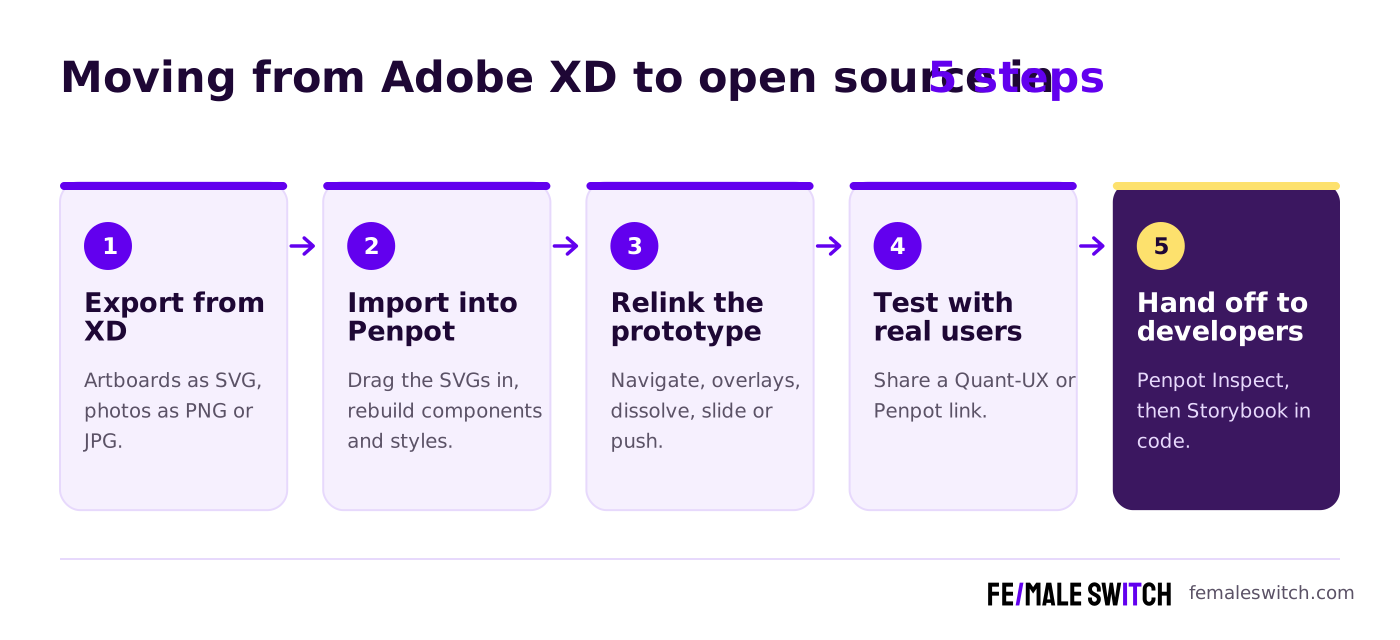
There is no open-source tool that opens .xd files directly. Penpot's own guide to migrating from Adobe XD says it does not support native XD files: you export each artboard or element from XD as SVG, export photos separately as PNG or JPG, import them, then rebuild masks and interactions. Plan the export while you still have a working XD installation.
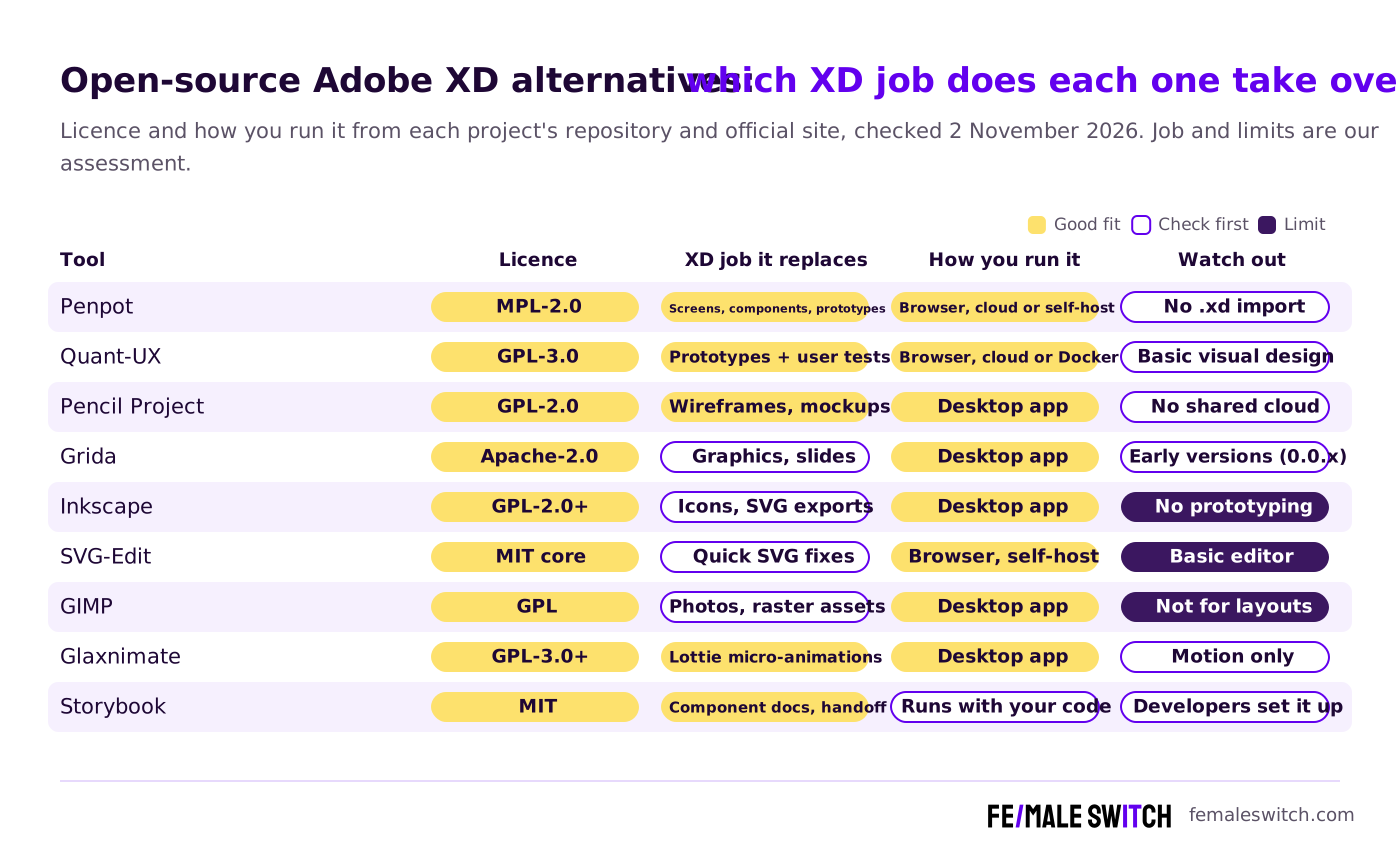
Open-Source Adobe XD Alternatives Compared
Sources: each project's repository (licence file, releases, commits) and official website, checked 2 November 2026. Self-hosting is free, but you pay for the server and your own time.
The Best Open-Source Adobe XD Alternatives in 2027
1. Penpot: the closest open-source replacement for XD
Penpot is an open-source design and prototyping platform that runs in the browser on Windows, macOS and Linux, which XD never did. You design screens with components and shared libraries, and the Inspect tab gives developers SVG, CSS and HTML. Prototyping works much like XD's: according to the Penpot prototyping guide, interactions start on click, on mouse enter or leave, or after a delay, and they can navigate to a board, open, toggle or close an overlay, go to the previous screen or open a URL, with dissolve, slide or push animations. Each flow gets its own link to share in View mode. XD's Auto-Animate has no direct equivalent there, so rebuild detailed motion in Glaxnimate (below).
On Penpot's pricing page (2 November 2026) the Professional cloud plan costs $0 and is described as free and fully featured; Unlimited costs $7 per editor per month, capped at $175 a month, and Enterprise $25 per member per month. You can also self-host the MPL-2.0 licensed code. The 2.19 release candidates came out in late October 2026. For the Figma side of the same decision, see our open-source Figma alternatives.
2. Quant-UX: share prototypes and test them with users
XD's Share for Review link let people click through a prototype; Quant-UX goes further and measures what testers do. It describes itself as a research, usability and prototyping tool: you build screens with working widgets and logic, share a link, and get recordings, heatmaps, success rates and drop-offs back. The hosted version is free (its homepage says "Get started now, it's free!", and the pricing page lists unlimited prototypes and tests). The Quant-UX front end is GPL-3.0, it can be self-hosted with Docker, and the code was updated in October 2026. Use Penpot for polished screens and Quant-UX when you need evidence from users.
3. Pencil Project: offline wireframes, back with version 4.0
Pencil Project is a GPL-2.0 desktop app for Windows, macOS and Linux with stencils for web, mobile and desktop interfaces, flowchart shapes and links between pages, so you can click through a simple mockup. After a long pause (version 3.1.1 dates from 1 January 2023), Pencil 4.0.0 arrived in October 2026 with built-in support for AI assistants that create and edit mockups on your canvas. It is a good fit if you liked XD as a local desktop app and work alone; it has no shared cloud. Compare it with similar tools in our open-source Pencil Project alternatives and open-source wireframe tools.
4. Grida: an open-source canvas for graphics and slides
Grida is a newer project that calls itself an open-source canvas for design and creative work. According to its GitHub README, the desktop app for macOS, Windows and Linux brings images, type and vectors together, imports from Figma, keeps projects in your own folders and turns work into slides; for AI you bring your own provider keys or use local models through Ollama. The code is Apache-2.0 and version 0.0.24 came out in September 2026, so treat it as young software. It suits marketing graphics, pitch visuals and design explorations rather than clickable app prototypes.
5. Inkscape: icons, illustrations and the SVGs you export from XD
Because the XD exit route runs through SVG, a good vector editor matters. Inkscape opens the SVG files you export from XD, lets you clean up paths, fix fonts and groups, and is where you build logos, icons and illustrations for the product. It runs on Windows, macOS and Linux, most of its code is GPL-2.0 or later, and version 1.4.4 was tagged in its GitLab repository in May 2026. It does not do prototypes. See our open-source Inkscape alternatives if it feels too heavy.
6. SVG-Edit: quick SVG fixes in the browser
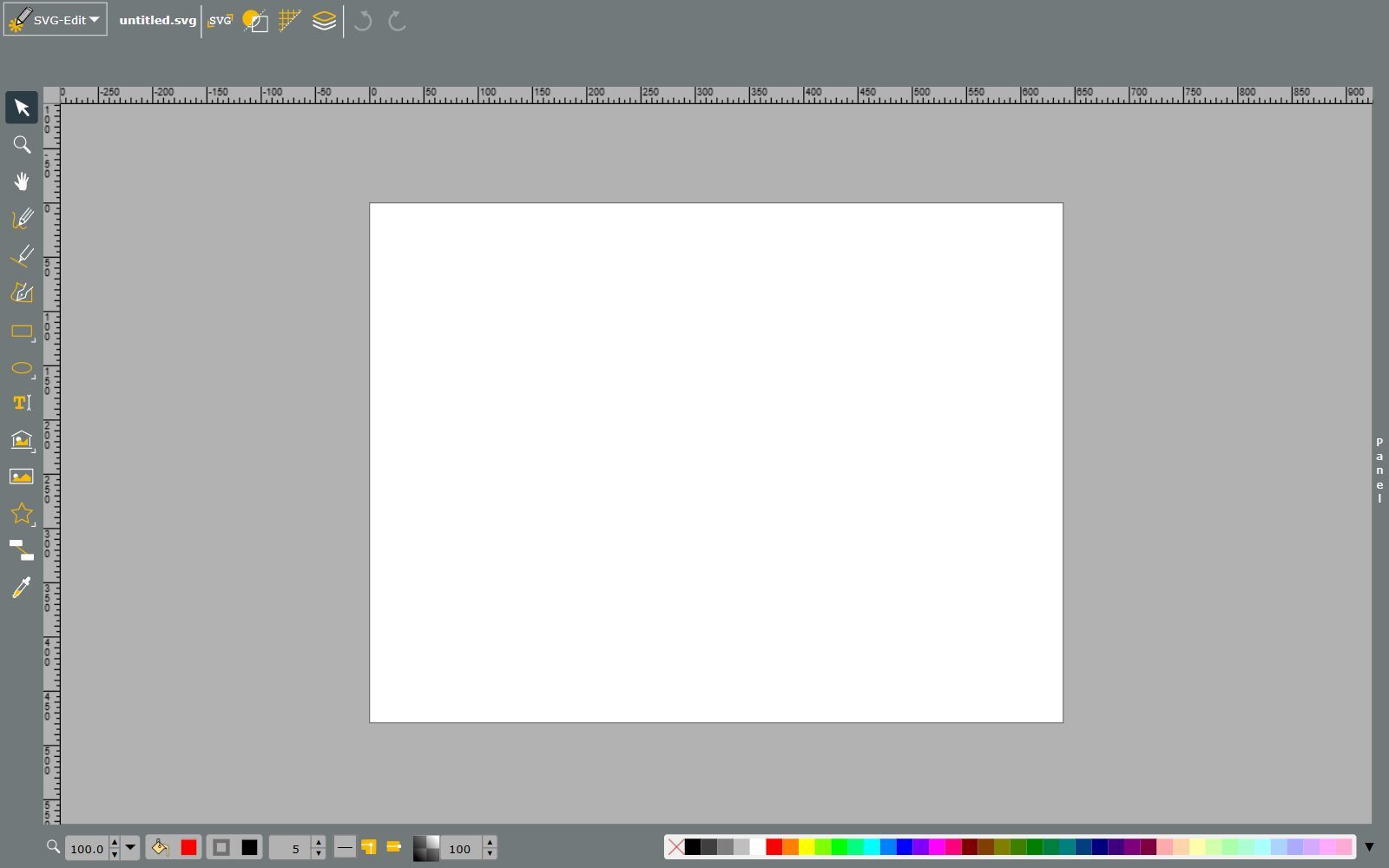
SVG-Edit is a web-based SVG drawing editor that works in any modern browser, with a free online version and instructions to host it yourself. Its README says the project went unmaintained for a long time and a new team has revived it; version 7.4.2 came out in July 2026. The core is MIT-licensed, with some bundled parts under other open-source licences. Use it to tweak an exported icon or illustration without installing anything, or embed its canvas in your own app.
Validate your startup idea with the unique borrowed authority approach: we publish articles about your product in our blog and you get traffic and testers for your MVP
- Prove Market Demand: See real organic traffic and waitlist conversions
- Unlock High-Potential Keywords: Receive a curated list of top-performing keywords directly from Google Search Console data.
- Estimate Customer Acquisition Cost (CAC): Gain financial foresight with an estimated CAC based on real keyword performance data.
🔗 Start validating your startup now
7. GIMP: photos and raster assets for your screens
GIMP is the long-standing open-source image editor, released under the GNU General Public License. It is not a UI design tool, but it covers the image work around one: cropping and retouching product photos, removing backgrounds, preparing hero images and exporting web-ready PNG, JPG and WebP files to drop into Penpot. GIMP 3.2.6 was released in September 2026. For other editors, see our open-source GIMP alternatives and open-source Photoshop alternatives.
8. Glaxnimate: micro-interactions and Lottie animations
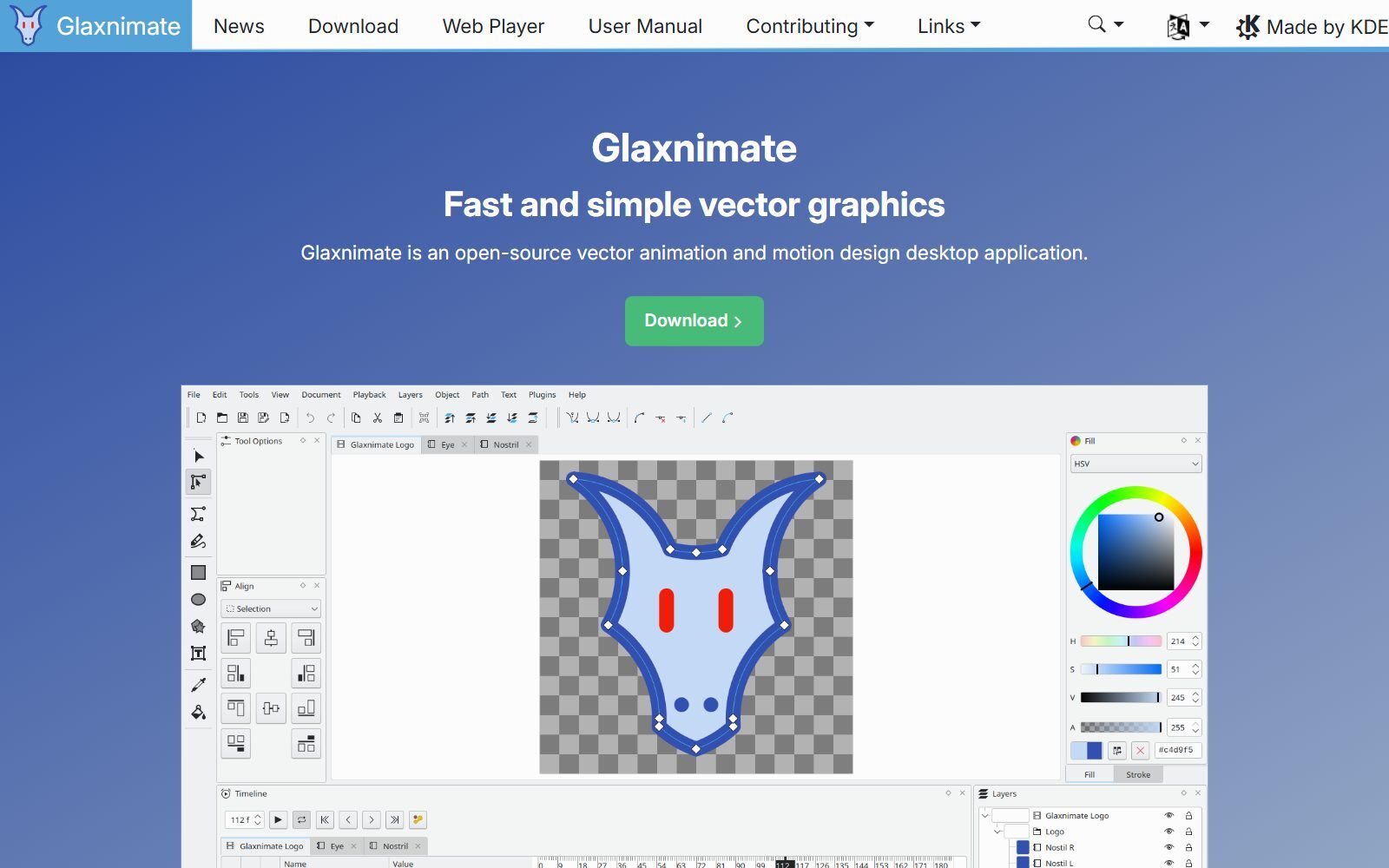
XD's Auto-Animate was popular for button states, loaders and onboarding motion. Glaxnimate is an open-source vector animation and motion design desktop app from KDE for Linux, Windows and Mac. You animate vector shapes on a timeline with tweening and export Lottie animations, animated GIF, WebP or SVG, which developers can play directly in apps and websites; Python scripts and plugins extend it. Version 0.6.0, the first stable release as part of KDE, came out in March 2026, and the code is GPL-3.0 or later. For longer 2D animation, the older Synfig Studio (GPL-3.0, version 1.5.5 in March 2026) from the 2025 list is still maintained. Our LottieFiles alternatives cover players and libraries.
9. Storybook: component documentation and developer handoff
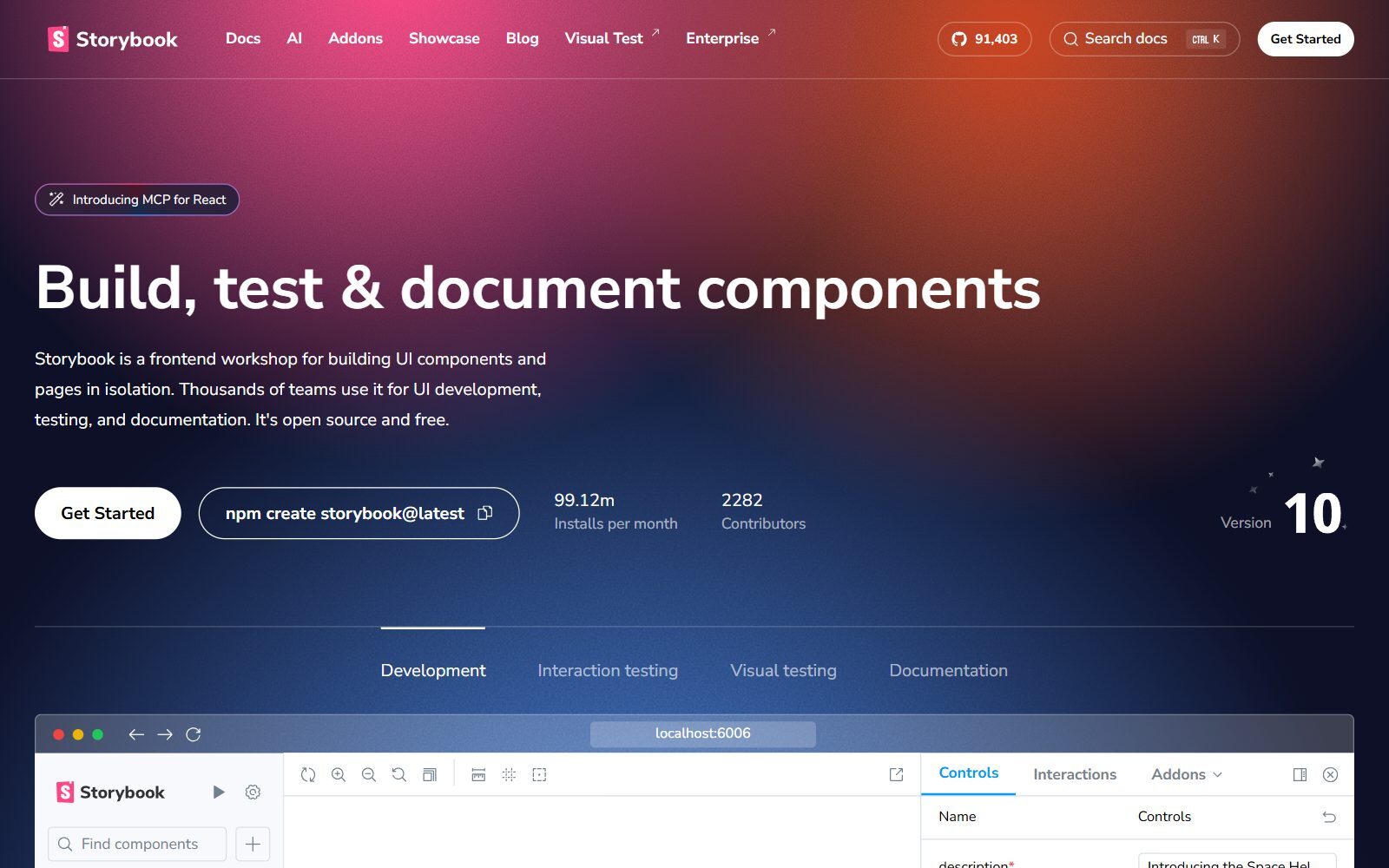
XD's design specs told developers what to build. Once components exist in code, Storybook becomes the shared source of truth: it is, in its own words, a frontend workshop for building UI components and pages in isolation, used for UI development, testing and documentation, and it is open source and free. Designers can review every component state in the browser without running the app. The Storybook repository is MIT-licensed; version 10.6.5 came out in late October 2026 and version 11 is in alpha. A developer has to set it up, so pair it with Penpot's Inspect tab during design.
Abandoned, Changed or Not Open Source: Tools From the 2025 Lists
The 2025 versions of this article mixed open-source tools with closed ones and projects that stopped years ago. Here is what happened to them:
- Akira: a native Linux UI design app (GPL-3.0). Its last release dates from August 2021, and its README still warns that it is in early development and not ready for production. Linux users can run Penpot in the browser instead.
- Avocado by IDEO: its old website now points to a GitHub repository last changed in May 2015, and it depends on Apple's Quartz Composer. Abandoned.
- Composite: a Photoshop-based prototyping tool with no official page or repository we could find. Removed.
- Origami Studio: a free prototyping app from Meta, but not open source. It is covered in our free list.
- Taipy: an open-source Python library for data and AI web apps, not a design tool. Removed.
- Dia: an open-source diagram editor for flowcharts, not UI design. See our open-source draw.io alternatives for diagram tools.
- Blender: open source and very active, but a 3D suite. Use it only for 3D product renders; see our open-source Blender alternatives.
- Balsamiq, Figma, Sketch, UXPin, Marvel, Miro and MockFlow: useful tools, but not open source, so they belong in our free and paid lists. InVision shut down its design collaboration services at the end of 2024; see our open-source InVision alternatives.
Which Open-Source Adobe XD Alternative Should You Choose?
- You want one tool that does most of what XD did: Penpot, in the free cloud first and self-hosted once the team grows.
- You need proof that the flow works before you build: Quant-UX, with five to ten real testers.
- You design alone on a laptop and want an offline app: Pencil Project.
- You are moving a lot of XD icons and illustrations: Inkscape, with SVG-Edit for quick fixes in the browser.
- Your prototypes relied on Auto-Animate: Glaxnimate for Lottie micro-interactions.
- Your developers need a living spec: Penpot Inspect during design, Storybook once components are in code.
- Your prototypes need conditions, variables and dynamic panels: see our sibling guide to open-source Axure alternatives.
How Founders Use an Open-Source Design Stack
An early-stage founder rarely needs a full design team. Start with the business model in the F/MS Lean Canvas tool, sketch the main flow in Pencil or one of the open-source sketching apps, design the three or four key screens in Penpot and put a clickable link in front of real users. Our guide to rapid prototyping with AI shows how to get a first version fast, and the MVP user acquisition SOP explains where to find your first testers.
For launch visuals, social posts and pitch graphics, our open-source Adobe Express alternatives fill the gap that Adobe's other apps leave. Then turn what you learn into articles with the F/MS AI SEO Tool so customers find your product in Google and AI assistants.
Join ElonaHunt (like ProductHunt but for women) and explore the coolest women-focused startups out there!
Discover your next big inspiration and connect with like-minded female entrepreneurs!
👉 Join the Hunt Here
FAQ About Open-Source Adobe XD Alternatives
Is Adobe XD discontinued?
Not officially. Adobe's help pages say XD is in maintenance mode: no ongoing development or new features, but bug fixes and security and privacy updates for existing customers. Adobe says it will give significant notice before it ends support and has not published an end date.
What is the best open-source alternative to Adobe XD?
Penpot. It is MPL-2.0 licensed, runs in the browser on Windows, macOS and Linux, and covers UI design, components, prototypes with shareable links and developer inspect. Its Professional cloud plan cost $0 when we checked on 2 November 2026.
Can Penpot open Adobe XD files?
No. Penpot does not support native .xd files. Export your artboards from XD as SVG and your photos as PNG or JPG, import them into Penpot, then rebuild components, masks and prototype links.
Is there an open-source XD alternative for Linux?
Yes. Penpot runs in any browser on Linux, and Pencil Project, Inkscape, GIMP, Glaxnimate and Grida have Linux desktop versions. Akira, the native Linux design app, has not had a release since August 2021.
Which open-source tool replaces XD's Auto-Animate?
None does it inside the prototype the same way. Penpot's prototype animations are dissolve, slide and push. For detailed micro-interactions, animate in Glaxnimate and export a Lottie file.
Can I self-host an Adobe XD alternative?
Yes. Penpot and Quant-UX can run on your own server, and SVG-Edit can be hosted as a static web app. Adobe XD itself never had a self-hosted version.
How do I test an XD-style prototype with users for free?
Use Quant-UX: its hosted version is free, and it records test sessions and shows heatmaps, success rates and drop-offs. Penpot's View mode links are fine for simple click-throughs.
Is Origami Studio open source?
No. Origami Studio is a free prototyping app from Meta, but its code is not open source. IDEO's Avocado, which built on the older Origami for Quartz Composer, was abandoned in 2015.
What replaces XD's design specs for developers?
Penpot's Inspect tab gives developers SVG, CSS and HTML for any element. Once components are built in code, Storybook documents every component and state.
Where can I get a backlink by writing about my startup?
You can publish a guest post in one of the Fe/male Switch startup blogs, which rank in Google and in AI tools. Get a quality backlink.
About the Author
Violetta Bonenkamp, also known as MeanCEO, is an experienced startup founder with an impressive educational background including an MBA and four other higher education degrees. She has over 20 years of work experience across multiple countries, including 5 years as a solopreneur and serial entrepreneur. Throughout her startup experience she has applied for multiple startup grants at the EU level, in the Netherlands and Malta, and her startups received quite a few of those. She’s been living, studying and working in many countries around the globe and her extensive multicultural experience has influenced her immensely.

