

Open-Source SketchBook Alternatives: Free Drawing Apps You Can Keep Forever
Autodesk SketchBook was the drawing app many people learned on: a clean canvas, good pencils and markers, rulers and symmetry, on desktop and phone. Then Autodesk stopped making it, and a new company took over. If that change made you want a drawing app whose future does not depend on one company, open source is the answer: the code is public, the licence lets anyone keep it alive, and the apps cost nothing. Below we explain what happened to SketchBook, then match each of its best features to a real open-source app. Every licence, platform and release date was checked on the project's official site or repository on 10 November 2026.
Quick answer: the best open-source replacement for SketchBook is Krita (GPL v3): it has drawing assistants for rulers and ellipses, a stabilizer for smooth lines, symmetry tools, and runs on Windows, macOS, Linux and Android. For a lighter, distraction-free sketchbook, take MyPaint; to draw with other people or on an iPad in the browser, Drawpile; for animation, Pencil2D or OpenToonz; for children, Tux Paint; and for quick hand-drawn diagrams, Excalidraw. No open-source app runs natively on iPad or iPhone.
Boost Your SEO by Getting Featured in Our Blogs and get a backlink.
We publish content about startups, education, tech, funding, etc. that ranks well not only in Google but also in Perplexity, ChatGPT, Grok and other AI tools.
👉 Get featured now!
What Happened to Autodesk SketchBook?
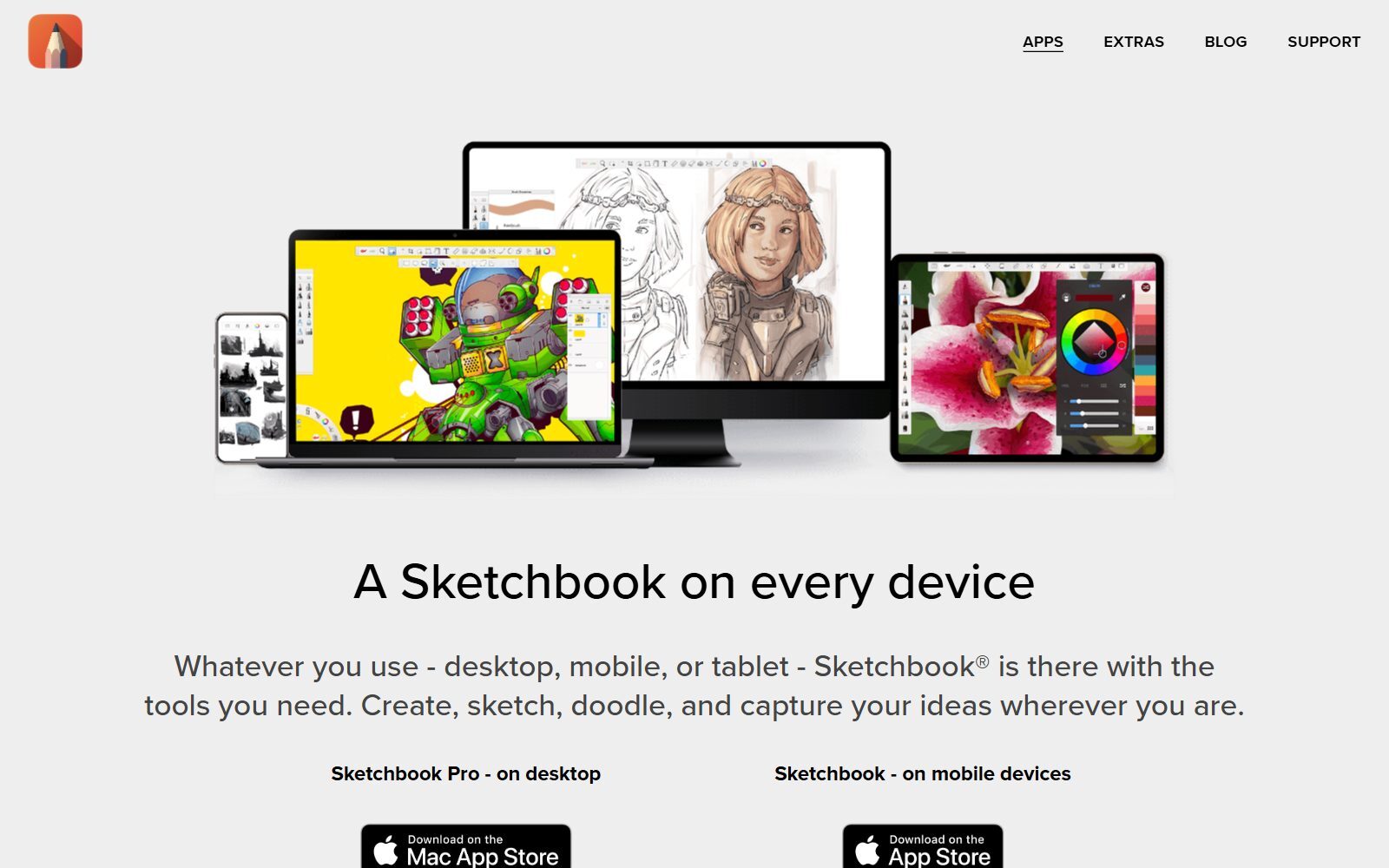
Autodesk's SketchBook page says Autodesk discontinued SketchBook as of 30 June 2021: it no longer offers downloads, new versions or updates, and SketchBook was spun out of Autodesk as an independent company, Sketchbook, Inc. (Autodesk's site blocked our checker, so we read that text through search results of its own pages.) The app itself did not disappear. Sketchbook, Inc. now offers Sketchbook Pro for macOS and Windows and Sketchbook for Android and iOS, and its about page says the team worked on the apps for years when they were one product of a larger company.
What it costs today, as the official pages show: the mobile app is free, with a Premium Bundle as an in-app purchase; the company's licensing page prices that bundle at USD 2.99 one time on iOS. Sketchbook Pro is a perpetual licence bought in the Mac App Store or Microsoft Store; the Mac App Store listing showed $24.99 in the US store. Companies and schools can license it directly at USD 24.99 per seat per year (at least 10 seats for companies). The same page says Linux is not supported and Windows 11 is required for the Windows version. So SketchBook is cheap, but it is closed source and has no Linux version, which is why many artists look for open-source tools.
If you do not mind closed-source apps, our SketchBook alternatives, free Procreate alternatives and free Krita alternatives cover free and paid apps for iPad and Android. This guide lists only software whose code is open. For free apps of any licence, with what is still free in Sketchbook itself, see our free Sketchbook alternatives.
Open-Source SketchBook Alternatives Compared
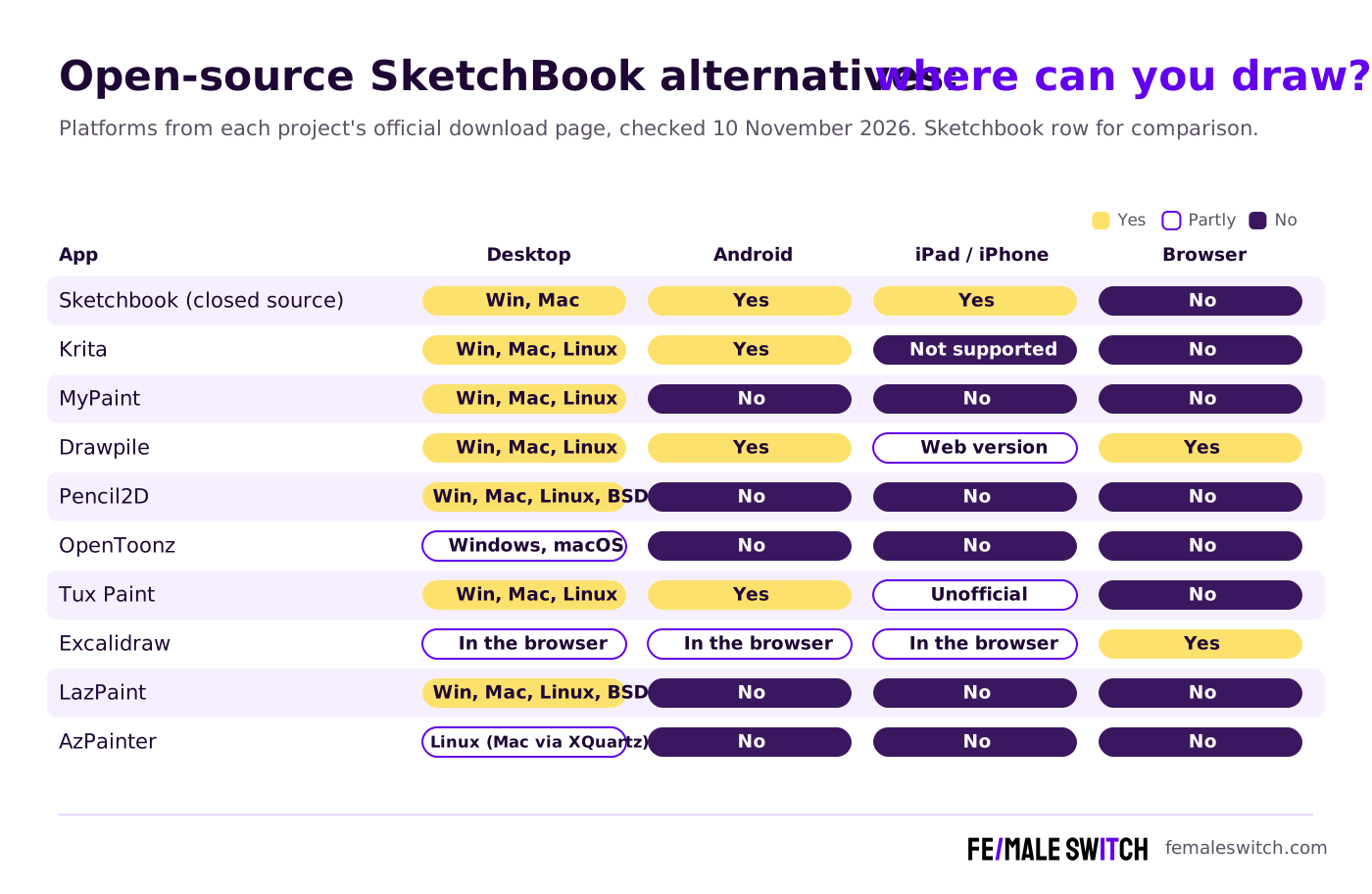
Sources: each project's official website and its GitHub or GitLab repository (licence file and releases), checked 10 November 2026. All apps are free to download and use.
Which Open-Source App Replaces Which SketchBook Feature
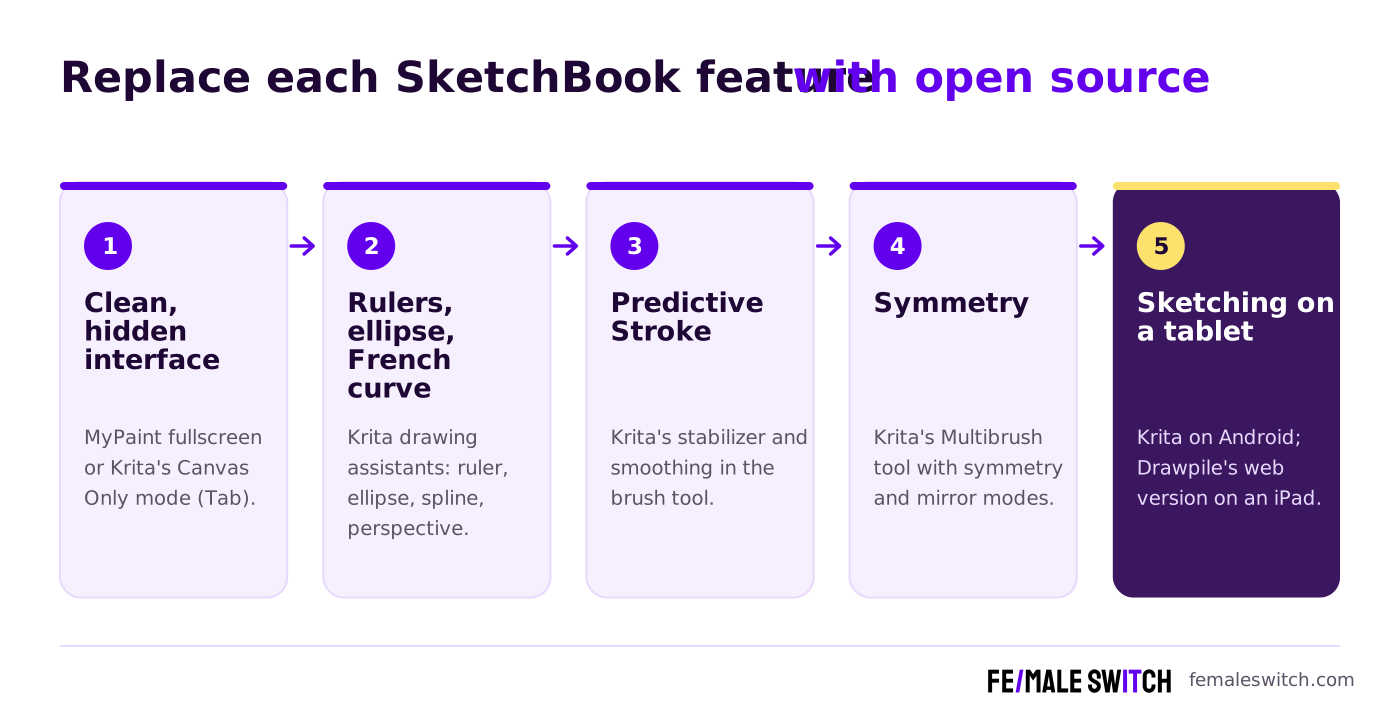
The Sketchbook apps page lists what people liked about it: an interface you can hide, hundreds of customisable brushes, layers with blend modes, gradient fills, traditional and curved rulers, ellipse and French curve tools, a Predictive Stroke tool for smooth lines, vertical, horizontal and radial symmetry, and pressure and tilt support for a stylus. Here is where you find each of those in open-source software.
The Best Open-Source SketchBook Alternatives in 2027
1. Krita: the full SketchBook Pro replacement
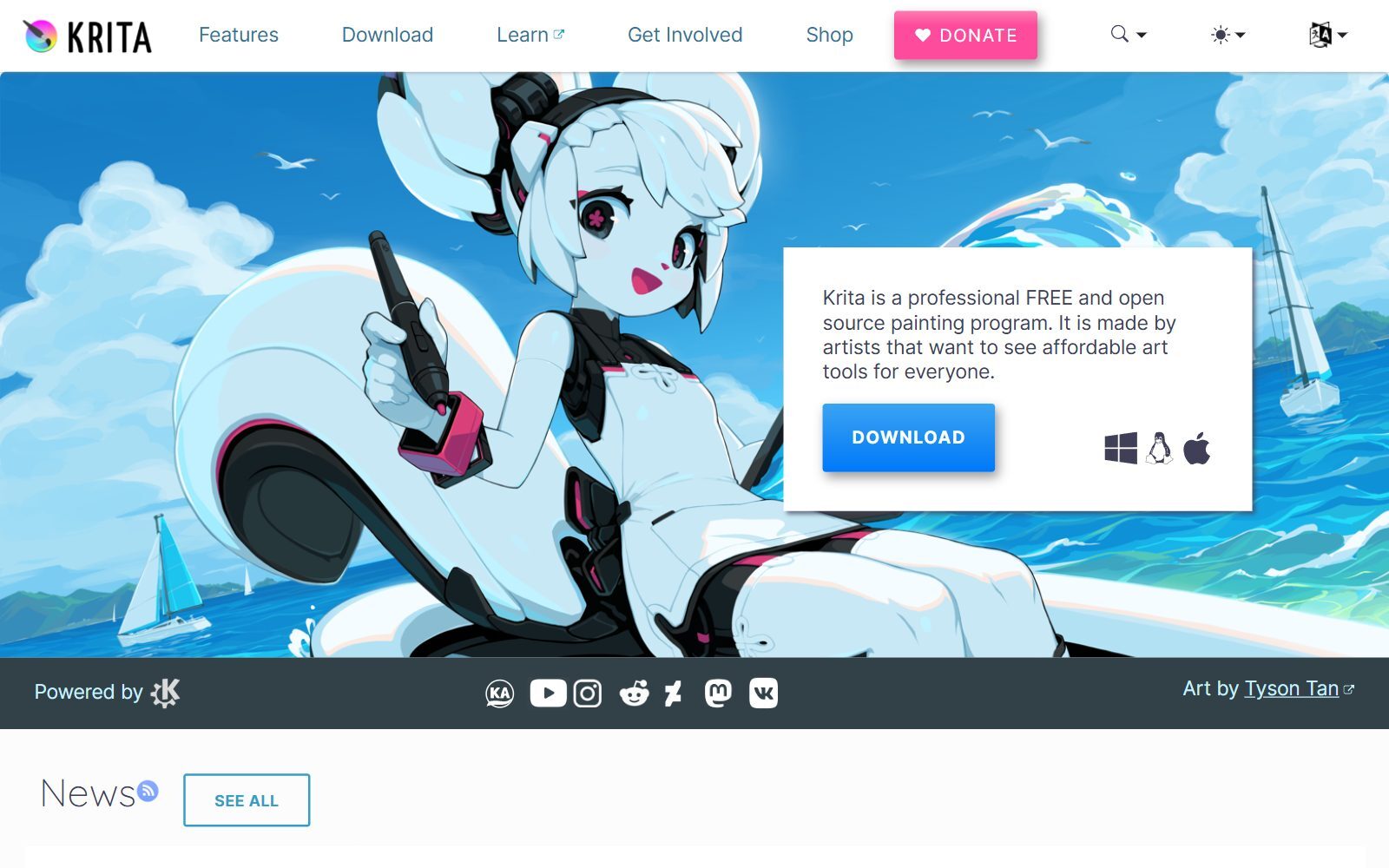
Krita is a professional, free and open-source painting program; its download page says you may study, modify and share it under the GNU GPL v3. Version 5.3.4.1 came out on 7 October 2026 for Windows, macOS and Linux, with Android builds on Google Play; Apple iPads and iPhones are not supported. Paid versions in the Microsoft Store, Steam, Epic and the Mac App Store are optional and fund development.
For SketchBook users the important part is that Krita covers the same drawing aids. Its drawing assistants include ruler, ellipse, spline and perspective guides that your brush can snap to, which replaces SketchBook's rulers, ellipse and French curve. The freehand brush stabilizer smooths your line while you draw, the job of SketchBook's Predictive Stroke. The Multibrush tool draws with symmetry and mirror modes, even along a rotated axis, and Canvas Only mode (the Tab key) hides every panel for a clean page. Krita has many more panels than SketchBook, so expect a day or two of setup.
2. MyPaint: the closest feel to a paper sketchbook
MyPaint calls itself an easy, nimble and distraction-free tool for painting and sketching from scratch. Its fullscreen mode leaves only your brush on screen, and its brush engine imitates charcoal, pencils, ink and paint. The MyPaint README adds an infinite canvas, extensive graphics tablet support and layers. It is GPL v2 and installs on Linux (Flathub), macOS (MacPorts) and Windows. Its last stable release, 2.0.1, is from 2020, although the code was still updated in September 2026. If SketchBook's clean, quiet canvas is what you miss most, start here.
3. Drawpile: sketch on any device, alone or together
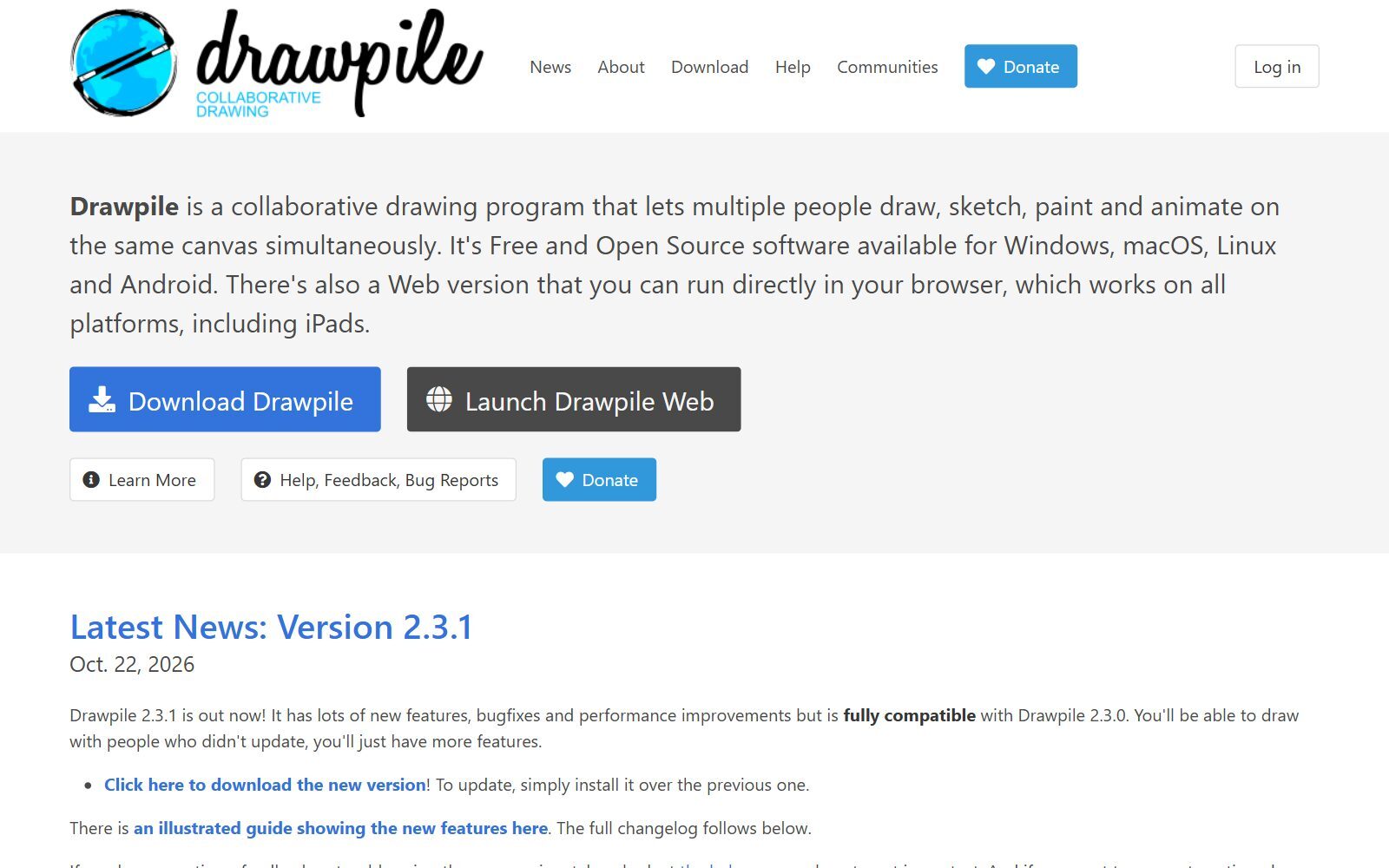
Drawpile is a collaborative drawing program: several people can draw, sketch, paint and animate on the same canvas at the same time. It is free and open source (GPL v3) for Windows, macOS, Linux and Android, and a web version runs in the browser on any device, iPads included. Version 2.3.1 came out on 22 October 2026. SketchBook never let two people draw on one page, so Drawpile is the pick for art classes, design jams and remote brainstorming.
4. Pencil2D: for SketchBook users who animate
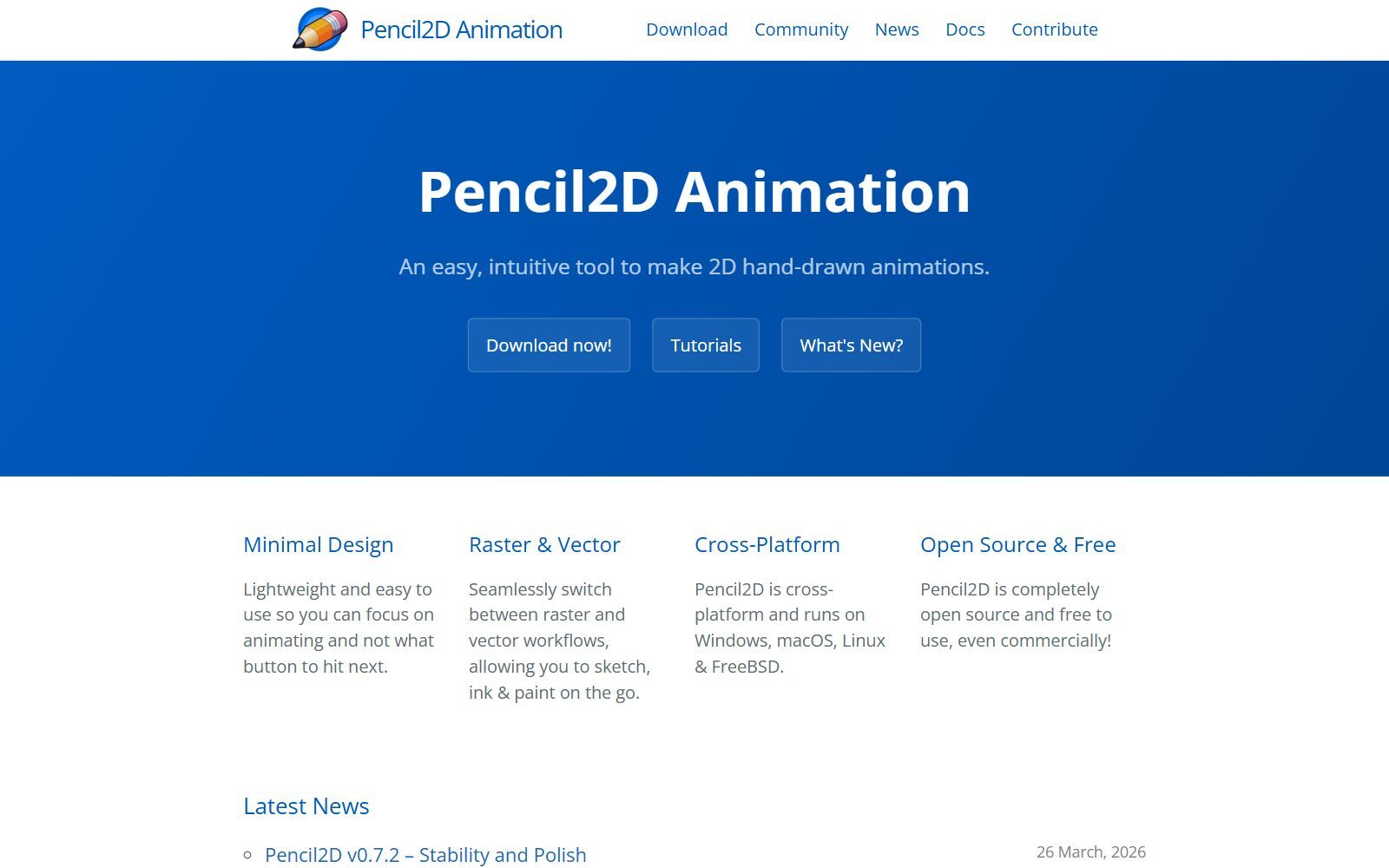
Pencil2D is an easy tool for 2D hand-drawn animation. You can switch between raster and vector layers to sketch, ink and paint, and it runs on Windows, macOS, Linux and FreeBSD. The project says it is completely open source and free to use, even commercially; its licence is GPL v2. Version 0.7.2 was announced on 26 March 2026, and the code was still being updated in November 2026. It keeps the minimal feel of SketchBook while adding a timeline.
5. OpenToonz: studio-grade 2D animation
OpenToonz is open-source animation software based on Toonz from Digital Video in Italy, customised by Studio Ghibli; Dwango launched the open project with both companies. It can be used free of charge for commercial and non-commercial projects. Version 1.8 was released in June 2026, and the OpenToonz repository still published nightly builds in November 2026. It is far more complex than SketchBook: choose it when your sketches turn into a real animation project.
Validate your startup idea with the unique borrowed authority approach: we publish articles about your product in our blog and you get traffic and testers for your MVP
- Prove Market Demand: See real organic traffic and waitlist conversions
- Unlock High-Potential Keywords: Receive a curated list of top-performing keywords directly from Google Search Console data.
- Estimate Customer Acquisition Cost (CAC): Gain financial foresight with an estimated CAC based on real keyword performance data.
🔗 Start validating your startup now
6. LazPaint: a light editor for older computers
LazPaint is a free, cross-platform image editor with raster and vector layers, written in Lazarus (Free Pascal). It is GPL v3, and version 7.3 (March 2026) downloads for Windows, Linux, FreeBSD, OpenBSD and macOS. It is more of an image editor than a sketchbook, but it starts fast on old hardware where Krita feels slow.
7. AzPainter: illustration on Linux
AzPainter is a painting program for illustration and image editing with 8-bit and 16-bit colour. It runs on Linux and on macOS with XQuartz, is licensed under GPL v3 and was last tagged as version 3.0.12.3 in April 2026. Its documentation is mostly in Japanese. Pick it if you draw on Linux and want something lighter than Krita, since SketchBook never had a Linux version.
8. Tux Paint: SketchBook for children
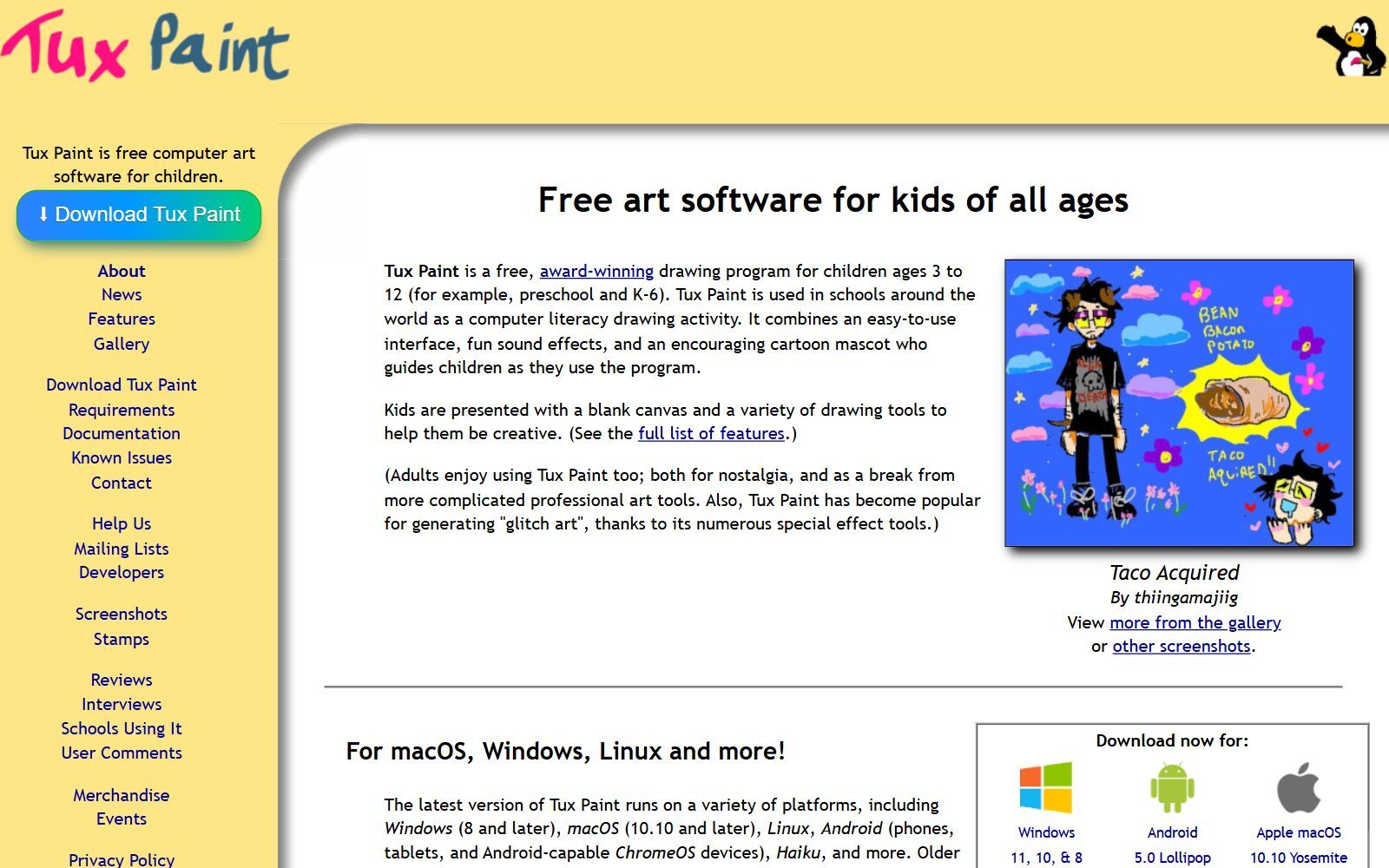
Tux Paint is a free drawing program for children aged 3 to 12, used in schools around the world, with big tools, sound effects and a cartoon mascot. Its download page says it is free software under the GNU GPL version 2, for Windows, macOS, Linux, Android, Haiku and Android-capable Chromebooks. The current version, 0.9.35, was announced in May 2025. It is the open-source answer for parents and teachers who used SketchBook on a family tablet.
9. Excalidraw: quick sketches of ideas, not art
Excalidraw is an open-source (MIT) virtual whiteboard with a hand-drawn style. Its README lists an infinite canvas, free drawing, shapes, arrows and export to PNG and SVG; the hosted app at excalidraw.com adds real-time collaboration, end-to-end encryption and offline use. Many founders used SketchBook to sketch app screens and flows; Excalidraw does that job faster. For more diagram tools, see our open-source draw.io alternatives and open-source Miro alternatives.
10. GIMP, Inkscape and Blender: open source, but other jobs
Three apps from the old list are open source but are not sketchbooks. GIMP (version 3.2.8, released 2 November 2026) is an image editor for photos, retouching and textures; see our open-source GIMP alternatives. Inkscape (1.4.4, May 2026) is a vector editor for logos and icons, good for turning a sketch into clean SVG line art; see our open-source Inkscape alternatives. And Blender's Grease Pencil lets you draw 2D strokes in a 3D scene, with onion skinning and layers, which suits storyboards; Blender 5.3.0 is the current download. See our open-source Blender alternatives.
Removed or Changed Since the 2025 Version
- Autodesk SketchBook: discontinued by Autodesk on 30 June 2021; the apps continue as Sketchbook Pro and Sketchbook from Sketchbook, Inc. (closed source).
- MediBang Paint Pro: removed. It is a free drawing app, but closed source, so not an open-source alternative. See our free Krita alternatives for it.
- Artweaver Free: removed for the same reason: a free download, but proprietary.
- Dia Diagram Editor: open source, but a diagram tool, not a drawing app; Excalidraw and our draw.io alternatives cover diagrams.
- LibreCAD: removed from the list. It is open source (GPL v2) and active, but it is 2D CAD for technical drawings, not a sketching app.
- tldraw: not added. Its source is public, but its licence forbids use in production without a licence key, so it is not open source.
- Added: Drawpile, Pencil2D, OpenToonz, LazPaint, AzPainter and Excalidraw. Unsourced feature lists and the old references block were removed.
Which Open-Source SketchBook Alternative Should You Choose?
- You used SketchBook Pro on Windows or Mac: Krita. It has the rulers, ellipse guides, smoothing and symmetry you are used to.
- You liked SketchBook because it was simple: MyPaint, or Krita in Canvas Only mode.
- You drew on an Android tablet: Krita for Android, or Drawpile.
- You drew on an iPad or iPhone: no open-source app runs natively there; use Drawpile's web version, or stay with the free Sketchbook app.
- You use Linux: Krita, MyPaint or AzPainter. SketchBook never supported Linux.
- You animate: Pencil2D first, OpenToonz for bigger projects.
- You sketch with a team or a class: Drawpile for art, Excalidraw for ideas and wireframes.
- The artist is a child: Tux Paint.
For more options by job, read our open-source Krita alternatives and open-source sketching apps. If you came from Procreate, our open-source Procreate alternatives are a better match.
How Founders Use Open-Source Drawing Apps
A startup needs drawings long before it can pay a designer: a logo sketch, app screen ideas, a storyboard for a product video, illustrations for social posts and a pitch deck. A free, open-source setup covers it: Excalidraw for flows and wireframes with your co-founder, Krita for illustrations, Pencil2D for a short animated explainer, and Inkscape to turn the final logo sketch into a vector file. Keep the source files (KRA, SVG, .excalidraw) in one shared folder so a designer can take over later. Our design tools for startups and AI tools for startup naming and logo design fill in the rest.
If drawing is your business, see our ideas for selling digital art, freelance illustration services and print-on-demand designs. For photos and vector work, compare open-source Photoshop alternatives, open-source Illustrator alternatives, open-source Figma alternatives and open-source Rive alternatives for animation. When your visuals are ready, the F/MS AI SEO Tool helps you write the articles that bring people to them.
Join ElonaHunt (like ProductHunt but for women) and explore the coolest women-focused startups out there!
Discover your next big inspiration and connect with like-minded female entrepreneurs!
👉 Join the Hunt Here
FAQ About Open-Source SketchBook Alternatives
Is Autodesk SketchBook discontinued?
Autodesk discontinued SketchBook as of 30 June 2021 and no longer offers downloads or updates. The apps were spun out to Sketchbook, Inc., which still publishes Sketchbook Pro for macOS and Windows and Sketchbook for Android and iOS.
Is Sketchbook still free?
The mobile Sketchbook app is free, with a Premium Bundle as an in-app purchase (USD 2.99 one time on iOS, per the company's licensing page). Sketchbook Pro for desktop is a paid perpetual licence in the Mac App Store and Microsoft Store.
Is SketchBook open source?
No. Sketchbook and Sketchbook Pro are closed-source apps owned by Sketchbook, Inc. For open-source software, use Krita, MyPaint, Drawpile or the other apps in this guide.
What is the best open-source alternative to SketchBook?
Krita. It is GPL-licensed, free on Windows, macOS, Linux and Android, and has drawing assistants, a stabilizer and symmetry tools that replace SketchBook's rulers, Predictive Stroke and symmetry.
Is there a SketchBook alternative for Linux?
Yes. Sketchbook does not support Linux, but Krita, MyPaint, Drawpile, Pencil2D, LazPaint and AzPainter all run on Linux and are open source.
Is there an open-source drawing app for iPad?
Not a native one we could confirm: Krita says iPads and iPhones are not supported. Drawpile's web version runs in the browser on an iPad, and Tux Paint lists an unofficial iOS build.
Which open-source app is most like SketchBook's clean interface?
MyPaint, with its distraction-free fullscreen mode. Krita can also hide every panel in Canvas Only mode with the Tab key.
Which open-source app can animate my sketches?
Use Pencil2D for simple frame-by-frame animation, or OpenToonz for studio-style 2D animation. Both are open source and free for commercial work.
Is tldraw open source?
No. Its code is public, but the tldraw licence does not allow use in production without a licence key. Excalidraw (MIT) is the open-source whiteboard.
Where can I get a backlink by writing about my startup?
You can publish a guest post in one of the Fe/male Switch startup blogs, which rank in Google and in AI tools. Get a quality backlink.
About the Author
Violetta Bonenkamp, also known as MeanCEO, is an experienced startup founder with an impressive educational background including an MBA and four other higher education degrees. She has over 20 years of work experience across multiple countries, including 5 years as a solopreneur and serial entrepreneur. Throughout her startup experience she has applied for multiple startup grants at the EU level, in the Netherlands and Malta, and her startups received quite a few of those. She’s been living, studying and working in many countries around the globe and her extensive multicultural experience has influenced her immensely.

