
Open-Source Descript Alternatives: Video Editing, Transcription and Captions Without a Subscription
Descript made editing audio and video as easy as editing a document: it transcribes your recording, and when you delete a sentence from the text, it disappears from the video. Around that it adds recording, captions, filler-word removal, AI voice and an AI co-editor called Underlord. It is closed source and sold as a subscription with monthly limits on media hours and AI credits. No single open-source app copies all of that, but a small set of free tools covers each of Descript's jobs. We read each project's licence on its official repository and checked its latest release on 9 November 2026; abandoned projects are listed separately.
Quick answer: for the closest thing to Descript's text-based editing, use Kdenlive, whose Speech Editor transcribes a clip with Whisper and lets you drop selected sentences onto the timeline. For simpler video editing with speech-to-text subtitles, use Shotcut. To transcribe on your own computer, use Buzz, Vibe or Subtitle Edit, all built on OpenAI's open Whisper model. Record with OBS Studio and Audacity, and trim silences with auto-editor. For Descript's AI voice, see our open-source voice cloning guide.
Boost Your SEO by Getting Featured in Our Blogs and get a backlink.
We publish content about startups, education, tech, funding, etc. that ranks well not only in Google but also in Perplexity, ChatGPT, Grok and other AI tools.
👉 Get featured now!
What Descript Offers and Costs in 2027
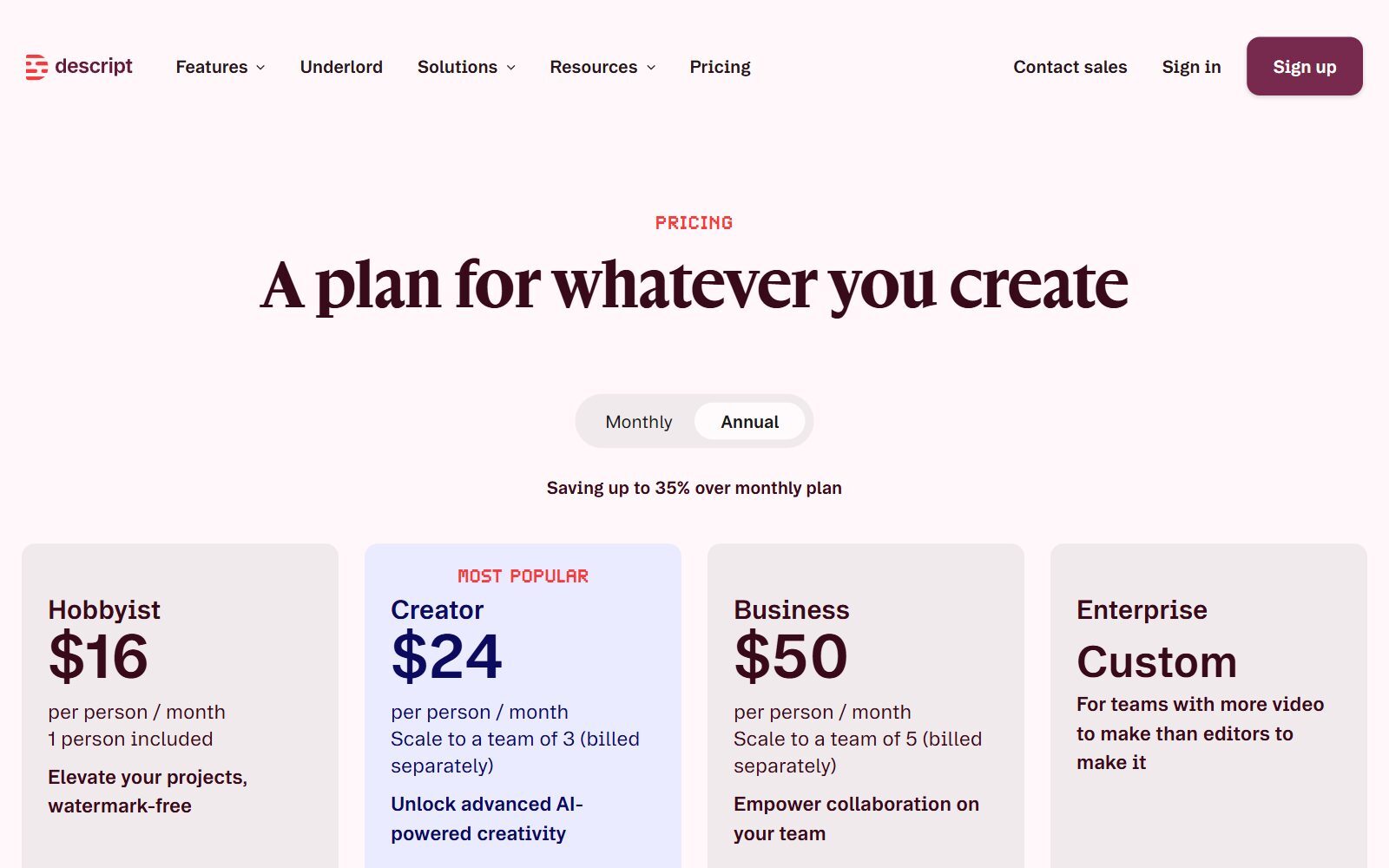
On the Descript pricing page (default view: annual billing, US dollars, checked 9 November 2026), Hobbyist costs $16, Creator $24 and Business $50 per person a month; Enterprise is priced through sales. The Free plan includes 60 media minutes a month, 100 AI credits once and 720p exports. Hobbyist raises that to 10 media hours and 400 AI credits a month with 1080p exports, Creator to 30 hours, 800 credits and 4k, and Business to 40 hours and 1,500 credits.
Every plan transcribes in 25 languages. The AI tools include Underlord (an AI co-editor), Studio Sound, Remove Filler Words, Shorten Word Gaps, Remove Retakes, Regenerate, text-to-speech with custom voice clones, avatars, caption translation and dubbing, and the free plan gets limited use of each. Those are the jobs the open-source tools below have to cover. Monthly-billing prices sit behind a toggle, so we have left them out.
Open-Source Descript Alternatives Compared
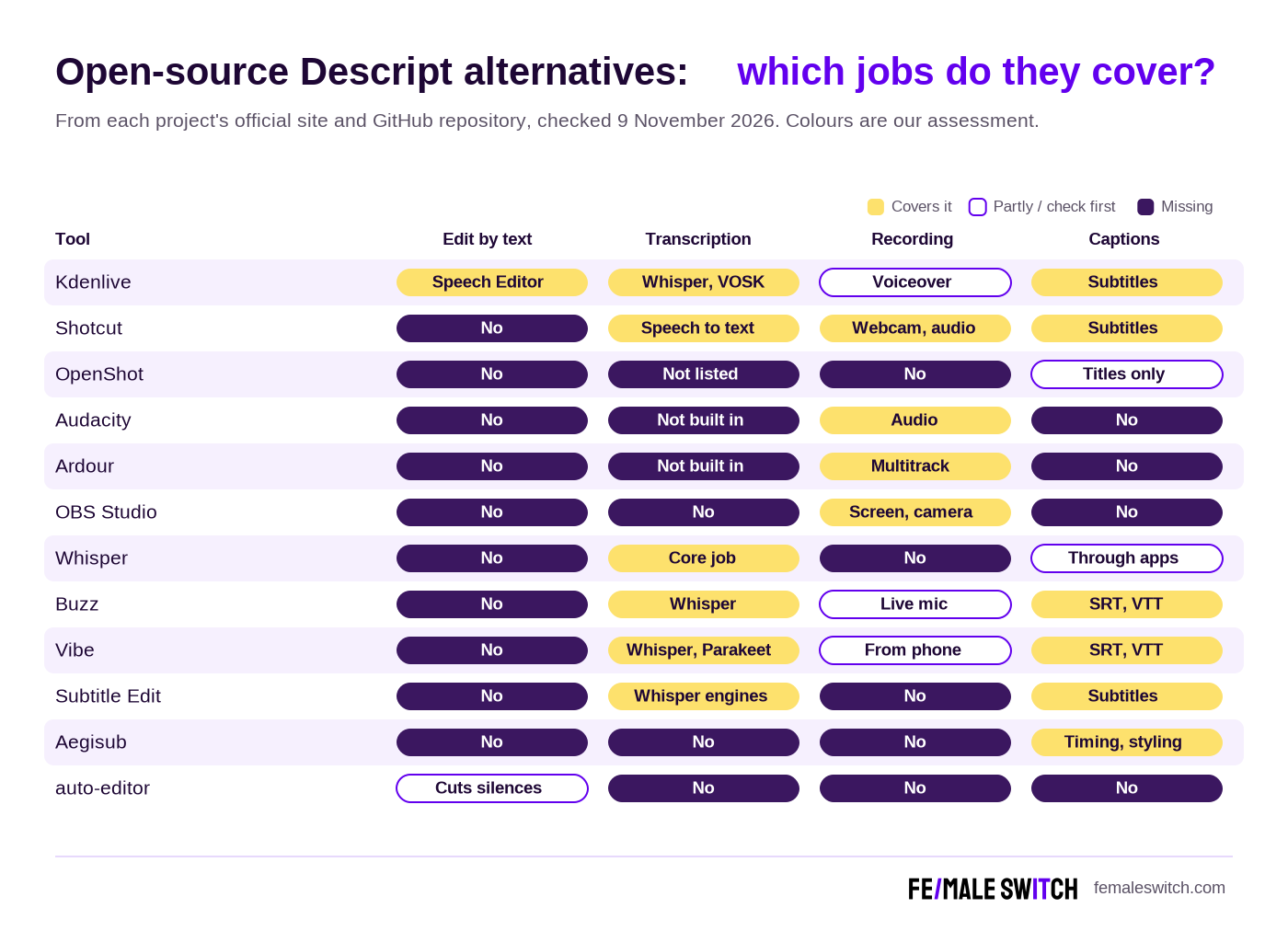
Sources: each project's official website, licence file and GitHub releases, checked 9 November 2026. All are free to download; Ardour charges for its ready-to-run builds, while its source code is free.
Video Editors: Closest to Descript's Editor
1. Kdenlive: the closest open-source match to text-based editing
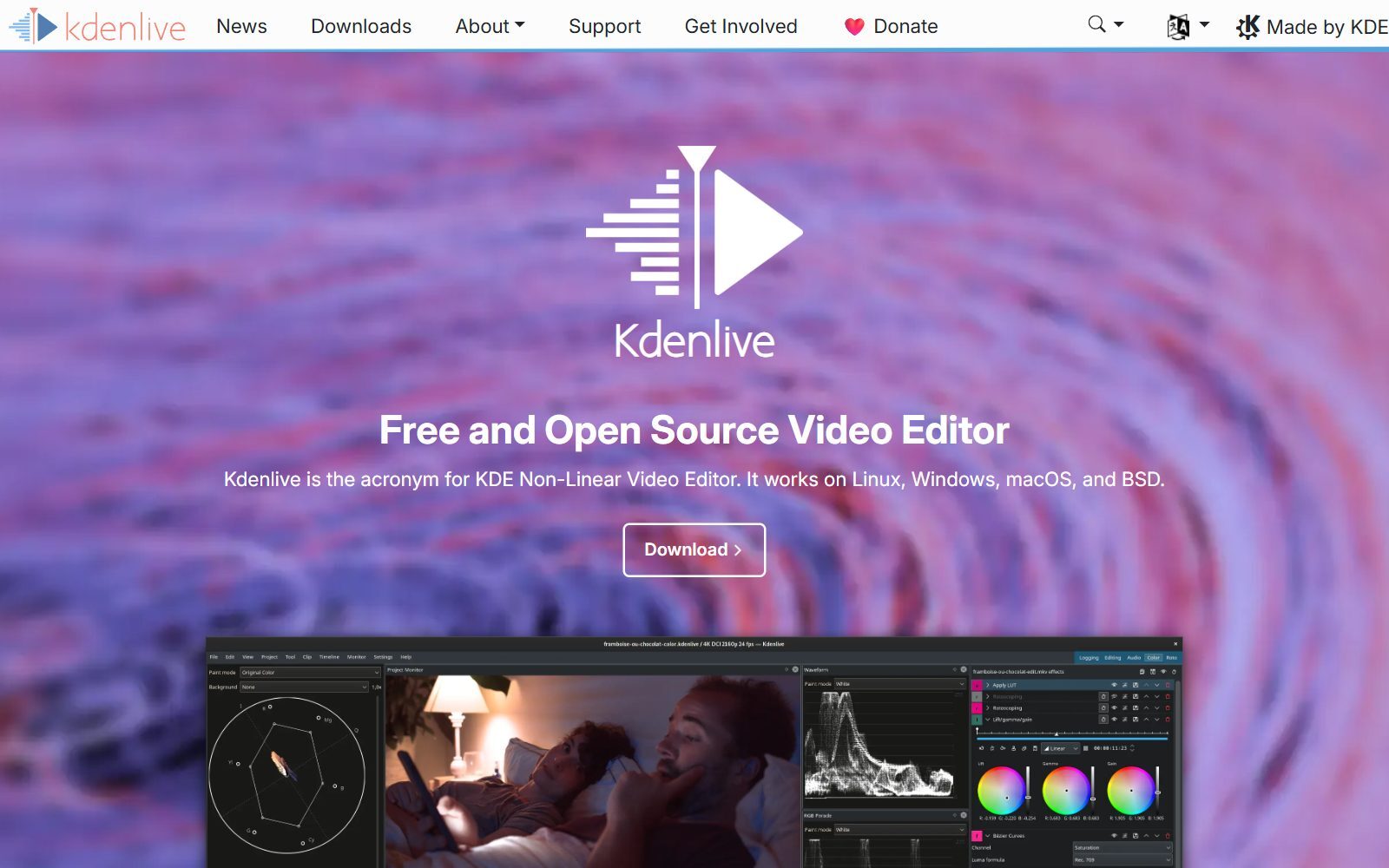
Kdenlive, the KDE non-linear video editor, runs on Linux, Windows, macOS and BSD and is GPLv3. It has multicam editing, nested sequences, voiceover recording and subtitles with automatic transcription; version 26.08.3 came out on 7 November 2026. The feature that matters for Descript users is the Speech Editor, described in the Kdenlive speech-to-text documentation: you transcribe a clip with the Whisper or VOSK engine, select the sentences you want, and insert them into the timeline or build a new sequence from them. It is not as seamless as deleting words in a Descript document, but it gives you edit-by-transcript for interviews and talking-head videos, plus automatic subtitles, with Whisper able to translate into English.
2. Shotcut: a simple editor with speech-to-subtitles
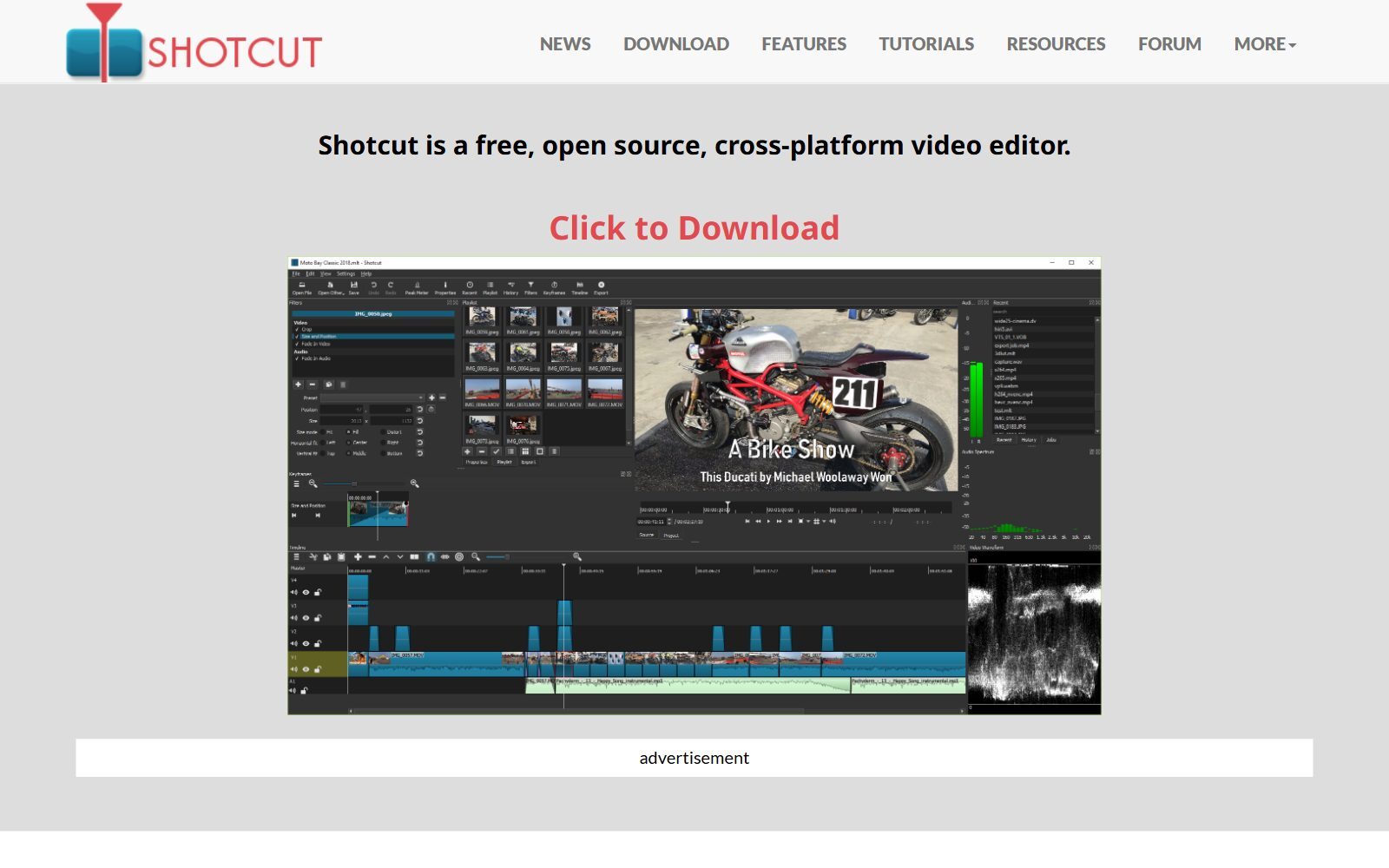
Shotcut is a free, open-source, cross-platform video editor under the GPLv3 that edits hundreds of formats natively through FFmpeg. Its feature list covers what a Descript user needs most: converting spoken words to subtitle text, text-to-speech, editing and burning in subtitles, and recording a voiceover straight to the timeline from a webcam or microphone. New versions come every two months; 26.9 came out on 5 October 2026 and a 26.11 beta followed at the end of October.
3. OpenShot: the easiest editor for beginners
OpenShot is a free, open-source video editor (GPLv3) for Windows, macOS and Linux that promises no subscriptions, watermarks or project limits. Version 4.1 added text directly on the video, automatic optimisation of heavy 4K footage and a command-line interface, and 4.1.1 is the current download. It has more than 40 title templates and Blender-powered 3D titles, but no speech-to-text, so pair it with a transcription tool below.
Validate your startup idea with the unique borrowed authority approach: we publish articles about your product in our blog and you get traffic and testers for your MVP
- Prove Market Demand: See real organic traffic and waitlist conversions
- Unlock High-Potential Keywords: Receive a curated list of top-performing keywords directly from Google Search Console data.
- Estimate Customer Acquisition Cost (CAC): Gain financial foresight with an estimated CAC based on real keyword performance data.
🔗 Start validating your startup now
Audio Editing and Recording
4. Audacity: podcast editing and voice recording
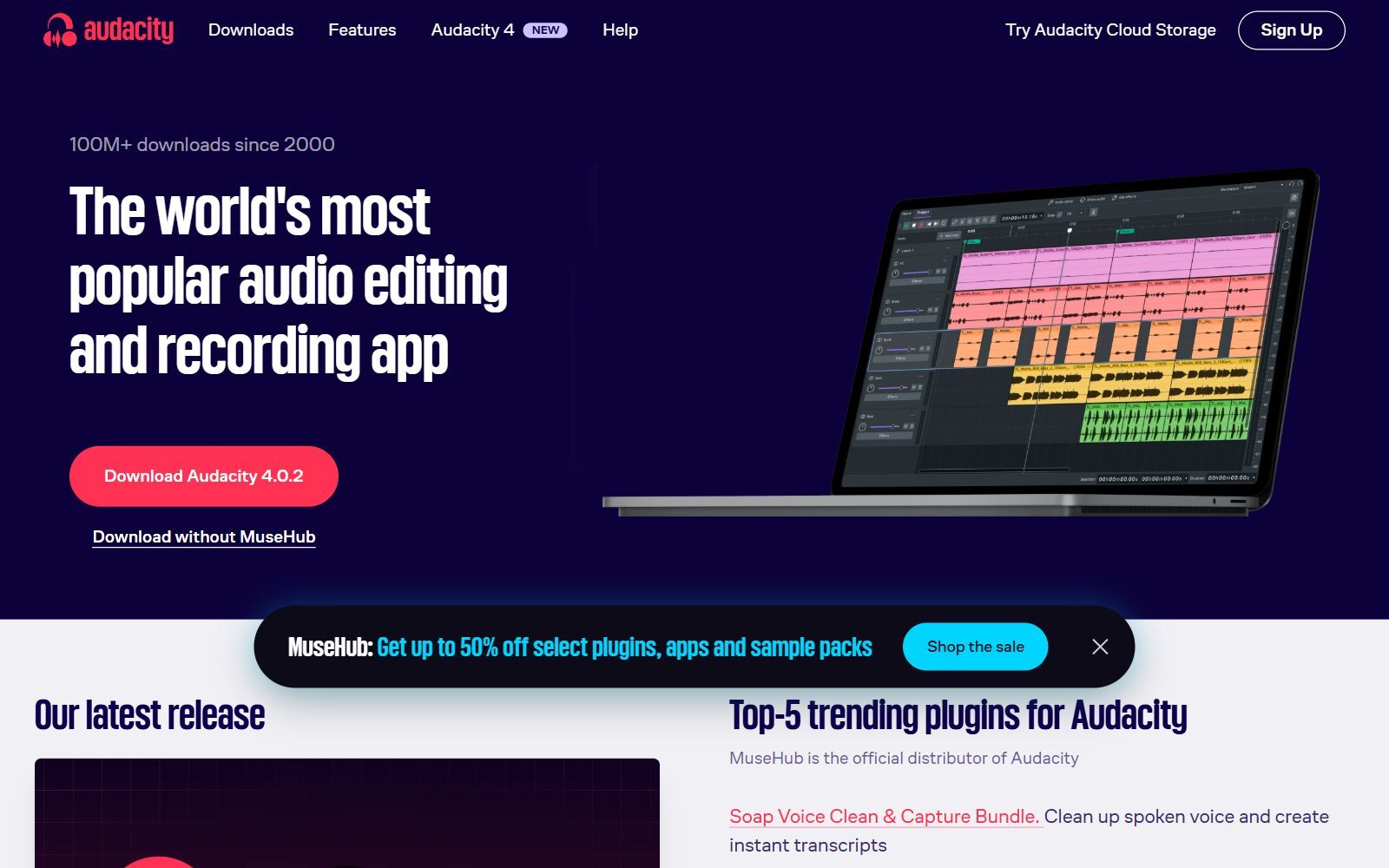
Audacity is the free, open-source audio editor and recorder for Windows, macOS and Linux that most podcasters start with. Its licence file puts it under the GPLv3, with many files under GPLv2 or later. Audacity 4.0.2 is the current download, and version 4 brought a new interface and Workspaces. It handles recording, cutting, effects and conversion between WAV, MP3, FLAC and Ogg, and takes VST3 and Nyquist plugins. Transcription is not built in, although MuseHub, its official distributor, lists plugins that add it.
5. Ardour: multitrack recording for interviews and shows
Ardour is a free and open-source digital audio workstation (GPLv2) for Linux, macOS and Windows; its website announces version 9.8. It records, edits, mixes and masters many tracks at once, which suits a podcast with several microphones better than Audacity. The source code is free, but the ready-to-run builds are paid, so budget a small fee or build it yourself.
6. OBS Studio: screen and camera recording
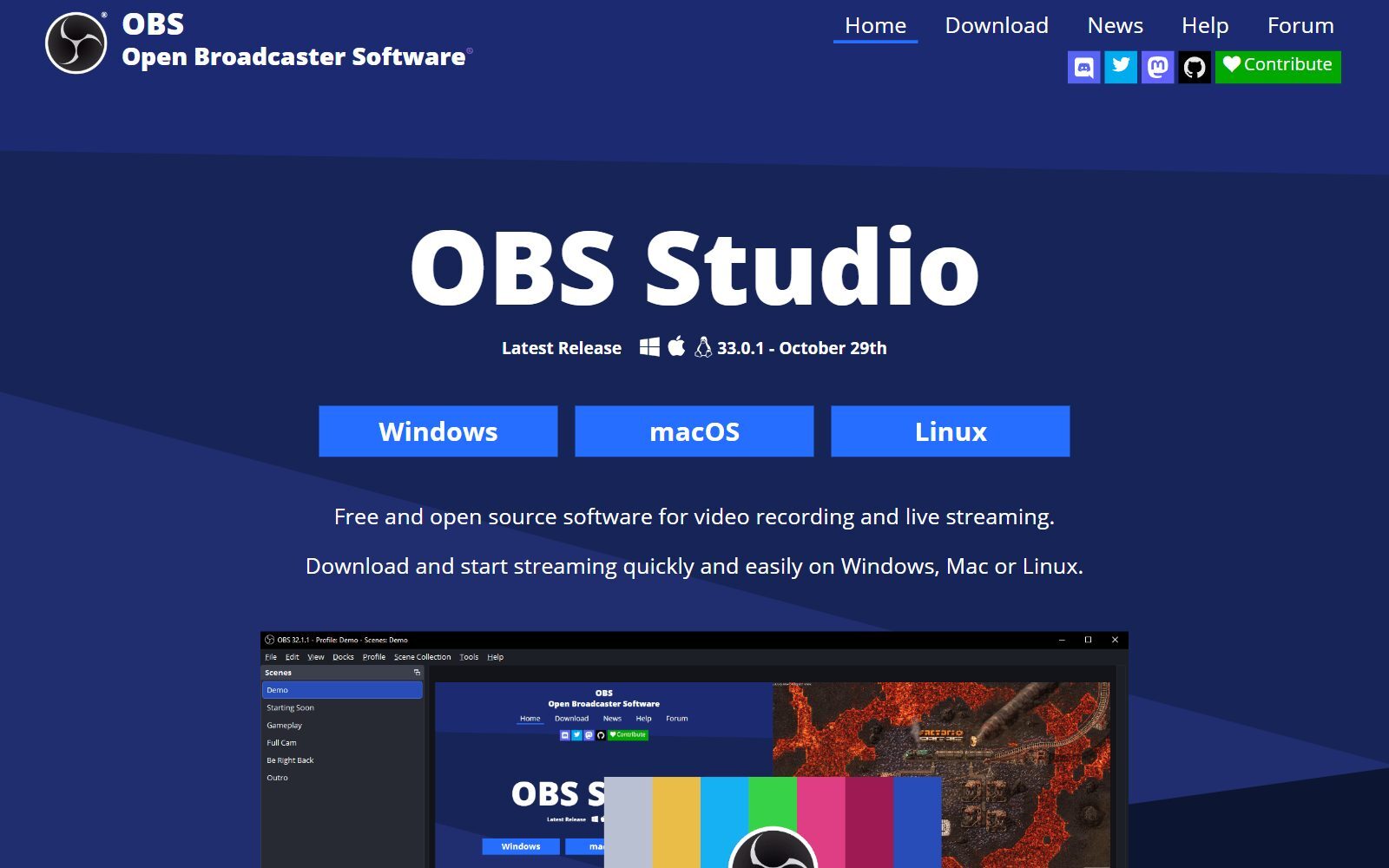
OBS Studio is free and open-source software for video recording and live streaming on Windows, macOS and Linux, licensed under the GPLv2; 33.0.1 came out on 29 October 2026. It replaces Descript's screen and camera recorder: you build scenes from screens, windows, webcams and capture cards, mix audio with noise suppression filters, and record locally. It does not do remote guest recording like Descript Rooms.
Transcription and Captions
7. Whisper and whisper.cpp: the engine under most open-source transcription
Whisper is OpenAI's open speech recognition model; code and model weights are MIT-licensed. Its turbo model needs about 6 GB of video memory and is roughly 8 times faster than the large model, but it is not trained for translation. The last tagged release dates from June 2025, though the repository still received commits in August 2026. whisper.cpp runs the same models in plain C/C++, on a CPU alone or on Apple Silicon and Vulkan GPUs; it is MIT and released v1.9.5 in October 2026. You rarely use either directly: the apps below wrap them.
8. Buzz: offline transcription and translation on your desktop
Buzz transcribes and translates audio offline, powered by Whisper. You import audio or video, or transcribe live from a microphone, and export TXT, SRT or VTT files; its README adds speaker identification. The open-source Buzz runs on Windows, Linux and Intel Macs under the MIT licence (v1.4.5 came out in August 2026); a separate native macOS build is offered through the Mac App Store.
9. Vibe: offline transcription with speakers and summaries
Vibe is an MIT-licensed transcription app for Windows, macOS and Linux that works fully offline with Whisper, Nemotron and Parakeet models. It separates speakers, translates into English, batch-transcribes files and exports SRT, VTT, TXT, HTML, PDF, JSON and DOCX; summaries run through Ollama on your own machine or through the Claude API. Version 3.3.0 came out on 29 October 2026. The address the old post linked to now returns an error; the project lives at the repository above.
10. Subtitle Edit: captions with Whisper speech-to-text
Subtitle Edit is an MIT-licensed subtitle editor for Windows, macOS and Linux; v5.4.0 came out on 6 November 2026. Its speech-to-text feature creates subtitles with several Whisper-based engines, including Whisper CPP, Faster Whisper and WhisperX, and it also translates subtitles. It is the best free replacement for Descript's caption export when you need clean SRT files for YouTube or LinkedIn.
11. Aegisub: precise subtitle timing and styling
Aegisub is a free, cross-platform, open-source tool for creating and modifying subtitles under BSD-style licences. It is built for timing subtitles to audio and styling them, with a real-time video preview; version 3.5.1 came out on 17 October 2026. Use it after Subtitle Edit when captions must look polished.
Fast Cuts and Silence Removal
12. LosslessCut: trim long recordings in seconds
LosslessCut is a free and open-source app (GPLv2) for Windows, macOS and Linux that cuts video and audio without re-encoding, so trimming a two-hour webinar takes seconds and keeps the original quality. Version 3.70.2 came out on 28 October 2026. It is the quick first pass before you open a full editor.
13. auto-editor: automatic cuts for dead air
auto-editor edits videos automatically by analysing audio loudness, motion or subtitles, which covers the job of Descript's Shorten Word Gaps for silences. The command-line tool is public domain under the Unlicense, and 31.8.0 came out on 30 October 2026; its repository notes that the separate app uses its own proprietary assets. It does not detect filler words such as "um" on its own.
Descript's AI Voice: Open-Source Options
Descript's AI Speech, custom voice clones and Regenerate have no single open-source twin inside a video editor. You can generate or clone a voice with open models and drop the audio into Kdenlive or Shotcut. Our open-source voice cloning tools guide compares those models and their licences, and the open-source ElevenLabs alternatives cover text-to-speech, dubbing and voice isolation. Only clone a voice with the speaker's clear permission.
Discontinued or Changed
The 2025 version of this article listed ten tools. Audacity, Kdenlive, OpenShot, Shotcut, Ardour, Whisper and Vibe stay. Here is what happened to the rest:
- Olive: its website now only says that Olive will return; the repository has offered nothing but nightly development builds, and its last code change dates from December 2024. We treat it as paused.
- Mozilla DeepSpeech: the repository was archived on 19 June 2025, and the last release is v0.9.3. Use Whisper-based tools instead.
- LMMS: still developed, but it is music-production software, not a Descript replacement, so we removed it.
- Vibe: still active (MIT), but the repository address in the old post now returns an error; we link the current one.
- Descript Overdub: the name no longer appears on Descript's pricing page, which lists AI Speech, custom voice clones and Regenerate instead.
Which Open-Source Descript Alternative Should You Choose?
- You want to edit talking-head videos from the transcript: Kdenlive and its Speech Editor.
- You want a simple editor with automatic subtitles: Shotcut.
- You are new to video editing: OpenShot, plus Subtitle Edit for captions.
- You edit a podcast alone: Audacity; with several microphones, Ardour.
- You record screen tutorials or demos: OBS Studio, then cut in Shotcut or Kdenlive.
- You only need transcripts: Buzz or Vibe, both offline.
- You publish captions on social video: Subtitle Edit, and Aegisub for styled captions.
- You record long webinars: LosslessCut for fast trims and auto-editor for silences.
- You need AI voice or dubbing: open-source voice models from our voice cloning guide, used with consent.
- You want everything in one app and do not mind paying: Descript itself remains the most integrated option.
How Founders Replace Descript With Open-Source Tools
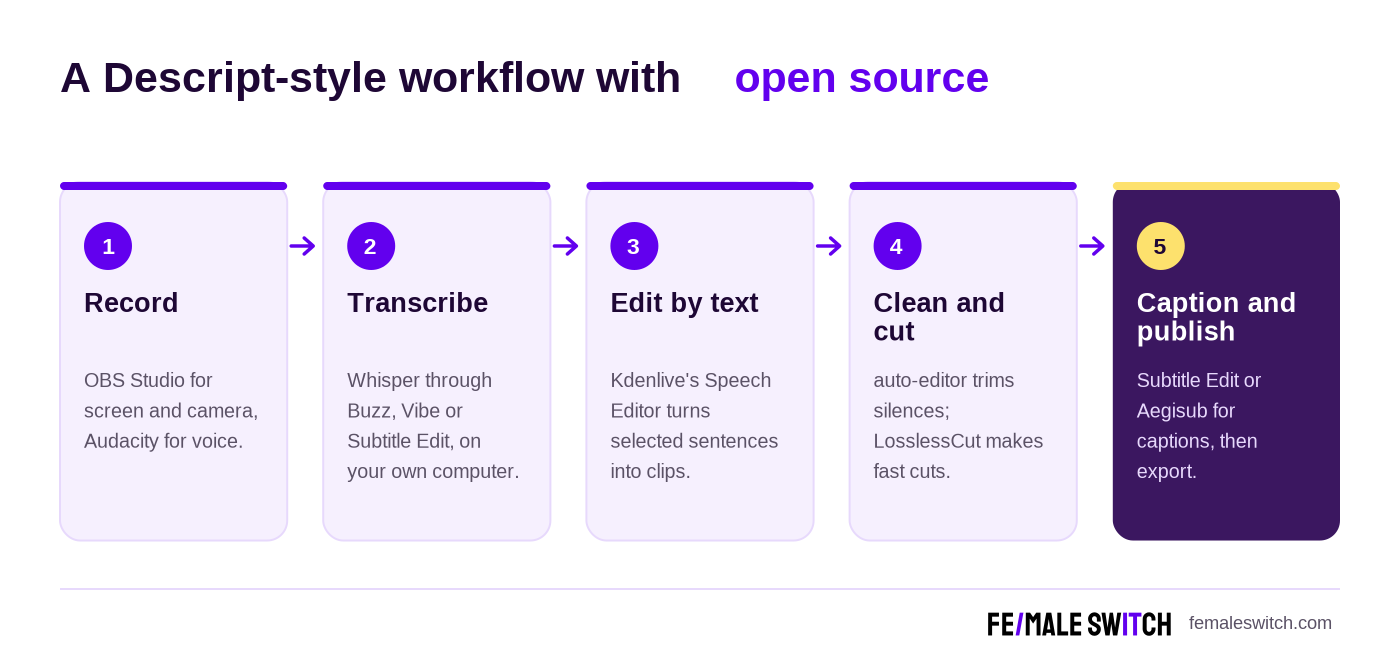
Most founders do not need one app for everything. A typical setup is OBS Studio or Audacity for recording, Buzz or Vibe for a transcript, Kdenlive or Shotcut for the edit, and Subtitle Edit for captions, all running on one laptop without monthly media-hour limits. The transcript does double duty: turn it into show notes, a blog post or social posts. For ideas on what to film, see our 99 YouTube ideas that are easy to get views and the 10 steps to master YouTube SEO; if you would rather not be on camera, read how to create faceless videos with AI or use AI avatars for marketing videos.
For the voice side, compare the free ElevenLabs alternatives and the paid ElevenLabs alternatives for commercial voiceovers, and our list of audio AI tools for startups. To generate clips from text, see the Wan 2.7 video API guide; to summarise transcripts with a model you host yourself, start with the open-source ChatGPT alternatives. For tutorials and how-to guides made from screenshots instead of video, read the open-source Scribe alternatives.
Thumbnails and cover art come next: the free Canva Pro alternatives, open-source Canva AI alternatives and open-source Photoshop alternatives handle images, the open-source Krita alternatives cover drawing, and the open-source Blender alternatives cover 3D and motion. Polish scripts and captions with the open-source Grammarly alternatives, keep your content calendar in one of the open-source Notion alternatives, and measure what works with the open-source social media analytics tools.
Join ElonaHunt (like ProductHunt but for women) and explore the coolest women-focused startups out there!
Discover your next big inspiration and connect with like-minded female entrepreneurs!
👉 Join the Hunt Here
FAQ About Open-Source Descript Alternatives
Is Descript open source?
No. Descript is proprietary software sold as a subscription. Open-source tools such as Kdenlive, Shotcut, Audacity, OBS Studio and Whisper-based transcription apps can be downloaded, used and changed for free.
How much does Descript cost in 2027?
When we checked in November 2026, the pricing page showed Hobbyist at $16, Creator at $24 and Business at $50 per person a month on annual billing, in US dollars. The free plan includes 60 media minutes a month and 720p exports.
Is there an open-source editor that edits video by editing text?
The closest is Kdenlive. Its Speech Editor transcribes a clip with Whisper or VOSK, and you insert the sentences you select into the timeline or a new sequence. It is less seamless than Descript, where deleting text deletes the video.
What is the best open-source alternative to Descript for podcasts?
Audacity for editing and recording a solo show, Ardour for several microphones, and Buzz or Vibe for the transcript and show notes.
How can I transcribe audio for free without uploading it?
Use an offline Whisper app such as Buzz, Vibe or Subtitle Edit. They run the model on your own computer and export TXT, SRT or VTT files.
Is there an open-source alternative to Descript Overdub or AI voices?
Not inside one editor. You can generate or clone a voice with open models, covered in our open-source voice cloning guide, and add the audio in Kdenlive or Shotcut. Always get the speaker's permission.
Can open-source tools remove filler words like Descript?
Partly. auto-editor cuts silences and dead air automatically, but it does not detect words such as "um" by itself; you remove those by hand or from the transcript in Kdenlive.
Is Olive video editor still maintained?
Its website only says that Olive will return, and there has been no code change since December 2024. Use Kdenlive or Shotcut instead.
Is Mozilla DeepSpeech still available?
Its repository was archived on 19 June 2025, and the last release is v0.9.3. Whisper-based tools have replaced it.
Where can I get a backlink by writing about my startup?
You can publish a guest post in one of the Fe/male Switch startup blogs, which rank in Google and in AI tools. Get a quality backlink.
About the Author
Violetta Bonenkamp, also known as MeanCEO, is an experienced startup founder with an impressive educational background including an MBA and four other higher education degrees. She has over 20 years of work experience across multiple countries, including 5 years as a solopreneur and serial entrepreneur. Throughout her startup experience she has applied for multiple startup grants at the EU level, in the Netherlands and Malta, and her startups received quite a few of those. She’s been living, studying and working in many countries around the globe and her extensive multicultural experience has influenced her immensely.

