

Open-Source Miro AI Alternatives: Whiteboards and Diagram Tools That Turn a Prompt Into a Diagram, Mind Map or Flowchart
Miro AI turns a prompt into a diagram, a mind map or a wireframe right on the board, but it runs only in Miro's cloud and every member gets a fixed number of AI credits a month. If you want the same "describe it, get a diagram" workflow with open-source code, your own API key or even a local model, you have more options in 2027 than ever. We checked each tool below on its official website and GitHub in October 2026: the licence, which AI features really exist, which AI providers you can plug in and what is free. This list is about AI features. For open-source whiteboards in general, see our open-source Miro alternatives, and for free hosted tools, our free Miro alternatives.
Quick answer: for the closest open-source match to Miro AI on a whiteboard, use Excalidraw and its Text to diagram tool; for business diagrams from a prompt with your own API key or a self-hosted model, use draw.io's Generate tool or Next AI Draw.io (which also runs on Ollama); for AI mind maps and presentations next to your docs, use AFFiNE AI; and if you already chat with ChatGPT or Claude, ask it for Mermaid or Markdown and drop the result into Excalidraw, Drawnix or Markmap.
Boost Your SEO by Getting Featured in Our Blogs and get a backlink.
We publish content about startups, education, tech, funding, etc. that ranks well not only in Google but also in Perplexity, ChatGPT, Grok and other AI tools.
👉 Get featured now!
What Miro AI Does and Costs in 2027
On its Miro AI page Miro lists Sidekicks (AI agents that know your board), Flows (multi-step AI workflows), the option to use the whole canvas as a prompt, generators for diagrams, flowcharts, mind maps, wireframes and prototypes, Mermaid diagrams and an MCP server for AI tools. On the Miro pricing page (checked October 2026) the Free plan keeps 3 boards editable and includes 10 AI credits a month. Starter costs $8 per member per month with 25 AI credits, Business $20 with 50 credits (billed yearly), and Enterprise starts at 30 members with pooled credits from 2,500 a month; extra credit packs are sold on paid plans. Miro has no self-hosted version. With the open-source tools below, you choose where the AI runs and pay your AI provider directly, or nothing with a local model.
Open-Source Miro AI Alternatives Compared
Sources: each project's official website, documentation and GitHub repository, checked 30 October 2026. AI providers charge for their own API use.
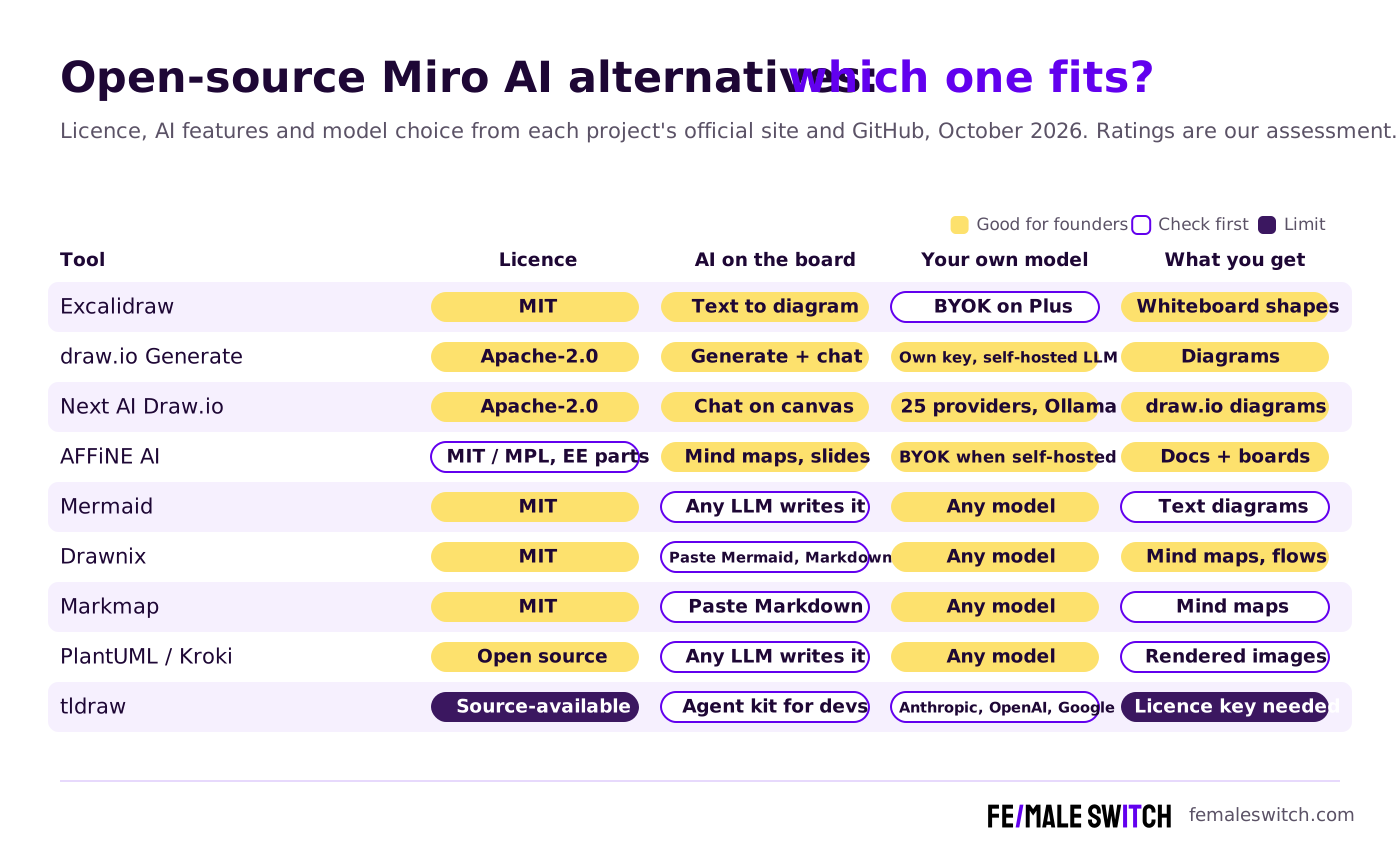
The Best Open-Source Miro AI Alternatives in 2027
1. Excalidraw: text to diagram on an open-source whiteboard
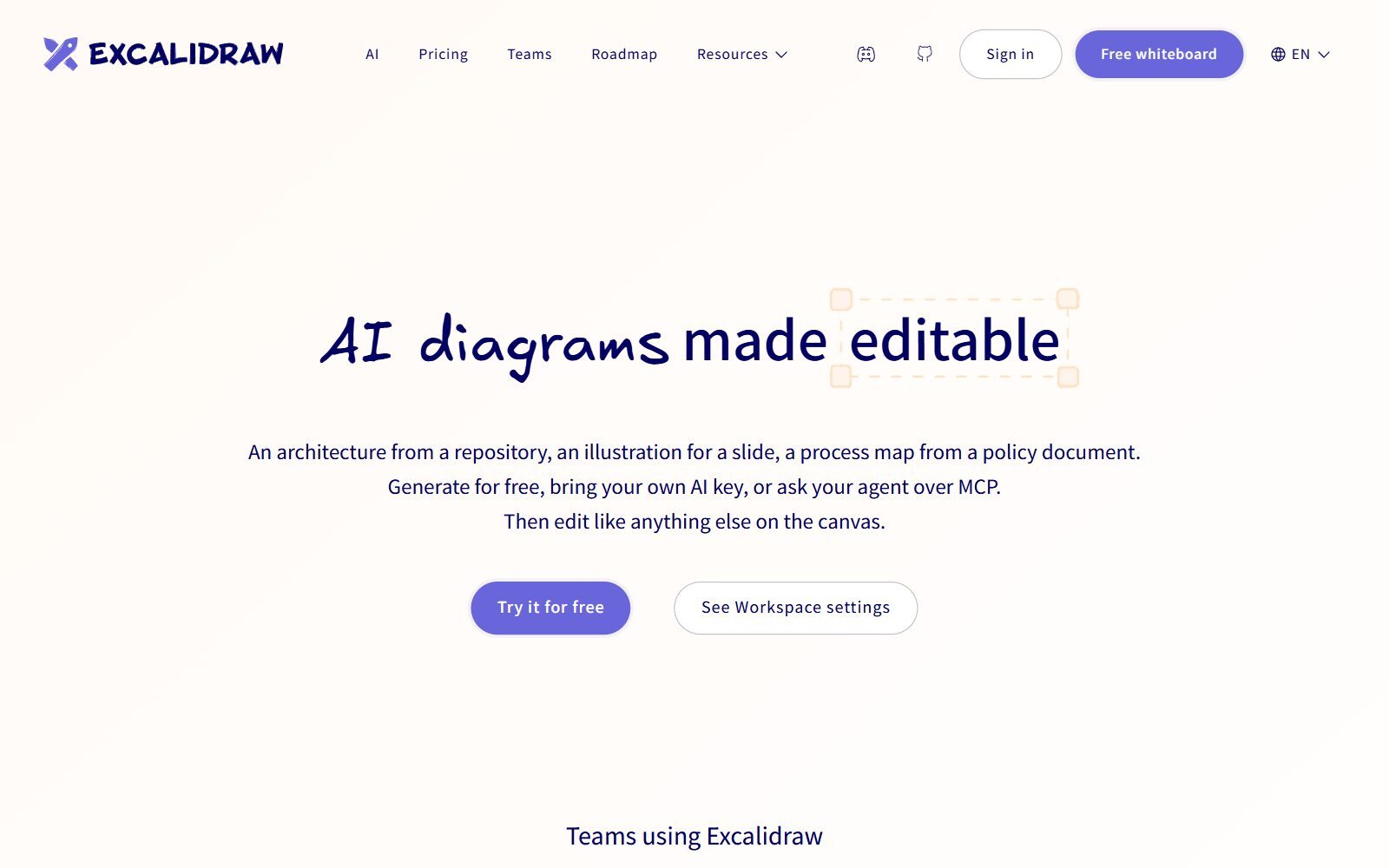
Excalidraw is an MIT-licensed whiteboard with a hand-drawn look, and its AI tools are the closest open-source match to Miro AI. Text to diagram lets you describe a flow in plain words and get editable shapes on the canvas; the app says it currently knows flowchart, sequence, class, state and entity-relationship diagrams. A Mermaid tab converts Mermaid code into native Excalidraw shapes, and Excalidraw's AI page says this conversion uses no AI and has no limits. There is also a Wireframe to code tool. On excalidraw.com you get 10 AI requests a day for free. Excalidraw+ costs $6 per user per month and raises that to 100 requests a day, or lets an admin plug in a key from OpenAI, Anthropic, Gemini, Grok or OpenRouter with no Excalidraw limit, and its MCP server (public beta) lets Claude, Codex, Cursor or OpenCode draw on your board. If you self-host the Excalidraw repository, note that the Text to diagram tab calls an AI backend set in the app's configuration (on excalidraw.com it is Excalidraw's own service), so your copy needs a backend of its own for that tab; the Mermaid tab works without one.
2. draw.io Generate: prompt to diagram with your own key or a self-hosted model
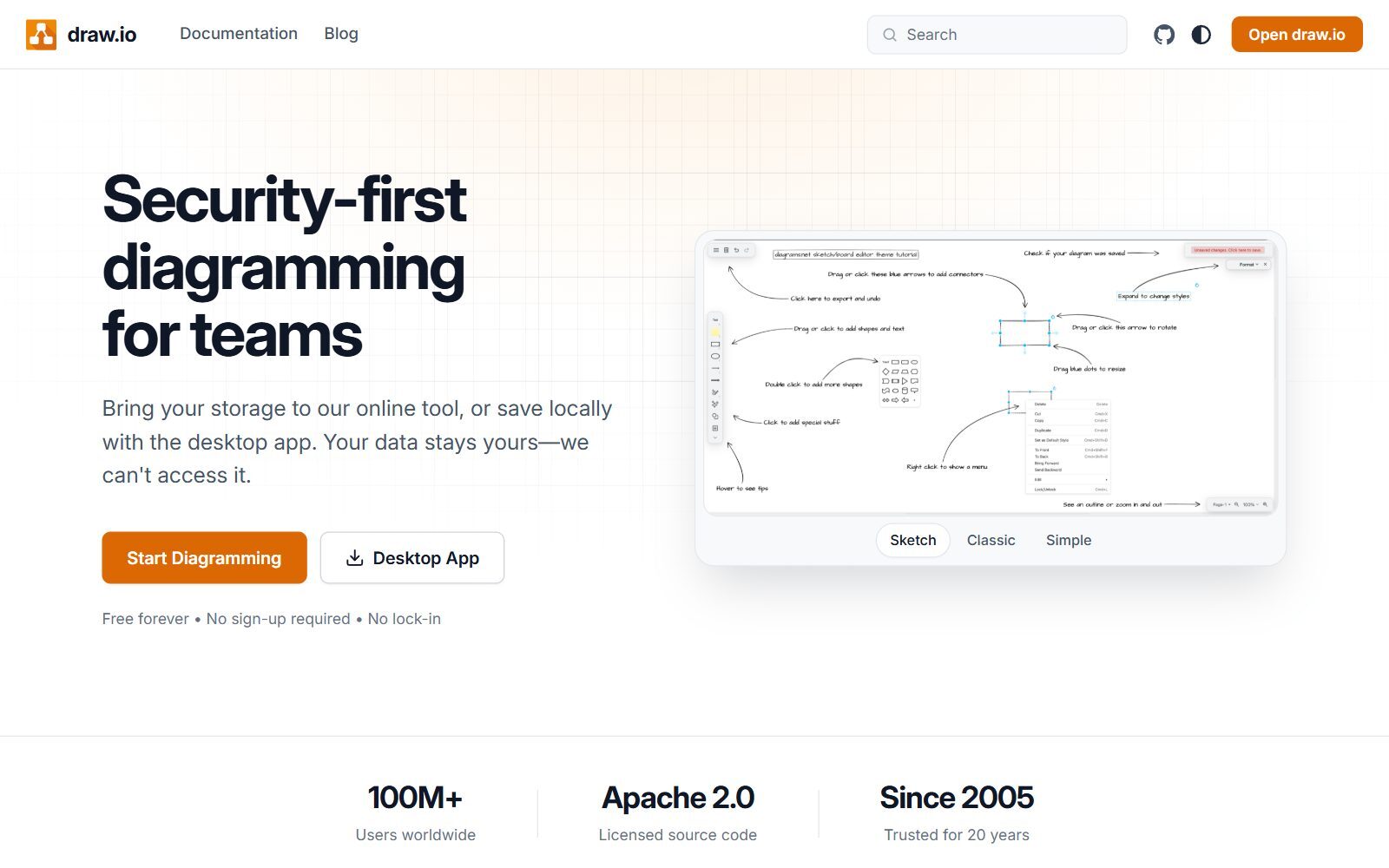
draw.io (Apache 2.0) has a built-in Generate tool: open Arrange > Insert > Generate, describe the diagram and add the preview to the canvas as normal, editable draw.io shapes. Start the prompt with the diagram type, because that decides which generator is used. In August 2026 draw.io updated Generate: you can now refine a diagram with follow-up messages, attach the current file, page or selection, change the default instructions and choose models. By default draw.io picks a model from OpenAI, Claude and Gemini; the free hosted backend caps each request at 10,000 characters. The AI configuration guide shows how to add your own OpenAI, Gemini or Claude key, or a custom entry for a self-hosted LLM, and a Clipboard option copies your request so you can paste it into any AI tool. You can also switch AI off completely. The official draw.io MCP server lets Claude, ChatGPT, VS Code or Cursor create diagrams from XML, CSV or Mermaid. One limit: the open-source draw.io has no real-time co-editing, so it replaces Miro's AI diagrams rather than Miro's shared board. Version 32.6.1 came out in October 2026.
3. Next AI Draw.io: chat with an AI that draws on a draw.io canvas, even with Ollama
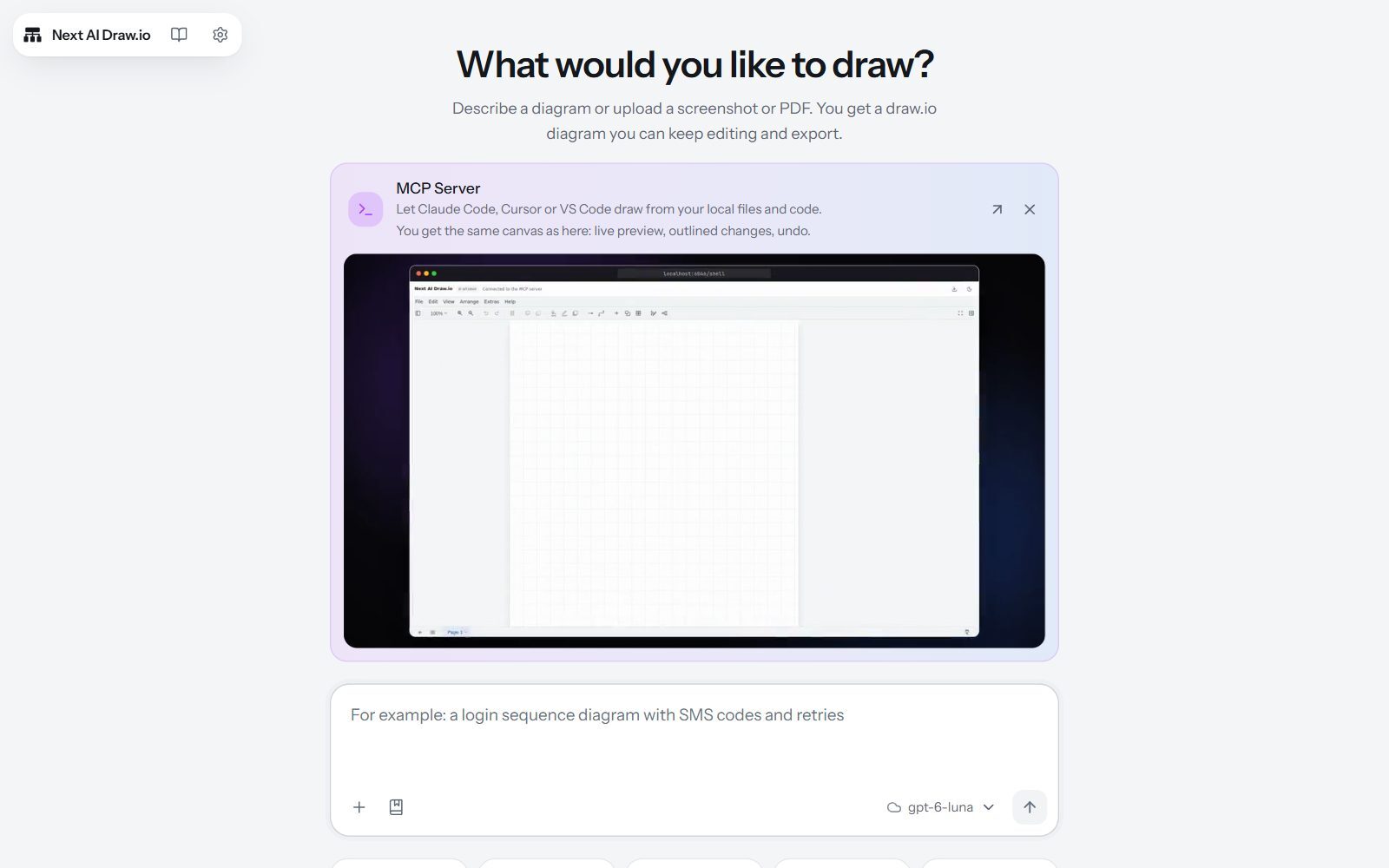
Next AI Draw.io is an Apache 2.0 community project (not made by the draw.io team) that puts a chat next to a real draw.io canvas. You describe a diagram in one sentence, or upload a screenshot, sketch or PDF, and the AI draws it; then you select a few shapes and ask it to change only those. Every AI change is saved as a version you can compare, restore or undo, and the result exports as .drawio, PNG or SVG. It ships with AWS, Azure, GCP and Kubernetes icon libraries, which helps with architecture diagrams. It works with 25 AI providers, including Ollama for local models and an OpenAI-compatible preset for vLLM or LM Studio, and your API key stays in your browser. You can try the online demo (it has a usage limit), install the desktop app for Windows, macOS or Linux, self-host it with Docker, or use its MCP server from Claude Code, Cursor or VS Code. Version 0.5.0 came out in October 2026.
4. AFFiNE AI: mind maps and presentations next to your docs
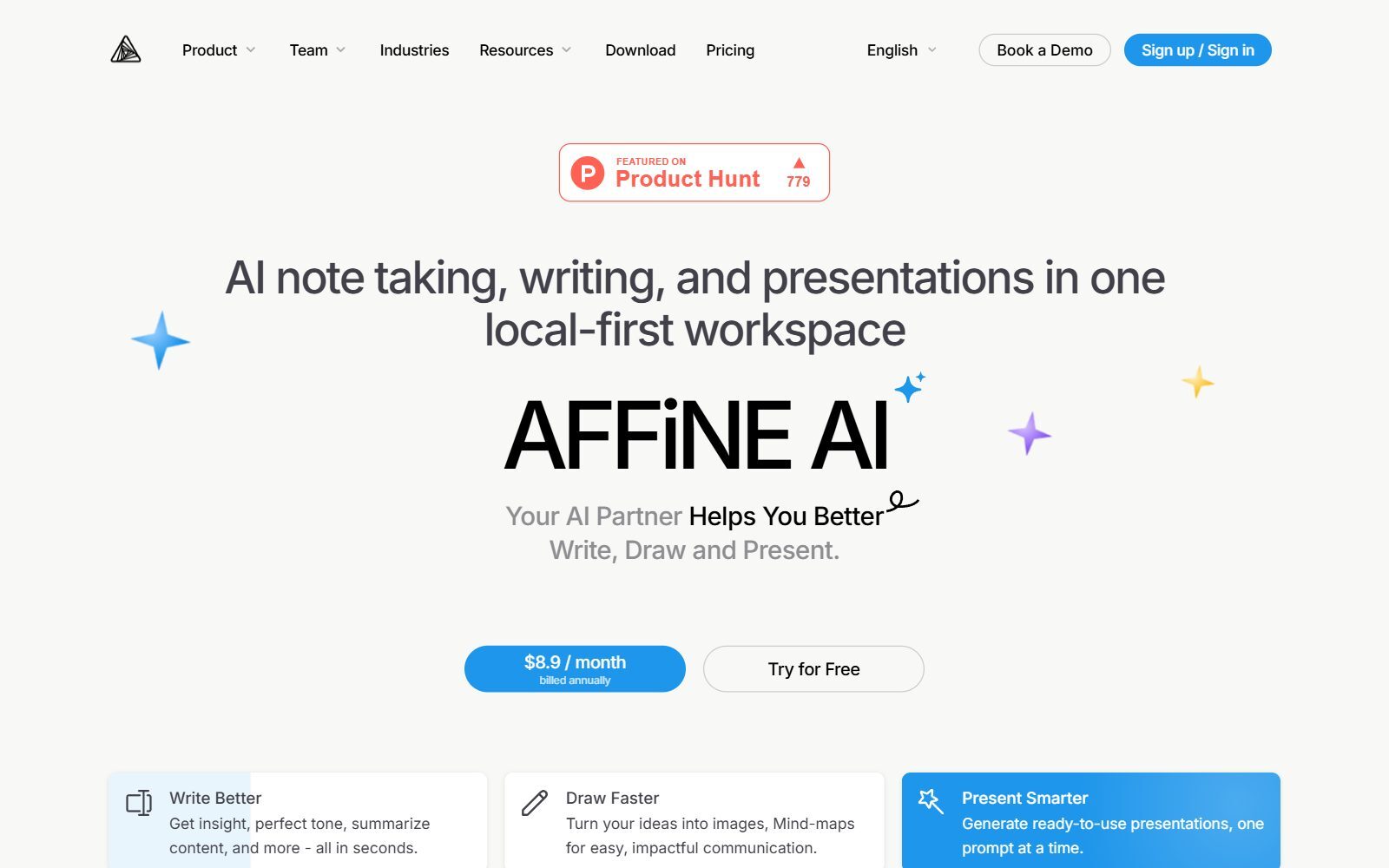
AFFiNE combines docs, databases and an infinite whiteboard (Edgeless mode); the apps are MIT-licensed, the community server MPL 2.0 and enterprise parts need a paid licence. On AFFiNE's pricing page the AI add-on costs $8.9 a month billed annually and summarises your content into mind maps, turns an outline into a presentation (beta) and helps you write and rewrite. The self-hosted community edition is free, and its AI works with your own keys: the self-hosting AI guide lists OpenAI, Anthropic, Gemini and FAL. Writing and chat need an OpenAI, Anthropic or Gemini key, actions and structured output need OpenAI or Gemini, and image generation needs OpenAI, Gemini or FAL. An admin setting can also allow endpoints on your private network. Choose AFFiNE if your Miro boards sit next to a Notion-style wiki. New builds came out daily in October 2026.
Validate your startup idea with the unique borrowed authority approach: we publish articles about your product in our blog and you get traffic and testers for your MVP
- Prove Market Demand: See real organic traffic and waitlist conversions
- Unlock High-Potential Keywords: Receive a curated list of top-performing keywords directly from Google Search Console data.
- Estimate Customer Acquisition Cost (CAC): Gain financial foresight with an estimated CAC based on real keyword performance data.
🔗 Start validating your startup now
5. Mermaid: the diagram language every chatbot can write
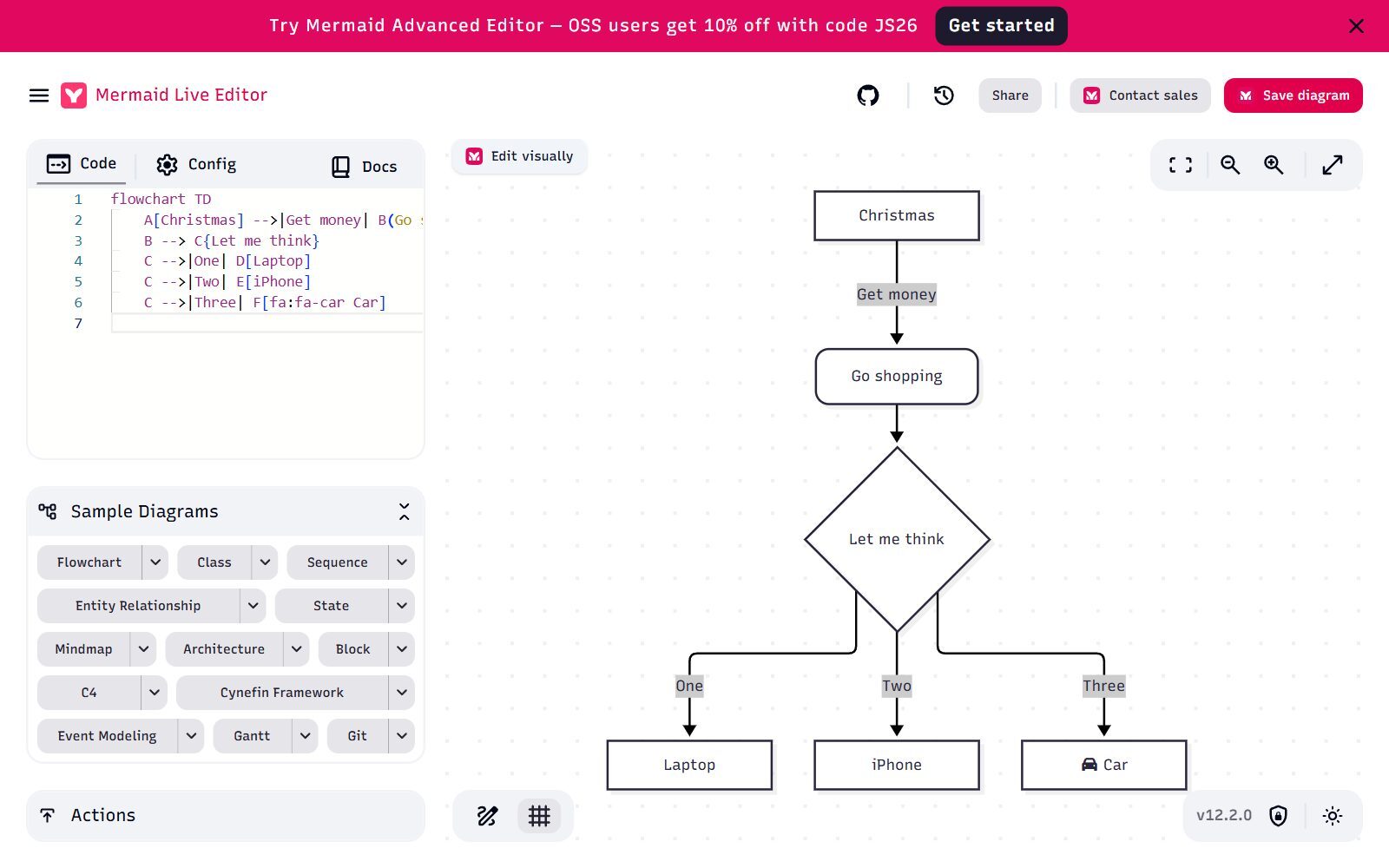
Mermaid is an MIT-licensed library that turns short text into flowcharts, sequence, class, state and ER diagrams, mind maps, Gantt charts, C4 and architecture diagrams. It has no AI of its own, and it does not need one: ChatGPT, Claude, Gemini or a local model can write Mermaid code from your notes, and you paste it into the free Mermaid Live Editor without an account, into Excalidraw, Drawnix or draw.io, or into any tool that renders Mermaid. Version 12.2.0 came out in October 2026. The team that created Mermaid also sells a hosted editor at mermaid.ai (the old mermaidchart.com address now redirects there): it generates diagrams from a description, a document or a meeting transcript, offers an MCP server and plugins for ChatGPT, Confluence, Jira and VS Code, and is not open source. Its free Basic plan includes 15 AI credits a year; Plus costs $10 and Premium $20 per user per month, billed annually.
6. Drawnix: an open-source whiteboard that turns Mermaid and Markdown into boards
Drawnix is an MIT-licensed whiteboard with mind maps, flowcharts, freehand drawing and images on an infinite canvas. It has no built-in AI, but two converters make it a good partner for one: it turns Mermaid syntax into a flowchart and Markdown text into a mind map. Ask your AI assistant for a Markdown outline of your idea, paste it, and you get an editable mind map you can rearrange by hand. The web app saves your boards in your browser, and you export to PNG, JPG or its own JSON format. Version 0.4.1 came out in April 2026, and the code was updated in September 2026.
7. Markmap: AI outlines to interactive mind maps
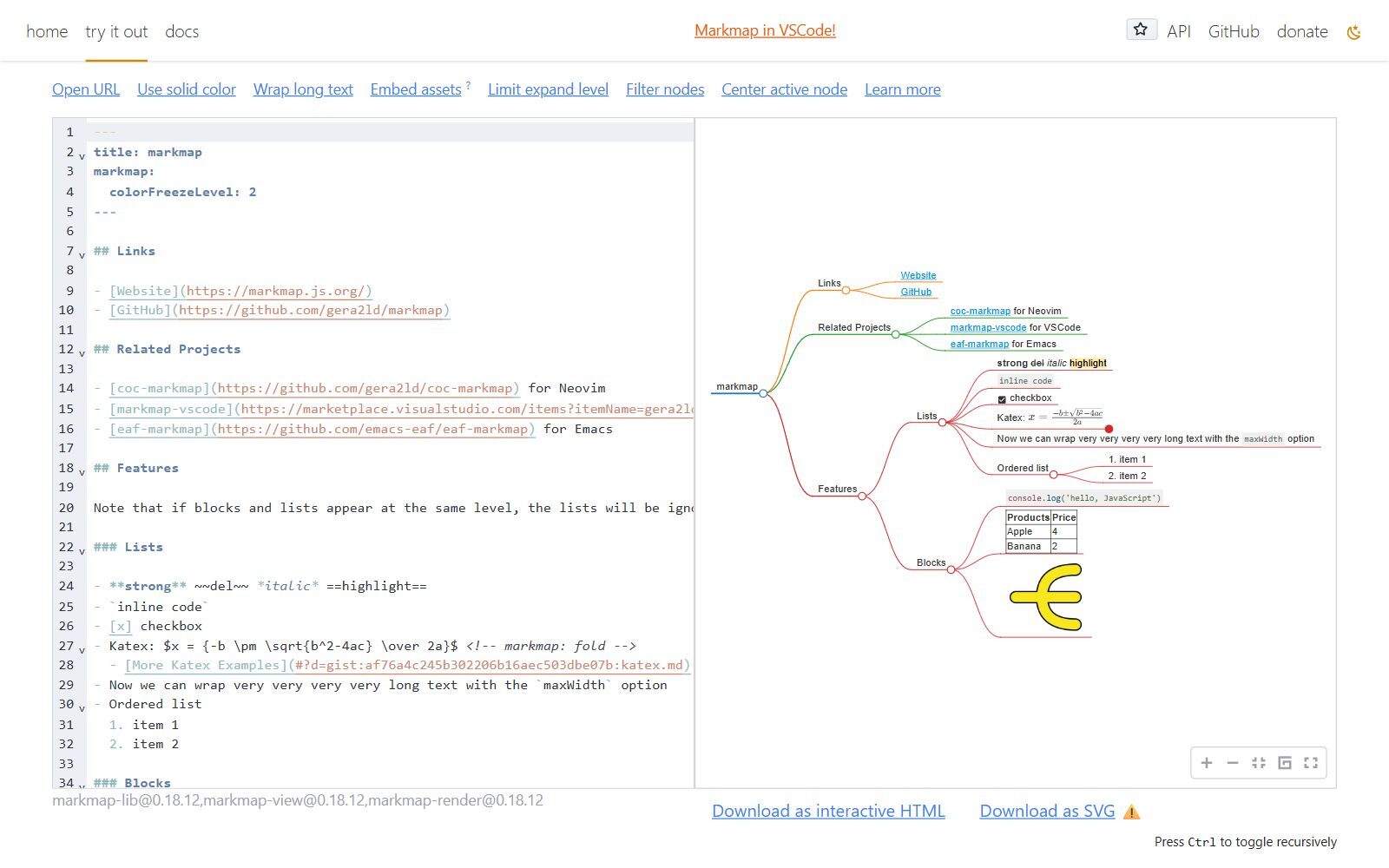
Markmap (MIT) turns Markdown into an interactive mind map you can fold and zoom. Because AI assistants answer in Markdown anyway, it is the fastest open-source way to turn a brainstorm with ChatGPT or Claude into a mind map: paste the answer into the free web editor, or use the VS Code extension. You can download the result as interactive HTML or SVG. The Markmap README also lists a community MCP server and AI agent skills that generate mind maps directly. The last tagged release, 0.18.12, dates from June 2025, but the code was still updated in September 2026.
8. PlantUML and Kroki: text diagrams that AI writes and your server renders
PlantUML is an open-source tool that draws UML and many other diagrams from text, including mind maps, work breakdown structures, Gantt charts, Salt wireframes and ER diagrams. You can choose its licence (GPL, LGPL, Apache, EPL or MIT). Like Mermaid, it has no AI of its own, but language models write it well, so it suits technical teams that keep diagrams next to code. Kroki (MIT) gives you one API that renders PlantUML, Mermaid, D2, Excalidraw, BPMN, Structurizr, GraphViz and more than 20 other formats; it runs as a free service or on your own server. That makes it the back end for your own "prompt to diagram" feature: an LLM writes the text and Kroki turns it into an image. Kroki 0.34.0 came out in October 2026. D2, another text-to-diagram language that Kroki supports, is MPL 2.0 licensed. We compare more text-based tools in our open-source PlantUML alternatives.
9. tldraw: AI agents on a canvas, for developers (source-available)
tldraw is a fast whiteboard, and tldraw.com is free to use. For AI, its Agent starter kit is a template for building an AI agent that reads and edits the canvas through a chat panel, with Anthropic, OpenAI or Google models and your own API keys. This is for developers who want to build their own Miro AI-style product, not a ready team board. Read the licence first: tldraw is source-available, not open source. According to tldraw's pricing page, production use of the SDK needs a licence after a 100-day free trial; there is a free hobby licence and a commercial licence priced by value. Version 5.6.0 came out in October 2026.
Penpot: AI agents for wireframes and UI
If you use Miro AI mainly to draft wireframes and prototypes, look at Penpot, an open-source (MPL 2.0) design tool. Penpot says its MCP server is free and open, runs hosted or on your own server, and lets any MCP client and model (it names Claude, OpenAI Codex, Cursor and VS Code) read and edit your design files. It is a design tool, not a whiteboard; we compare it in our open-source Figma alternatives.
Old Picks That Are Discontinued, Not Open Source or Have No AI
The 2025 version of this article listed ten tools. Several no longer belong on a list of open-source Miro AI alternatives:
- FreeMind: the last release came out in April 2014. Freeplane, which grew out of it, is maintained but has no AI features.
- MindMup: its open-source legacy version was discontinued on 1 January 2017; today's MindMup is a hosted service.
- Coggle and ioDraw: hosted tools; we found no open-source licence on their websites.
- Freeplane and WiseMapping: open source, but without AI features. They are in our general open-source Miro alternatives list.
- tldraw: its licence now requires a licence key for production use, so it is listed above as source-available.
- Mermaid Chart: the hosted Mermaid editor now lives at mermaid.ai; the Mermaid library itself is still MIT-licensed.
Which Open-Source Miro AI Alternative Should You Choose?
- You want Miro AI's "prompt to diagram" on a shared whiteboard: Excalidraw, free with 10 AI requests a day, or with your own key on Excalidraw+.
- You need clean business diagrams (flowcharts, architecture, org charts) and control over the model: draw.io Generate with your own key or a self-hosted LLM.
- You want to run everything on a local model: Next AI Draw.io with Ollama, or any local model writing Mermaid, Markdown or PlantUML.
- You want AI mind maps and slides next to your notes: AFFiNE AI, or Markmap and Drawnix for a free, lightweight setup.
- You are building your own AI whiteboard product: Kroki for rendering text diagrams, or tldraw's Agent starter kit if a commercial licence is fine.
- You need templates, voting, timers and AI in one hosted tool: open source is thinner here; compare hosted tools in our Miro alternatives list or check the Miro for Startups programme.
Comparing related tools? We have checked open-source draw.io alternatives, draw.io alternatives, open-source FigJam alternatives, open-source Lucidchart alternatives and open-source Mural alternatives, and compared Figma vs Miro and Miro vs Notion.
How Founders Use AI Whiteboards
For an early-stage startup, AI on the board is most useful for the boring first draft: turn interview notes into a customer journey, a feature list into a user flow, or a pitch outline into a mind map, then fix it by hand. Keep the prompts and the text version (Mermaid or Markdown) next to the diagram, so you can regenerate it when the plan changes. When a board turns into tasks and docs, our open-source Notion alternatives with AI, open-source Notion alternatives, open-source Trello alternatives with AI and open-source Airtable alternatives with AI cover the next step. For running the sessions themselves, see these brainstorming tools for startups and the collaboration tools for remote startups.
If your team already codes with AI, the same local models can help there too: see our open-source GitHub Copilot alternatives. When the diagrams turn into articles for your website, the F/MS AI SEO Tool helps people find them in Google and AI assistants.
Join ElonaHunt (like ProductHunt but for women) and explore the coolest women-focused startups out there!
Discover your next big inspiration and connect with like-minded female entrepreneurs!
👉 Join the Hunt Here
FAQ About Open-Source Miro AI Alternatives
What is the best open-source alternative to Miro AI?
Excalidraw is the closest match: an MIT-licensed whiteboard with a Text to diagram tool, a Mermaid converter and 10 free AI requests a day on excalidraw.com. For business diagrams with your own AI key, draw.io's Generate tool is the strongest choice.
Can I generate diagrams with a local AI model?
Yes. Next AI Draw.io works with Ollama and any OpenAI-compatible server such as vLLM or LM Studio, and draw.io's Generate tool accepts compatible self-hosted models. You can also ask any local model for Mermaid, PlantUML or Markdown and render it in Excalidraw, Drawnix, Markmap or Kroki.
Is Excalidraw's AI free?
On excalidraw.com you get 10 AI requests a day for free, and converting Mermaid code into shapes uses no AI and has no limit. Excalidraw+ costs $6 per user per month with 100 requests a day or your own key.
Does draw.io have AI?
Yes. draw.io's Generate tool turns a description into an editable diagram, with follow-up messages to refine it. It chooses between OpenAI, Claude and Gemini models by default, and you can add your own keys or a self-hosted model in the configuration.
How much does Miro AI cost in 2027?
When we checked in October 2026, Miro's Free plan included 10 AI credits a month, Starter ($8 per member per month, billed yearly) 25 credits and Business ($20) 50 credits per member. Enterprise starts at 30 members with pooled credits.
Which open-source tool makes AI mind maps?
AFFiNE AI summarises your content into mind maps. For a free setup, ask any chatbot for a Markdown outline and paste it into Markmap or Drawnix, which turn Markdown into mind maps.
Can I self-host AFFiNE with AI?
Yes. The self-hosted edition supports bring-your-own-key AI with OpenAI, Anthropic, Gemini and FAL, set per workspace under Settings, Integrations, AI BYOK.
Is tldraw open source?
No. tldraw's code is public, but its licence requires a licence key for production use of the SDK after a 100-day trial. Its Agent starter kit is aimed at developers building their own AI canvas.
Is Mermaid free?
The Mermaid library and the Mermaid Live Editor are free and MIT-licensed. The hosted editor at mermaid.ai, made by the team behind Mermaid, is a separate paid product with a free plan.
Where can I get a backlink by writing about my startup?
You can publish a guest post in one of the Fe/male Switch startup blogs, which rank in Google and in AI tools. Get a quality backlink.
About the Author
Violetta Bonenkamp, also known as MeanCEO, is an experienced startup founder with an impressive educational background including an MBA and four other higher education degrees. She has over 20 years of work experience across multiple countries, including 5 years as a solopreneur and serial entrepreneur. Throughout her startup experience she has applied for multiple startup grants at the EU level, in the Netherlands and Malta, and her startups received quite a few of those. She’s been living, studying and working in many countries around the globe and her extensive multicultural experience has influenced her immensely.

