

Open-Source Playground AI Alternatives: AI Image Generators You Run on Your Own Computer
Playground AI made its name as a free browser image generator. Today it is a template-first AI design studio for stickers, merch, posters and logos, built on other companies' closed image models, with a small free allowance. If you want an image generator that has no daily limit, keeps your prompts on your own machine and will not change its plans next month, the answer is open source: a free app you install, plus an open-weight model you download. This guide covers the open-source apps worth installing in 2027, the models you can load into them and which of those models you may use commercially. We checked every licence, release and hardware note on the official sites, GitHub and Hugging Face on 17 November 2026.
Quick answer: install InvokeAI if you want the easiest canvas-style app, ComfyUI if you want the most power and the newest models, SD.Next if you have an AMD, Intel or Apple computer, or the Krita AI Diffusion plugin if you like to paint. Load an Apache 2.0 model such as FLUX.2 [klein] 4B or Z-Image Turbo for images you can use commercially. Prefer hosted tools with a free plan and nothing to install? Read our free Playground AI alternatives instead.
Boost Your SEO by Getting Featured in Our Blogs and get a backlink.
We publish content about startups, education, tech, funding, etc. that ranks well not only in Google but also in Perplexity, ChatGPT, Grok and other AI tools.
👉 Get featured now!
What Playground AI Is Now, and Is It Open Source?
The old playground.com address now redirects to Playground, which calls itself "the AI design studio for everyone". You start from thousands of templates in 24 categories, such as T-shirts, stickers, logos, posters and social media posts, and describe what you want. Playground still generates images, but mainly with other companies' models: its site lists GPT Image 2 and 2.5, Nano Banana and Nano Banana Pro, Seedream, Muse Image and its own Playground v3. It also has an iOS app, background removal, upscaling and a mockup generator.
According to its pricing page (annual view, checked 17 November 2026), the Free plan lets you create up to 5 images every 3 hours with limited model access and 6 monthly credits, slower at peak times; free images come with a worldwide, royalty-free commercial licence. Pro costs $12 a month billed annually ($144 a year) or $15 month to month, for 75 images every 3 hours and 1,500 monthly credits; Pro Plus costs $36 a month billed annually or $45 month to month.
The Playground app is not open source. The company did publish downloadable weights for its older models, the latest being Playground v2.5 in February 2024. Their Playground v2.5 Community License allows research and commercial use, but if image generation is a core part of your business and your products have more than 1 million monthly unique users, you must request a licence from Playground. That is not an OSI open-source licence, and the model has not been updated since March 2024.
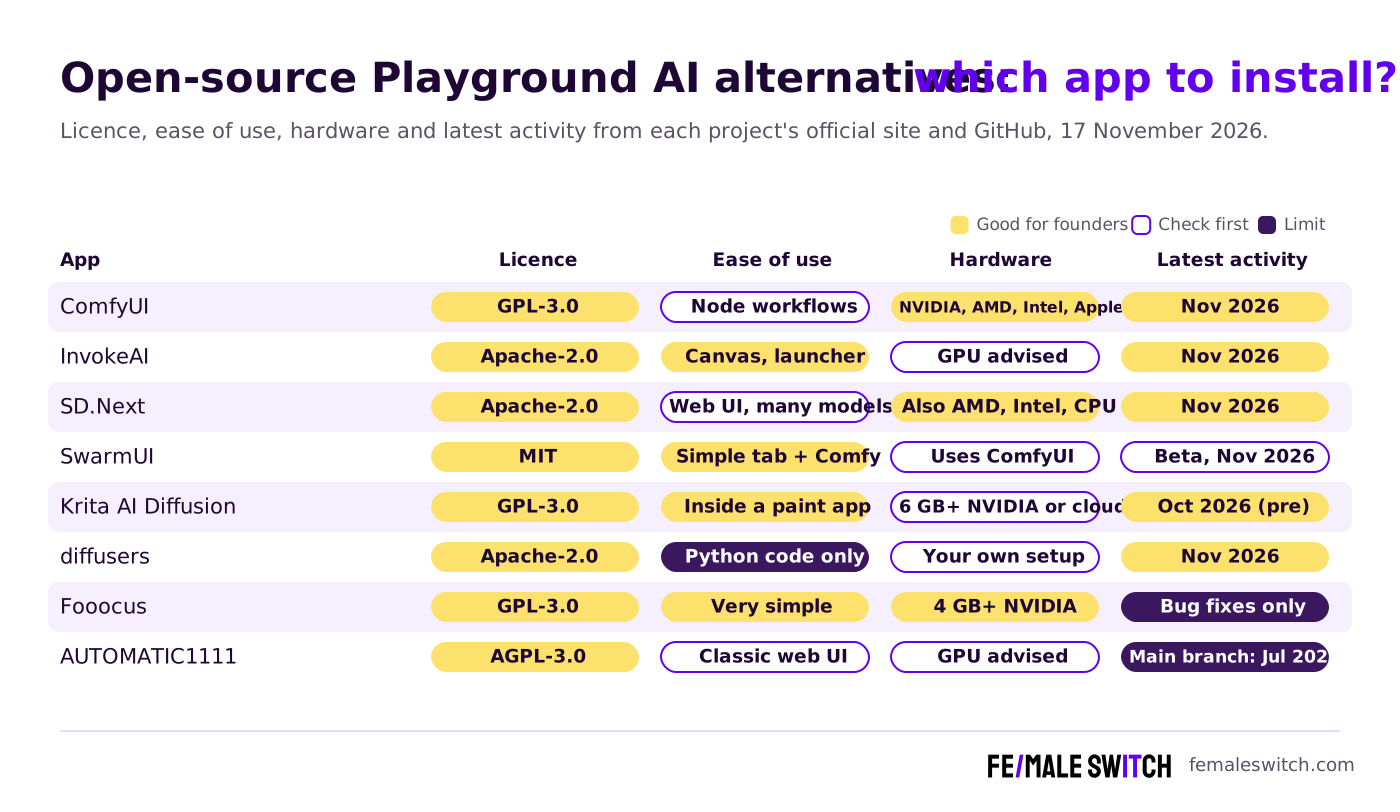
Open-Source Playground AI Alternatives Compared
Sources: each project's official website, licence file and GitHub releases and commits, checked 17 November 2026. The apps are free; the models you load have their own licences (see below).
The Best Open-Source Playground AI Alternatives in 2027
1. InvokeAI: the easiest start, with a canvas
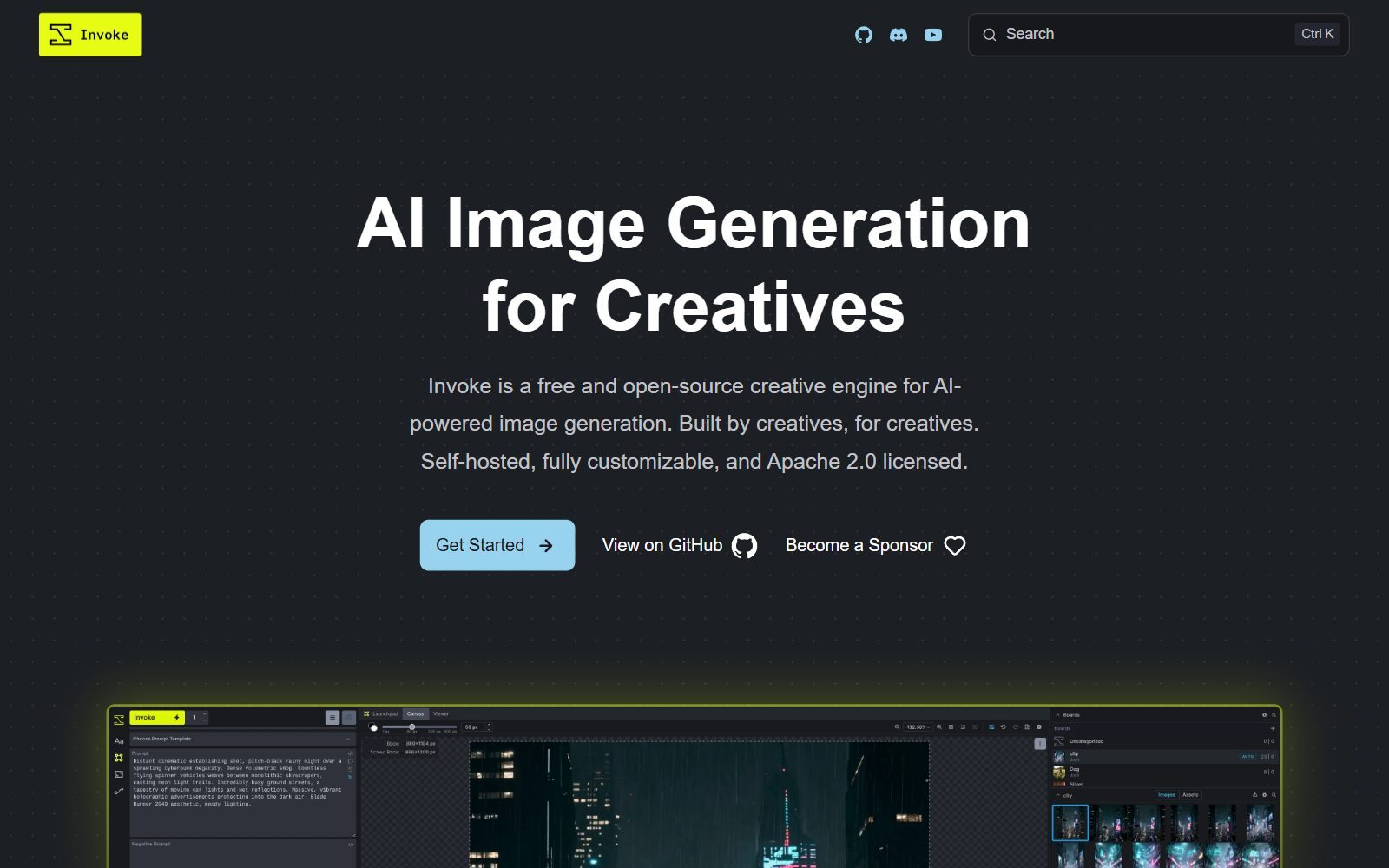
InvokeAI describes itself as a free and open-source creative engine for AI image generation, self-hosted and Apache 2.0 licensed. It is the closest to Playground's old editor: its Unified Canvas supports in- and outpainting and brush tools, so you can paint over part of an image, describe the change and keep going. It also has node workflows, galleries with boards, batch generation and upscaling, and the Invoke launcher installs everything for you. Version 6.14.4 came out on 3 November 2026, and version 7.0 entered beta on 9 November 2026, according to its GitHub releases.
2. ComfyUI: the most powerful, and first with new models
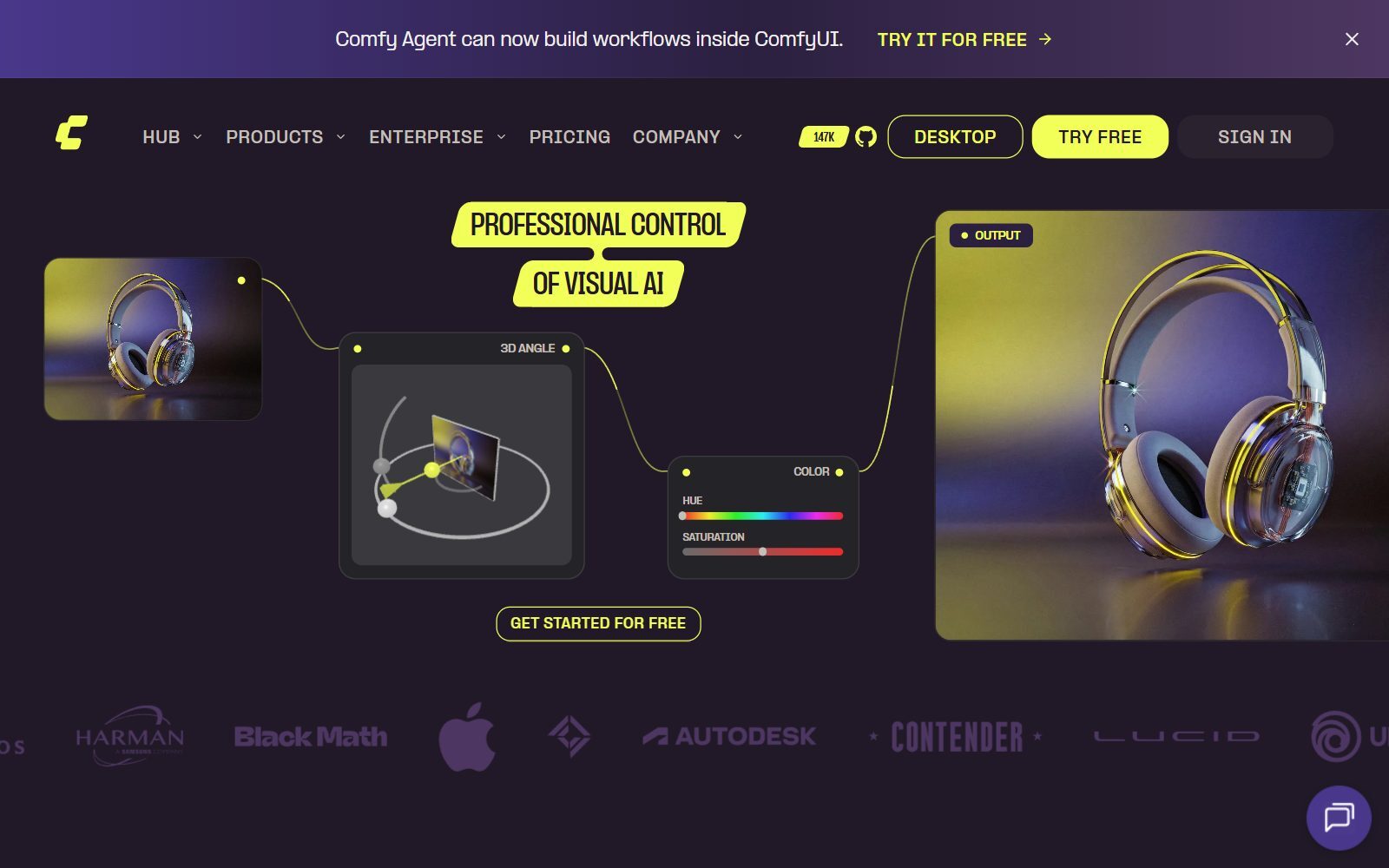
ComfyUI (GPL-3.0 on GitHub) lets you build image pipelines by connecting nodes: a model, a prompt, a reference image, an upscaler. Save the workflow and you can repeat the same style for every image. New open models usually reach ComfyUI first, and it also handles video, audio and 3D. You can run it free with the desktop app on Windows or macOS or a manual install on NVIDIA, AMD, Intel and Apple Silicon hardware; Comfy Cloud is a paid hosted option. Version 0.45.4 came out on 15 November 2026. The learning curve is the steepest here.
3. SD.Next: for AMD, Intel, Apple and CPU-only computers
SD.Next is an Apache-2.0 web interface for generating and editing images and video with a wide range of diffusion models. Its README says it runs on NVIDIA, AMD, Intel and Apple Silicon GPUs or on a CPU alone, with built-in quantization and CPU/GPU offloading to fit bigger models into less memory. It feels like the classic AUTOMATIC1111 web interface, but it is maintained: the main branch was updated on 29 October 2026 and the development branch on 16 November 2026.
4. SwarmUI: a simple screen with ComfyUI underneath
SwarmUI (MIT) gives beginners a simple Generate tab with prompt, settings and an image editor, and gives advanced users a Comfy Workflow tab with the full ComfyUI graph. It can install ComfyUI for you as its back end. The project still calls itself a beta (version 0.9.8), but the code was updated on 12 November 2026. Choose it if you want ComfyUI's model support without starting from nodes.
Validate your startup idea with the unique borrowed authority approach: we publish articles about your product in our blog and you get traffic and testers for your MVP
- Prove Market Demand: See real organic traffic and waitlist conversions
- Unlock High-Potential Keywords: Receive a curated list of top-performing keywords directly from Google Search Console data.
- Estimate Customer Acquisition Cost (CAC): Gain financial foresight with an estimated CAC based on real keyword performance data.
🔗 Start validating your startup now
5. Krita AI Diffusion: generate inside a painting app
The Krita AI Diffusion plugin (GPL-3.0) adds image generation to Krita, the free open-source painting program. You generate from a prompt, select an area to fill or replace, extend the canvas, refine a rough sketch with live painting or upscale the result. It supports Flux 2, Z-Image, Stable Diffusion 1.5, SDXL and Illustrious models. According to its README, running locally needs a graphics card with at least 6 GB of VRAM (NVIDIA), AMD and Intel GPUs are supported too, and cloud generation is available if you have no GPU. The 1.54.0 pre-release came out in October 2026. If you also paint by hand, see our open-source Krita alternatives and free Krita alternatives.
6. diffusers: build image generation into your own product
If you are a developer and want image generation inside your own app, diffusers from Hugging Face (Apache-2.0) is the standard Python library for diffusion models: a few lines of code load a pipeline and generate an image. It has no user interface, so it is for building products, not for designing. Version 0.43.0 came out on 12 November 2026.
Open-Weight Models to Load: Which Ones Can You Use Commercially?
The apps above are only engines. The look of your images, and whether you may sell or advertise with them, depends on the model. These are the licences on the official model pages, checked 17 November 2026:
Sources: Hugging Face model cards and licence tags, stability.ai/license and Stability AI's SD 3.5 announcement, checked 17 November 2026. A summary, not legal advice.
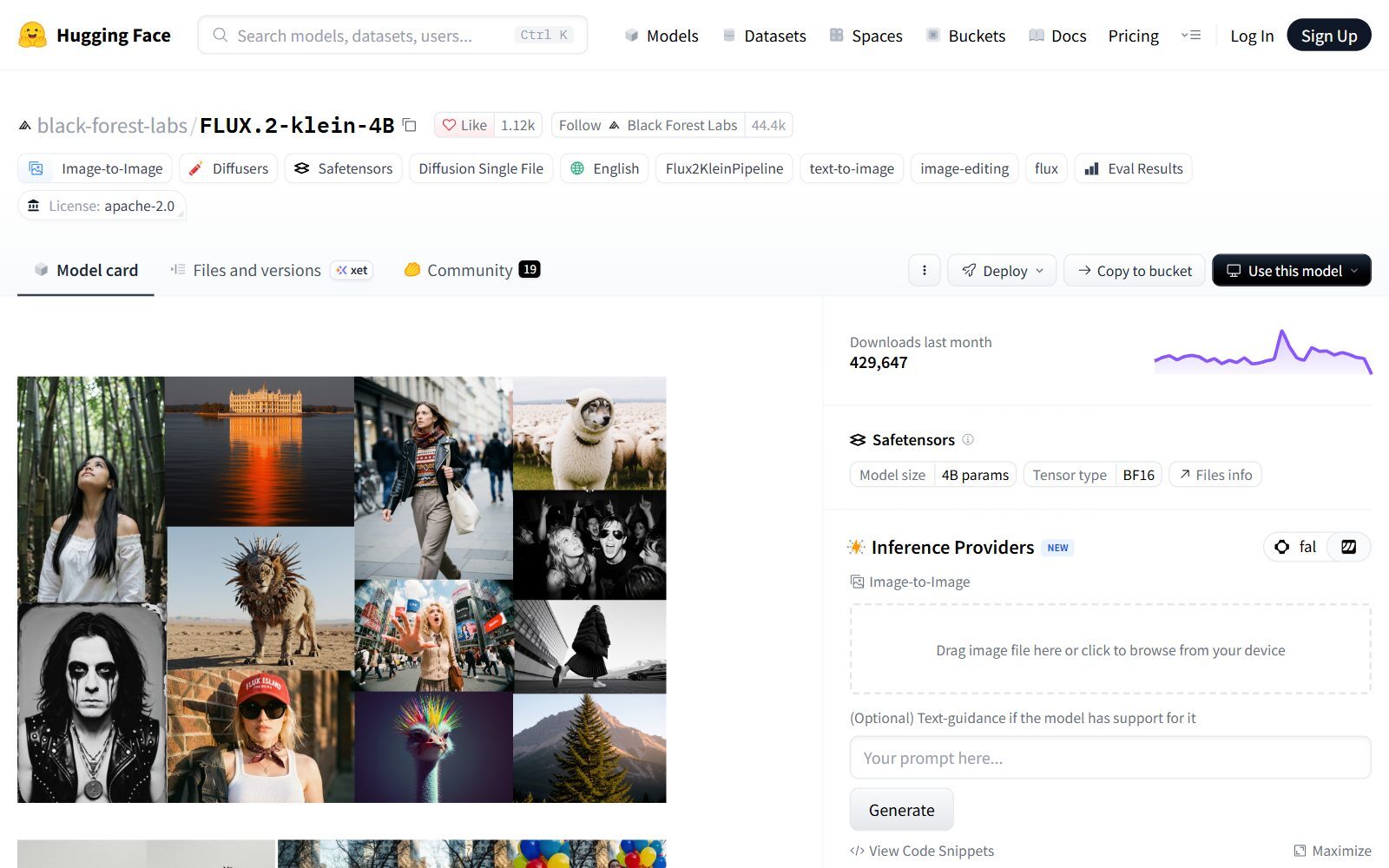
FLUX.2 [klein] 4B from Black Forest Labs is the safest first download: its model card says it is fully open under Apache 2.0, available for commercial use and runs on consumer GPUs with about 13 GB of VRAM; its 9B sibling uses a non-commercial licence. Z-Image Turbo (Apache 2.0, 6 billion parameters) needs only 8 model evaluations per image and fits within 16 GB of VRAM, with readable English and Chinese text. Stable Diffusion 3.5 uses the Stability AI Community License: free for researchers, creators and businesses under $1M in annual revenue, with an Enterprise licence above that. For a deeper model comparison, read our open-source DALL-E alternatives.
Open-Source Image Apps That Slowed Down
- Fooocus: still the simplest prompt-and-go app (GPL-3.0, from 4 GB of NVIDIA VRAM), but its README says it is in limited long-term support with bug fixes only and built entirely on SDXL. Its last release, 2.5.5, came out in August 2024, so it does not run newer models such as FLUX.2 or Z-Image.
- Stable Diffusion WebUI (AUTOMATIC1111): AGPL-3.0 and still widely used, but its last release is 1.10.1 and its main branch has not changed since July 2024. Use SD.Next for the same style of interface with newer models.
- Stable Diffusion WebUI Forge: AGPL-3.0, last code update July 2025.
What Happened to the Tools From Our Earlier List
The 2025 version of this article mixed open-source apps with hosted services. Stable Diffusion, InvokeAI, Krita AI Diffusion and Flux stay above, now with their licences. The rest:
- Composio: open source (MIT), but it connects AI agents to other apps. It does not generate images, so we removed it.
- OpenArt, Perchance and Ideogram: hosted image generators you use in a browser, not open-source apps you can run yourself. Ideogram has published Ideogram 4 weights, but under a non-commercial licence. Our free Playground AI alternatives guide covers hosted tools with free plans.
- HuggingChat: Hugging Face's chat assistant, not an image generator. For open-source chat, see our open-source ChatGPT alternatives.
- GFP-GAN: a face-restoration model for old photos, not an image generator; its last release came out in September 2022.
- Flux: not one model. Black Forest Labs publishes some FLUX models under Apache 2.0 and others under non-commercial or community licences, as the table above shows.
Which Open-Source Playground AI Alternative Should You Choose?
- You liked Playground's simple editor: InvokeAI, or SwarmUI's Generate tab.
- You want every new model and repeatable workflows: ComfyUI.
- You have an AMD, Intel or Apple computer, or no GPU: SD.Next with quantization and offloading, or Krita AI Diffusion's cloud option.
- You draw or paint: Krita with the AI Diffusion plugin.
- You are building an app: diffusers.
- You need images for ads, merch or client work: any app above with FLUX.2 [klein] 4B, Z-Image Turbo or another Apache 2.0 or MIT model.
- You do not want to install anything: a hosted tool; see our free Stable Diffusion alternatives and free Canva AI alternatives.
How Founders Use Open-Source Image Generators
Playground's templates for T-shirts, stickers and posts are the part that is hardest to replace one-to-one. A practical open-source setup splits the job: generate the artwork in InvokeAI or ComfyUI with an Apache 2.0 model, then add text and layout in a design tool. For founders, the payoff is unlimited drafts for landing-page heroes, social posts, product mock-ups and merch ideas, with no credits and no public gallery. If you turn the designs into products, read about print-on-demand designs; if they become ads, our open-source AdCreative.ai alternatives show how to build a full ad workflow from open tools.
For editing and layouts, compare open-source Canva AI alternatives, open-source Photoshop alternatives and Figma AI alternatives. Need stock-style photos? See open-source StockAI alternatives; for AI video avatars, open-source DeepBrain AI alternatives; for voice, open-source ElevenLabs alternatives. Try a quick prompt first with our free AI image generator, see how we use AI tools for startup naming and logo design, and bring people to your pages with the F/MS AI SEO Tool.
Join ElonaHunt (like ProductHunt but for women) and explore the coolest women-focused startups out there!
Discover your next big inspiration and connect with like-minded female entrepreneurs!
👉 Join the Hunt Here
FAQ About Open-Source Playground AI Alternatives
Is Playground AI open source?
No. The Playground app at playgroundai.com is a closed service. The company published downloadable weights for older models, the latest being Playground v2.5 in February 2024, under its own community licence, which is not an OSI open-source licence.
Is Playground AI still free?
Yes, with a small allowance. Playground's Free plan gives up to 5 images every 3 hours, limited model access and 6 monthly credits, and free images come with a royalty-free commercial licence. Pro costs $12 a month billed annually.
What is the best open-source alternative to Playground AI?
InvokeAI for an easy canvas-style app, ComfyUI for the most power and the newest models. Both are free to self-host, and both run Apache 2.0 models such as FLUX.2 [klein] 4B and Z-Image Turbo.
Can I run an AI image generator without a GPU?
SD.Next can run on a CPU alone, but slowly. Krita AI Diffusion offers cloud generation, and ComfyUI has the paid Comfy Cloud. For fast local results, the model cards ask for about 13 GB of VRAM for FLUX.2 [klein] 4B and up to 16 GB for Z-Image Turbo.
Which open-source image models can I use commercially?
FLUX.2 [klein] 4B, FLUX.1 [schnell], Z-Image Turbo and Qwen-Image-2512 are Apache 2.0, and HiDream-O1-Image is MIT. Stable Diffusion 3.5 is free only under $1M annual revenue, and FLUX.1 [dev], FLUX.2 [dev] and Ideogram 4 are non-commercial.
Is Fooocus still maintained?
Only with bug fixes. Its README says it is in limited long-term support, it is built on SDXL, and its last release came out in August 2024. Use InvokeAI, ComfyUI or SD.Next for newer models.
Is AUTOMATIC1111 still updated?
Not really. Its last release is 1.10.1 and its main branch has not changed since July 2024. SD.Next is a maintained alternative with a similar web interface.
Is Stable Diffusion open source?
Its code is open, but the newest weights are not under an OSI licence: Stable Diffusion 3.5 uses the Stability AI Community License, free for businesses under $1M in annual revenue. SDXL uses CreativeML OpenRAIL++-M, which allows commercial use with use restrictions.
What is the difference between this guide and the free Playground alternatives guide?
This guide covers open-source apps and models you install and run yourself. Our free Playground AI alternatives guide covers hosted websites with free plans, such as Leonardo.Ai, Ideogram and Adobe Firefly.
Where can I get a backlink by writing about my startup?
You can publish a guest post in one of the Fe/male Switch startup blogs, which rank in Google and in AI tools. Get a quality backlink.
About the Author
Violetta Bonenkamp, also known as MeanCEO, is an experienced startup founder with an impressive educational background including an MBA and four other higher education degrees. She has over 20 years of work experience across multiple countries, including 5 years as a solopreneur and serial entrepreneur. Throughout her startup experience she has applied for multiple startup grants at the EU level, in the Netherlands and Malta, and her startups received quite a few of those. She’s been living, studying and working in many countries around the globe and her extensive multicultural experience has influenced her immensely.

